







Question: Draw contour diagrams to show the state of execution prior to the following line numbers of the CalcAreaCircle class in Fig. 2.35 in Sect. 2.11.
Draw contour diagrams to show the state of execution prior to the following line numbers of the CalcAreaCircle class in Fig. 2.35 in Sect. 2.11.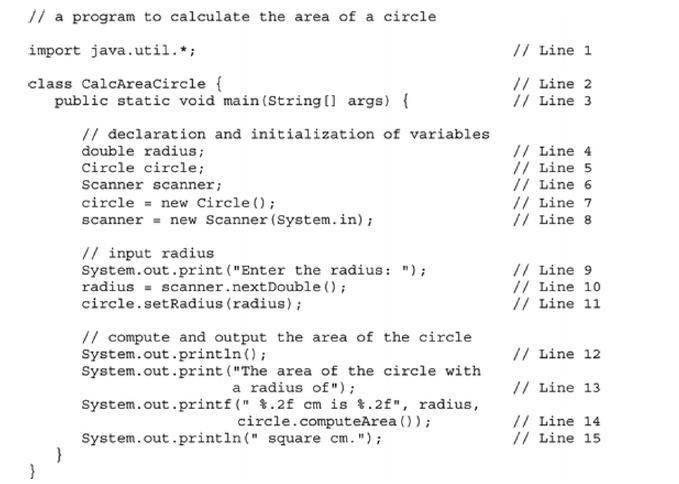
A. Line 8
B. Line 12 (assume an input value of 2.0 )
// a program to calculate the area of a circle import java.util. *; class CalcAreaCircle { public static void main(String[] args) { } // declaration and initialization of variables double radius; Circle circle; Scanner scanner; circle = new Circle(); scanner = new Scanner (System.in); // input radius System.out.print ("Enter the radius: "); radius scanner.nextDouble(); circle.setRadius (radius); // compute and output the area of the circle System.out.println(); System.out.print ("The area of the circle with a radius of "); System.out.printf(" %.2f cm is .2f", radius, circle.computeArea()); System.out.println(" square cm. "); // Line 1 // Line 2 // Line 3 // Line 4 // Line 5 // Line 6 // Line 7 // Line 8 // Line 9 // Line 10 // Line 11 // Line 12 // Line 13 // Line 14 // Line 15
Step by Step Solution
3.39 Rating (149 Votes )
There are 3 Steps involved in it
The main code import javautil Main class class CalcAreaCircle public static void mainStri... View full answer

Get step-by-step solutions from verified subject matter experts
 Study Help