







Question: 5. Look at tables in task No. 4. Draw the table that this SQL command will display (1): SELECT StudentID, Name FROM Students WHERE Students.StudentID
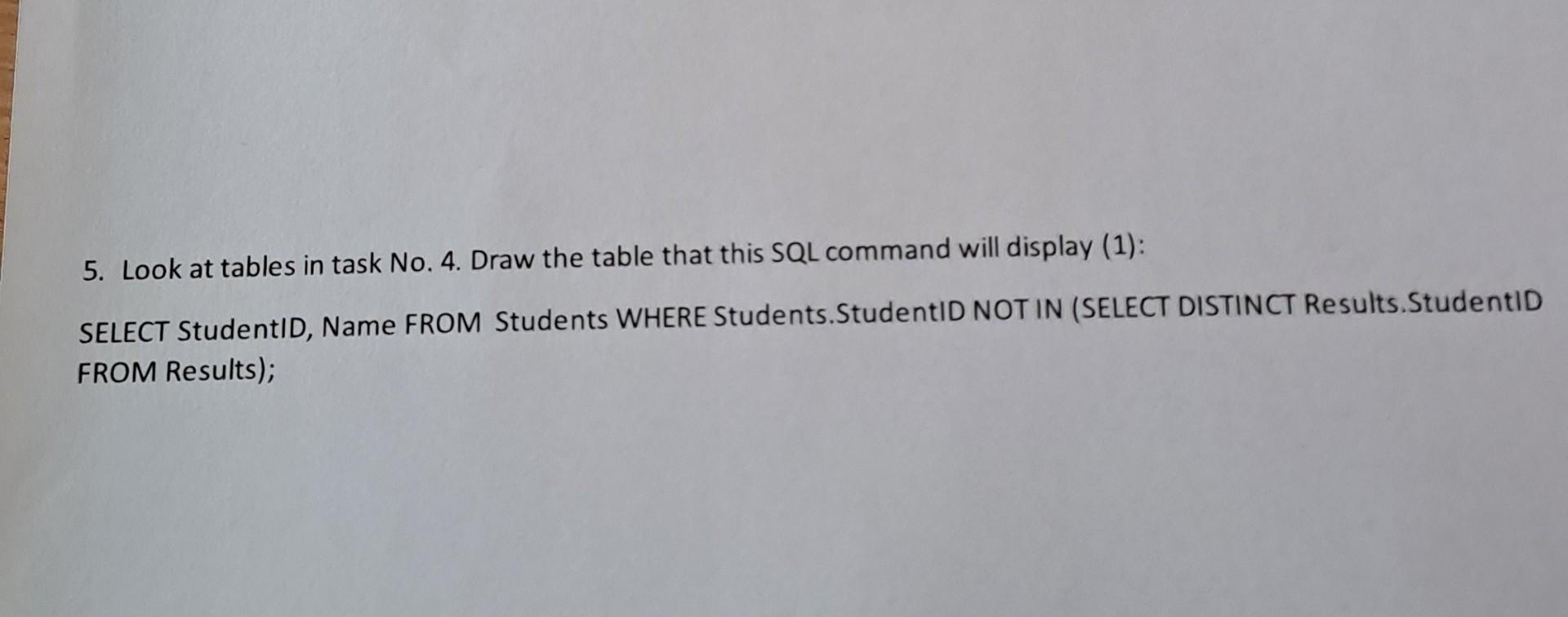
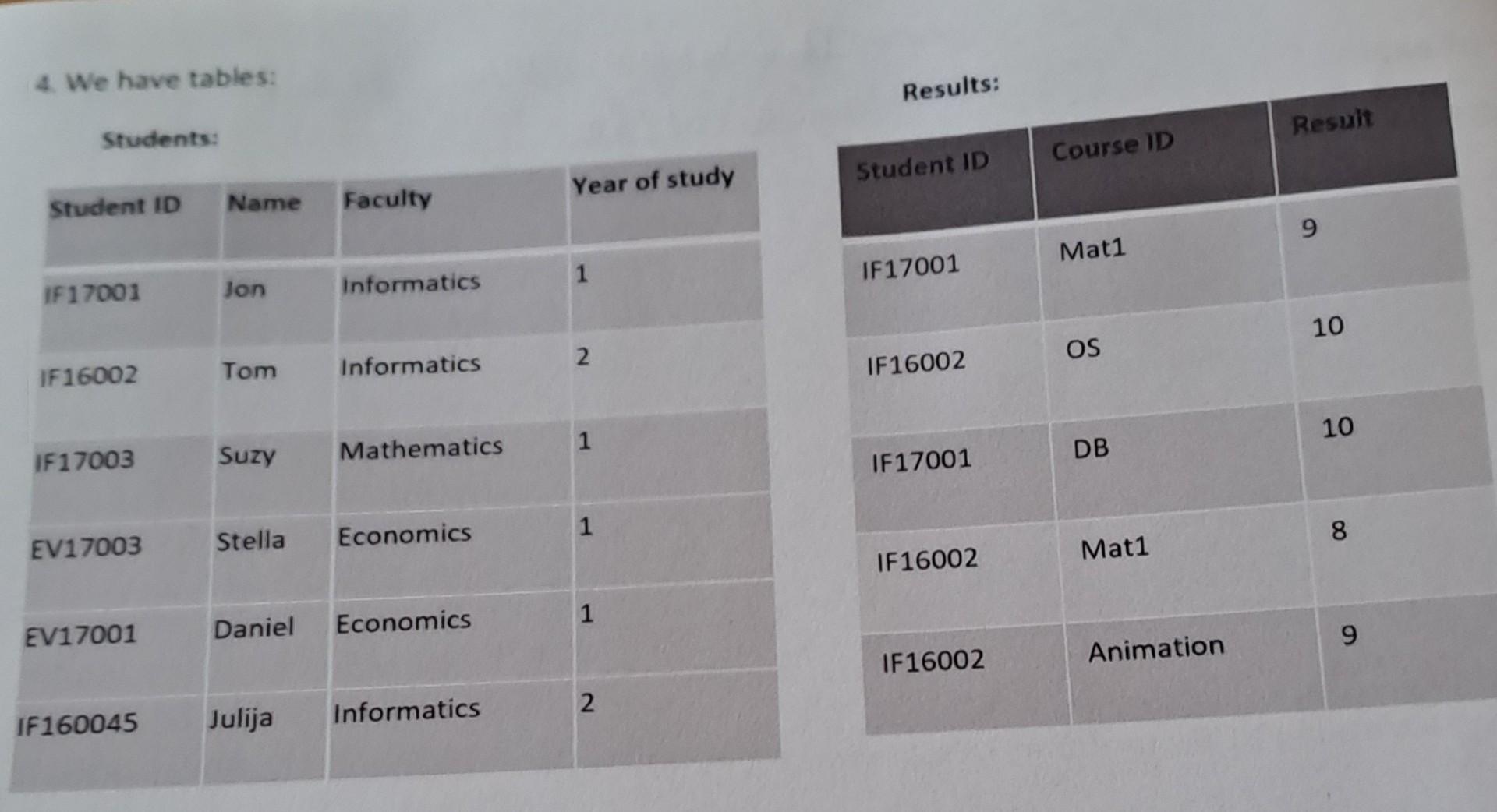
5. Look at tables in task No. 4. Draw the table that this SQL command will display (1): SELECT StudentID, Name FROM Students WHERE Students.StudentID NOT IN (SELECT DISTINCT Results.StudentID FROM Results); 4. We have tables: Students: \begin{tabular}{|l|l|l|l|} \hline Student 10 & Name & Faculty & Year of study \\ \hline If17001 & Jon & Informatics & 1 \\ \hline IF16002 & Tom & Informatics & 2 \\ \hline If17003 & Suzy & Mathematics & 1 \\ \hline EV17003 & Stella & Economics & 1 \\ \hline EV17001 & Daniel & Economics & 1 \\ \hline IF160045 & Julija & Informatics & 2 \\ \hline \end{tabular} \begin{tabular}{|l|l|l|} \hline \multicolumn{2}{|c|}{ Results: } & Resuit \\ \hline Student ID & Course ID & 9 \\ \hline IF17001 & Mat1 & 10 \\ \hline IF16002 & OS & 10 \\ \hline IF17001 & DB & 8 \\ \hline IF16002 & Mat1 & 9 \\ \hline IF16002 & Animation & \\ \hline \end{tabular}
Step by Step Solution
There are 3 Steps involved in it

Get step-by-step solutions from verified subject matter experts
 Study Help