







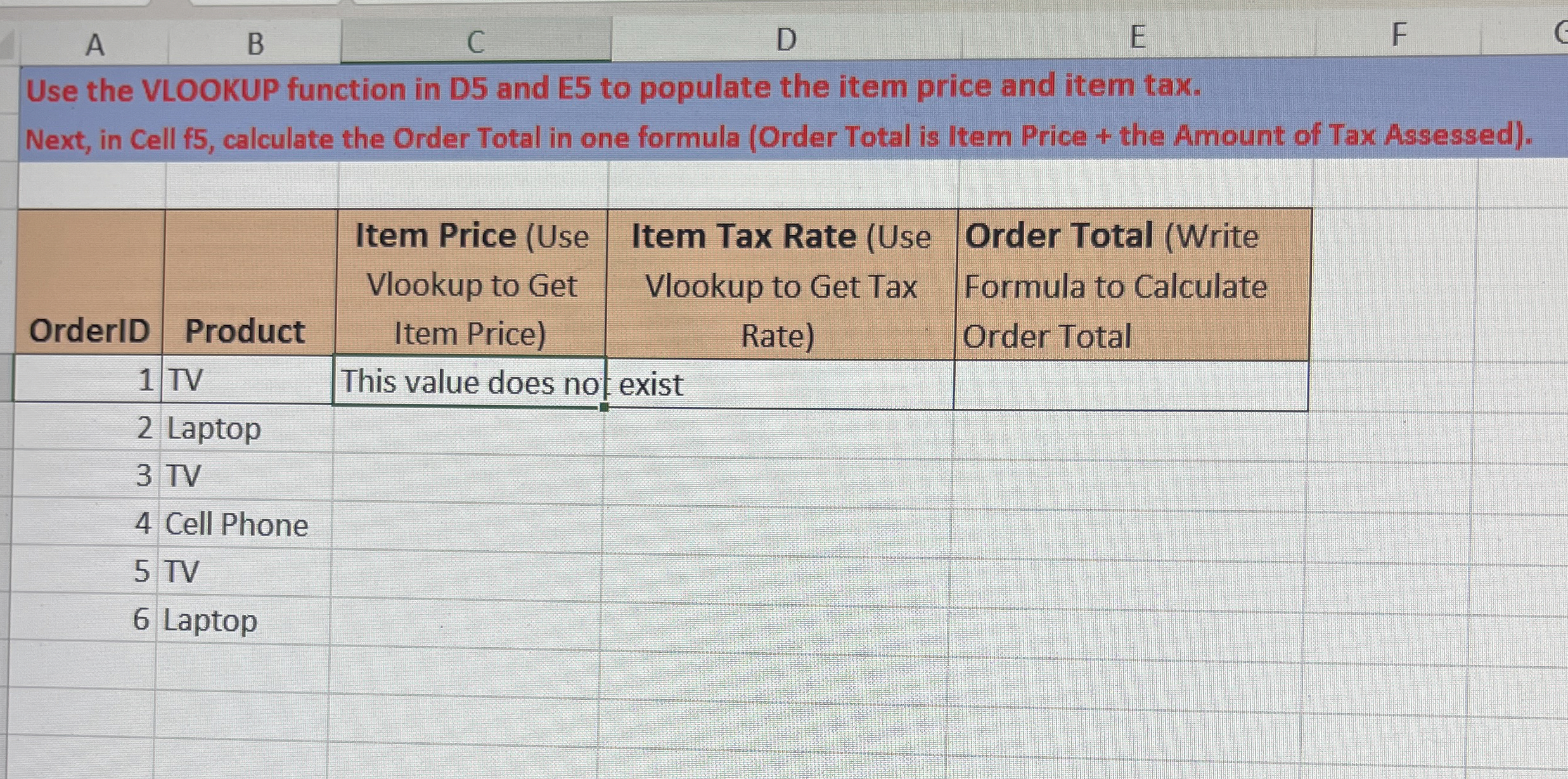
Question: A B C D E F Use the VLOOKUP function in D 5 and E 5 to populate the item price and item tax. Next,
A
B
C
D
E
F
Use the VLOOKUP function in D and E to populate the item price and item tax.
Next, in Cell f calculate the Order Total in one formula Order Total is Item Price the Amount of Tax Assessed
tableOrderIDProduct,tableItem Price UseVlookup to GetItem PricetableItem Tax Rate UseVlookup to Get TaxRatetableOrder Total WriteFormula to CalculateOrder TotalTVThis value does no;exist,
Laptop
TV
Cell Phone
TV
Laptop
Step by Step Solution
There are 3 Steps involved in it
1 Expert Approved Answer
Step: 1 Unlock

Question Has Been Solved by an Expert!
Get step-by-step solutions from verified subject matter experts
Step: 2 Unlock
Step: 3 Unlock
 Study Help