







Question: Account Class Create the new project Assign03-AccountClass. Click the Project tab and select Add New Item... Add a header file named Account.h and then repeat
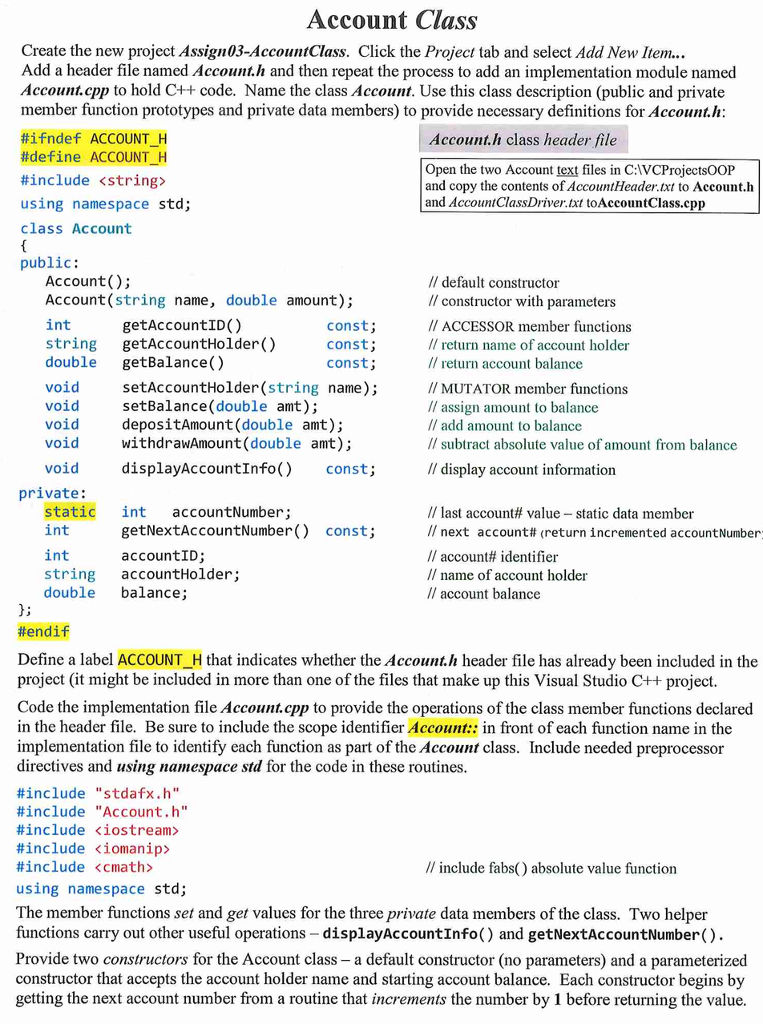
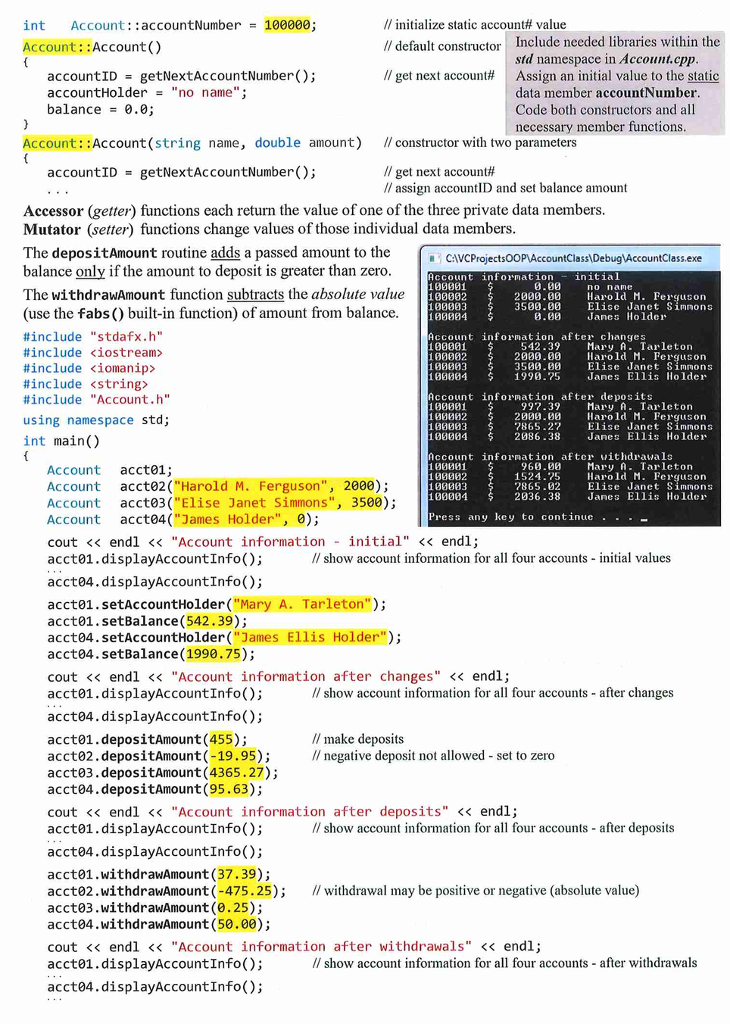
Account Class Create the new project Assign03-AccountClass. Click the Project tab and select Add New Item... Add a header file named Account.h and then repeat the process to add an implementation module named Account. cpp to hold C++ code. Name the class Account. Use this class description (public and private member function prototypes and private data members) to provide necessary definitions for Account.h: #ifndef ACCOUNT_H Account.h class header file #define ACCOUNT_H Open the two Account text files in C:\VCProjectsOOP #include
Step by Step Solution
There are 3 Steps involved in it

Get step-by-step solutions from verified subject matter experts
 Study Help