







Question: Explain two similarities and three differences between QMap and QList. Write code to create a QMap object with QString as keys and Foo* as
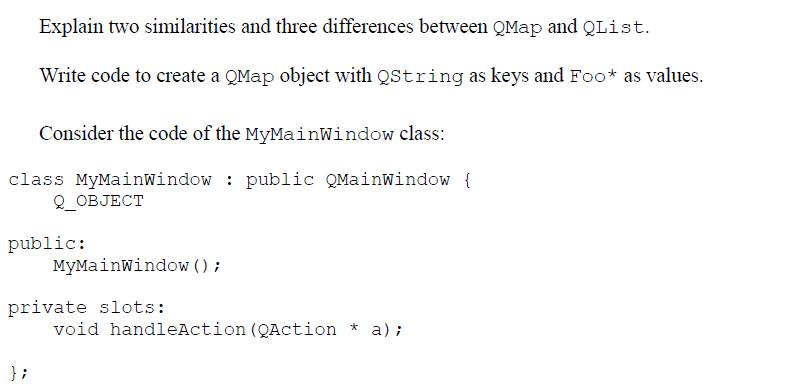
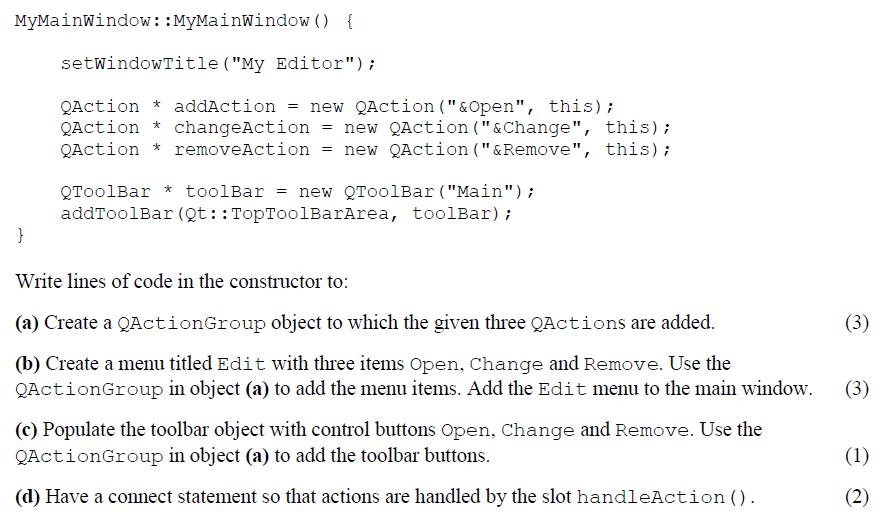
Explain two similarities and three differences between QMap and QList. Write code to create a QMap object with QString as keys and Foo* as values. Consider the code of the MyMainWindow class: class MyMainWindow: public QMainWindow { Q_OBJECT public: MyMainWindow(); private slots: void handleAction (QAction * a); MyMainWindow:: MyMainWindow () { setWindowTitle ("My Editor"); QAction * addAction = new QAction ("&Open", this); QAction * changeAction = new QAction ("&Change", this); QAction removeAction = new QAction ("&Remove", this); * } QToolBar * toolBar = new QToolBar ("Main"); addToolBar (Qt:: TopToolBarArea, toolBar); Write lines of code in the constructor to: (a) Create a QActionGroup object to which the given three QActions are added. (b) Create a menu titled Edit with three items Open, Change and Remove. Use the QAction Group in object (a) to add the menu items. Add the Edit menu to the main window. (c) Populate the toolbar object with control buttons Open, Change and Remove. Use the QActionGroup in object (a) to add the toolbar buttons. (d) Have a connect statement so that actions are handled by the slot handleAction (). (3) (3) (1) (2)
Step by Step Solution
There are 3 Steps involved in it
Similarities of QMap and QList 1 Both are Qts generic container classes 2 Both ... View full answer

Get step-by-step solutions from verified subject matter experts
 Study Help