







Question: In this exercise, Buttons play a product role and Dialogs act as creators. Different types of dialogs require their own types of elements. We will
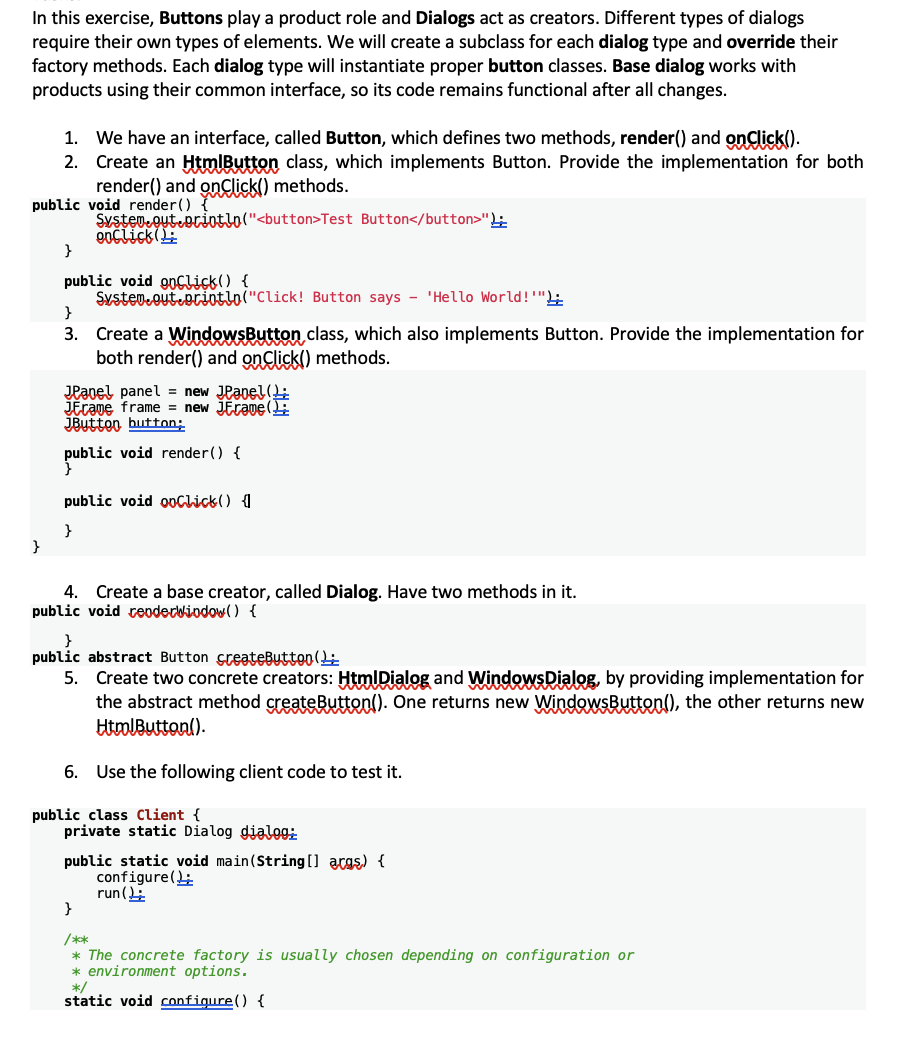
In this exercise, Buttons play a product role and Dialogs act as creators. Different types of dialogs require their own types of elements. We will create a subclass for each dialog type and override their factory methods. Each dialog type will instantiate proper button classes. Base dialog works with products using their common interface, so its code remains functional after all changes.
We have an interface, called Button, which defines two methods, render and onClick
Create an HtmlButton class, which implements Button. Provide the implementation for both
render and onClick methods.
public void render
SystemeoutebrintloTest Button"
enclickL:
public void orClick
SystemeoutRintloClick Button says 'Hello World!;
Create a WindowsButton class, which also implements Button. Provide the implementation for both render and onClick methods.
JPanel panel new JPanel:
dLrame frame new liEraveF
Button hutton:
public void render
public void ooClick
Create a base creator, called Dialog. Have two methods in it
public void ceoderbiodow
public abstract Button sceateButton:
Create two concrete creators: HtmlDialog and WindowsDialog, by providing implementation for the abstract method createButton One returns new WindowsButton the other returns new HtrolButton
Use the following client code to test it
public class Client
private static Dialog dialeg:
public static void mainString acgs
configure:
run$
The concrete factory is usually chosen depending on configuration or
environment options.
static void configure
Step by Step Solution
There are 3 Steps involved in it
1 Expert Approved Answer
Step: 1 Unlock

Question Has Been Solved by an Expert!
Get step-by-step solutions from verified subject matter experts
Step: 2 Unlock
Step: 3 Unlock
 Study Help