







Question: Make flow chart 12 3456789 10 11 12 13 14 15 18 19 20 21 22 23 24 25 26 27 28 29 30 def
Make flow chart 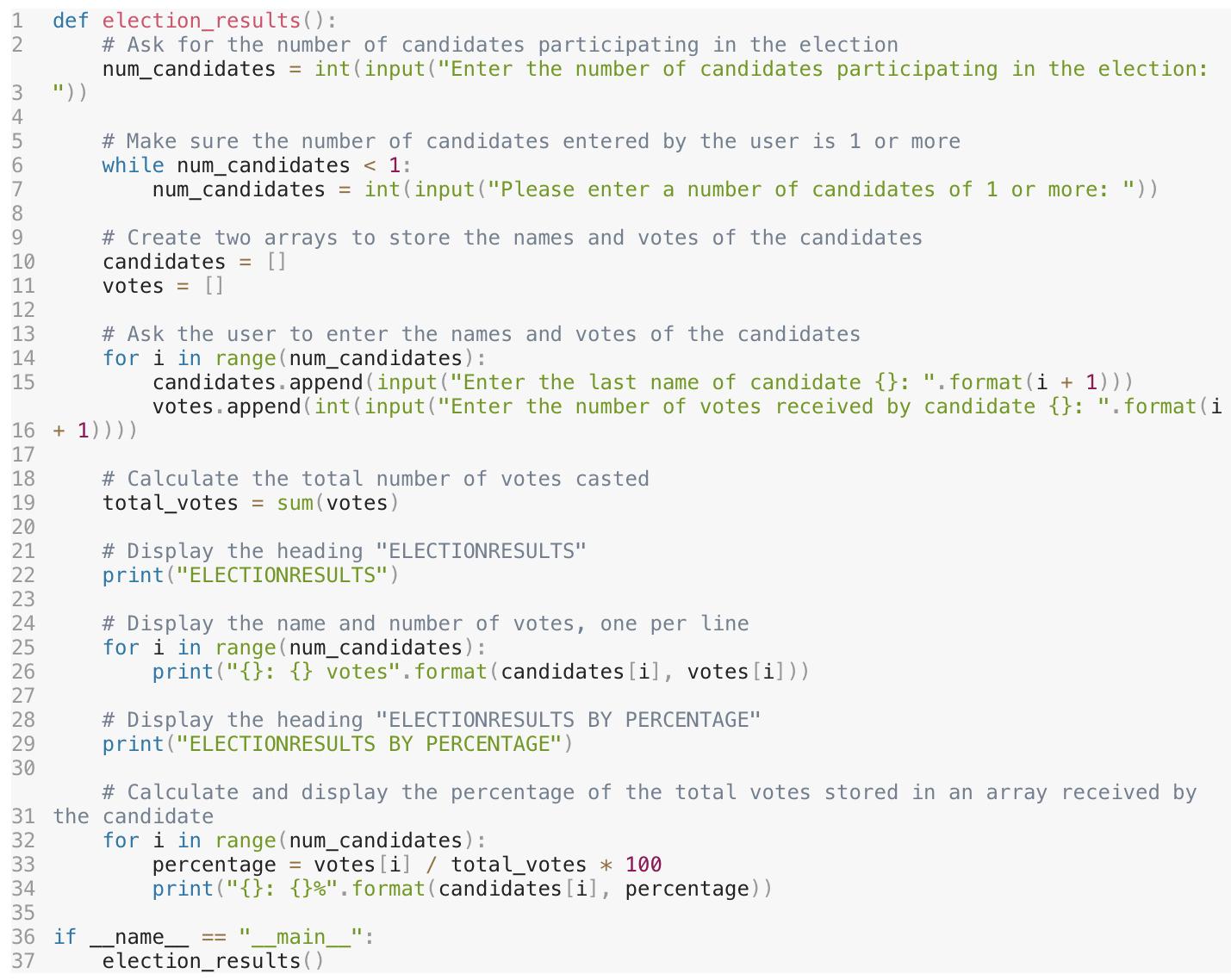
12 3456789 10 11 12 13 14 15 18 19 20 21 22 23 24 25 26 27 28 29 30 def election_results(): # Ask for the number of candidates participating in the election num_candidates = int (input("Enter the number of candidates participating in the election: ")) 16 + 1)))) 17 33 34 # Make sure the number of candidates entered by the user is 1 or more while num_candidates < 1: num_candidates = int(input("Please enter a number of candidates of 1 or more: ")) # Create two arrays to store the names and votes of the candidates candidates = [] votes = [] 35 36 if 37 # Ask the user to enter the names and votes of the candidates for i in range(num_candidates) : candidates.append(input ("Enter the last name of candidate {}: ".format(i + 1))) votes.append(int (input("Enter the number of votes received by candidate {}: ".format(i # Calculate the total number of votes casted total_votes = sum(votes) # Display the heading "ELECTIONRESULTS" print("ELECTIONRESULTS") # Display the name and number of votes, one per line for i in range(num_candidates) : print("{}: {} votes". format (candidates [i], votes[i])) # Calculate and display the percentage of the total votes stored in an array received by 31 the candidate 32 for i in range(num_candidates): percentage = votes [i] / total_votes * 100 print("{}: {}%".format(candidates [i], percentage)) # Display the heading "ELECTIONRESULTS BY PERCENTAGE" print("ELECTIONRESULTS BY PERCENTAGE") name 11 _main___": election_results()
Step by Step Solution
3.46 Rating (143 Votes )
There are 3 Steps involved in it
graph LR subgraph Election Results start Ask numcandidates Ask numcandidates Validate numcandidates ... View full answer

Get step-by-step solutions from verified subject matter experts
 Study Help