







Question: Note: In each question, assume that the user enters correct inputs. You do not handle exceptions. Do not drag and drop your components. You must
Note: In each question, assume that the user enters correct inputs. You do not handle exceptions. Do not drag and drop your components. You must create Java class, not Java Form. Do not drag and drop components! UPLOAD MyMenuFrame.java MyMenuFrameTest.java
Write a Notepad Application
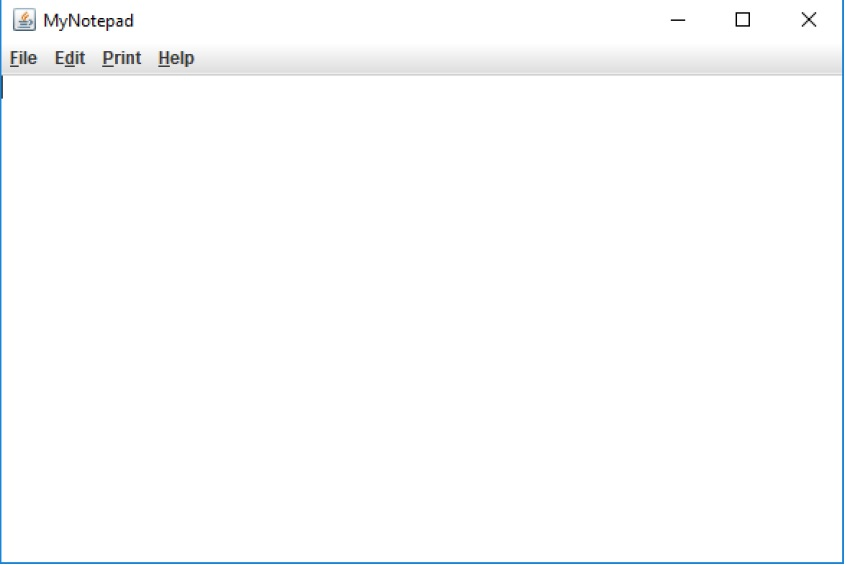
a. The title of the frame is MyNotepad. b. Create and add border layout. c. Create a text area to display contents. Add the text area to the center of the border layout. d. Create a menu bar. e. Create a file menu. Set mnemonic for file menu. It is F. File menu includes three menu items. f. Add a separator between each menu item in the file menu.
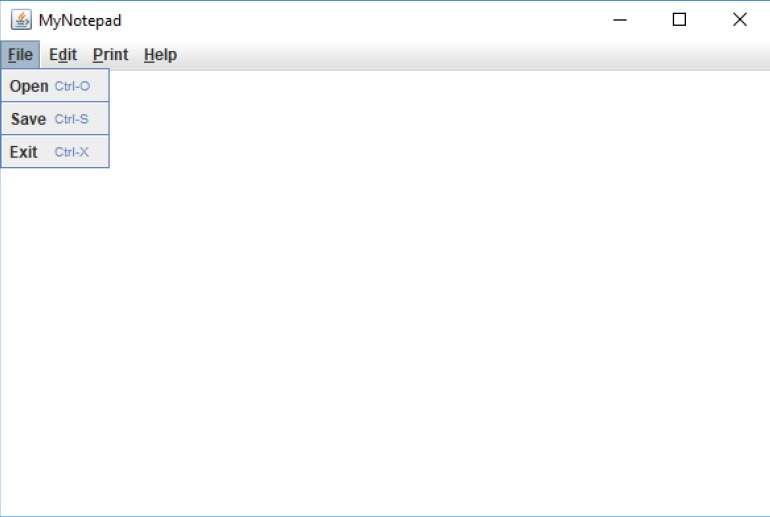
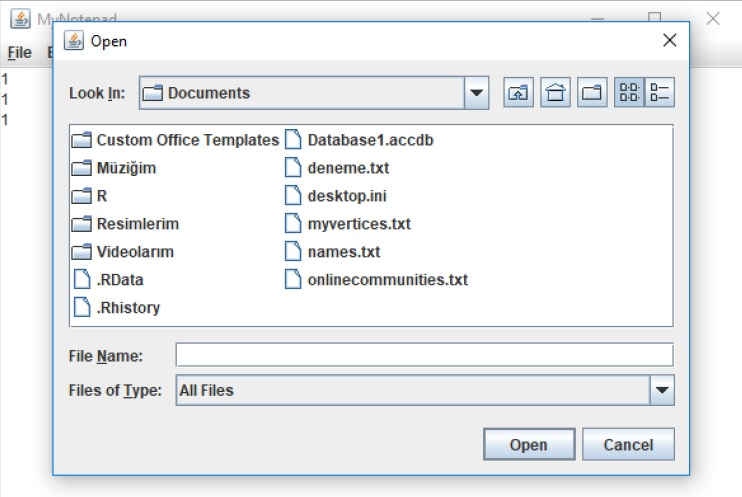
Open 1. Add a short cut for the menu item. It is ctrl+O. a. Use this syntax: MenuItem.setAccelerator(KeyStroke.getKeyStroke('O', CTRL_DOWN_MASK)); 2. When a user clicks it (an action event occurs) a file chooser is created, and an open dialog box is opened. The user selects a text file to open it and then clicks Open or the user can click on Cancel. Use try block with resources. (Hint: add catch block automatically, click add catch clause).
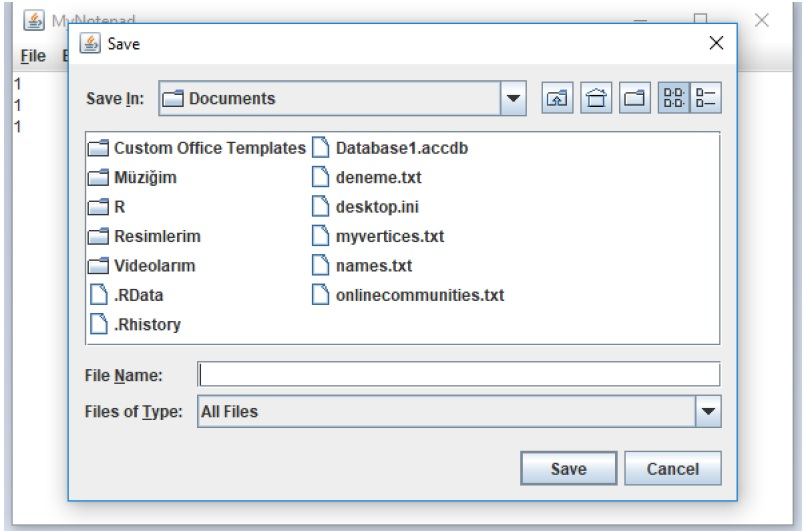
ii. Save 1. Add a short cut for the menu item. It is ctrl+S. 2. When a user clicks it (an action event occurs) a file chooser is created, and a save dialog box is opened. The user writes the name of text file to save it and then clicks Save or the user can click on Cancel. User try block with resources. (Hint: add catch block automatically, click add catch clause).
iii. Exit 1. Add a short cut for the menu item. It is ctrl+X. 2. When a user clicks it (an action event occurs), it terminates the application. g. Create edit menu. Set mnemonic for file menu. It is D. Edit menu includes two menus: Color and Font. h. Add a separator between each sub menu.
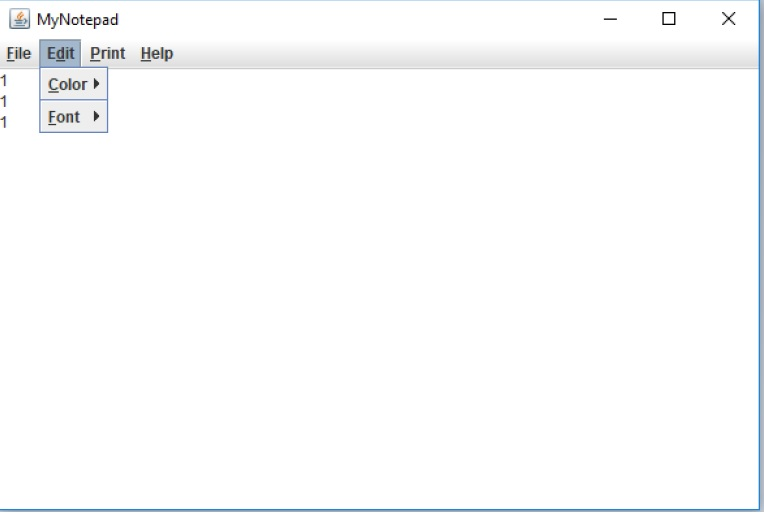
i. Create color menu. Set mnemonic for file menu. It is C. i. Create change color menu item. Add a short cut for the menu item. It is ctrl+C.
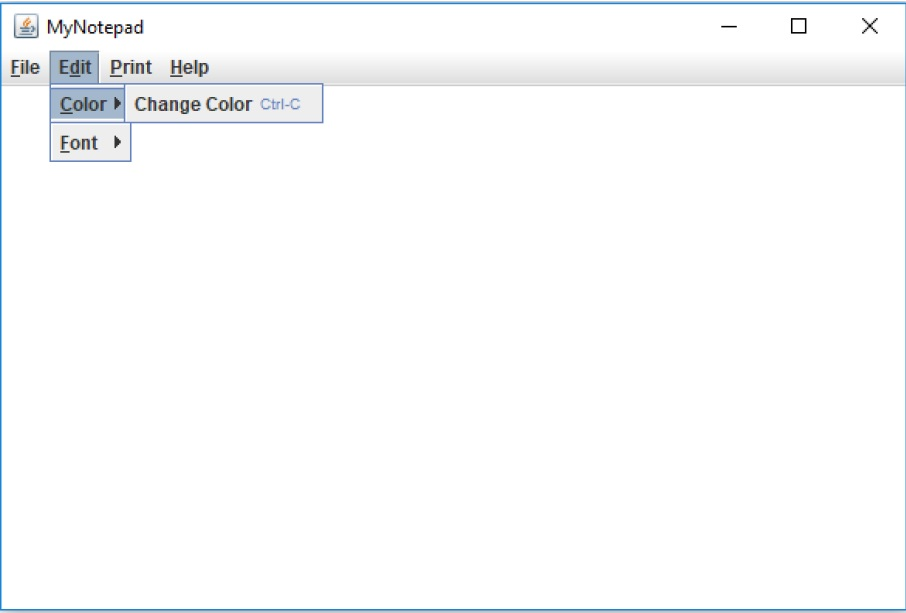
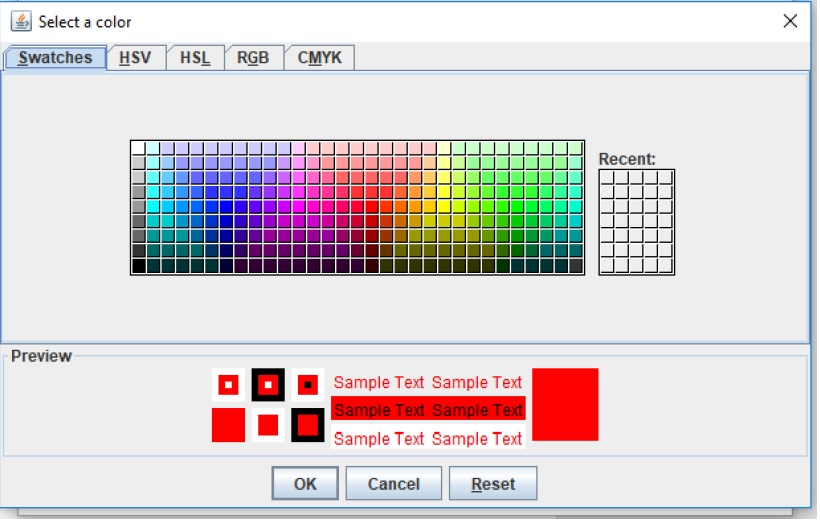
ii. When a user clicks change color, a color chooser is opened and the user selects a color. By default, red color is selected. Then, the color of the text is changed.
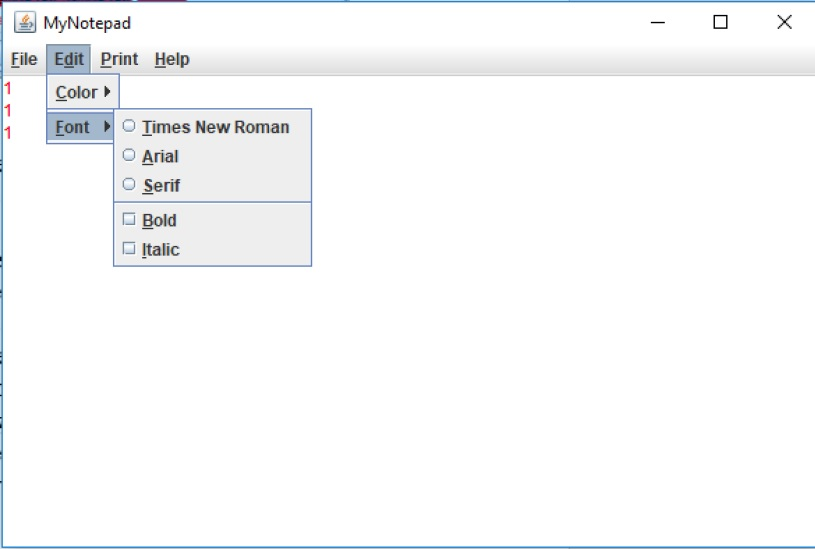
j. Create font menu. Set mnemonic for file menu. It is F. i. This menu includes three radio button menu items: Times New Roman, Arial, Serif. (Hint: you also need a button group). When a user selects one of these fonts (an action event occurs), the font of the text will change. Set font size as 20. ii. This menu includes also two check box menu items: Bold, Italic. A User can select both, only bold one, italic one, or unselect any of them (an item event occurs). Based on the user selection, set the font. (Hint: if one of them is unselected, set the font as plain). Set font size as 20. iii. Add a separator between radio button menu items and check box menu items.
k. Create Print menu. Set mnemonic for print menu. It is P. i. Printer menu includes one menu item: Send to Printer. Add a short cut for the menu item. It is ctrl+P.
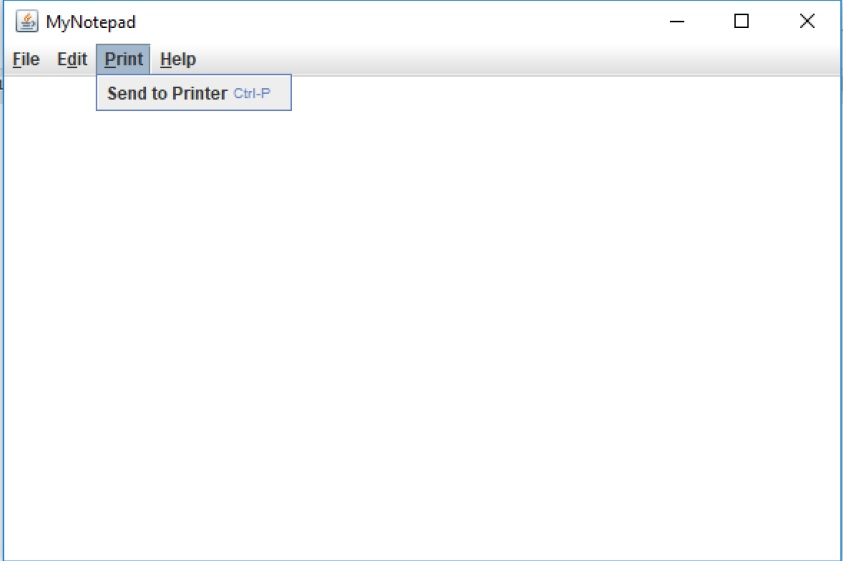
ii. When a user clicks it (an action event occurs), display an Option Dialog. Display the message in the figure. If the user clicks Ok, display a message dialog box (set information icon). Display the message in the figure. If the user clicks cancel, make the current frame as visible.
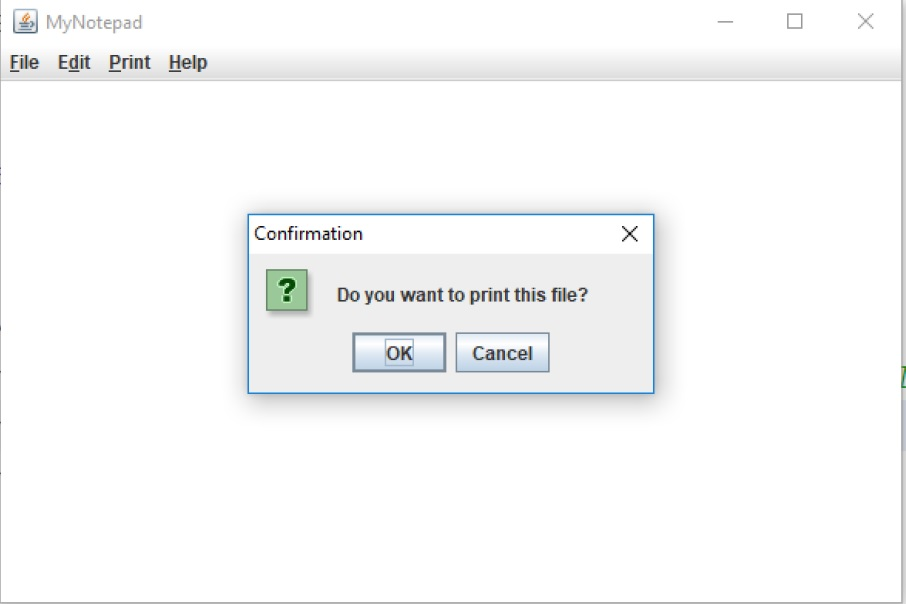
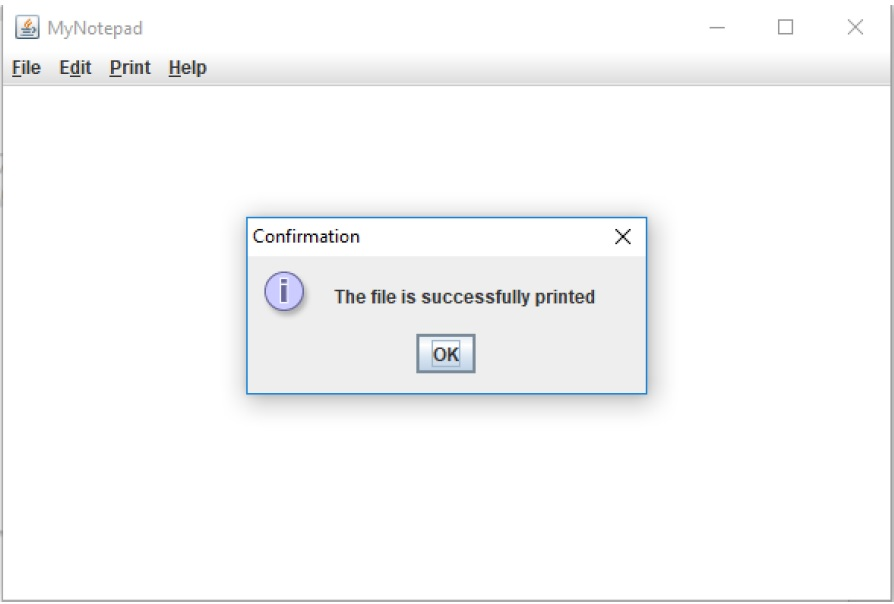
l. Create a help menu. Set mnemonic for help menu. It is H. m. Help menu includes two menu items: About, Visit Homepage. Add a separator between these menu items.
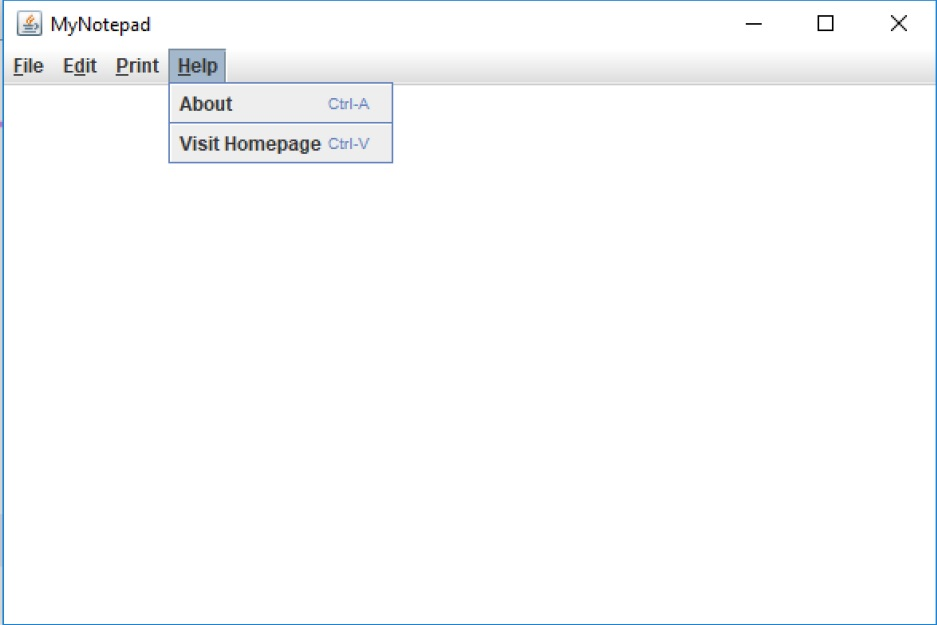
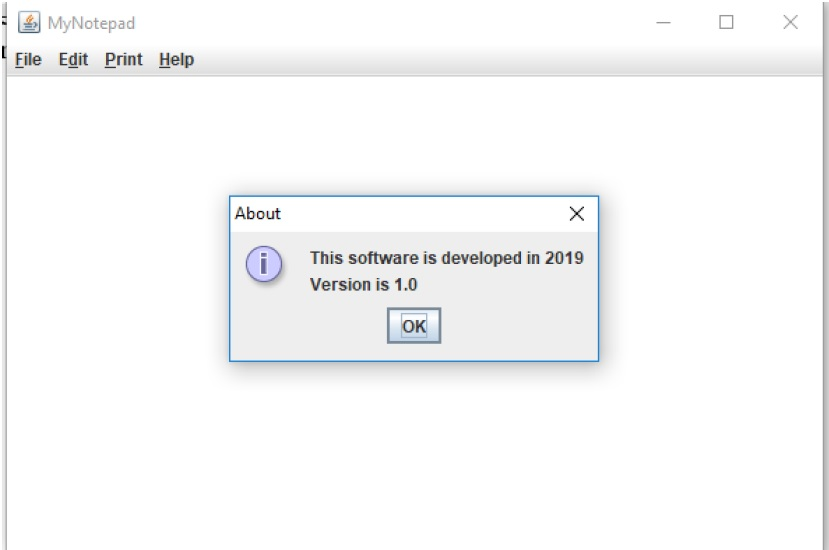
i. Create a menu item which is about. Add a short cut for the menu item. It is ctrl+A. 10 1. When a user clicks it (an action event occurs), display a show message dialog box. Display the message shown in the figure. Display information icon.
ii. Create a menu item which is visit homepage. Add a short cut for the menu item. It is ctrl+V. 1. When a user clicks it (an action event occurs), the user will be navigated to http://www.microsoft.com. 2. For the navigation, create a static method (copy it): public static void openWebpage (String urlString) { try { Desktop.getDesktop().browse(new URL(urlString).toURI()); } catch (Exception e) { e.printStackTrace(); } } Then in the action performed method, call this static method and provide the url String. n. When it is necessary, import the necessary classes and interfaces. o. Set frame as 600*400.
MyNotepad Eile Edit Print Help Save File Save In: Documents Custom Office TemplatesDatabase1.accdb Mziim deneme.txt desktop.ini myvertices.txt Resimlerim Videolarm RData .Rhistory names.txt onlinecommunities.txt File Name: Files of Iype All Files Save Cancel MyNotepad File EditPrint Help 1 Color 1Font
Step by Step Solution
There are 3 Steps involved in it

Get step-by-step solutions from verified subject matter experts
 Study Help