







Question: Problem Description: In this project, you are required to build a system that helps users explore new books from their favorite genres while maintaining their
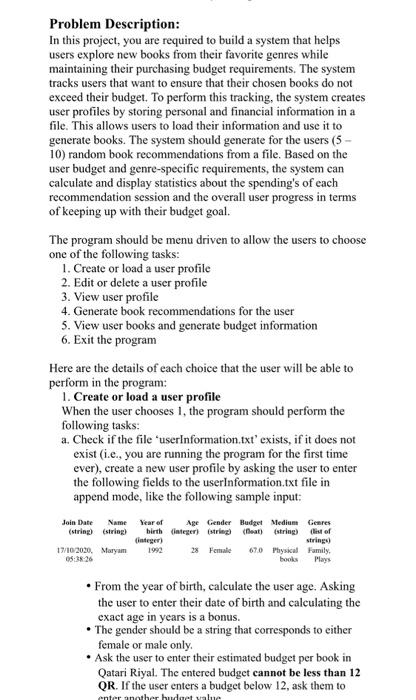
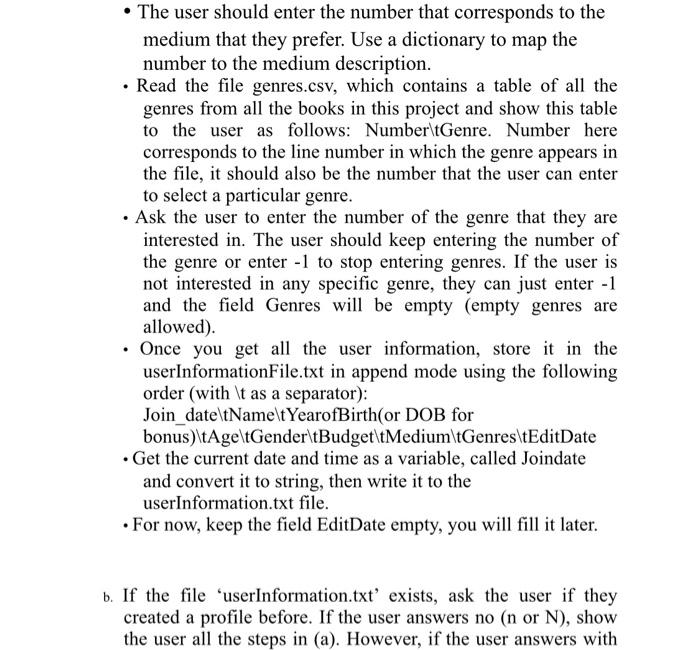
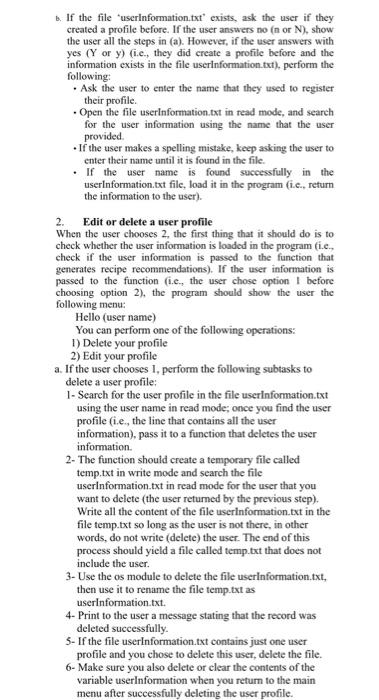
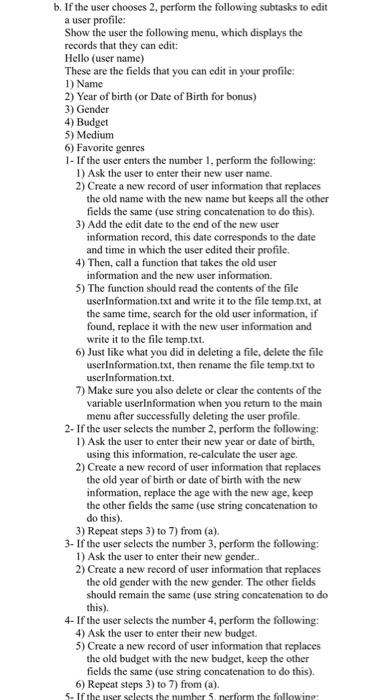
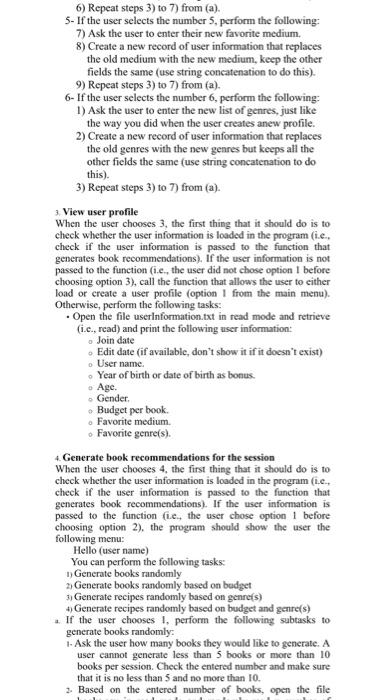
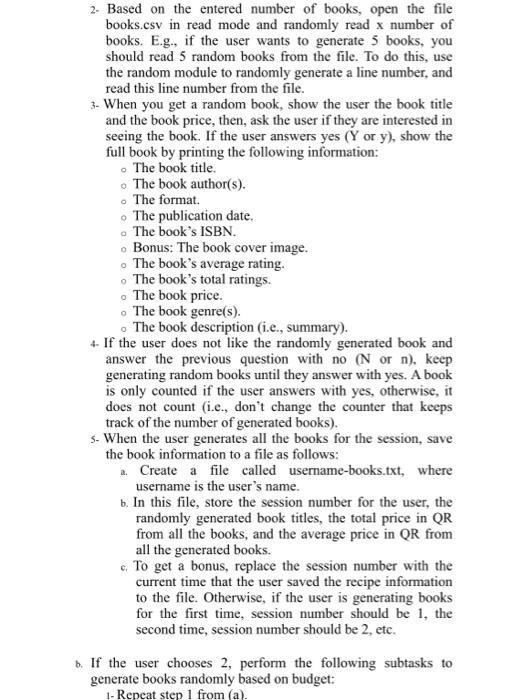
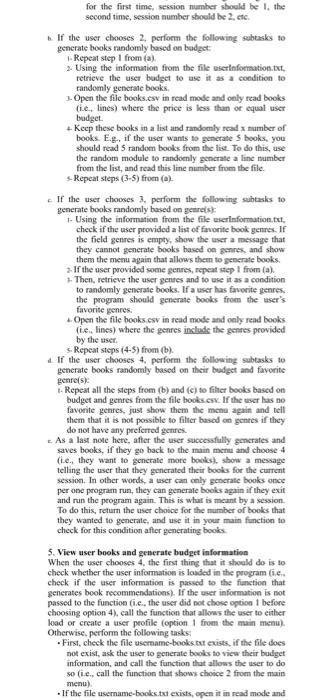
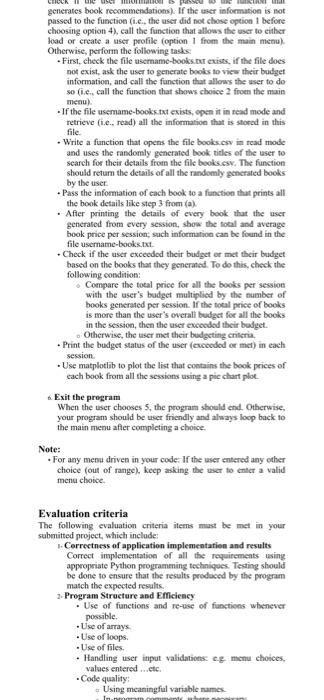
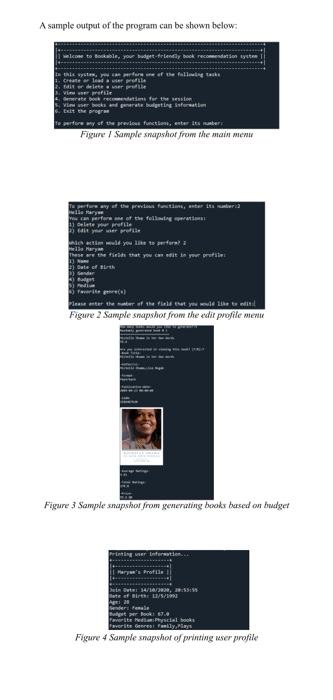
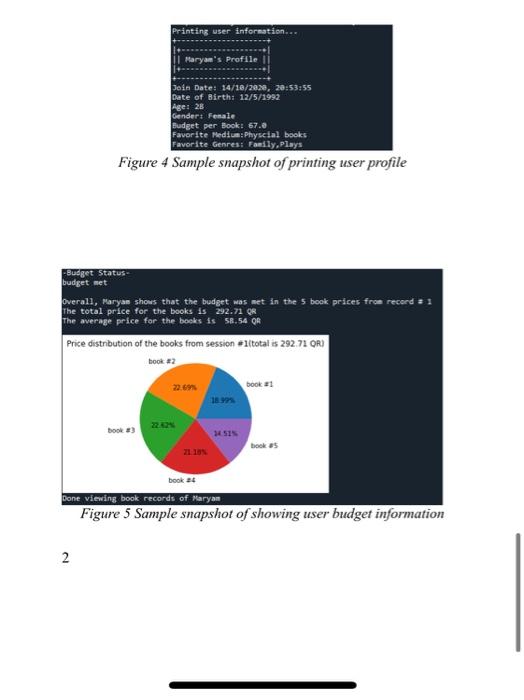
Problem Description: In this project, you are required to build a system that helps users explore new books from their favorite genres while maintaining their purchasing budget requirements. The system tracks users that want to ensure that their chosen books do not exceed their budget. To perform this tracking, the system creates user profiles by storing personal and financial information in a file. This allows users to load their information and use it to generate books. The system should generate for the users (5 - 10) random book recommendations from a file. Based on the user budget and genre-specific requirements, the system can calculate and display statistics about the spending's of each recommendation session and the overall user progress in terms of keeping up with their budget goal. The program should be menu driven to allow the users to choose one of the following tasks: 1. Create or load a user profile 2. Edit or delete a user profile 3. View user profile 4. Generate book recommendations for the user 5. View user books and generate budget information 6. Exit the program Here are the details of each choice that the user will be able to perform in the program: 1. Create or load a user profile When the user chooses 1, the program should perform the following tasks: a. Check if the file "userInformation.txt' exists, if it does not exist (i.e., you are running the program for the first time ever), create a new user profile by asking the user to enter the following fields to the userinformation.txt file in append mode, like the following sample input: Join Date Name (string) string 17/10/2030. Maryam 05:38:26 Year of Age Gender Budget Medium Genres birth integer) (string) (float) (string) (list of integer) strings) 1992 28 Female 670 Physical Family Plays From the year of birth, calculate the user age. Asking the user to enter their date of birth and calculating the exact age in years is a bonus. The gender should be a string that corresponds to either female or male only Ask the user to enter their estimated budget per book in Qatari Riyal. The entered budget cannot be less than 12 QR. If the user enters a budget below 12, ask them to enter another hud et value The user should enter the number that corresponds to the medium that they prefer. Use a dictionary to map the number to the medium description. Read the file genres.csv, which contains a table of all the genres from all the books in this project and show this table to the user as follows: Number\tGenre. Number here corresponds to the line number in which the genre appears in the file, it should also be the number that the user can enter to select a particular genre. Ask the user to enter the number of the genre that they are interested in. The user should keep entering the number of the genre or enter -1 to stop entering genres. If the user is not interested in any specific genre, they can just enter - 1 and the field Genres will be empty (empty genres are allowed). Once you get all the user information, store it in the userInformationFile.txt in append mode using the following order (with \t as a separator): Join_date\tName\t YearofBirth(or DOB for bonus)\tAge\tGender\tBudget\tMedium\tGenres\tEditDate . Get the current date and time as a variable, called Joindate and convert it to string, then write it to the userInformation.txt file. For now, keep the field EditDate empty, you will fill it later. b. If the file "userInformation.txt' exists, ask the user if they created a profile before. If the user answers no (n or N), show the user all the steps in (a). However, if the user answers with . If the file 'userinformation.txt" exists, ask the user if they created a profile before. If the user answers no (nor N), show the user all the steps in (a). However, if the user answers with yes (Y or y) (i.c., they did create a profile before and the information exists in the file userinformation.txt), perform the following: Ask the user to enter the name that they used to register their profile Open the file userinformation.Ixt in read mode, and search for the user information using the name that the user provided If the user makes a spelling mistake, keep asking the user to enter their name until it is found in the file. . If the user name is found successfully in the userInformation.txt file, load it in the program (1.c., return the information to the user). 2. Edit or delete a user profile When the user chooses 2, the first thing that it should do is to check whether the user information is loaded in the program (1.c., check if the user information is passed to the function that generates recipe recommendations). If the user information is passed to the function (i.c., the user chose option before choosing option 2), the program should show the user the following menu: Hello (user name) You can perform one of the following operations: 1) Delete your profile 2) Edit your profile a. If the user chooses 1, perform the following subtasks to delete a user profile: 1- Search for the user profile in the file userinformation.txt using the user name in read mode; once you find the user profile (i.e., the line that contains all the user information), pass it to a function that deletes the user information 2- The function should create a temporary file called temp.txt in write mode and search the file userinformation.txt in read mode for the user that you want to delete (the user returned by the previous step). Write all the content of the file userinformation.txt in the file temp.txt so long as the user is not there, in other words, do not write (delete) the user. The end of this process should yield a file called temp.txt that does not include the user. 3- Use the os module to delete the file userinformation.txt, then use it to rename the file temp.txt as userInformation.txt. 4- Print to the user a message stating that the record was deleted successfully 5- If the file userInformation.txt contains just one user profile and you chose to delete this user, delete the file. 6- Make sure you also delete or clear the contents of the variable userinformation when you return to the main menu after successfully deleting the user profile. b. If the user chooses 2, perform the following subtasks to edit a user profile: Show the user the following menu, which displays the records that they can edit: Hello (user name) These are the fields that you can edit in your profile 1) Name 2) Year of birth (or Date of Birth for bonus) 3) Gender 4) Budget 5) Medium 6) Favorite genres 1- If the user enters the number 1. perform the following: 1) Ask the user to enter their new user name. 2) Create a new record of user information that replaces the old name with the new name but keeps all the other fields the same (use string concatenation to do this). 3) Add the edit date to the end of the new user information record, this date corresponds to the date and time in which the user edited their profile. 4) Then, call a function that takes the old user information and the new user information 5) The function should read the contents of the file userInformation.txt and write it to the file temp.txt, at the same time, search for the old user information, if found, replace it with the new user information and write it to the file temp.txt. 6) Just like what you did in deleting a file, delete the file userInformation.txt, then rename the file temp.txt to userinformation.txt 7) Make sure you also delete or clear the contents of the variable userinformation when you return to the main menu after successfully deleting the user profile. 2. If the user selects the number 2, perform the following: 1) Ask the user to enter their new year or date of birth using this information, re-calculate the user age. 2) Create a new record of user information that replaces the old year of birth or date of birth with the new information, replace the age with the new age, keep the other fields the same (use string concatenation to do this) 3) Repeat steps 3) to 7) from (a). 3- If the user selects the number 3, perform the following: 1) Ask the user to enter their new gender.. 2) Create a new record of user information that replaces the old gender with the new gender. The other fields should remain the same (use string concatenation to do this). 4- If the user selects the number 4, perform the following: 4) Ask the user to enter their new budget. 5) Create a new record of user information that replaces the old budget with the new budget, keep the other fields the same (use string concatenation to do this). 6) Repeat steps 3) to 7) from (a). 5. If the user selects the number 5. nerform the following 6) Repeat steps 3) to 7) from (a). 5- If the user selects the number 5, perform the following: 7) Ask the user to enter their new favorite medium, 8) Create a new record of user information that replaces the old medium with the new medium, keep the other fields the same (use string concatenation to do this). 9) Repeat steps 3) to 7) from (a). 6- If the user selects the number 6, perform the following: 1) Ask the user to enter the new list of genres, just like the way you did when the user creates anew profile. 2) Create a new record of user information that replaces the old genres with the new genres but keeps all the other fields the same (use string concatenation to do this). 3) Repeat steps 3) to 7) from (a). View user profile When the user chooses 3, the first thing that it should do is to check whether the user information is loaded in the program (ie, check if the user information is passed to the function that generates book recommendations). if the user information is not passed to the function (i.e., the user did not chose option 1 before choosing option 3), call the function that allows the user to either load or create a user profile (option from the main menu). Otherwise, perform the following tasks: Open the file userinformation.txt in read mode and retrieve (i.c., read) and print the following user information: Join date Edit date (if available, don't show it if it doesn't exist) User name Year of birth or date of birth as bonus. - Age. Gender Budget per book. . Favorite medium Favorite genre(s). 4 Generate book recommendations for the session When the user chooses 4, the first thing that it should do is to check whether the user information is loaded in the program (Le.. check if the user information is passed to the function that generates book recommendations). If the user information is passed to the function (le, the user chose option 1 before choosing option 2), the program should show the user the following menu: Hello (user name) You can perform the following tasks: 1) Generate books randomly 2) Generate books randomly based on budget 3) Generate recipes randomly based on genrefs) 4 Generate recipes randomly based on budget and genre(s) If the user chooses I. perform the following subtasks to generate books randomly 1- Ask the user how many books they would like to generate. A user cannot generate less than 5 books or more than 10 books per session. Check the entered number and make sure that it is no less than 5 and no more than 10. 3. Based on the entered number of books, open the file 2. Based on the entered number of books, open the file books.csv in read mode and randomly read x number of books. E.g., if the user wants to generate 5 books, you should read 5 random books from the file. To do this, use the random module to randomly generate a line number, and read this line number from the file. 3- When you get a random book, show the user the book title and the book price, then, ask the user if they are interested in seeing the book. If the user answers yes (Y or y), show the full book by printing the following information: . The book title. The book author(s). . The format. The publication date. . The book's ISBN Bonus: The book cover image. The book's average rating. . The book's total ratings. The book price. . The book genre(s). . The book description (i.e., summary). +- If the user does not like the randomly generated book and answer the previous question with no (N or n), keep generating random books until they answer with yes. A book is only counted if the user answers with yes, otherwise, it does not count (i.e., don't change the counter that keeps track of the number of generated books). - When the user generates all the books for the session, sava the book information to a file as follows: 2. Create a file called username-books.txt, where username is the user's name. b. In this file, store the session number for the user, the randomly generated book titles, the total price in QR from all the books, and the average price in QR from all the generated books. c. To get a bonus, replace the session number with the current time that the user saved the recipe information to the file. Otherwise, if the user is generating books for the first time, session number should be 1, the second time, session number should be 2, etc. d. If the user chooses 2, perform the following subtasks to generate books randomly based on budget: 1- Repeat step 1 from(a). for the first time, session number should be the second time, session number should be 2 cte If the user chooses 2. perform the following subtasks to generate books randomly based on budget: Repeat step 1 from(a). 2. Using the information from the file userinformation.txt, retrieve the user budget to use it as a condition to randomly generate books 1. Open the file books.csv in road mode and only read books fi.e., lines) where the price is less than or equal user budget Keep these books in a list and randomly read x mumber of books. E.g., if the user wants to generate S books, you should read 5 random books from the list. To do this, use the random module to randoenly generate a line number from the list, and read this line number from the file. Repeat steps (3-5) from(a). If the user chooses, perform the following suhtasks to generate books randomly based on genres: 1. Using the information from the file eserinformation.txt check if the user provided a list of favorite book genres. If the field genres is empty, show the user a message that they cannot generate books based on genres, and show them the menu again that allows them to generate books 2. If the user provided some genres, repeat step 1 from(a) 1. Then, retrieve the user gentes and to use it as a condition to randomly generate books. If a user has favorite genres. the program should generate books from the user's favorite genres. 1. Open the file books.csv in read mode and only read books fie, lines) where the genres include the genres provided by the user Repeat steps (4-3) from (b). If the user chooses 4. perform the following subtasks to generate books randomly based on their budget and favorite genre(s): Repeat all the steps from (b) and (c) to filter books based on budget and genres from the file books.csx. If the user has no favorite genres, just show them the menu again and tell them that it is not possible to filter based on gentes if they do not have any preferred genres. As a last note here, after the user successfully generates and saves books, if they go back to the main menu and choose 4 (ie, they want to generate more books). show a message telling the user that they generated their books for the current session. In other words, a user can only generate books once per one program run, they can generate books again if they exit and run the program again. This is what is meant by a session. To do this, return the user choice for the mumber of books that they wanted to generate, and use it in your main function to check for this condition after generating books 5. View user books and generate budget information When the user chooses the first thing that it should do is to check whether the user information is loaded in the program (ie. check if the user information is passed to the function that generates book recommendations). If the user information is not passed to the function (ie, the user did not chose option before choosing option 4), call the function that allows the user to either kad or create a user profile (option from the main menu) Otherwise, perform the following tasks: . First, check the file username-books.txt exists. If the file does not exist, ask the user to generate books to view their budget information, and call the function that allows the user to do so (ie, call the function that shows choice 2 from the main menu) If the file username-books.txt exists, open it in read mode and generates book recommendations). If the user information is not passed to the function (ie, the user did not chose option 1 before choosing option 4), call the function that allows the user to either load or create a user profile option 1 from the main menu) Otherwise, perform the following tasks . First, check the file username-books.But exists. If the file does not exist, ask the user to generate books to vice their budget information, and call the function that allows the user to do so (i.c., call the function that shows choice 2 from the main menu) If the file username-books.txt exists, open it in read mode and retrieve (1.e., read) all the information that is stored in this file. Write a function that opens the file books.csv in tead mode and uses the randomly generated book titles of the user to Search for their details from the file books.esy. The function should return the details of all the randomly generated books by the user Pass the information of each book to a function that prints all the book details like step 3 from (a) . After printing the details of every book that the user generated from every session, show the total and average book price per session, such information can be found in the file username-books.txt Check if the user exceeded their budget or met their budget based on the books that they generated. To do this, check the following condition: Compare the total price for all the books per session with the user's budget multiplied by the number of books generated per session. If the total price of books is more than the user's overall budget for all the books in the session, then the user exceeded their budget. Otherwise, the user met their budgeting criteria - Print the budget status of the user (exceeded or met) in each session Use matplotlib to plot the list that contains the book prices of cach book from all the sessions using a pie chartplot Exit the program When the user chooses 5, the program should end. Otherwise, your program should be user friendly and always loop back to the main menu after completing a choice. Note: For any menu driven in your code: If the user entered any other choice (out of range). keep asking the user to enter a valid menu choice Evaluation criteria The following evaluation criteria items must be met in your submitted project, which include: Correctness of application implementation and results Correct implementation of all the requirements using appropriate Python programming techniques. Testing should be done to ensure that the results produced by the program match the expected results. Program Structure and Efficiency Use of functions and re-use of functions whenever possible - Use of arrays - Use of loops . Use of files. Handling user input validations cg menu choices. values entered ...etc -Code quality Using meaningful variable names In nommer TIN A sample output of the program can be shown below: kable, your friendly endations the system of the folloin taka crate lower pronte delete a user the 1. Ver Generate bredare for the sesso rocks and generate budgetingsform 5. Exit the prog e perfere wyst the previous functions, serta bers Figure Sample mapshot from the main menu way of the previous fustan, eta tamaria wie Mary Band nec ule you let for These are the te that you can fit in your profit m Dute of jag pe() Fester the of the flet you down Figure 2 Sample snapshot from the edit profile men Figure 3 Sample snapshot from generating books based on budget Set 14/10/200, 53:38 Fate of Birth / 21 Benderson et per Bol.. Powerte Medical Favorite Getreat family is Figure 4 Sample snapshot of printing user profile Printing user Information... Maryan's Profile Join Date: 14/10/20.20, 20:53:55 Date of Birth: 12/5/1992 Age: 28 Gender: Female Budget per Books 67.0 Favorite Medium: Physcial books Favorite Genres: Family Plays Figure 4 Sample snapshot of printing user profile -Budget Status budget met Overall, Maryan shows that the budget was set in the book prices from receed = 1 The total price for the books is 292.71 OR The average price for the books is 58.54 OR Price distribution of the books from session #1(total is 292.71 OR) book #2 22.06 book 1 book 14515 book 85 book 24 Done viewing book records of Maryan Figure 5 Sample snapshot of showing user budget information 2 Problem Description: In this project, you are required to build a system that helps users explore new books from their favorite genres while maintaining their purchasing budget requirements. The system tracks users that want to ensure that their chosen books do not exceed their budget. To perform this tracking, the system creates user profiles by storing personal and financial information in a file. This allows users to load their information and use it to generate books. The system should generate for the users (5 - 10) random book recommendations from a file. Based on the user budget and genre-specific requirements, the system can calculate and display statistics about the spending's of each recommendation session and the overall user progress in terms of keeping up with their budget goal. The program should be menu driven to allow the users to choose one of the following tasks: 1. Create or load a user profile 2. Edit or delete a user profile 3. View user profile 4. Generate book recommendations for the user 5. View user books and generate budget information 6. Exit the program Here are the details of each choice that the user will be able to perform in the program: 1. Create or load a user profile When the user chooses 1, the program should perform the following tasks: a. Check if the file "userInformation.txt' exists, if it does not exist (i.e., you are running the program for the first time ever), create a new user profile by asking the user to enter the following fields to the userinformation.txt file in append mode, like the following sample input: Join Date Name (string) string 17/10/2030. Maryam 05:38:26 Year of Age Gender Budget Medium Genres birth integer) (string) (float) (string) (list of integer) strings) 1992 28 Female 670 Physical Family Plays From the year of birth, calculate the user age. Asking the user to enter their date of birth and calculating the exact age in years is a bonus. The gender should be a string that corresponds to either female or male only Ask the user to enter their estimated budget per book in Qatari Riyal. The entered budget cannot be less than 12 QR. If the user enters a budget below 12, ask them to enter another hud et value The user should enter the number that corresponds to the medium that they prefer. Use a dictionary to map the number to the medium description. Read the file genres.csv, which contains a table of all the genres from all the books in this project and show this table to the user as follows: Number\tGenre. Number here corresponds to the line number in which the genre appears in the file, it should also be the number that the user can enter to select a particular genre. Ask the user to enter the number of the genre that they are interested in. The user should keep entering the number of the genre or enter -1 to stop entering genres. If the user is not interested in any specific genre, they can just enter - 1 and the field Genres will be empty (empty genres are allowed). Once you get all the user information, store it in the userInformationFile.txt in append mode using the following order (with \t as a separator): Join_date\tName\t YearofBirth(or DOB for bonus)\tAge\tGender\tBudget\tMedium\tGenres\tEditDate . Get the current date and time as a variable, called Joindate and convert it to string, then write it to the userInformation.txt file. For now, keep the field EditDate empty, you will fill it later. b. If the file "userInformation.txt' exists, ask the user if they created a profile before. If the user answers no (n or N), show the user all the steps in (a). However, if the user answers with . If the file 'userinformation.txt" exists, ask the user if they created a profile before. If the user answers no (nor N), show the user all the steps in (a). However, if the user answers with yes (Y or y) (i.c., they did create a profile before and the information exists in the file userinformation.txt), perform the following: Ask the user to enter the name that they used to register their profile Open the file userinformation.Ixt in read mode, and search for the user information using the name that the user provided If the user makes a spelling mistake, keep asking the user to enter their name until it is found in the file. . If the user name is found successfully in the userInformation.txt file, load it in the program (1.c., return the information to the user). 2. Edit or delete a user profile When the user chooses 2, the first thing that it should do is to check whether the user information is loaded in the program (1.c., check if the user information is passed to the function that generates recipe recommendations). If the user information is passed to the function (i.c., the user chose option before choosing option 2), the program should show the user the following menu: Hello (user name) You can perform one of the following operations: 1) Delete your profile 2) Edit your profile a. If the user chooses 1, perform the following subtasks to delete a user profile: 1- Search for the user profile in the file userinformation.txt using the user name in read mode; once you find the user profile (i.e., the line that contains all the user information), pass it to a function that deletes the user information 2- The function should create a temporary file called temp.txt in write mode and search the file userinformation.txt in read mode for the user that you want to delete (the user returned by the previous step). Write all the content of the file userinformation.txt in the file temp.txt so long as the user is not there, in other words, do not write (delete) the user. The end of this process should yield a file called temp.txt that does not include the user. 3- Use the os module to delete the file userinformation.txt, then use it to rename the file temp.txt as userInformation.txt. 4- Print to the user a message stating that the record was deleted successfully 5- If the file userInformation.txt contains just one user profile and you chose to delete this user, delete the file. 6- Make sure you also delete or clear the contents of the variable userinformation when you return to the main menu after successfully deleting the user profile. b. If the user chooses 2, perform the following subtasks to edit a user profile: Show the user the following menu, which displays the records that they can edit: Hello (user name) These are the fields that you can edit in your profile 1) Name 2) Year of birth (or Date of Birth for bonus) 3) Gender 4) Budget 5) Medium 6) Favorite genres 1- If the user enters the number 1. perform the following: 1) Ask the user to enter their new user name. 2) Create a new record of user information that replaces the old name with the new name but keeps all the other fields the same (use string concatenation to do this). 3) Add the edit date to the end of the new user information record, this date corresponds to the date and time in which the user edited their profile. 4) Then, call a function that takes the old user information and the new user information 5) The function should read the contents of the file userInformation.txt and write it to the file temp.txt, at the same time, search for the old user information, if found, replace it with the new user information and write it to the file temp.txt. 6) Just like what you did in deleting a file, delete the file userInformation.txt, then rename the file temp.txt to userinformation.txt 7) Make sure you also delete or clear the contents of the variable userinformation when you return to the main menu after successfully deleting the user profile. 2. If the user selects the number 2, perform the following: 1) Ask the user to enter their new year or date of birth using this information, re-calculate the user age. 2) Create a new record of user information that replaces the old year of birth or date of birth with the new information, replace the age with the new age, keep the other fields the same (use string concatenation to do this) 3) Repeat steps 3) to 7) from (a). 3- If the user selects the number 3, perform the following: 1) Ask the user to enter their new gender.. 2) Create a new record of user information that replaces the old gender with the new gender. The other fields should remain the same (use string concatenation to do this). 4- If the user selects the number 4, perform the following: 4) Ask the user to enter their new budget. 5) Create a new record of user information that replaces the old budget with the new budget, keep the other fields the same (use string concatenation to do this). 6) Repeat steps 3) to 7) from (a). 5. If the user selects the number 5. nerform the following 6) Repeat steps 3) to 7) from (a). 5- If the user selects the number 5, perform the following: 7) Ask the user to enter their new favorite medium, 8) Create a new record of user information that replaces the old medium with the new medium, keep the other fields the same (use string concatenation to do this). 9) Repeat steps 3) to 7) from (a). 6- If the user selects the number 6, perform the following: 1) Ask the user to enter the new list of genres, just like the way you did when the user creates anew profile. 2) Create a new record of user information that replaces the old genres with the new genres but keeps all the other fields the same (use string concatenation to do this). 3) Repeat steps 3) to 7) from (a). View user profile When the user chooses 3, the first thing that it should do is to check whether the user information is loaded in the program (ie, check if the user information is passed to the function that generates book recommendations). if the user information is not passed to the function (i.e., the user did not chose option 1 before choosing option 3), call the function that allows the user to either load or create a user profile (option from the main menu). Otherwise, perform the following tasks: Open the file userinformation.txt in read mode and retrieve (i.c., read) and print the following user information: Join date Edit date (if available, don't show it if it doesn't exist) User name Year of birth or date of birth as bonus. - Age. Gender Budget per book. . Favorite medium Favorite genre(s). 4 Generate book recommendations for the session When the user chooses 4, the first thing that it should do is to check whether the user information is loaded in the program (Le.. check if the user information is passed to the function that generates book recommendations). If the user information is passed to the function (le, the user chose option 1 before choosing option 2), the program should show the user the following menu: Hello (user name) You can perform the following tasks: 1) Generate books randomly 2) Generate books randomly based on budget 3) Generate recipes randomly based on genrefs) 4 Generate recipes randomly based on budget and genre(s) If the user chooses I. perform the following subtasks to generate books randomly 1- Ask the user how many books they would like to generate. A user cannot generate less than 5 books or more than 10 books per session. Check the entered number and make sure that it is no less than 5 and no more than 10. 3. Based on the entered number of books, open the file 2. Based on the entered number of books, open the file books.csv in read mode and randomly read x number of books. E.g., if the user wants to generate 5 books, you should read 5 random books from the file. To do this, use the random module to randomly generate a line number, and read this line number from the file. 3- When you get a random book, show the user the book title and the book price, then, ask the user if they are interested in seeing the book. If the user answers yes (Y or y), show the full book by printing the following information: . The book title. The book author(s). . The format. The publication date. . The book's ISBN Bonus: The book cover image. The book's average rating. . The book's total ratings. The book price. . The book genre(s). . The book description (i.e., summary). +- If the user does not like the randomly generated book and answer the previous question with no (N or n), keep generating random books until they answer with yes. A book is only counted if the user answers with yes, otherwise, it does not count (i.e., don't change the counter that keeps track of the number of generated books). - When the user generates all the books for the session, sava the book information to a file as follows: 2. Create a file called username-books.txt, where username is the user's name. b. In this file, store the session number for the user, the randomly generated book titles, the total price in QR from all the books, and the average price in QR from all the generated books. c. To get a bonus, replace the session number with the current time that the user saved the recipe information to the file. Otherwise, if the user is generating books for the first time, session number should be 1, the second time, session number should be 2, etc. d. If the user chooses 2, perform the following subtasks to generate books randomly based on budget: 1- Repeat step 1 from(a). for the first time, session number should be the second time, session number should be 2 cte If the user chooses 2. perform the following subtasks to generate books randomly based on budget: Repeat step 1 from(a). 2. Using the information from the file userinformation.txt, retrieve the user budget to use it as a condition to randomly generate books 1. Open the file books.csv in road mode and only read books fi.e., lines) where the price is less than or equal user budget Keep these books in a list and randomly read x mumber of books. E.g., if the user wants to generate S books, you should read 5 random books from the list. To do this, use the random module to randoenly generate a line number from the list, and read this line number from the file. Repeat steps (3-5) from(a). If the user chooses, perform the following suhtasks to generate books randomly based on genres: 1. Using the information from the file eserinformation.txt check if the user provided a list of favorite book genres. If the field genres is empty, show the user a message that they cannot generate books based on genres, and show them the menu again that allows them to generate books 2. If the user provided some genres, repeat step 1 from(a) 1. Then, retrieve the user gentes and to use it as a condition to randomly generate books. If a user has favorite genres. the program should generate books from the user's favorite genres. 1. Open the file books.csv in read mode and only read books fie, lines) where the genres include the genres provided by the user Repeat steps (4-3) from (b). If the user chooses 4. perform the following subtasks to generate books randomly based on their budget and favorite genre(s): Repeat all the steps from (b) and (c) to filter books based on budget and genres from the file books.csx. If the user has no favorite genres, just show them the menu again and tell them that it is not possible to filter based on gentes if they do not have any preferred genres. As a last note here, after the user successfully generates and saves books, if they go back to the main menu and choose 4 (ie, they want to generate more books). show a message telling the user that they generated their books for the current session. In other words, a user can only generate books once per one program run, they can generate books again if they exit and run the program again. This is what is meant by a session. To do this, return the user choice for the mumber of books that they wanted to generate, and use it in your main function to check for this condition after generating books 5. View user books and generate budget information When the user chooses the first thing that it should do is to check whether the user information is loaded in the program (ie. check if the user information is passed to the function that generates book recommendations). If the user information is not passed to the function (ie, the user did not chose option before choosing option 4), call the function that allows the user to either kad or create a user profile (option from the main menu) Otherwise, perform the following tasks: . First, check the file username-books.txt exists. If the file does not exist, ask the user to generate books to view their budget information, and call the function that allows the user to do so (ie, call the function that shows choice 2 from the main menu) If the file username-books.txt exists, open it in read mode and generates book recommendations). If the user information is not passed to the function (ie, the user did not chose option 1 before choosing option 4), call the function that allows the user to either load or create a user profile option 1 from the main menu) Otherwise, perform the following tasks . First, check the file username-books.But exists. If the file does not exist, ask the user to generate books to vice their budget information, and call the function that allows the user to do so (i.c., call the function that shows choice 2 from the main menu) If the file username-books.txt exists, open it in read mode and retrieve (1.e., read) all the information that is stored in this file. Write a function that opens the file books.csv in tead mode and uses the randomly generated book titles of the user to Search for their details from the file books.esy. The function should return the details of all the randomly generated books by the user Pass the information of each book to a function that prints all the book details like step 3 from (a) . After printing the details of every book that the user generated from every session, show the total and average book price per session, such information can be found in the file username-books.txt Check if the user exceeded their budget or met their budget based on the books that they generated. To do this, check the following condition: Compare the total price for all the books per session with the user's budget multiplied by the number of books generated per session. If the total price of books is more than the user's overall budget for all the books in the session, then the user exceeded their budget. Otherwise, the user met their budgeting criteria - Print the budget status of the user (exceeded or met) in each session Use matplotlib to plot the list that contains the book prices of cach book from all the sessions using a pie chartplot Exit the program When the user chooses 5, the program should end. Otherwise, your program should be user friendly and always loop back to the main menu after completing a choice. Note: For any menu driven in your code: If the user entered any other choice (out of range). keep asking the user to enter a valid menu choice Evaluation criteria The following evaluation criteria items must be met in your submitted project, which include: Correctness of application implementation and results Correct implementation of all the requirements using appropriate Python programming techniques. Testing should be done to ensure that the results produced by the program match the expected results. Program Structure and Efficiency Use of functions and re-use of functions whenever possible - Use of arrays - Use of loops . Use of files. Handling user input validations cg menu choices. values entered ...etc -Code quality Using meaningful variable names In nommer TIN A sample output of the program can be shown below: kable, your friendly endations the system of the folloin taka crate lower pronte delete a user the 1. Ver Generate bredare for the sesso rocks and generate budgetingsform 5. Exit the prog e perfere wyst the previous functions, serta bers Figure Sample mapshot from the main menu way of the previous fustan, eta tamaria wie Mary Band nec ule you let for These are the te that you can fit in your profit m Dute of jag pe() Fester the of the flet you down Figure 2 Sample snapshot from the edit profile men Figure 3 Sample snapshot from generating books based on budget Set 14/10/200, 53:38 Fate of Birth / 21 Benderson et per Bol.. Powerte Medical Favorite Getreat family is Figure 4 Sample snapshot of printing user profile Printing user Information... Maryan's Profile Join Date: 14/10/20.20, 20:53:55 Date of Birth: 12/5/1992 Age: 28 Gender: Female Budget per Books 67.0 Favorite Medium: Physcial books Favorite Genres: Family Plays Figure 4 Sample snapshot of printing user profile -Budget Status budget met Overall, Maryan shows that the budget was set in the book prices from receed = 1 The total price for the books is 292.71 OR The average price for the books is 58.54 OR Price distribution of the books from session #1(total is 292.71 OR) book #2 22.06 book 1 book 14515 book 85 book 24 Done viewing book records of Maryan Figure 5 Sample snapshot of showing user budget information 2
Step by Step Solution
There are 3 Steps involved in it

Get step-by-step solutions from verified subject matter experts
 Study Help