



Question: Purpose This assignment is a review of previous course content from CIS 1068 and so it is different from future assignments in that I am
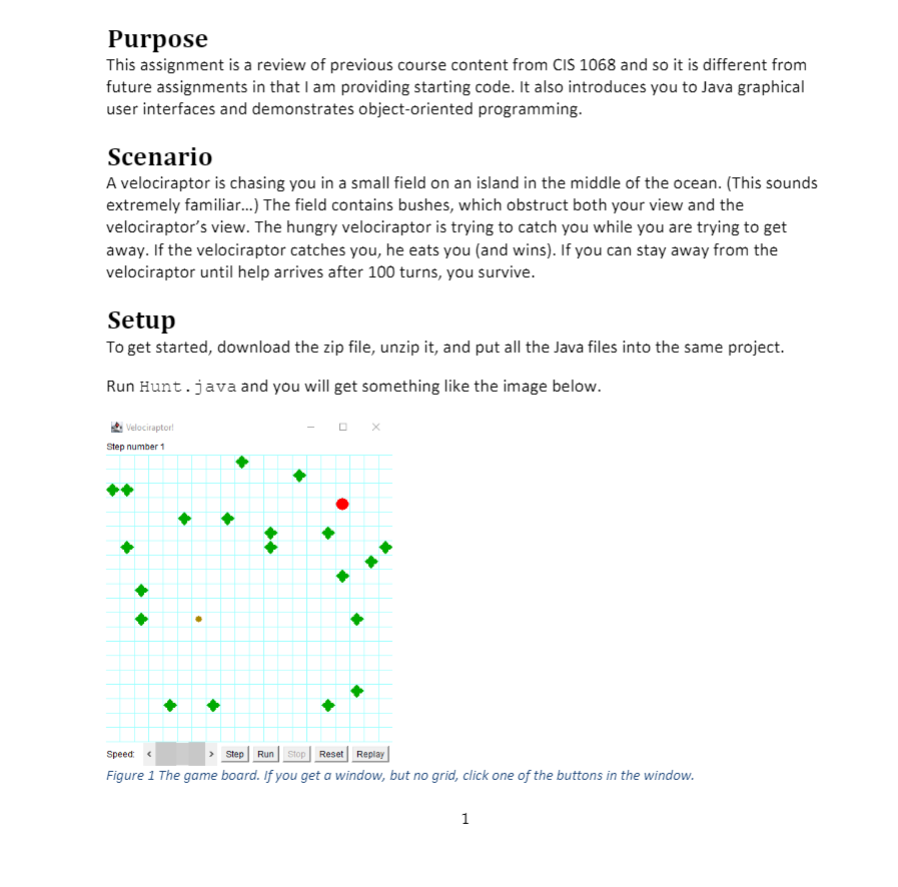
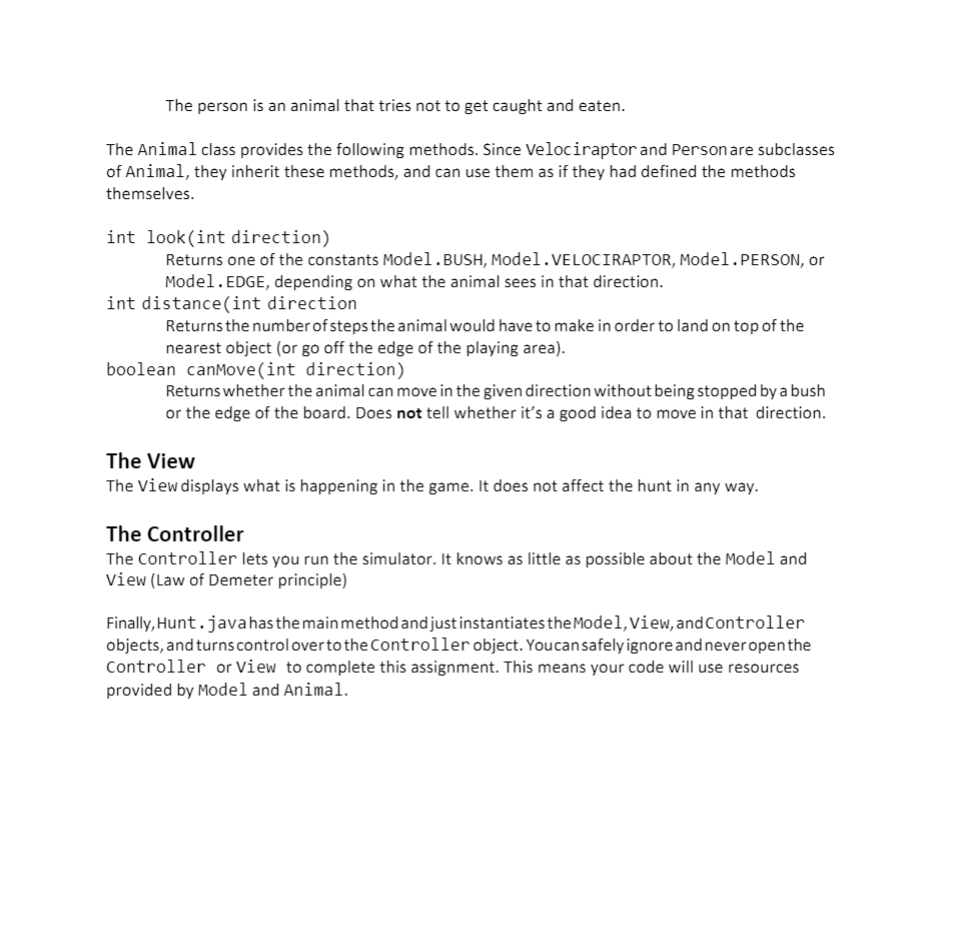
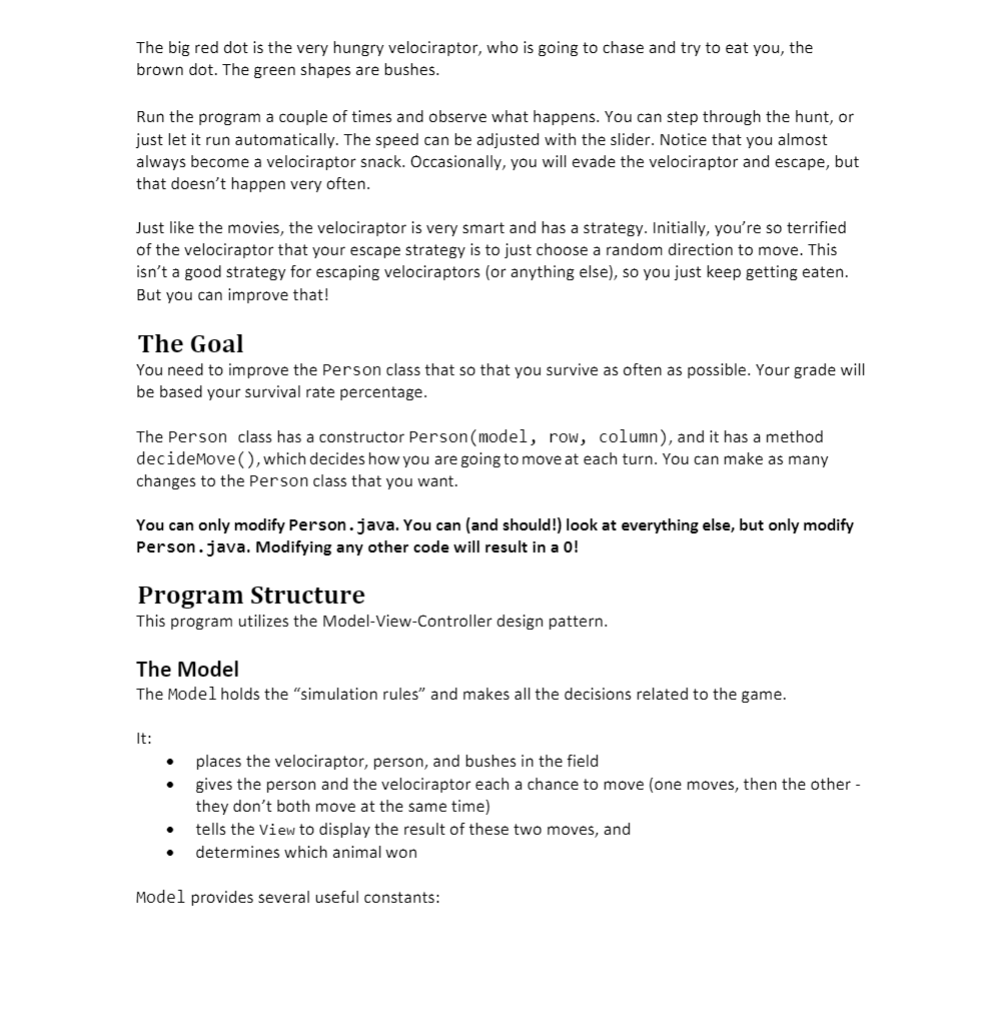
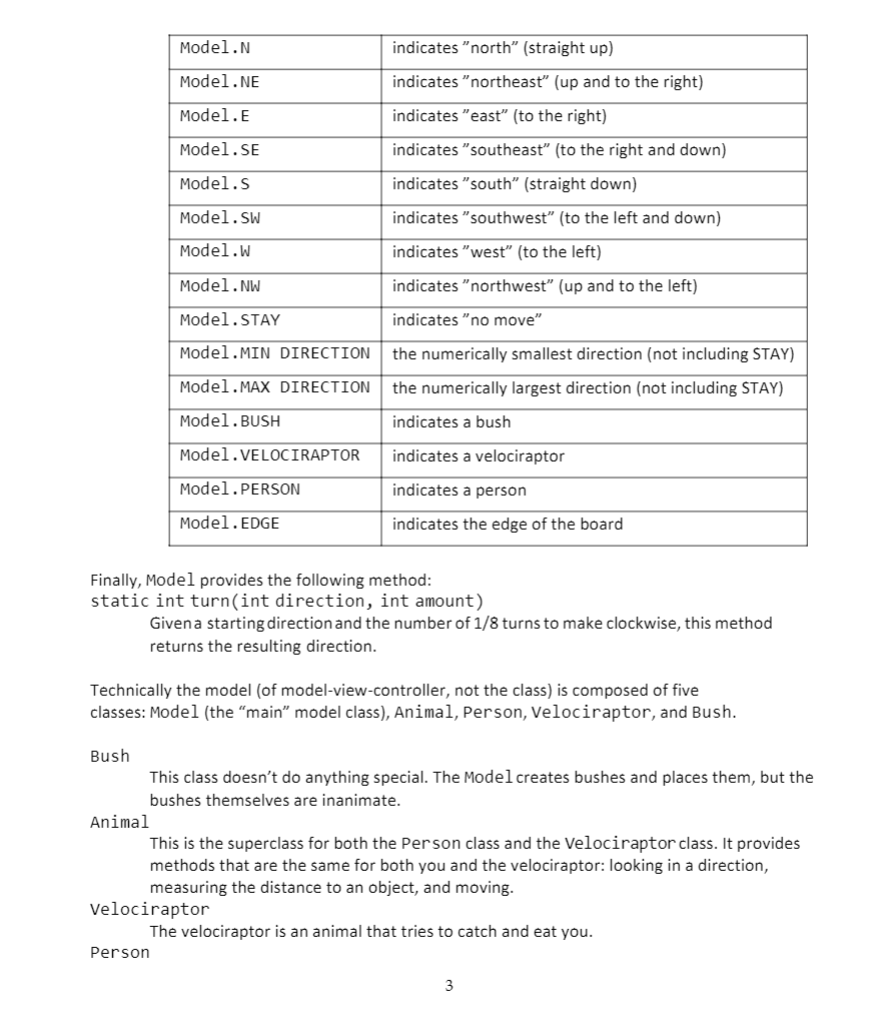
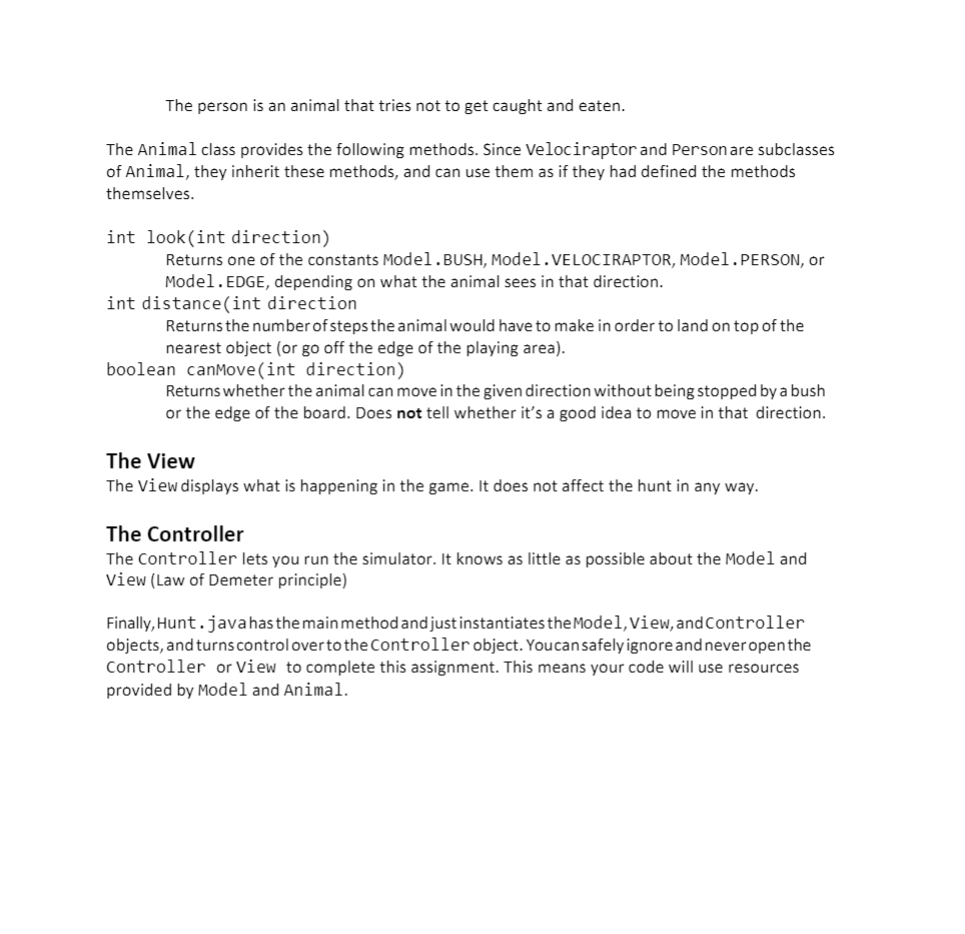
Purpose This assignment is a review of previous course content from CIS 1068 and so it is different from future assignments in that I am providing starting code. It also introduces you to Java graphical user interfaces and demonstrates object-oriented programming. Scenario A velociraptor is chasing you in a small field on an island in the middle of the ocean. (This sounds extremely familiar...) The field contains bushes, which obstruct both your view and the velociraptor's view. The hungry velociraptor is trying to catch you while you are trying to get away. If the velociraptor catches you, he eats you (and wins). If you can stay away from the velociraptor until help arrives after 100 turns, you survive. Setup To get started, download the zip file, unzip it, and put all the Java files into the same project. Run Hunt.java and you will get something like the image below. Velociraptor Step number 1 . Step Speed Run Stop Reset Replay Figure 1 The game board. If you get a window, but no grid, click one of the buttons in the window. 1 The person is an animal that tries not to get caught and eaten. The Animal class provides the following methods. Since Velociraptor and Person are subclasses of Animal, they inherit these methods, and can use them as if they had defined the methods themselves. int look(int direction) Returns one of the constants Model.BUSH, Model. VELOCIRAPTOR, Model.PERSON, or Model. EDGE, depending on what the animal sees in that direction. int distance(int direction Returns the number of steps the animal would have to make in order to land on top of the nearest object (or go off the edge of the playing area). boolean canMove(int direction) Returns whether the animal can move in the given direction without being stopped by a bush or the edge of the board. Does not tell whether it's a good idea to move in that direction. The View The View displays what is happening in the game. It does not affect the hunt in any way. The Controller The Controller lets you run the simulator. It knows as little as possible about the model and View (Law of Demeter principle) Finally, Hunt.javahas the main method and just instantiates the Model, view, and Controller objects, and turns control over to the Controller object. Youcan safely ignore and never open the Controller or View to complete this assignment. This means your code will use resources provided by Model and Animal. The big red dot is the very hungry velociraptor, who is going to chase and try to eat you, the brown dot. The green shapes are bushes. Run the program a couple of times and observe what happens. You can step through the hunt, or just let it run automatically. The speed can be adjusted with the slider. Notice that you almost always become a velociraptor snack. Occasionally, you will evade the velociraptor and escape, but that doesn't happen very often. Just like the movies, the velociraptor is very smart and has a strategy. Initially, you're so terrified of the velociraptor that your escape strategy is to just choose a random direction to move. This isn't a good strategy for escaping velociraptors (or anything else), so you just keep getting eaten. But you can improve that! The Goal You need to improve the person class that so that you survive as often as possible. Your grade will be based your survival rate percentage. The Person class has a constructor Person(model, row, column), and it has a method decidemove(), which decides how you are going to move at each turn. You can make as many changes to the Person class that you want. You can only modify Person.java. You can (and should!) look at everything else, but only modify Person.java. Modifying any other code will result in a 0! Program Structure This program utilizes the Model-View-Controller design pattern. The Model The Model holds the "simulation rules and makes all the decisions related to the game. It: places the velociraptor, person, and bushes in the field gives the person and the velociraptor each a chance to move (one moves, then the other - they don't both move at the same time) tells the view to display the result of these two moves, and determines which animal won Model provides several useful constants: Model.N indicates "north" (straight up) indicates "northeast" (up and to the right) Model.NE Model. E indicates "east" (to the right) Model.SE Model.s indicates "southeast" (to the right and down) indicates "south" (straight down) indicates "southwest" (to the left and down) Model.sw Model.w indicates "west" (to the left) Model.NW indicates "northwest" (up and to the left) Model.STAY indicates "no move" Model.MIN DIRECTION the numerically smallest direction (not including STAY) Model.MAX DIRECTION the numerically largest direction (not including STAY) Model.BUSH indicates a bush Model. VELOCIRAPTOR indicates a velociraptor Model.PERSON indicates a person Model. EDGE indicates the edge of the board Finally, Model provides the following method: static int turn(int direction, int amount) Given a starting direction and the number of 1/8 turns to make clockwise, this method returns the resulting direction. Technically the model (of model-view-controller, not the class) is composed of five classes: Model (the "main" model class), Animal, Person, Velociraptor, and Bush. Bush This class doesn't do anything special. The Model creates bushes and places them, but the bushes themselves are inanimate. Animal This is the superclass for both the Person class and the Velociraptor class. It provides methods that are the same for both you and the velociraptor: looking in a direction, measuring the distance to an object, and moving. Velociraptor The velociraptor is an animal that tries to catch and eat you. Person The person is an animal that tries not to get caught and eaten. The Animal class provides the following methods. Since Velociraptor and Person are subclasses of Animal, they inherit these methods, and can use them as if they had defined the methods themselves. int look(int direction) Returns one of the constants Model.BUSH, Model. VELOCIRAPTOR, Model.PERSON, or Model. EDGE, depending on what the animal sees in that direction. int distance(int direction Returns the number of steps the animal would have to make in order to land on top of the nearest object (or go off the edge of the playing area). boolean canMove(int direction) Returns whether the animal can move in the given direction without being stopped by a bush or the edge of the board. Does not tell whether it's a good idea to move in that direction. The View The View displays what is happening in the game. It does not affect the hunt in any way. The Controller The Controller lets you run the simulator. It knows as little as possible about the model and View (Law of Demeter principle) Finally, Hunt.javahas the main method and just instantiates the Model, view, and Controller objects, and turns control over to the Controller object. Youcan safely ignore and never open the Controller or View to complete this assignment. This means your code will use resources provided by Model and Animal. Purpose This assignment is a review of previous course content from CIS 1068 and so it is different from future assignments in that I am providing starting code. It also introduces you to Java graphical user interfaces and demonstrates object-oriented programming. Scenario A velociraptor is chasing you in a small field on an island in the middle of the ocean. (This sounds extremely familiar...) The field contains bushes, which obstruct both your view and the velociraptor's view. The hungry velociraptor is trying to catch you while you are trying to get away. If the velociraptor catches you, he eats you (and wins). If you can stay away from the velociraptor until help arrives after 100 turns, you survive. Setup To get started, download the zip file, unzip it, and put all the Java files into the same project. Run Hunt.java and you will get something like the image below. Velociraptor Step number 1 . Step Speed Run Stop Reset Replay Figure 1 The game board. If you get a window, but no grid, click one of the buttons in the window. 1 The person is an animal that tries not to get caught and eaten. The Animal class provides the following methods. Since Velociraptor and Person are subclasses of Animal, they inherit these methods, and can use them as if they had defined the methods themselves. int look(int direction) Returns one of the constants Model.BUSH, Model. VELOCIRAPTOR, Model.PERSON, or Model. EDGE, depending on what the animal sees in that direction. int distance(int direction Returns the number of steps the animal would have to make in order to land on top of the nearest object (or go off the edge of the playing area). boolean canMove(int direction) Returns whether the animal can move in the given direction without being stopped by a bush or the edge of the board. Does not tell whether it's a good idea to move in that direction. The View The View displays what is happening in the game. It does not affect the hunt in any way. The Controller The Controller lets you run the simulator. It knows as little as possible about the model and View (Law of Demeter principle) Finally, Hunt.javahas the main method and just instantiates the Model, view, and Controller objects, and turns control over to the Controller object. Youcan safely ignore and never open the Controller or View to complete this assignment. This means your code will use resources provided by Model and Animal. The big red dot is the very hungry velociraptor, who is going to chase and try to eat you, the brown dot. The green shapes are bushes. Run the program a couple of times and observe what happens. You can step through the hunt, or just let it run automatically. The speed can be adjusted with the slider. Notice that you almost always become a velociraptor snack. Occasionally, you will evade the velociraptor and escape, but that doesn't happen very often. Just like the movies, the velociraptor is very smart and has a strategy. Initially, you're so terrified of the velociraptor that your escape strategy is to just choose a random direction to move. This isn't a good strategy for escaping velociraptors (or anything else), so you just keep getting eaten. But you can improve that! The Goal You need to improve the person class that so that you survive as often as possible. Your grade will be based your survival rate percentage. The Person class has a constructor Person(model, row, column), and it has a method decidemove(), which decides how you are going to move at each turn. You can make as many changes to the Person class that you want. You can only modify Person.java. You can (and should!) look at everything else, but only modify Person.java. Modifying any other code will result in a 0! Program Structure This program utilizes the Model-View-Controller design pattern. The Model The Model holds the "simulation rules and makes all the decisions related to the game. It: places the velociraptor, person, and bushes in the field gives the person and the velociraptor each a chance to move (one moves, then the other - they don't both move at the same time) tells the view to display the result of these two moves, and determines which animal won Model provides several useful constants: Model.N indicates "north" (straight up) indicates "northeast" (up and to the right) Model.NE Model. E indicates "east" (to the right) Model.SE Model.s indicates "southeast" (to the right and down) indicates "south" (straight down) indicates "southwest" (to the left and down) Model.sw Model.w indicates "west" (to the left) Model.NW indicates "northwest" (up and to the left) Model.STAY indicates "no move" Model.MIN DIRECTION the numerically smallest direction (not including STAY) Model.MAX DIRECTION the numerically largest direction (not including STAY) Model.BUSH indicates a bush Model. VELOCIRAPTOR indicates a velociraptor Model.PERSON indicates a person Model. EDGE indicates the edge of the board Finally, Model provides the following method: static int turn(int direction, int amount) Given a starting direction and the number of 1/8 turns to make clockwise, this method returns the resulting direction. Technically the model (of model-view-controller, not the class) is composed of five classes: Model (the "main" model class), Animal, Person, Velociraptor, and Bush. Bush This class doesn't do anything special. The Model creates bushes and places them, but the bushes themselves are inanimate. Animal This is the superclass for both the Person class and the Velociraptor class. It provides methods that are the same for both you and the velociraptor: looking in a direction, measuring the distance to an object, and moving. Velociraptor The velociraptor is an animal that tries to catch and eat you. Person The person is an animal that tries not to get caught and eaten. The Animal class provides the following methods. Since Velociraptor and Person are subclasses of Animal, they inherit these methods, and can use them as if they had defined the methods themselves. int look(int direction) Returns one of the constants Model.BUSH, Model. VELOCIRAPTOR, Model.PERSON, or Model. EDGE, depending on what the animal sees in that direction. int distance(int direction Returns the number of steps the animal would have to make in order to land on top of the nearest object (or go off the edge of the playing area). boolean canMove(int direction) Returns whether the animal can move in the given direction without being stopped by a bush or the edge of the board. Does not tell whether it's a good idea to move in that direction. The View The View displays what is happening in the game. It does not affect the hunt in any way. The Controller The Controller lets you run the simulator. It knows as little as possible about the model and View (Law of Demeter principle) Finally, Hunt.javahas the main method and just instantiates the Model, view, and Controller objects, and turns control over to the Controller object. Youcan safely ignore and never open the Controller or View to complete this assignment. This means your code will use resources provided by Model and Animal
Step by Step Solution
There are 3 Steps involved in it

Get step-by-step solutions from verified subject matter experts