



Question: Q2(21). Follow the instructions for starting C++ and viewing the Introductory21.cpp file, which is contained in either the Cpp8Chap12Introductory21 Project folder or the 8Chap 12
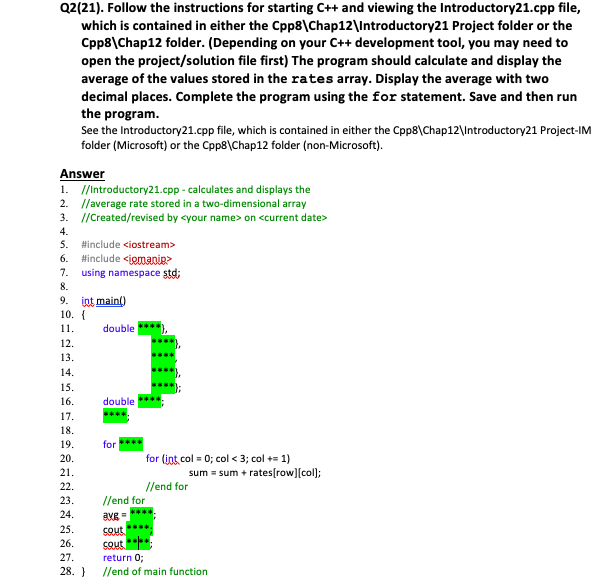
Q2(21). Follow the instructions for starting C++ and viewing the Introductory21.cpp file, which is contained in either the Cpp8\Chap12\Introductory21 Project folder or the 8\Chap 12 folder. (Depending on your C++ development tool, you may need to open the project/solution file first) The program should calculate and display the average of the values stored in the rates array. Display the average with two decimal places. Complete the program using the for statement. Save and then run the program See the Introductory21.cpp file, which is contained in either the Cpp8\Chap12\Introductory21 Project-IM folder (Microsoft) or the Cpp81 Chap12 folder (non-Microsoft) Answer 1. //Introductory21.cpp calculates and displays the 2. //average rate stored in a two-dimensional array 3. /Created/revised by
Step by Step Solution
There are 3 Steps involved in it

Get step-by-step solutions from verified subject matter experts