







Question: Resolve these errors Lab 3-1: KimTay Pet Supplies YE bil 8 10 Instructions Page 2 of 3 0.00 out of 10.00 (O Checks Add the
Resolve these errors
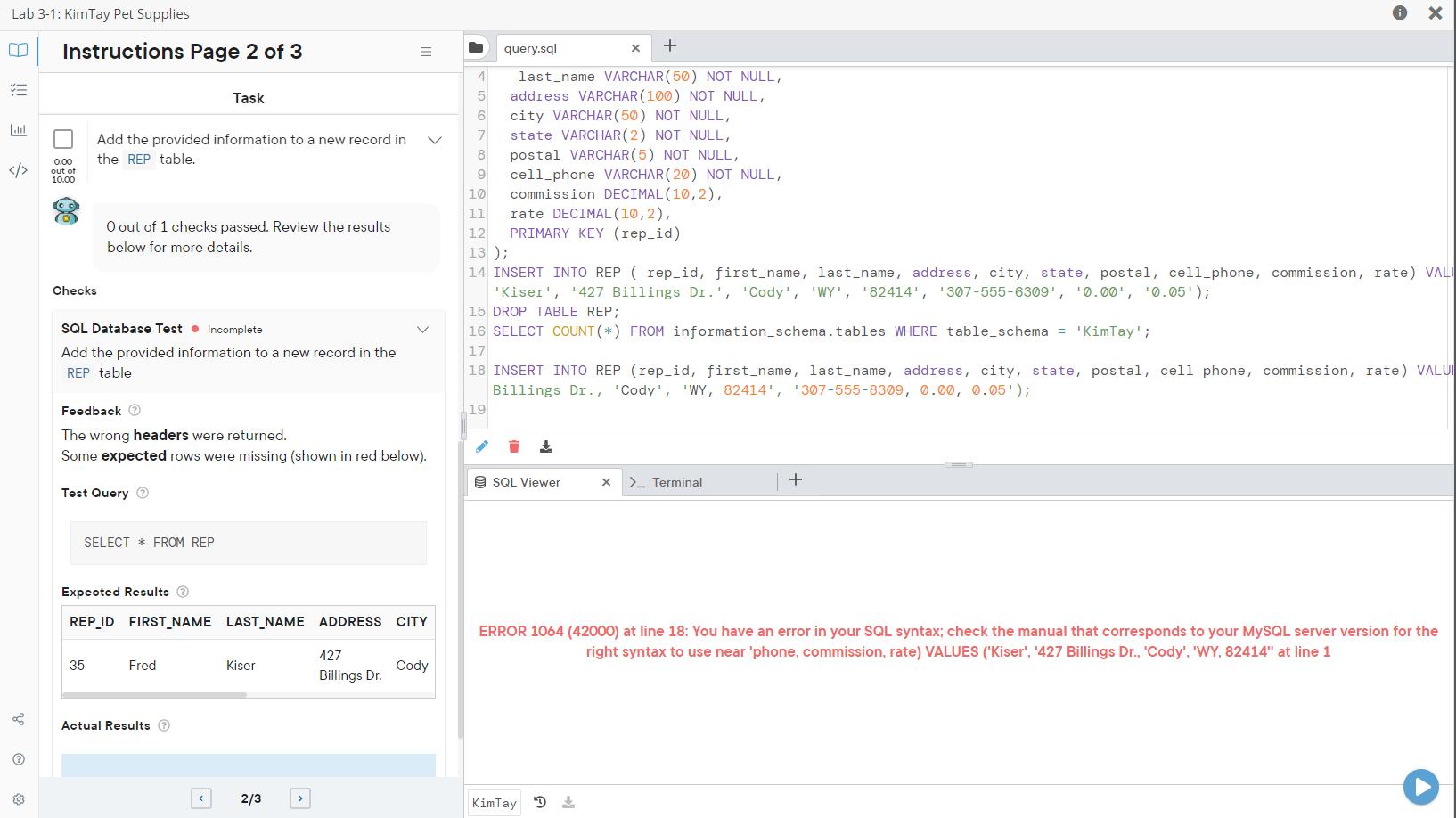
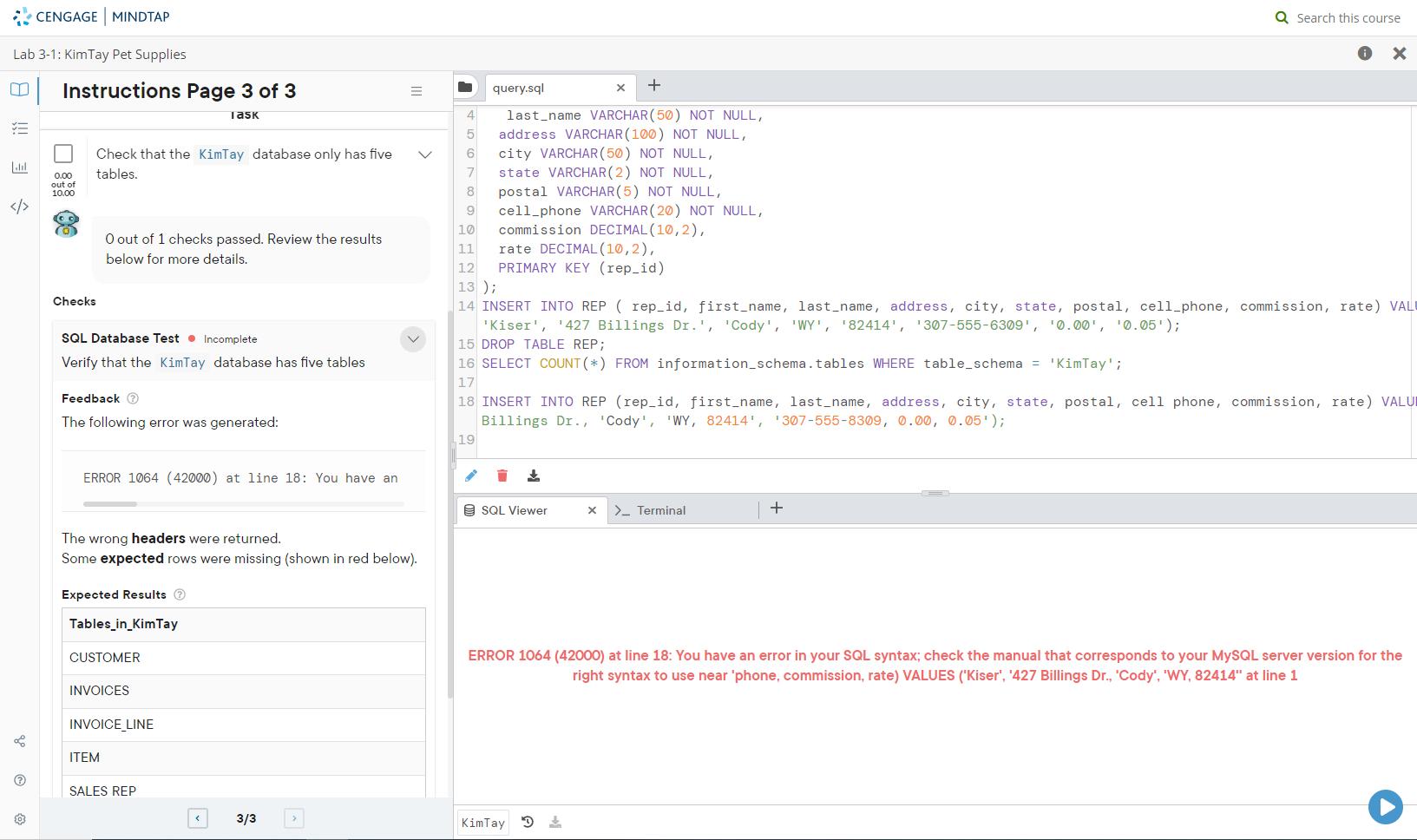
Lab 3-1: KimTay Pet Supplies YE bil 8 10 Instructions Page 2 of 3 0.00 out of 10.00 (O Checks Add the provided information to a new record in the REP table. O out of 1 checks passed. Review the results below for more details. SQL Database Test Incomplete Add the provided information to a new record in the REP table. Feedback > The wrong headers were returned. Some expected rows were missing (shown in red below). Test Query SELECT * FROM REP 35 Task Expected Results REP_ID FIRST_NAME LAST_NAME ADDRESS CITY Fred Actual Results < Kiser 2/3 427 Billings Dr. Cody 5 8 9 + last_name VARCHAR (50) NOT NULL, address VARCHAR(100) NOT NULL, city VARCHAR (50) NOT NULL, state VARCHAR (2) NOT NULL, postal VARCHAR(5) NOT NULL, cell phone VARCHAR (20) NOT NULL, commission DECIMAL (10,2), rate DECIMAL (10,2), PRIMARY KEY (rep_id) query.sql 19 10 11 12 13 ); 14 INSERT INTO REP (rep_id, first_name, last_name, address, city, state, postal, cell_phone, commission, rate) VALI 'Kiser', '427 Billings Dr.', 'Cody', 'WY', '82414', '307-555-6309', '0.00, 0.05'); 15 DROP TABLE REP; 16 SELECT COUNT (*) FROM information_schema.tables WHERE table_schema = 'KimTay'; 17 X 18 INSERT INTO REP (rep_id, first_name, last_name, address, city, state, postal, cell phone, commission, rate) VALU! Billings Dr., 'Cody', 'WY, 82414', '307-555-8309, 0.00, 0.05); SQL Viewer KimTay D X > Terminal X + == ERROR 1064 (42000) at line 18: You have an error in your SQL syntax; check the manual that corresponds to your MySQL server version for the right syntax to use near 'phone, commission, rate) VALUES ('Kiser', '427 Billings Dr., 'Cody', 'WY, 82414" at line 1
Step by Step Solution
3.39 Rating (146 Votes )
There are 3 Steps involved in it
The screenshots provided show an SQL editor along with some error messages generated after attempting to execute SQL statements in a lab environment T... View full answer

Get step-by-step solutions from verified subject matter experts
 Study Help