







Question: Step 2: Then enter formulas in all cells that contain question marks. For example, in cell C18 enter the formula =B6. Step 3: Check
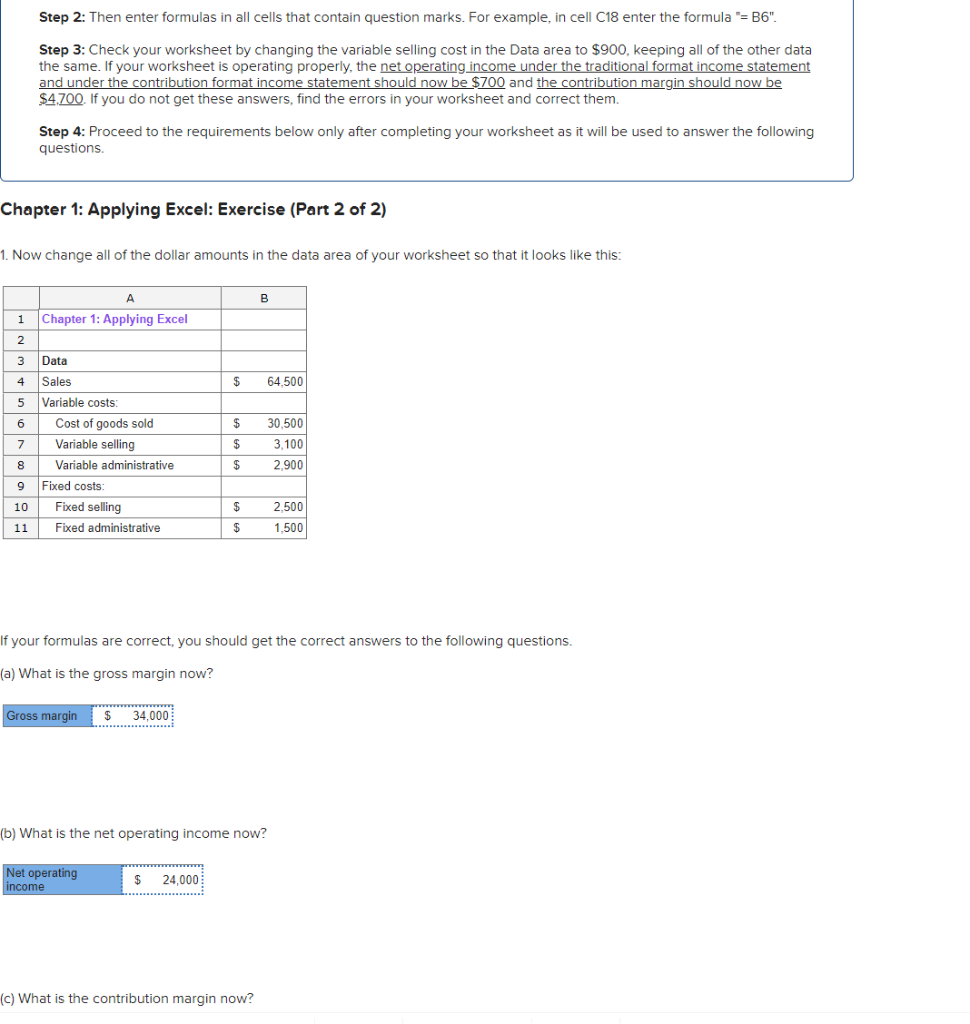
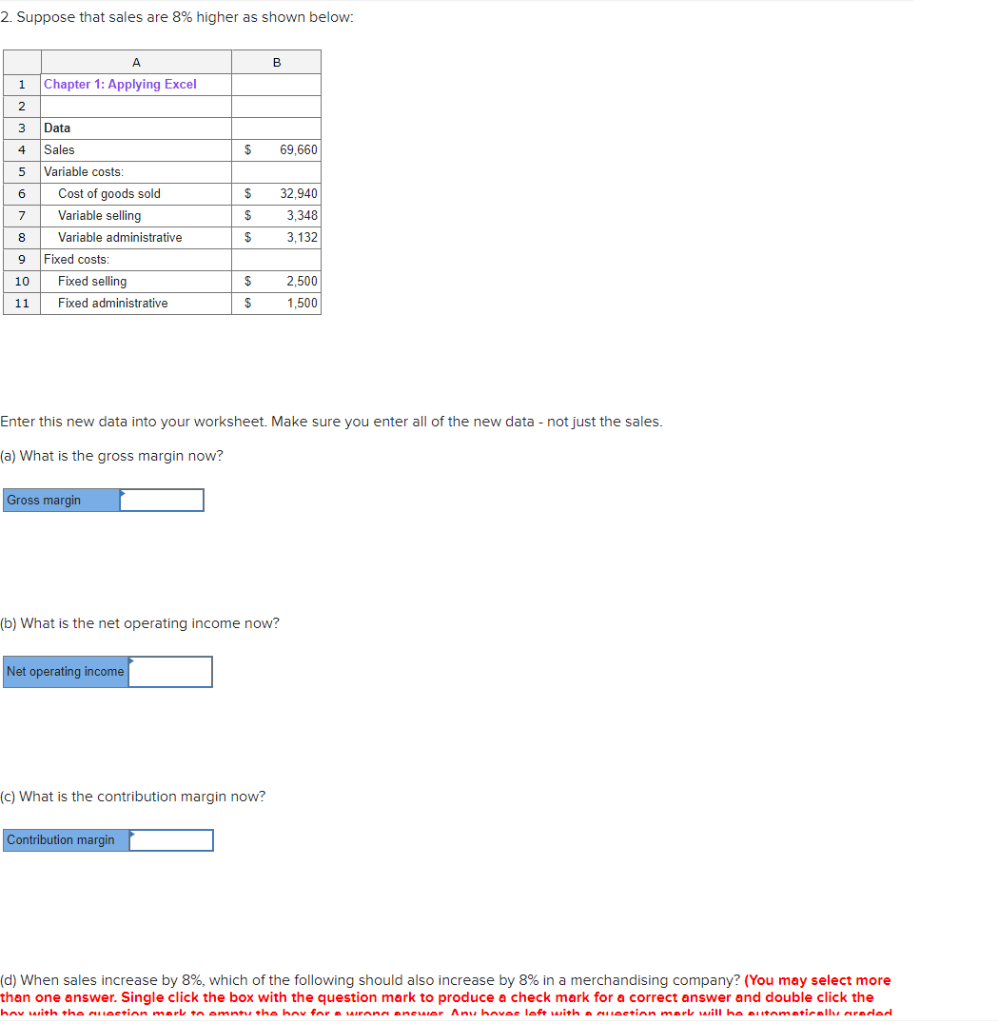
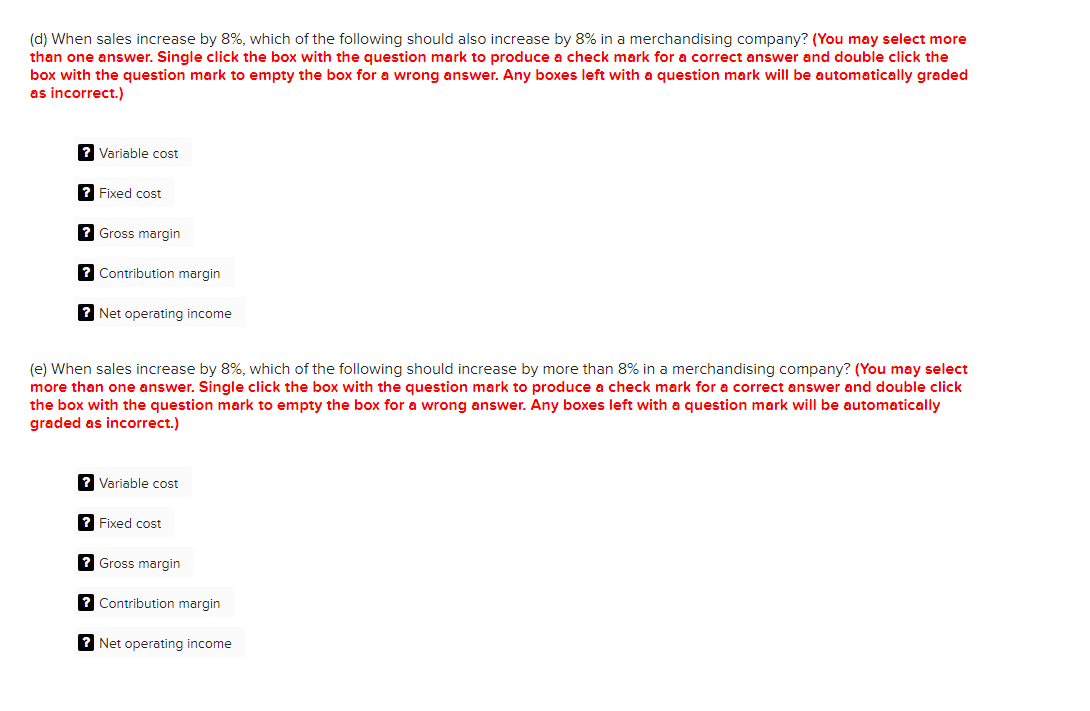
Step 2: Then enter formulas in all cells that contain question marks. For example, in cell C18 enter the formula "=B6". Step 3: Check your worksheet by changing the variable selling cost in the Data area to $900, keeping all of the other data the same. If your worksheet is operating properly, the net operating income under the traditional format income statement and under the contribution format income statement should now be $700 and the contribution margin should now be $4,700. If you do not get these answers, find the errors in your worksheet and correct them. Step 4: Proceed to the requirements below only after completing your worksheet as it will be used to answer the following questions. Chapter 1: Applying Excel: Exercise (Part 2 of 2) 1. Now change all of the dollar amounts in the data area of your worksheet so that it looks like this: A 1 Chapter 1: Applying Excel B 2 3 Data 4 Sales $ 64,500 5 Variable costs: 6 Cost of goods sold $ 30,500 7 Variable selling $ 3,100 8 Variable administrative $ 2,900 9 Fixed costs: 10 Fixed selling $ 2,500 11 Fixed administrative $ 1,500 If your formulas are correct, you should get the correct answers to the following questions. (a) What is the gross margin now? Gross margin $ 34,000 (b) What is the net operating income now? Net operating income $ 24,000 (c) What is the contribution margin now?
Step by Step Solution
There are 3 Steps involved in it

Get step-by-step solutions from verified subject matter experts
 Study Help