







Question: THIS IS FOR DELIVERABLE B NOT DELIVERABLE A ! import java.io.*; import java.util.Scanner; // Class DelivB does the work for deliverable DelivB of the Prog340
THIS IS FOR DELIVERABLE B NOT DELIVERABLE A!
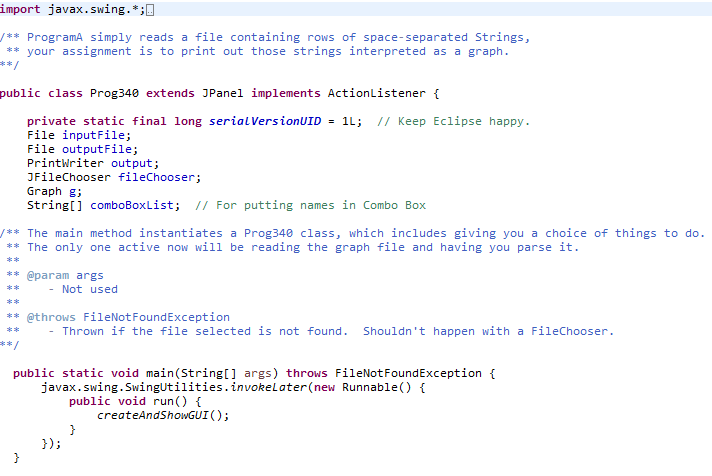
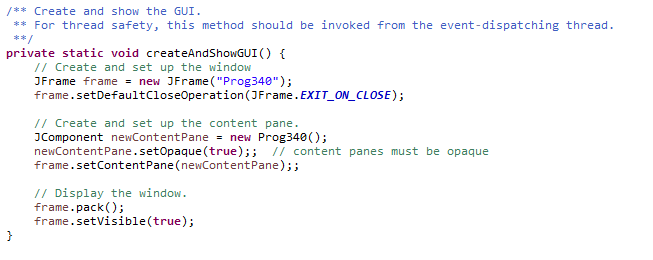
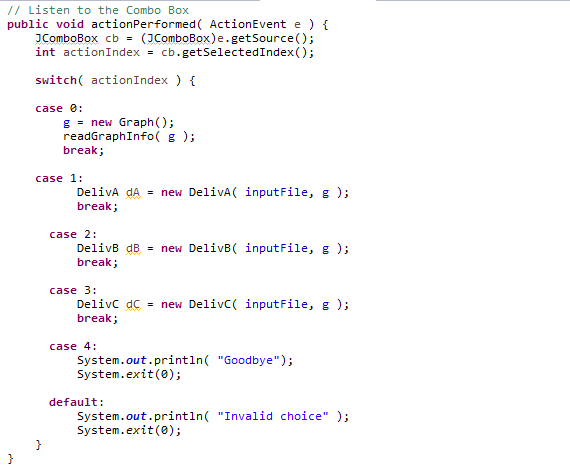
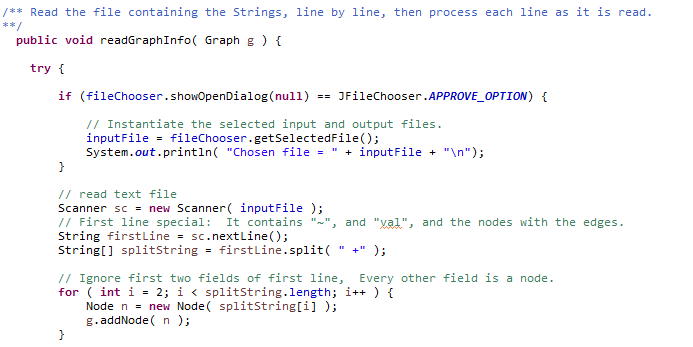
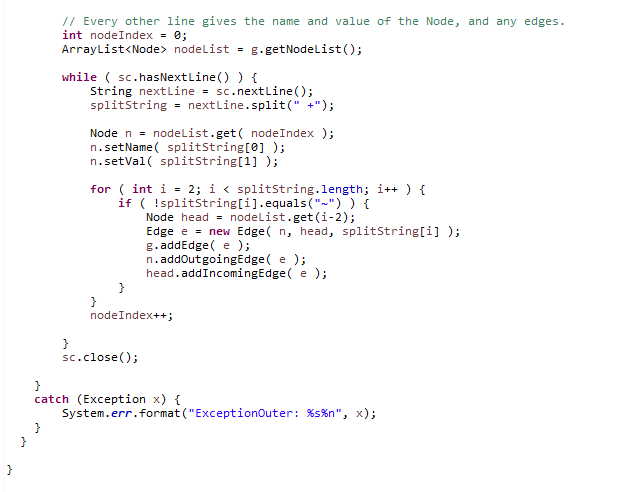
import java.io.*; import java.util.Scanner;
// Class DelivB does the work for deliverable DelivB of the Prog340
public class DelivB {
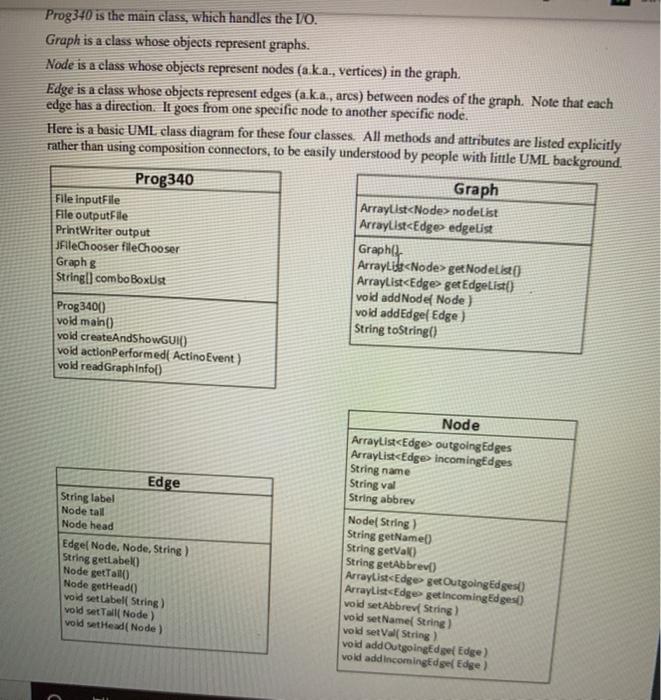
File inputFile; File outputFile; PrintWriter output; Graph g; public DelivB( File in, Graph gr ) { inputFile = in; g = gr; // Get output file name. String inputFileName = inputFile.toString(); String baseFileName = inputFileName.substring( 0, inputFileName.length()-4 ); // Strip off ".txt" String outputFileName = baseFileName.concat( "_out.txt" ); outputFile = new File( outputFileName ); if ( outputFile.exists() ) { // For re-tests outputFile.delete(); } try { output = new PrintWriter(outputFile); } catch (Exception x ) { System.err.format("Exception: %s%n", x); System.exit(0); } } }
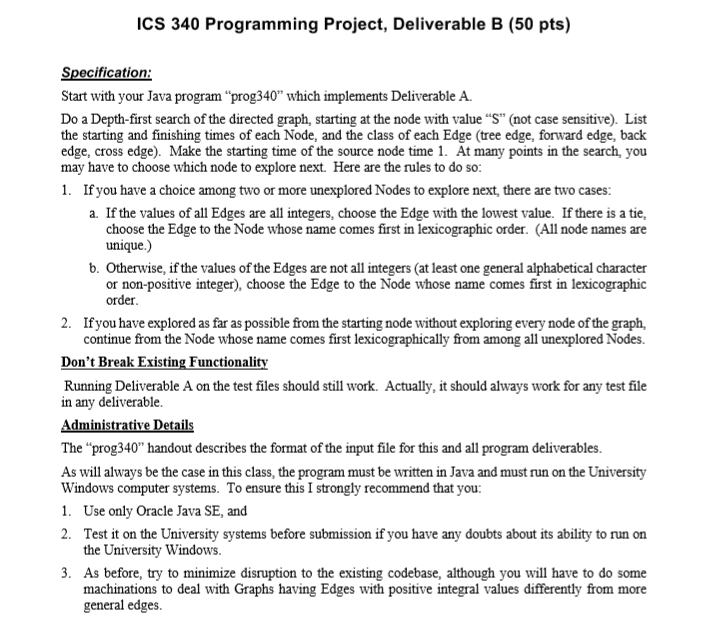
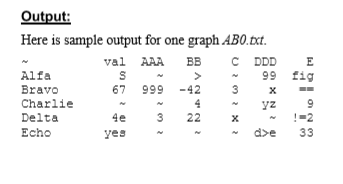
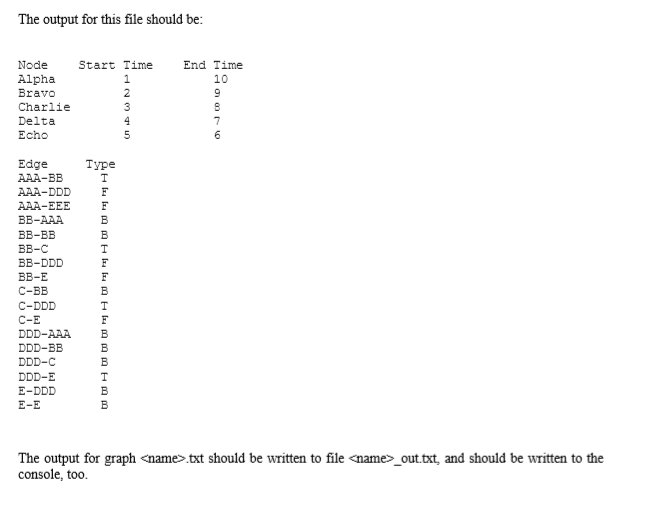
ICS 340 Programming Project, Deliverable B (50 pts) Specification: Start with your Java program prog340 which implements Deliverable A. Do a Depth-first search of the directed graph, starting at the node with value S" (not case sensitive). List the starting and finishing times of each Node, and the class of each Edge (tree edge, forward edge, back edge, cross edge). Make the starting time of the source node time 1. At many points in the search, you may have to choose which node to explore next. Here are the rules to do so: 1. If you have a choice among two or more unexplored Nodes to explore next, there are two cases: a. If the values of all Edges are all integers, choose the Edge with the lowest value. If there is a tie, choose the Edge to the Node whose name comes first in lexicographic order. (All node names are unique.) b. Otherwise, if the values of the Edges are not all integers (at least one general alphabetical character or non-positive integer), choose the Edge to the Node whose name comes first in lexicographic order. 2. If you have explored as far as possible from the starting node without exploring every node of the graph, continue from the Node whose name comes first lexicographically from among all unexplored Nodes. Don't Break Existing Functionality Running Deliverable A on the test files should still work. Actually, it should always work for any test file in any deliverable. Administrative Details The prog340 handout describes the format of the input file for this and all program deliverables. As will always be the case in this class, the program must be written in Java and must run on the University Windows computer systems. To ensure this I strongly recommend that you: 1. Use only Oracle Java SE, and 2. Test it on the University systems before submission if you have any doubts about its ability to run on the University Windows 3. As before, try to minimize disruption to the existing codebase, although you will have to do some machinations to deal with Graphs having Edges with positive integral values differently from more general edges. Output: Here is sample output for one graph ABO.tct. val AAA BB CDDD E Alfa s S 99 fig Bravo 67 999 -42 3 x Charlie 4 yz 9 Delta 4e 3 22 Echo yes 33 U? ? x 2 2 3 The output for this file should be: Node Start Time Alpha 1 Bravo 2 Charlie 3 Delta Echo 5 End Time 10 9 8 7 6 Type Edge AAA-BB AAA-DDD AAA-EEE BB-AAA BB-BB BB-C BB-DDD BB-E C-BB C-DDD C-E DDD-AAA DDD-BB DDD-C DDD-E E-DDD E-E F B B F F B F B B B B B The output for graph
Step by Step Solution
There are 3 Steps involved in it

Get step-by-step solutions from verified subject matter experts
 Study Help