







Question: Show the modifications needed to add exponentiation to the class Calculator in Listing 9.12. Use ^ to indicate the exponentiation operator and the method Math.pow
Show the modifications needed to add exponentiation to the class Calculator in Listing 9.12. Use ^ to indicate the exponentiation operator and the method Math.pow to perform the computation.
Listing 9.12.
![import java.util.Scanner; /** Simple line-oriented calculator program. The class can also be used to create other calculator programs. */ public class Calculator { private double result; private double precision = 0.0001; // Numbers this close to zero are treated as if equal to zero. public static void main (String []](https://dsd5zvtm8ll6.cloudfront.net/si.question.images/images/question_images/1606/3/7/1/7575fbf49ad3e8aa1606371756248.jpg)
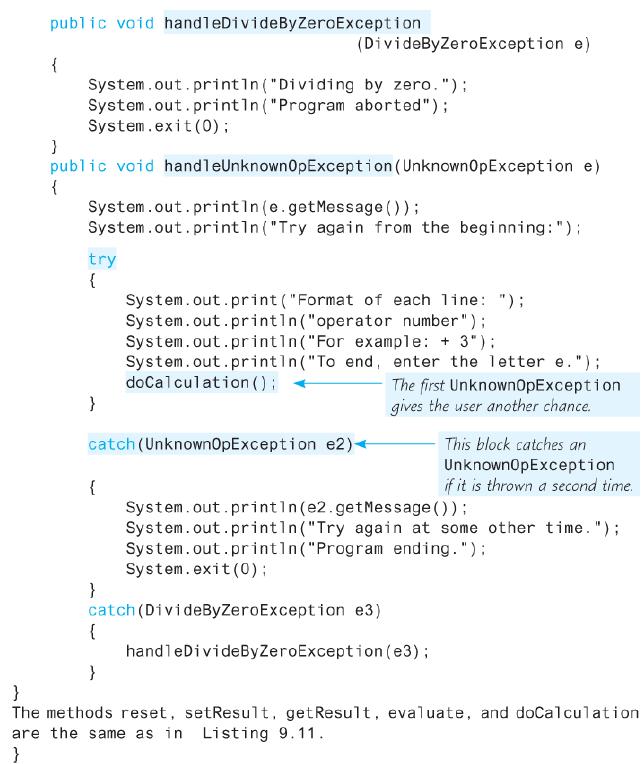
import java.util.Scanner; /** Simple line-oriented calculator program. The class can also be used to create other calculator programs. */ public class Calculator { private double result; private double precision = 0.0001; // Numbers this close to zero are treated as if equal to zero. public static void main (String [] args) { Calculator clerk = new Calculator (); try { System.out.printin("Calculator is on."); System.out.print ("Format of each line: "); System.out.println("operator space number"); System.out.println("For example: + 3"); System.out.printin("To end, enter the letter e."); clerk.doCalculation (); catch (UnknownOpException e) { clerk.handleUnknownOpException (e); catch (DivideByZeroException e) { clerk.handleDivideByZeroException (e); } System.out.println ("The final result is %3D + clerk.resultValue ()); System.out.println ("Calculator program ending."); } public Calculator () { result = 0;
Step by Step Solution
3.42 Rating (165 Votes )
There are 3 Steps involved in it
case THIS ... View full answer

Get step-by-step solutions from verified subject matter experts
 Study Help