







Question: Use the class ClassObjectIODemo shown in Listing 10.10 of Chapter 10 to create a file of Species objects. The class Species is given in Chapter
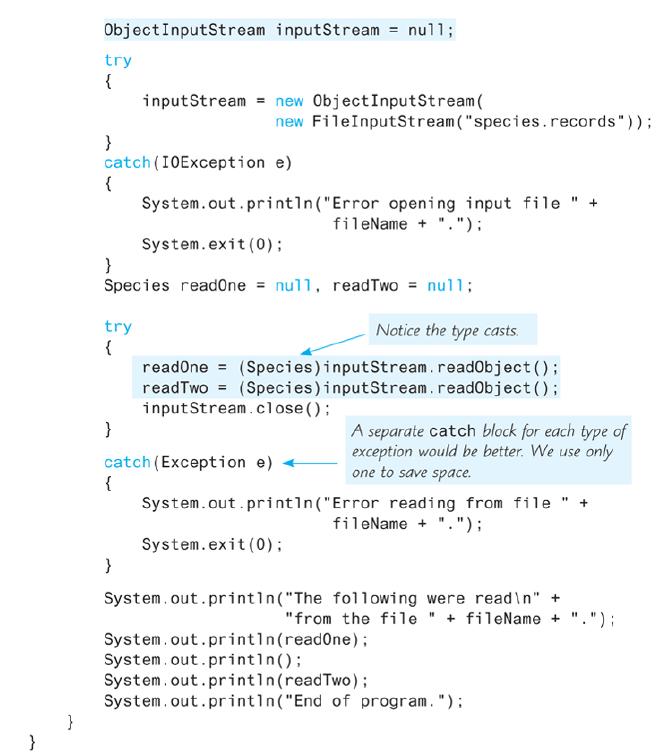
Use the class ClassObjectIODemo shown in Listing 10.10 of Chapter 10 to create a file of Species objects. The class Species is given in Chapter 10, Listing 10.9. Then write a program that reads the Species objects from the file you created into an instance of ArrayList, sorts these instances alphabetically by Species name, and then writes the sorted data to both the screen and a file. Read all file names from the user.
Listing 10.10
![import java.io.FileInputStream; import java.io.FileOutputStream; i mport java.io.10Exception; i mport java.io.0bjectInputStream; import java.io.0bjectOutputStream; public class ClassobjectIODemo { public static void main(String []args) { ObjectoutputStream outputStream = null; String fileName =](https://dsd5zvtm8ll6.cloudfront.net/si.question.images/images/question_images/1606/3/7/3/4815fbf5069396601606373479884.jpg)
Listing 10.9
![public class ClassobjectIODemo { public static void main(String []args) { ObjectoutputStream outputStream](https://dsd5zvtm8ll6.cloudfront.net/si.question.images/images/question_images/1606/3/7/3/9275fbf5227f34b21606373926651.jpg)
import java.io.FileInputStream; import java.io.FileOutputStream; i mport java.io.10Exception; i mport java.io.0bjectInputStream; import java.io.0bjectOutputStream; public class ClassobjectIODemo { public static void main(String []args) { ObjectoutputStream outputStream = null; String fileName = "species.records"; try { outputStream = new ObjectOutputStream( new FileOutputStream (fileName)); } catch (10Exception e) { System.out.println("Error opening output file + fileName + "."); System.exit (0); Species califCondor = new Species ("Calif. Condor", 27, 0.02); Species blackRhino = new Species ("Black Rhino", 100, 1.0); try { outputStream.writeObject (califCondor); outputStream.writeObject (blackRhino); outputStream.Close(); catch (10Exception e) { System.out.println("Error wring to file fileName + "."); System.exit (0) } System.out.printin("Records sent to file fileName + "."); + System.out.println( "Nov et's reopen the file and echo "the records.");
Step by Step Solution
3.37 Rating (172 Votes )
There are 3 Steps involved in it
public class SpeciesSortedByNameToFile public static void mainString args String fileName getFileName Enter name of Species file to read ObjectInputStream inputStream null try inputStream new ObjectIn... View full answer

Get step-by-step solutions from verified subject matter experts
 Study Help