







Question: You are about to begin a summer internship in Logistics working for a company Express Mover that provides packaging and shipping services to customers
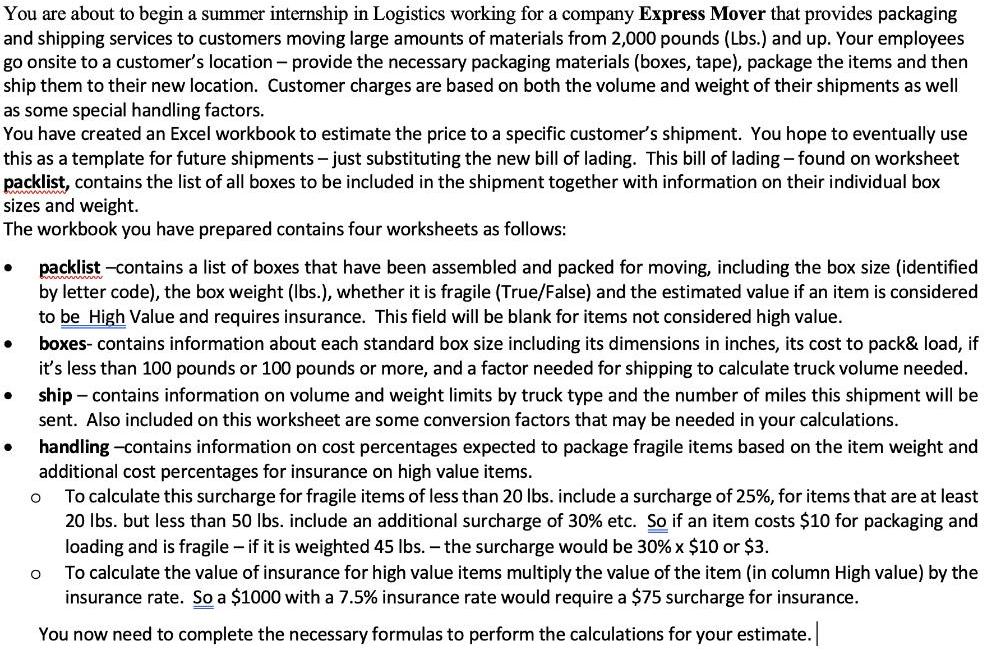
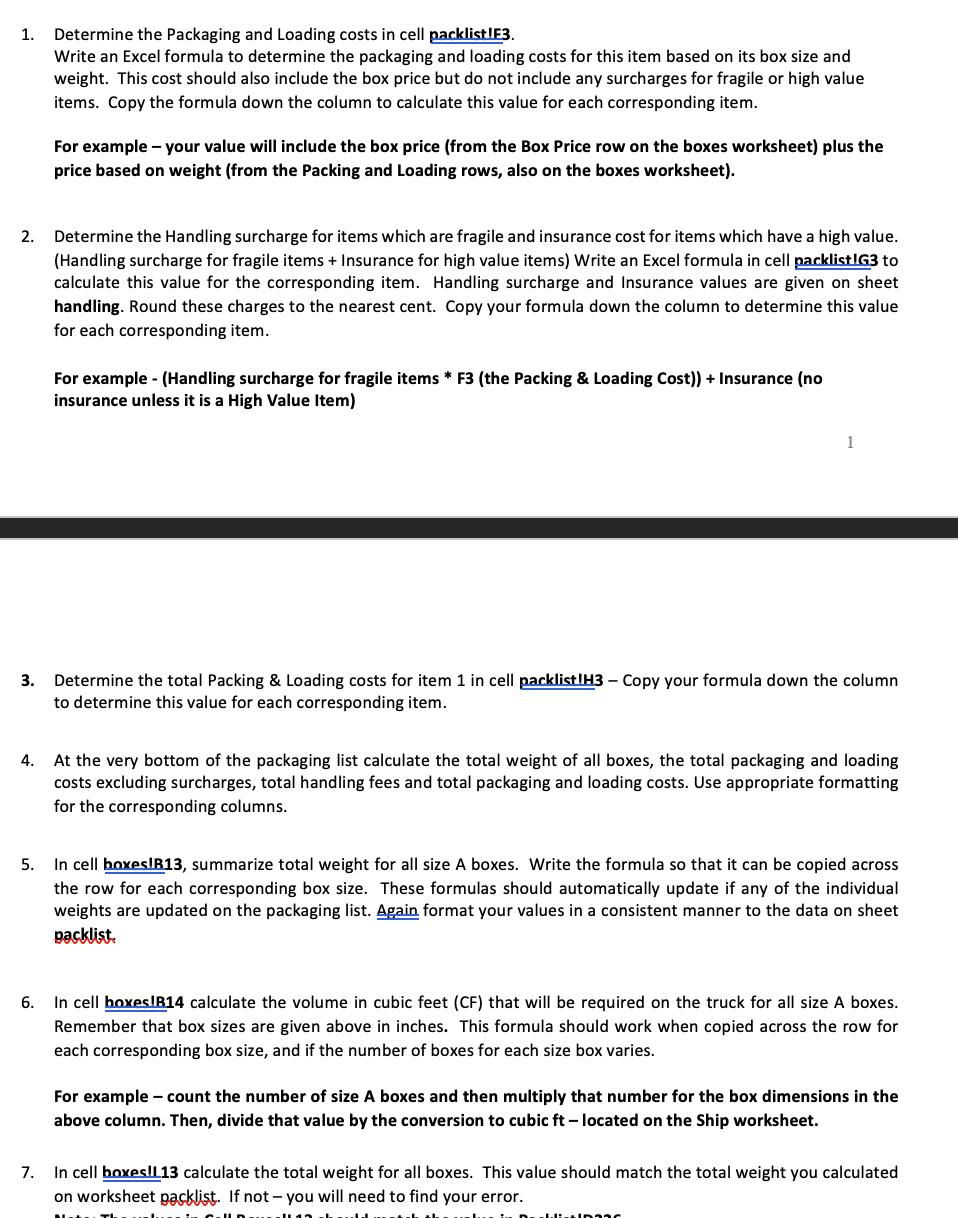
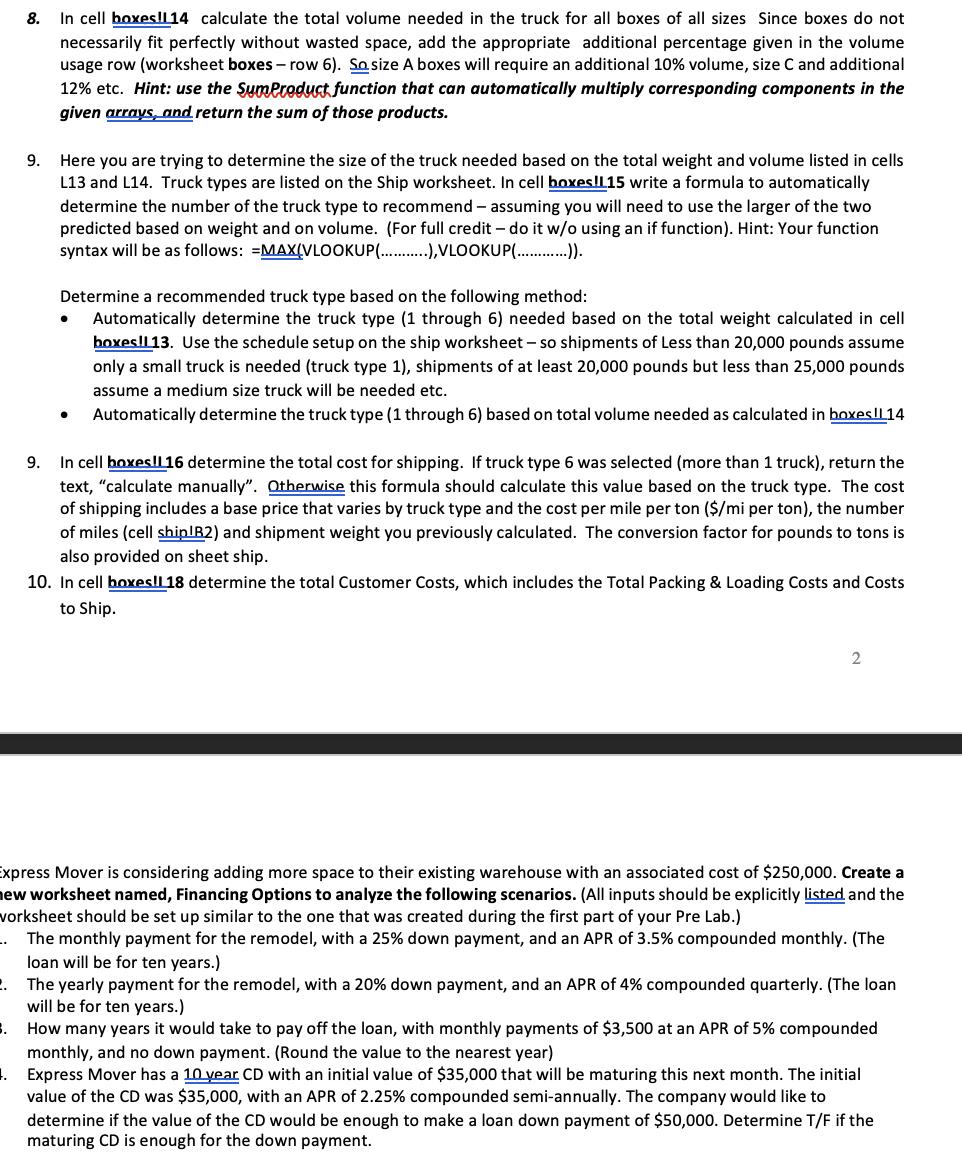
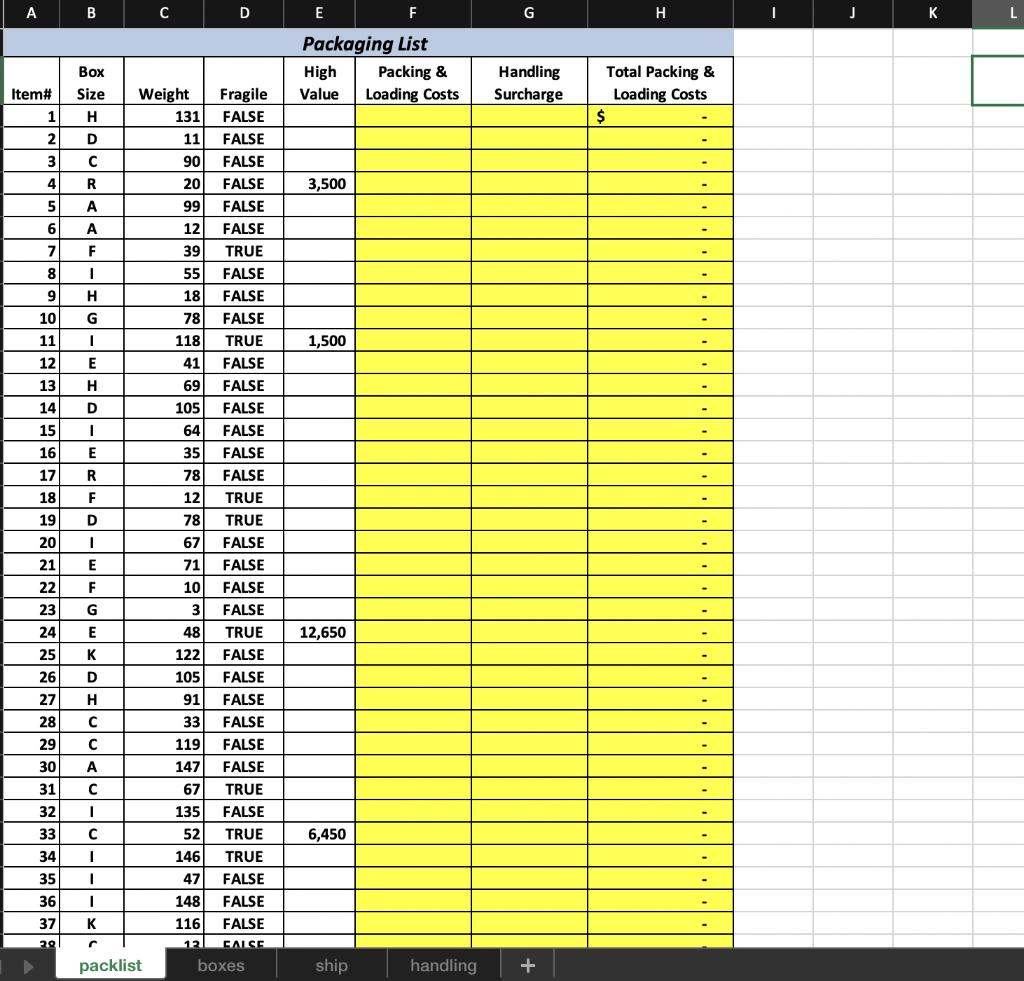
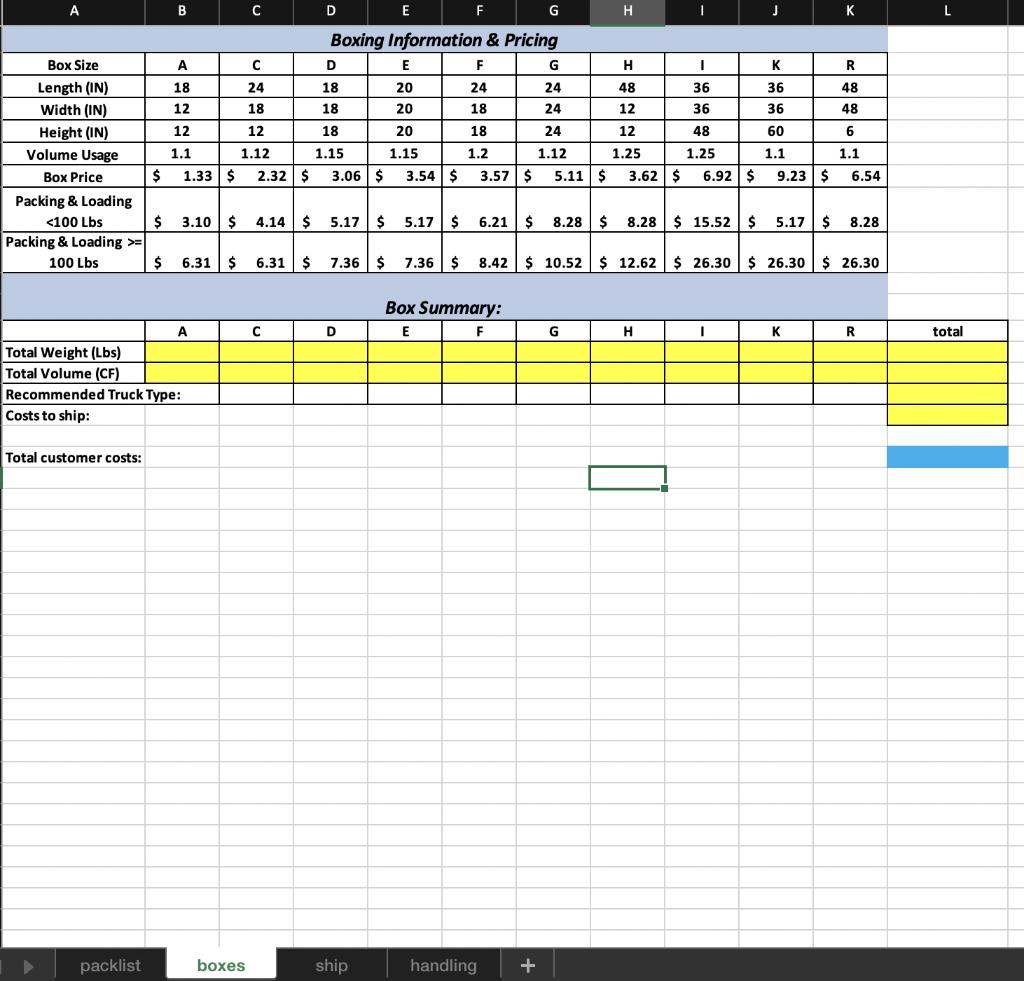
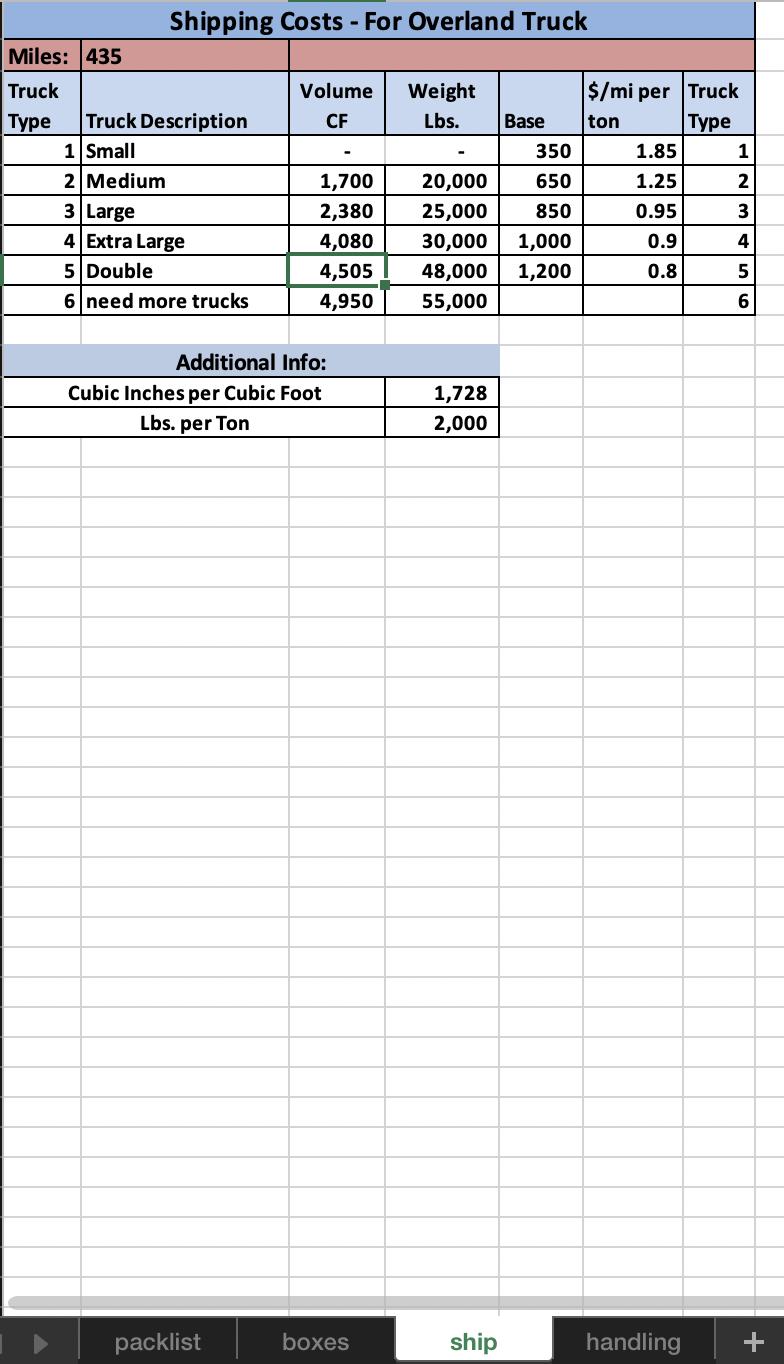
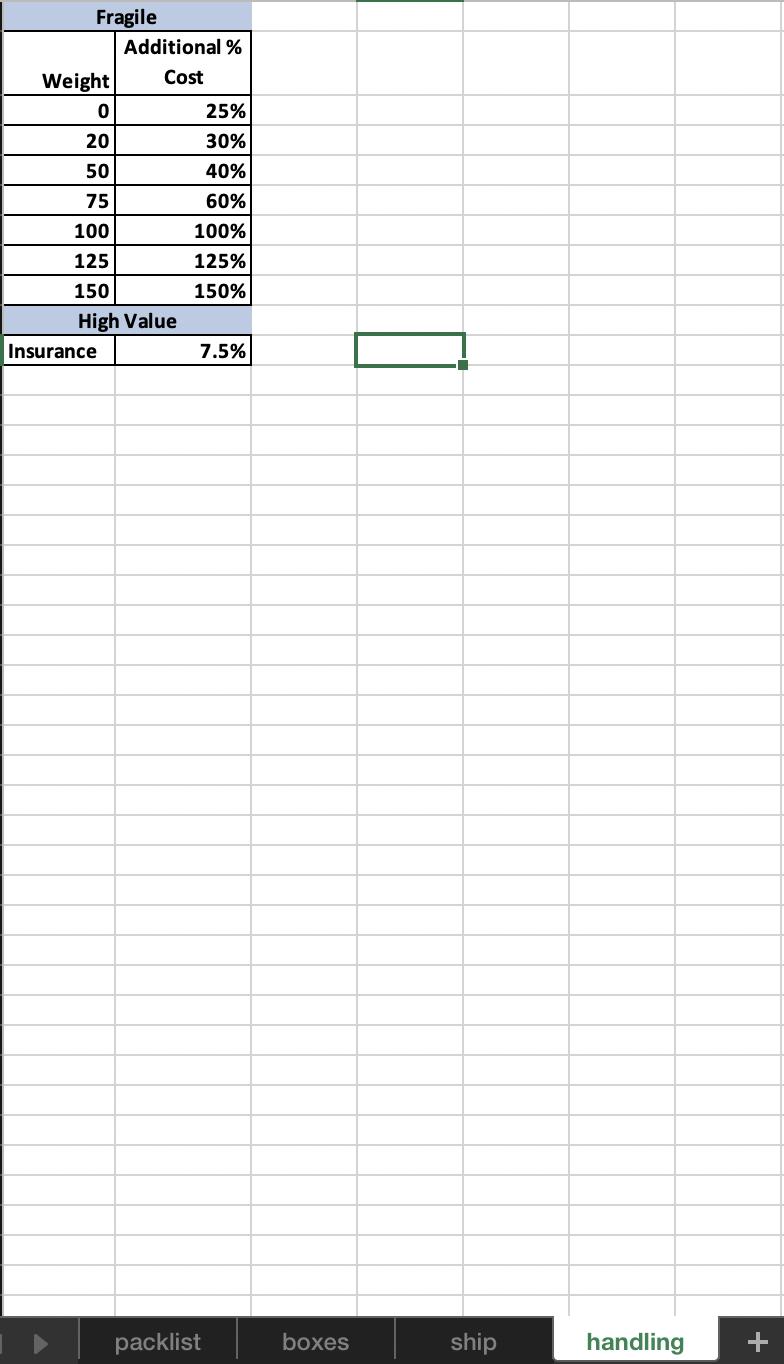
You are about to begin a summer internship in Logistics working for a company Express Mover that provides packaging and shipping services to customers moving large amounts of materials from 2,000 pounds (Lbs.) and up. Your employees go onsite to a customer's location - provide the necessary packaging materials (boxes, tape), package the items and then ship them to their new location. Customer charges are based on both the volume and weight of their shipments as well as some special handling factors. You have created an Excel workbook to estimate the price to a specific customer's shipment. You hope to eventually use this as a template for future shipments - just substituting the new bill of lading. This bill of lading - found on worksheet packlist, contains the list of all boxes to be included in the shipment together with information on their individual box sizes and weight. The workbook you have prepared contains four worksheets as follows: . packlist -contains a list of boxes that have been assembled and packed for moving, including the box size (identified by letter code), the box weight (lbs.), whether it is fragile (True/False) and the estimated value if an item is considered to be High Value and requires insurance. This field will be blank for items not considered high value. boxes- contains information about each standard box size including its dimensions in inches, its cost to pack& load, if it's less than 100 pounds or 100 pounds or more, and a factor needed for shipping to calculate truck volume needed. ship contains information on volume and weight limits by truck type and the number of miles this shipment will be sent. Also included on this worksheet are some conversion factors that may be needed in your calculations. handling -contains information on cost percentages expected to package fragile items based on the item weight and additional cost percentages for insurance on high value items. To calculate this surcharge for fragile items of less than 20 lbs. include a surcharge of 25%, for items that are at least 20 lbs. but less than 50 lbs. include an additional surcharge of 30% etc. So if an item costs $10 for packaging and loading and is fragile - if it is weighted 45 lbs. - the surcharge would be 30% x $10 or $3. O To calculate the value of insurance for high value items multiply the value of the item (in column High value) by the insurance rate. So a $1000 with a 7.5% insurance rate would require a $75 surcharge for insurance. You now need to complete the necessary formulas to perform the calculations for your estimate. O 1. Determine the Packaging and Loading costs in cell packlist !F3. Write an Excel formula to determine the packaging and loading costs for this item based on its box size and weight. This cost should also include the box price but do not include any surcharges for fragile or high value items. Copy the formula down the column to calculate this value for each corresponding item. 2. 3. For example - your value will include the box price (from the Box Price row on the boxes worksheet) plus the price based on weight (from the Packing and Loading rows, also on the boxes worksheet). Determine the Handling surcharge for items which are fragile and insurance cost for items which have a high value. (Handling surcharge for fragile items + Insurance for high value items) Write an Excel formula in cell packlist !G3 to calculate this value for the corresponding item. Handling surcharge and Insurance values are given on sheet handling. Round these charges to the nearest cent. Copy your formula down the column to determine this value for each corresponding item. For example - (Handling surcharge for fragile items * F3 (the Packing & Loading Cost)) + Insurance (no insurance unless it is a High Value Item) 1 Determine the total Packing & Loading costs for item 1 in cell packlist !H3 - Copy your formula down the column to determine this value for each corresponding item. 4. At the very bottom of the packaging list calculate the total weight of all boxes, the total packaging and loading costs excluding surcharges, total handling fees and total packaging and loading costs. Use appropriate formatting for the corresponding columns. 5. In cell boxesIR13, summarize total weight for all size A boxes. Write the formula so that it can be copied across the row for each corresponding box size. These formulas should automatically update if any of the individual weights are updated on the packaging list. Again format your values in a consistent manner to the data on sheet packlist. 6. In cell boxes!B14 calculate the volume in cubic feet (CF) that will be required on the truck for all size A boxes. Remember that box sizes are given above in inches. This formula should work when copied across the row for each corresponding box size, and if the number of boxes for each size box varies. For example - count the number of size A boxes and then multiply that number for the box dimensions in the above column. Then, divide that value by the conversion to cubic ft - located on the Ship worksheet. 7. In cell boxes!113 calculate the total weight for all boxes. This value should match the total weight you calculated on worksheet packlist. If not - you will need to find your error. Dablista -. 8. In cell boxes!114 calculate the total volume needed in the truck for all boxes of all sizes Since boxes do not necessarily fit perfectly without wasted space, add the appropriate additional percentage given in the volume usage row (worksheet boxes - row 6). Sosize A boxes will require an additional 10% volume, size C and additional 12% etc. Hint: use the SumProduct function that can automatically multiply corresponding components in the given arrays, and return the sum of those products. 3. 9. Here you are trying to determine the size of the truck needed based on the total weight and volume listed in cells L13 and L14. Truck types are listed on the Ship worksheet. In cell boxes!L15 write a formula to automatically determine the number of the truck type to recommend - assuming you will need to use the larger of the two predicted based on weight and on volume. (For full credit - do it w/o using an if function). Hint: Your function syntax will be as follows: =MAX(VLOOKUP(), VLOOKUP(...)). Determine a recommended truck type based on the following method: Automatically determine the truck type (1 through 6) needed based on the total weight calculated in cell boxes!113. Use the schedule setup on the ship worksheet - so shipments of Less than 20,000 pounds assume only a small truck is needed (truck type 1), shipments of at least 20,000 pounds but less than 25,000 pounds assume a medium size truck will be needed etc. Automatically determine the truck type (1 through 6) based on total volume needed as calculated in boxes L14 9. than 1 truck), return the In cell boxes!! 16 determine the total cost for shipping. If truck type 6 select text, "calculate manually". Otherwise this formula should calculate this value based on the truck type. The cost of shipping includes a base price that varies by truck type and the cost per mile per ton ($/mi per ton), the number of miles (cell ship!B2) and shipment weight you previously calculated. The conversion factor for pounds to tons is also provided on sheet ship. 10. In cell boxes!! 18 determine the total Customer Costs, which includes the Total Packing & Loading Costs and Costs to Ship. Express Mover is considering adding more space to their existing warehouse with an associated cost of $250,000. Create a new worksheet named, Financing Options to analyze the following scenarios. (All inputs should be explicitly listed and the vorksheet should be set up similar to the one that was created during the first part of your Pre Lab.) The monthly payment for the remodel, with a 25% down payment, and an APR of 3.5% compounded monthly. (The loan will be for ten years.) 2. The yearly payment for the remodel, with a 20% down payment, and an APR of 4% compounded quarterly. (The loan will be for ten years.) How many years it would take to pay off the loan, with monthly payments of $3,500 at an APR of 5% compounded monthly, and no down payment. (Round the value to the nearest year) 1. Express Mover has a 10 year CD with an initial value of $35,000 that will be maturing this next month. The initial value of the CD was $35,000, with an APR of 2.25% compounded semi-annually. The company would like to determine if the value of the CD would be enough to make a loan down payment of $50,000. Determine T/F if the maturing CD is enough for the down payment. 2 A Item# 10 11 12 1 H 2 D 3 C 4 R 5 A 6 A 7 F 8 9 13 14 15 PERSONNE 16 17 18 19 20 21 22 B 23 24 25 26 27 28 Box Size I H G I E H D I E R F D 1 E F G E K D H C 29 30 A 31 C 32 I 33 C 34 I 35 1 36 I 37 K 20 C C packlist Weight D Fragile 131 FALSE 11 FALSE 90 FALSE 20 FALSE 99 FALSE 12 FALSE 39 TRUE 55 FALSE 18 FALSE 78 FALSE 118 TRUE 41 FALSE 69 FALSE 105 FALSE 64 FALSE 35 FALSE 78 FALSE 12 TRUE 78 TRUE 67 FALSE 71 FALSE 10 FALSE 3 FALSE 48 TRUE 122 FALSE 105 FALSE 91 FALSE 33 FALSE 119 FALSE 147 FALSE 67 TRUE 135 FALSE 52 TRUE 146 TRUE 47 FALSE 148 FALSE 116 FALSE 12 FALSE boxes E F Packaging List High Value 3,500 1,500 12,650 6,450 ship Packing & Loading Costs handling G Handling Surcharge + H Total Packing & Loading Costs $ K L A Box Size Length (IN) Width (IN) Height (IN) Volume Usage Box Price Packing & Loading = 100 Lbs Total Weight (Lbs) Total Volume (CF) Total customer costs: $ packlist B A 18 12 12 1.1 1.33 $ Recommended Truck Type: Costs to ship: A C C 24 18 12 1.12 boxes D D 18 18 18 1.15 2.32 $ 3.06 $ C E Boxing Information & Pricing F 24 18 18 1.2 D F E 20 20 20 1.15 3.54 $ ship 3.57 $ G $ 3.10 $ 4.14 $ 5.17 $ 5.17 $ 6.21 $ 8.28 $ 8.28 $ 15.52 $ 5.17 $ Box Summary: F E handling + H H 48 12 $6.31 $ 6.31 $ 7.36 $ 7.36 $ 8.42 $ 10.52 $ 12.62 $26.30 $26.30 $ 26.30 G I 24 36 24 36 24 12 48 1.25 1.25 1.12 5.11 $ 3.62 $ 6.92 $ G I H J I K 36 36 60 1.1 9.23 $ 6.54 K K R 48 48 6 1.1 8.28 R L total Shipping Costs - For Overland Truck Miles: 435 Truck Type Truck Description 1 Small 2 Medium 3 Large 4 Extra Large 5 Double 6 need more trucks Volume CF packlist 1,700 2,380 4,080 4,505 4,950 Additional Info: Cubic Inches per Cubic Foot Lbs. per Ton boxes Weight Lbs. 1,728 2,000 20,000 25,000 30,000 1,000 48,000 1,200 55,000 ship Base ton 350 650 850 $/mi per Truck Type 1.85 1.25 0.95 0.9 0.8 handling 1 SSDENP 2 3 4 5 6 + Fragile Additional % Weight Cost 0 20 50 75 100 125 150 High Value Insurance 25% 30% 40% 60% 100% 125% 150% 7.5% packlist boxes ship handling +
Step by Step Solution
3.66 Rating (232 Votes )
There are 3 Steps involved in it
Packlist Packaging List Item Box Size Weight Fragile High Value Packaging Loading Costs Handling Surcharge Total Packaging Loading Costs 1 H 131 FALSE ... View full answer

Get step-by-step solutions from verified subject matter experts
 Study Help