







Question: CAN SOMEONE PLEASE HELP ME 4-12 I know how to save a document. begin{tabular}{ll|lll} hline A4 & & & fx & 1140 hline end{tabular}
CAN SOMEONE PLEASE HELP ME 4-12 I know how to save a document. 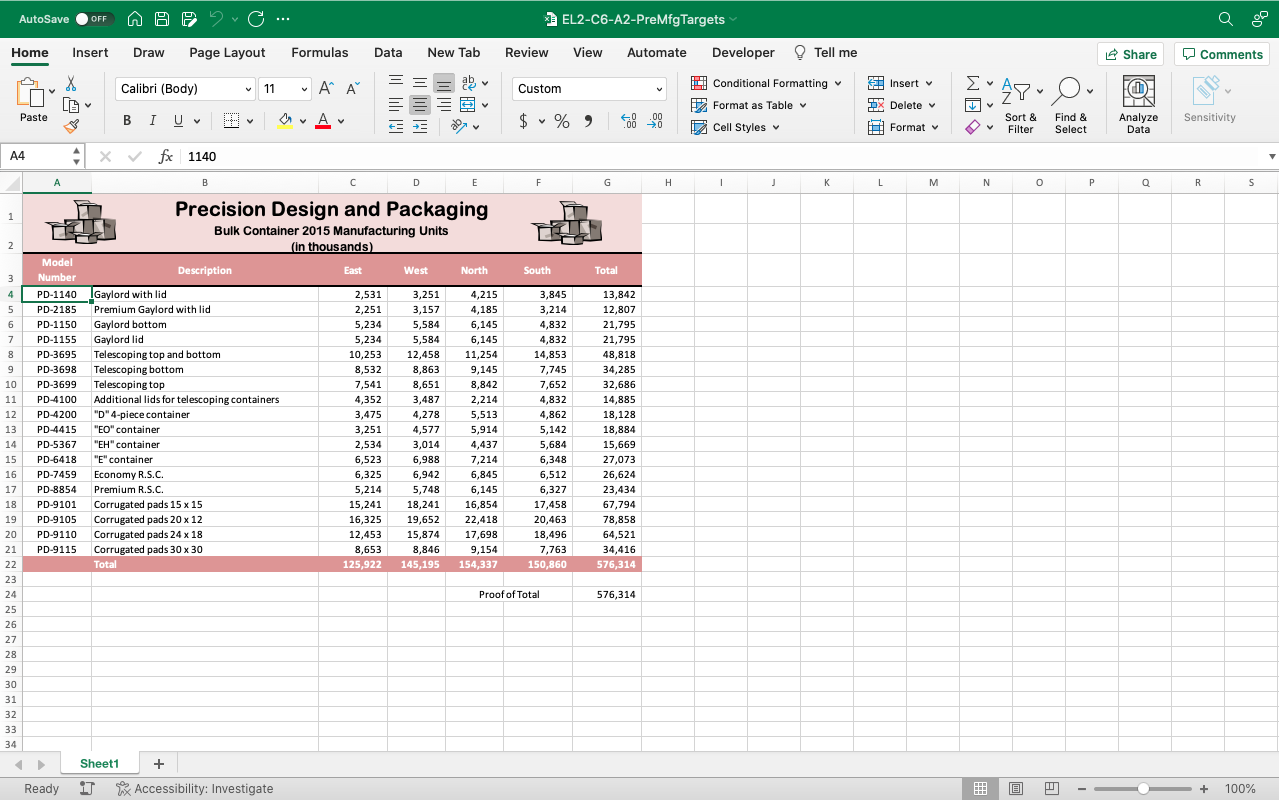
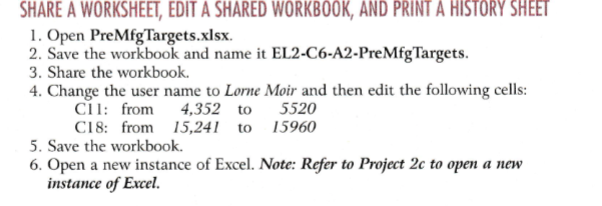
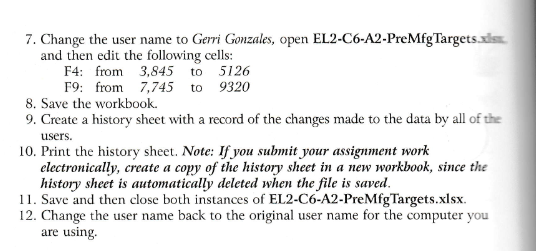
\begin{tabular}{ll|lll} \hline A4 & & & fx & 1140 \\ \hline \end{tabular} SHARE A WORKSHEET, EDIT A SHARED WORKBOOK, AND PRINT A HISTORY SHEET 1. Open PreMfgTargets.xlsx. 2. Save the workbook and name it EL2-C6-A2-PreMfgTargets. 3. Share the workbook. 4. Change the user name to Lorne Moir and then edit the following cells: C11: from 4,352 to 5520 C18: from 15,241 to 15960 5. Save the workbook. 6. Open a new instance of Excel. Note: Refer to Project 2c to open a new instance of Excel. 7. Change the user name to Gerri Gonzales, open EL2-C6-A2-PreMfgTargets.xls and then edit the following cells: 8. Save the workbook. 9. Create a history sheet with a record of the changes made to the data by all of the users. 10. Print the history sheet. Note: If you submit your assigument work electronically, create a copy of the history sheet in a new workbook, since the history sheet is automatically deleted when the file is saved. 11. Save and then close both instances of EL2-C6-A2-PreMfgTargets.xlsx. 12. Change the user name back to the original user name for the computer you are using
Step by Step Solution
There are 3 Steps involved in it

Get step-by-step solutions from verified subject matter experts
 Study Help