







Question: Chapter 9-Case 2 Copy the downloaded text file to the GalaxyTrekkers folder using Windows Explorer. In the VB Net IDE, click on the Project menu
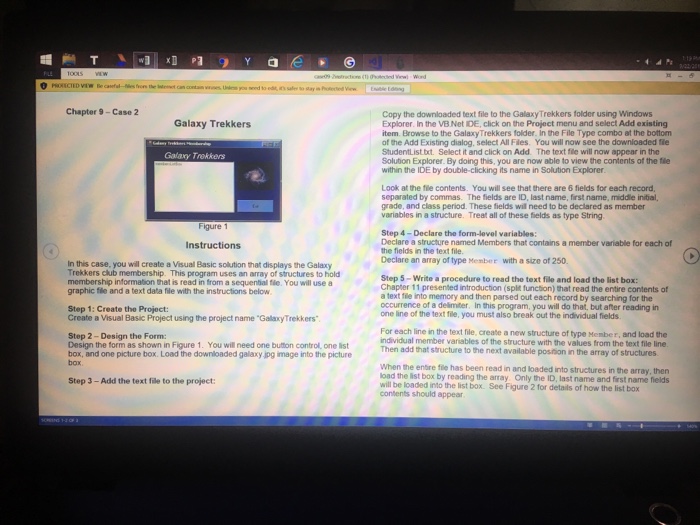
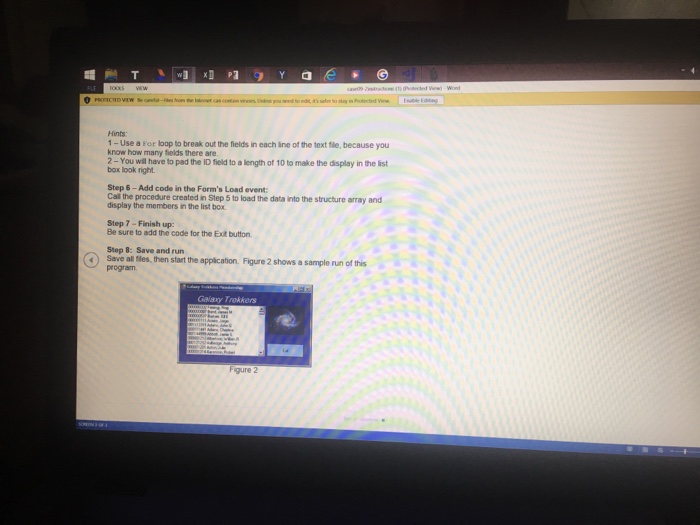
Chapter 9-Case 2 Copy the downloaded text file to the GalaxyTrekkers folder using Windows Explorer. In the VB Net IDE, click on the Project menu and select Add existing item. Browse to the GalaxyTrekkers folder. In the File Type combo at the bottom of the Add Existing dialog, select All Files. You will now see the downloaded fle StudentList.txt. Select it and click on Add The text fle will now appear in the Solution Explorer. By doing this, you are now able to view the contents of the tie within the IDE by double-clicking its name in Solution Explorer Galaxy Trekkers Galaxy Trokkers Look at the file contents. You will see that there are 6 fields for each record separated by commas. The fields are ID, last name, first name, middle initial, grade, and class period. These fields wil need to be declared as member variables in a structure. Treat all of these fields as type String Figure 1 Step 4-Declare the form-level variables Declare a structure named Members that contains a member variable for each of the fields in the text file. Declare an array of type Menber with a size of 250. Instructions n this case, you will create a Visual Basic solution that displays the Galaxy Trekkers club membership. This program uses an array of structures to hold membership information that is read in from a sequential tie. You will use a graphic fle and a text data file with the instructions below Step 5-Write a procedure to read the text file and load the list box: Chapter 11 presented introduction (split function) that read the entire contents of a text file into memory and then parsed out each record by searching for the occurrence of a delimiter, In this program, you will do that, but after reading in Step 1: Create the Project: Create a Visual Basic Project using the project name "GallaxyTrekkers one line of the text file, you must also break out the individual fields Step 2-Design the Form: Design the form as shown in Figure 1. You will need one buttion control, one list box, and one picture box. Load the downloaded galaxy jpg image into the picture For each line the text file create a new structure of type Member, and load the individual member variables of the structure with the values from the text file line Then add that structure to the next available position in the array of structures When the enbire file has been read in and loaded into structures in the array, then load the list box by reading the array Only the ID, last name and first name fields will be loaded into the list box. See Figure 2 for details of how the list box contents should appear Step 3 - Add the text file to the project
Step by Step Solution
There are 3 Steps involved in it

Get step-by-step solutions from verified subject matter experts
 Study Help