







Question: ECE 4500-5500 Winter 2021 Project 1 Problem 2: (50 Points) This is an open problem for you to demonstrate the use of MATLAB to perform
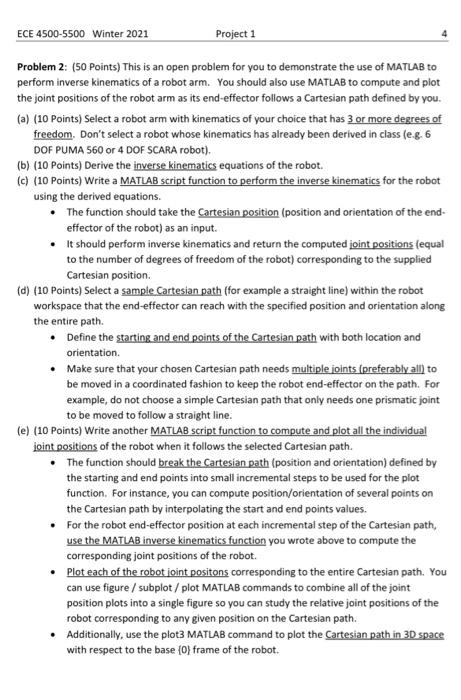
ECE 4500-5500 Winter 2021 Project 1 Problem 2: (50 Points) This is an open problem for you to demonstrate the use of MATLAB to perform inverse kinematics of a robot arm. You should also use MATLAB to compute and plot the joint positions of the robot arm as its end-effector follows a Cartesian path defined by you. (a) (10 Points) Select a robot arm with kinematics of your choice that has 3 or more degrees of freedom. Don't select a robot whose kinematics has already been derived in class (e.g. 6 DOF PUMA 560 or 4 DOF SCARA robot), (b) (10 Points) Derive the inverse kinematics equations of the robot. (c) (10 Points) Write a MATLAB script function to perform the inverse kinematics for the robot using the derived equations The function should take the Cartesian position (position and orientation of the end effector of the robot) as an input. It should perform inverse kinematics and return the computed joint positions (equal to the number of degrees of freedom of the robot) corresponding to the supplied Cartesian position (d) (10 Points) Select a sample Cartesian path (for example a straight line) within the robot workspace that the end-effector can reach with the specified position and orientation along the entire path. Define the starting and end points of the Cartesian path with both location and orientation Make sure that your chosen Cartesian path needs multiple joints (preferably all) to be moved in a coordinated fashion to keep the robot end-effector on the path. For example, do not choose a simple Cartesian path that only needs one prismatic joint to be moved to follow a straight line. (e) (10 Points) Write another MATLAB script function to compute and plot all the individual joint positions of the robot when it follows the selected Cartesian path. The function should break the Cartesian path(position and orientation) defined by the starting and end points into small incremental steps to be used for the plot function. For instance, you can compute position/orientation of several points on the Cartesian path by interpolating the start and end points values. For the robot end-effector position at each incremental step of the Cartesian path, use the MATLAB inverse kinematics function you wrote above to compute the corresponding joint positions of the robot. Plot each of the robot joint positons corresponding to the entire Cartesian path. You can use figure / subplot / plot MATLAB commands to combine all of the joint position plots into a single figure so you can study the relative joint positions of the robot corresponding to any given position on the Cartesian path. Additionally, use the plot3 MATLAB command to plot the Cartesian path in 3D space with respect to the base (0) frame of the robot. ECE 4500-5500 Winter 2021 Project 1 Problem 2: (50 Points) This is an open problem for you to demonstrate the use of MATLAB to perform inverse kinematics of a robot arm. You should also use MATLAB to compute and plot the joint positions of the robot arm as its end-effector follows a Cartesian path defined by you. (a) (10 Points) Select a robot arm with kinematics of your choice that has 3 or more degrees of freedom. Don't select a robot whose kinematics has already been derived in class (e.g. 6 DOF PUMA 560 or 4 DOF SCARA robot), (b) (10 Points) Derive the inverse kinematics equations of the robot. (c) (10 Points) Write a MATLAB script function to perform the inverse kinematics for the robot using the derived equations The function should take the Cartesian position (position and orientation of the end effector of the robot) as an input. It should perform inverse kinematics and return the computed joint positions (equal to the number of degrees of freedom of the robot) corresponding to the supplied Cartesian position (d) (10 Points) Select a sample Cartesian path (for example a straight line) within the robot workspace that the end-effector can reach with the specified position and orientation along the entire path. Define the starting and end points of the Cartesian path with both location and orientation Make sure that your chosen Cartesian path needs multiple joints (preferably all) to be moved in a coordinated fashion to keep the robot end-effector on the path. For example, do not choose a simple Cartesian path that only needs one prismatic joint to be moved to follow a straight line. (e) (10 Points) Write another MATLAB script function to compute and plot all the individual joint positions of the robot when it follows the selected Cartesian path. The function should break the Cartesian path(position and orientation) defined by the starting and end points into small incremental steps to be used for the plot function. For instance, you can compute position/orientation of several points on the Cartesian path by interpolating the start and end points values. For the robot end-effector position at each incremental step of the Cartesian path, use the MATLAB inverse kinematics function you wrote above to compute the corresponding joint positions of the robot. Plot each of the robot joint positons corresponding to the entire Cartesian path. You can use figure / subplot / plot MATLAB commands to combine all of the joint position plots into a single figure so you can study the relative joint positions of the robot corresponding to any given position on the Cartesian path. Additionally, use the plot3 MATLAB command to plot the Cartesian path in 3D space with respect to the base (0) frame of the robot
Step by Step Solution
There are 3 Steps involved in it

Get step-by-step solutions from verified subject matter experts
 Study Help