







Question: f Facebook - Log In Y canvas gcccd - Ya Module 2 Lab D e Homel Chegg.co/X N yahoo mail. Yahc D 0133593517.pdf X |
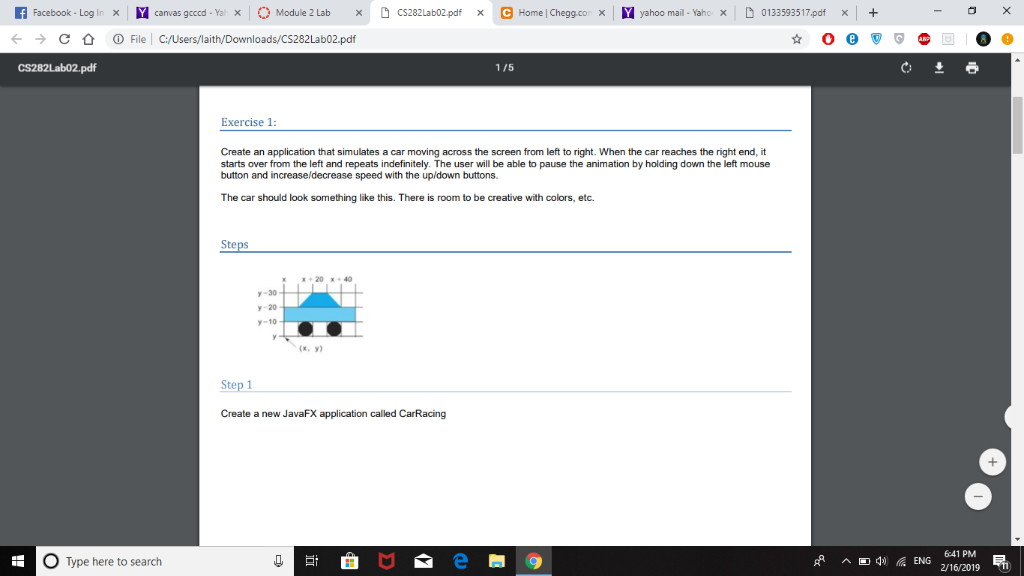
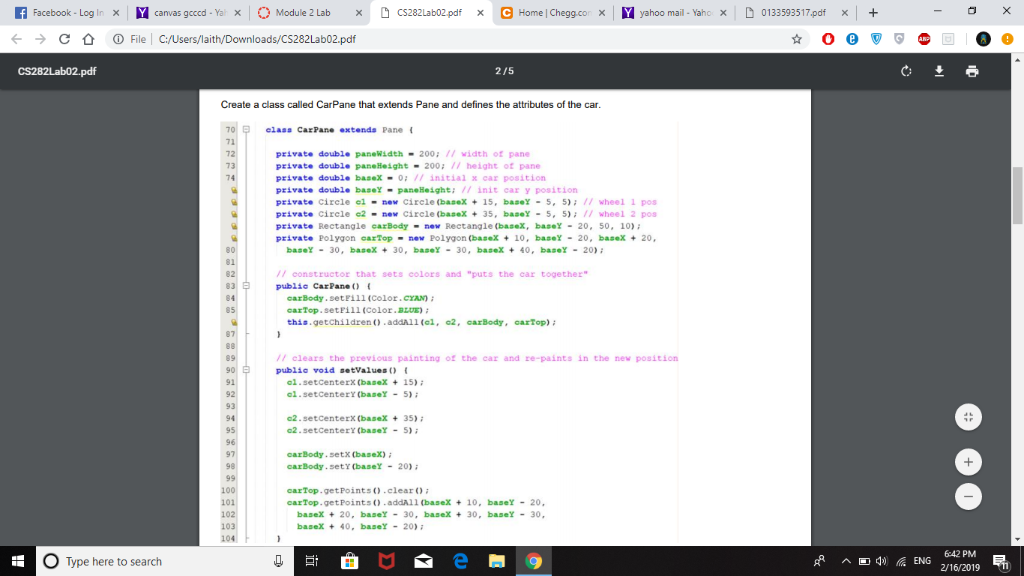
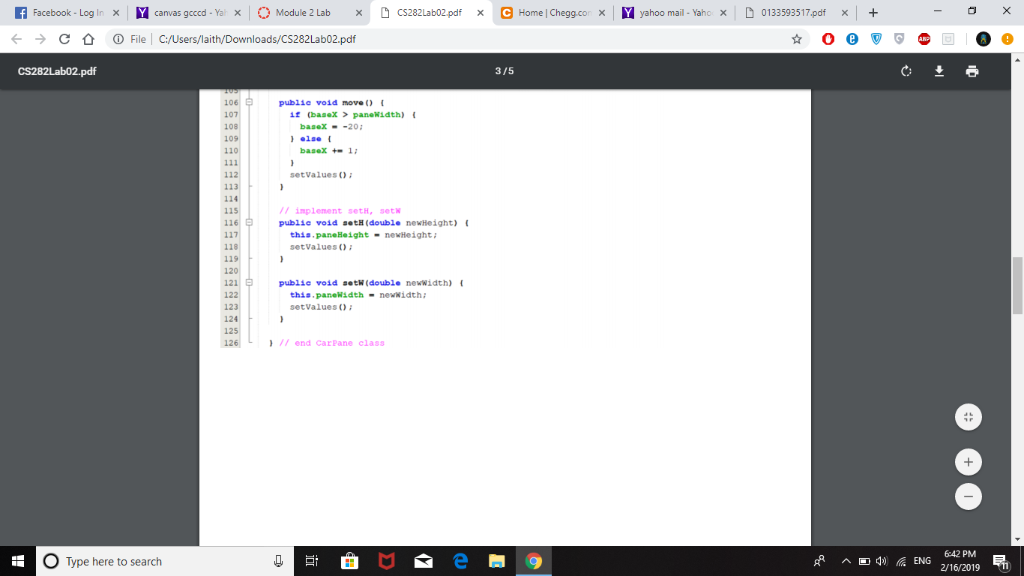
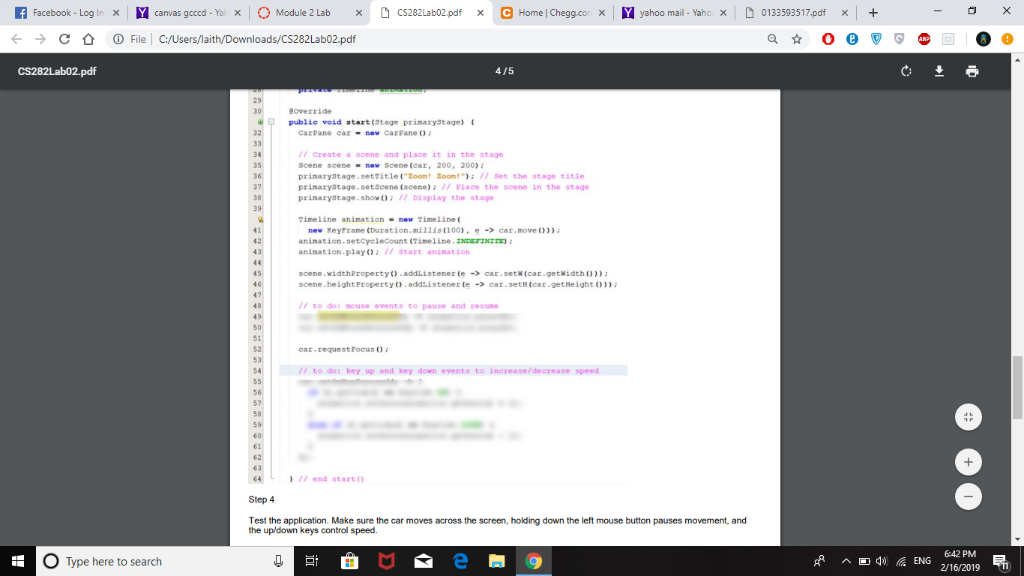
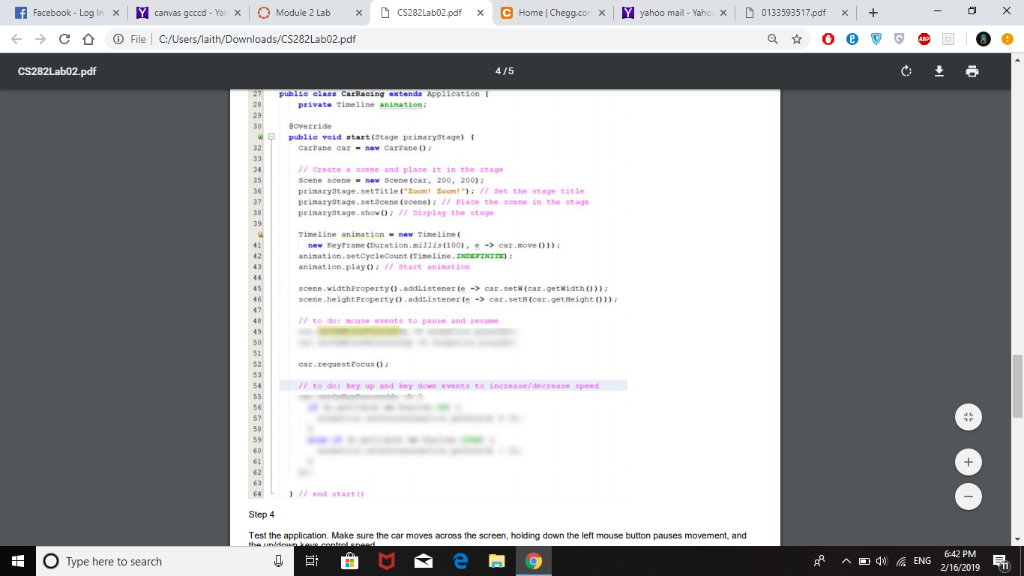
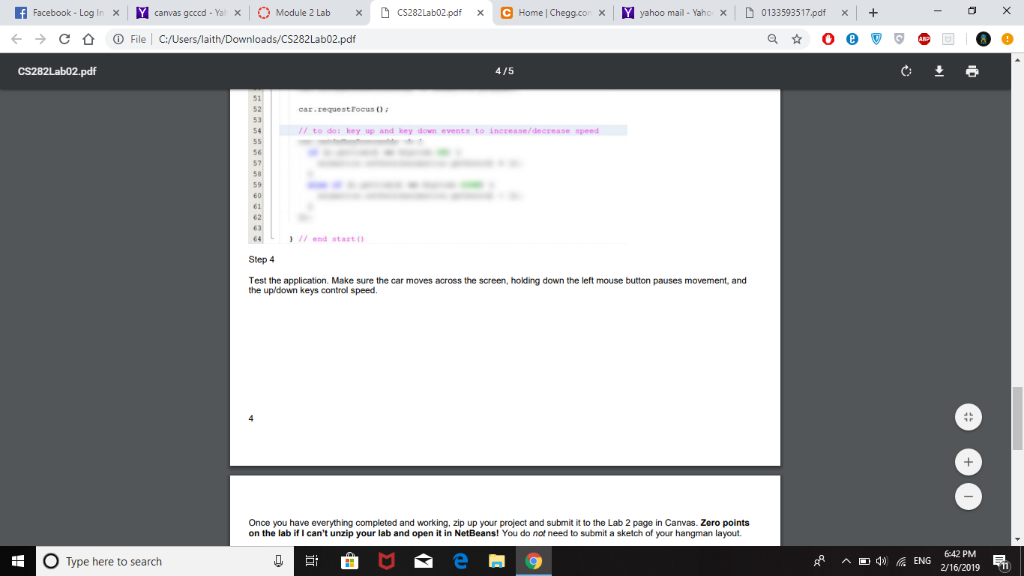
f Facebook - Log In Y canvas gcccd - Ya Module 2 Lab D e Homel Chegg.co/X N yahoo mail. Yahc D 0133593517.pdf X | File | C:/Users/laith/Downloads/CS282Lab02.pdf 1/5 Exercise1 Create an application that simulates a car moving across the screen from left to right. When the car reaches the right end, it starts over from the left and repeats indefinitely. The user will be able to pause the animation by holding down the left mouse button and increaseldecrease speed with the up/down buttons. The car should look something like this. There is room to be creative with colors, etc St E+20+40 -30 y-20 -10 (x, y) Create a new JavaFX application called CarRacing O Type here to search 6:41 PM 2/16/2019 R Facebook . Log Ir A canvas gcccd-Yax | O Module 2 Lab xC Home | Chegg.co yahoo mail - Yaho D 0133593517pdf C File l C:/Users/laith/Downloads/CS282Lab02.pdf 2/5 Create a class called CarPane that extends Pane and defines the attributes of the car elass CarPane extends Pane ( 71 private double panewidth 200: 1/ width of pane private double paneHeight 200: 1/ height of pane private double baaex-0; // initial car position private double base pane Height: /7 init car y position private circle el new circle (basex 15, base 5, 5): 1/ wheel 1 pos private Circle c2-new Circle (baseX35, baseY- 5, 5) / wheel 2 pos private Rectangle earBody-new Rectangle (basex, baser 20, 50, 10) private Polygon carTop-new Polygon (baseX10, baseY 20, baseX20 74 // constructor that publio CarPane O sets colors and "puts the ear together carBody setril1 (color CYAN carTop. setrill (color.BLUE) this.getchildren ).addAll (al, 2, carBody, carTop) i // clears the przevious painting of the ear and re-paints in the new position publio void setValues O al.setCenterx (baseX15) 94 c2.setCenterx (baseX35) c2.setCenterY (baseY - 5) carBody.setx (basex)i carBody.setY (baser 20) carTop.getPointso.clear carTop.getPoints O .addAll (baseX+10, baseY 101 20 baseX 20, baseY 30, baseX 30, base 30 baseX 40. basel 20) 10 104 O Type here to search 6:42 PM 2/16/2019 f Facebook - Log In Y canvas gcccd - Ya Module 2 Lab D xC Home | Chegg.co yahoo mail - Yaho D 0133593517pdf File | C:/Users/laith/Downloads/CS282Lab02.pdf 3/5 publie void moveO baseX-201 10 setvalueso 114 // plement setH, setW public void #.tH(doubl. newiteight) this.paneHeight-newHeight setValues o pubiie void set (double newwidth) this. panellidth-newwidth; setValuesO 124 ) end CarPane class 1 O Type here to search 2/16/2019 R Facebook . Log Ir A canvas gcccd-w x | O Module 2 Lab D e Homel Chegg.co/X N yahoo mail. Yahc D 0133593517.pdf X | File | C:/Users/laith/Downloads/CS282Lab02.pdf 4/5 Publie void start (Stage prinary3tage) CarPane car -ne CarPane D // Create a scene and place it in the stage Scene scene- nev Scene (car, 200, 200) prinaryStage . setTitlet-Zoom, om".); // set the stage title prinarystage.setScene (acene) 7/ Place the scene in the stage prinarystage show:77 Display the stage Timeline animationnew Timeline anination setcyeleCount (Tineline. zNDETINIST) animation.play:17 Start animat.ion scene.widthProperty) addlistener (e car.setw(car-getwidth 0) scene.height Property).addlistener te -> car.seth(car.getHeight 0) // to do: mouse events to pause and @sune car reque t Focus() ; 41/ to do: key up and key down events to increase/decrease speed 1 17 end start Step 4 Test the application. Make sure the car moves across the screen, holkding down the left mouse button pauses movement, and the upldown keys control speed. O Type here to search 2/16/2019 R Facebook . Log Ir A canvas gcccd-w x | O Module 2 Lab D xC Home | Chegg.co yahoo mail - Yaho D 0133593517pdf File | C:/Users/laith/Downloads/CS282Lab02.pdf 4/5 Publie void start (Stage prinary3tage) 32 CarPane cax- neY CarPane 34 35 36 // Create a scene and place it in the stage Scene scene- nev Scene (car, 200, 200) prinary3tage. settitle"Zoom! Zoom!7 Set the stage title prinarystage.setScene (scene) // Place the scene in the stage prinarystage show:77 Display the stage 39 Timeline animationnew Timeline new KeyTrame (Duration.m12is(100)-car move )) anination setcyeleCount (Tineline. zNDETINIST) animation.play:17 Start animat.ion 43 45 scene.widthProperty) addlistener (e car.setw(car-getwidth 0) scene.height Property).addlistener te -> car.seth(car.getHeight 0) // to do: mouse events to pause and @sune car reque t Focus() ; 54/ to do: key up and key down events to increase/decrease speed 56 63 64 1 Step 4 / end startO Test the application. Make sure the car moves across the screen, holkding down the left mouse button pauses movement, and O Type here to search 6:42 PM 2/16/2019 f Facebook - Log In Y canvas gcccd - Ya Module 2 Lab D xC Home | Chegg.co yahoo mail - Yaho D 0133593517pdf File | C:/Users/laith/Downloads/CS282Lab02.pdf 4/5 car.request Focus ) 41/ to do: key up and key down events to increase/decrease speed 56 63 64 Step 4 Test the application. Make sure the car moves across the screen, holkding down the left mouse button pauses movement, and 17 end start the upldown keys control speed. Once you have everything completed and working, zip up your project and submit it to the Lab 2 page in Canvas. Zero points on the lab if I can't unzip your lab and open it in NetBeans! You do not need to submit a sketch of your hangman layout. O Type here to search 6:42 PM 2/16/2019
Step by Step Solution
There are 3 Steps involved in it

Get step-by-step solutions from verified subject matter experts
 Study Help