







Question: For the following question, I am utilizing C# on Visual Data Studio 2015. The problem is self explanatory and I have included an output (seen
For the following question, I am utilizing C# on Visual Data Studio 2015. The problem is self explanatory and I have included an output (seen below in blue) that should be exactly the same once the code provided is ran. Include comments throughout the code and compare outputs to reassure it works identically as the one provided. Don't post a code that will not work with Data Studio and that doesn't produce the same output. Once answered, I will rate the question immediately based on its function. Thank you!
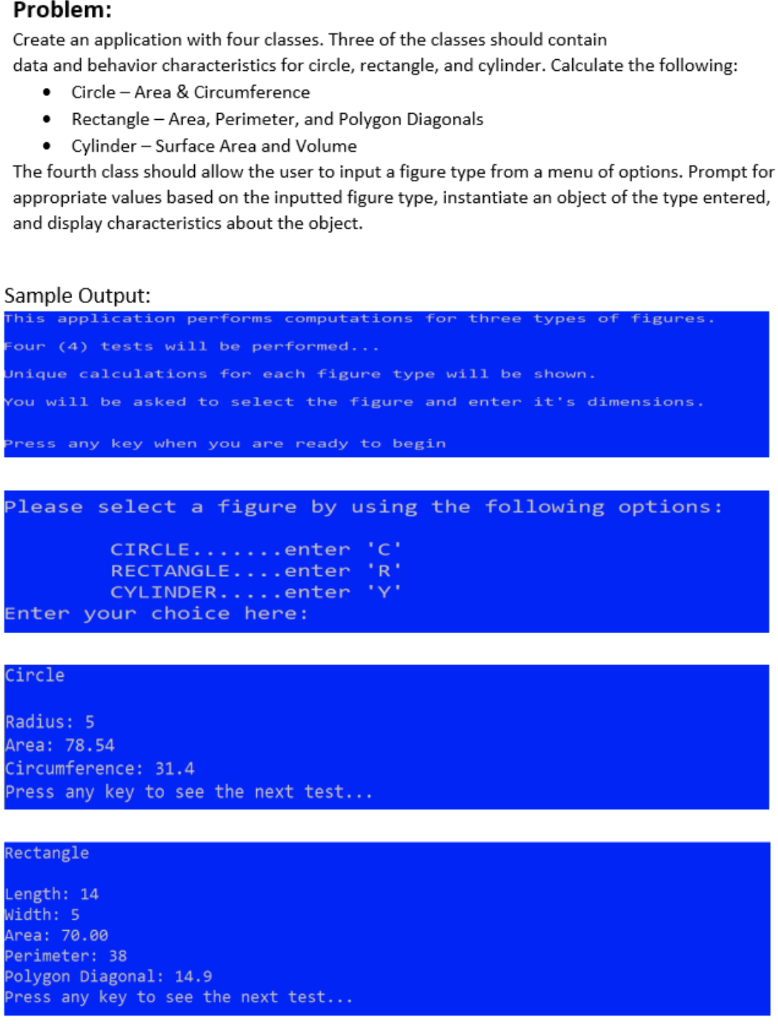
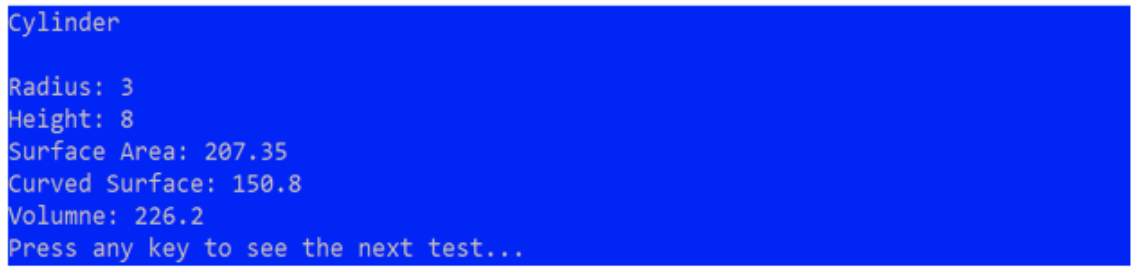
Problem: Create an application with four classes. Three of the classes should contain data and behavior characteristics for circle, rectangle, and cylinder. Calculate the following: Circle - Area & Circumference Rectangle - Area, Perimeter, and Polygon Diagonals Cylinder - Surface Area and Volume The fourth class should allow the user to input a figure type from a menu of options. Prompt for appropriate values based on the inputted figure type, instantiate an object of the type entered, and display characteristics about the object. Sample Output: This application performs computations for three types of figures. Four (4) tests will be performed... Unique calculations for each figure type will be shown You will be asked to select the_figure and enter it's dimensions , Press any key when you are ready to begin please select a figure by using the following options: CIRCLE.......enter "C RECTANGLE....enter 'R' CYLINDER..... enter y Enter your choice here: Circle Radius: 5 Area: 78.54 Circumference: 31.4 Press any key to see the next test... Rectangle Length: 14 Width: 5 Area: 70.00 Perimeter: 38 Polygon Diagonal: 14.9 Press any key to see the next test... Cylinder Radius: 3 Height : 8 Surface Area: 207.35 Curved Surface: 150.8 Volumne: 226.2 Press any key to see the next test
Step by Step Solution
There are 3 Steps involved in it

Get step-by-step solutions from verified subject matter experts
 Study Help