







Question: I ask all of you and your expert programmers. Please help me as soon as possible to solve this project. Java Net reported to version
I ask all of you and your expert programmers. Please help me as soon as possible to solve this project. Java Net reported to version 11.3 and explain each line and report. Please, please. Please.
Advanced Programming Assignment
Warning!
Adhere to the Code of Academic Integrity. You may discuss background issues and general strategies with others and seek help from course instructor, but the implementations that you submit must be your own. You are not allowed to work out the detailed coding and solutions with others, copy code from published/Internet sources or let others to do coding for you. If you feel that you cannot complete the assignment on you own, seek help from the course instructor.
1 Elevator Simulation
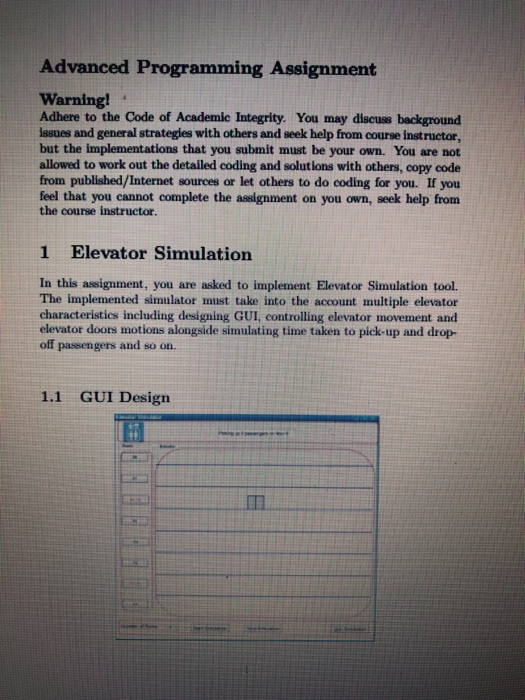
In this assignment, you are asked to implement Elevator Simulation tool. The implemented simulator must take into the account multiple elevator characteristics including designing GUI, controlling elevator movement and elevator doors motions alongside simulating time taken to pick-up and drop- off passengers and so on.
1.1 GUI Design
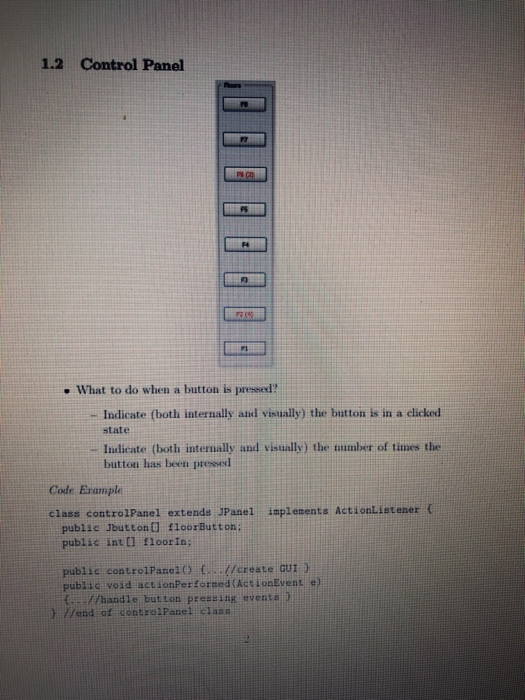
1.2 Control Panel
What to do when a button is pressed?
Indicate (both internally and visually) the button is in a clicked
state
Indicate (both internally and visually) the number of times the button has been pressed
Code Example
class controlPanel extends JPanel implements ActionListener {
public Jbutton[] floorButton;
public int[] floorIn;
public controlPanel() {...//create GUI }
public void actionPerformed(ActionEvent e)
{...//handle button pressing events }
} //end of controlPanel class
1.3 Elevator
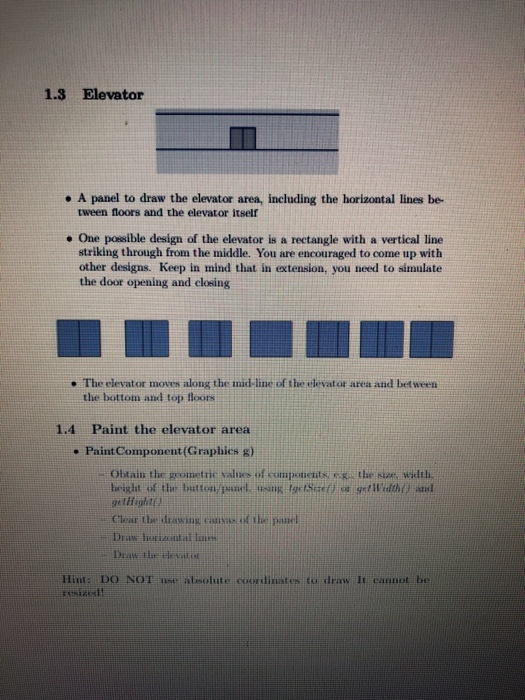
A panel to draw the elevator area, including the horizontal lines be- tween floors and the elevator itself
One possible design of the elevator is a rectangle with a vertical line striking through from the middle. You are encouraged to come up with other designs. Keep in mind that in extension, you need to simulate the door opening and closing
The elevator moves along the mid-line of the elevator area and between the bottom and top floors
1.4 Paint the elevator area PaintComponent(Graphics g)
Obtain the geometric values of components, e.g., the size, width, height of the button/panel, using tgetSize() or getWidth() and getHight()
Clear the drawing canvas of the panel
Draw horizontal lines
Draw the elevator
Hint: DO NOT use absolute coordinates to draw It cannot be resized!
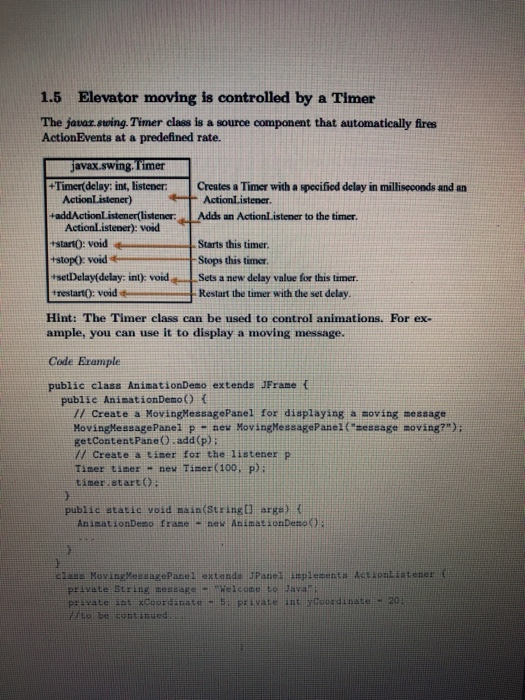
1.5 Elevator moving is controlled by a Timer
The javax.swing.Timer class is a source component that automatically fires ActionEvents at a predefined rate.
Hint: The Timer class can be used to control animations. For ex- ample, you can use it to display a moving message.
Code Example
public class AnimationDemo extends JFrame {
public AnimationDemo() {
// Create a MovingMessagePanel for displaying a moving message
MovingMessagePanel p = new MovingMessagePanel("message moving?");
getContentPane().add(p);
// Create a timer for the listener p
Timer timer = new Timer(100, p);
timer.start();
}
public static void main(String[] args) {
AnimationDemo frame = new AnimationDemo();
...
} }
class MovingMessagePanel extends JPanel implements ActionListener {
private String message = "Welcome to Java";
private int xCoordinate = 5; private int yCoordinate = 20;
//to be continued...
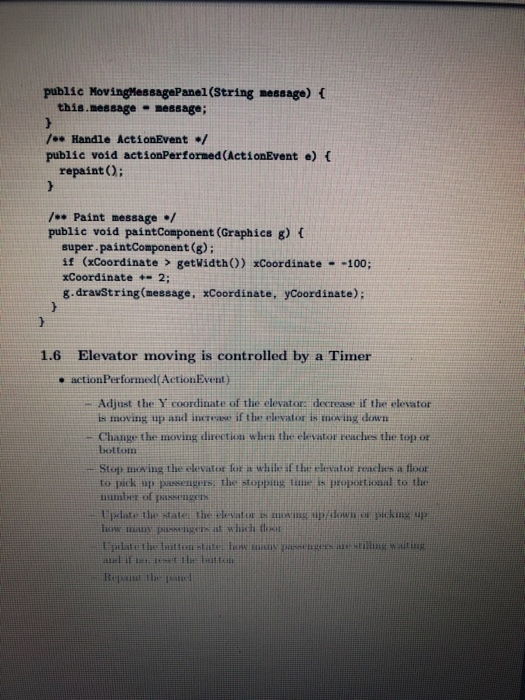
public MovingMessagePanel(String message) {
this.message = message;
}
/** Handle ActionEvent */
public void actionPerformed(ActionEvent e) {
repaint(); }
/** Paint message */
public void paintComponent(Graphics g) {
super.paintComponent(g);
if (xCoordinate > getWidth()) xCoordinate = -100;
xCoordinate += 2;
g.drawString(message, xCoordinate, yCoordinate);
} }
1.6
Elevator moving is controlled by a Timer
actionPerformed(ActionEvent)
Adjust the Y coordinate of the elevator: decrease if the elevator
is moving up and increase if the elevator is moving down
Change the moving direction when the elevator reaches the top or bottom
Stop moving the elevator for a while if the elevator reaches a floor to pick up passengers; the stopping time is proportional to the number of passengers
Update the state: the elevator is moving up/down or picking up how many passengers at which floor
Update the button state: how many passengers are stilling waiting and if no, reset the button
Repaint the panel
1.7
1.8
Tips and Tricks
Interface, Interface, Interface! You will lose style points if you
simply copy the given interface example
Obtaining geometric values of components must be inside PaintCom- ponent(Gaphics g) method
If the elevator does not exactly stop on a floor (i.e., precisely placed on the floor horizontal line) by increasing or decreasing Y coordinate, force it if the gap is within a threshold
Not a good idea to set the moving interval to be 1 pixel only (although it does avoid this problem) because the elevator will move very slowly and you would expect problems adjusting its speed in Extension
Use the floorIn array in controlPanel to check whether a button has been pressed and if yes how many times when the elevator is passing by
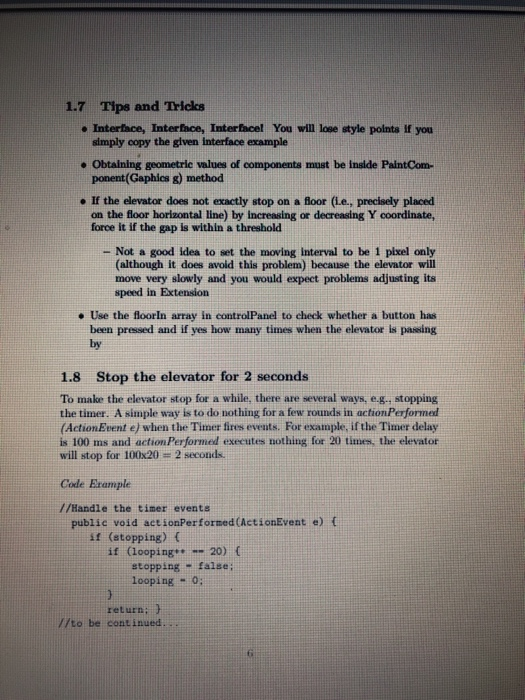
Stop the elevator for 2 seconds
To make the elevator stop for a while, there are several ways, e.g., stopping the timer. A simple way is to do nothing for a few rounds in actionPerformed (ActionEvent e) when the Timer fires events. For example, if the Timer delay is 100 ms and actionPerformed executes nothing for 20 times, the elevator will stop for 100x20 = 2 seconds.
Code Example
//Handle the timer events
public void actionPerformed(ActionEvent e) {
if (stopping) {
if (looping++ == 20) {
stopping = false;
looping = 0; }
return; }
//to be continued...
if (up) { } //moving upwards
else { } //moving downwards
if (reaching a floor whose button is pressed) {
stopping = true;
}
}
2
The Extension (Bonus)
if (up) { } //moving upwards
else { } //moving downwards
if (reaching a floor whose button is pressed) {
stopping = true;
}
}
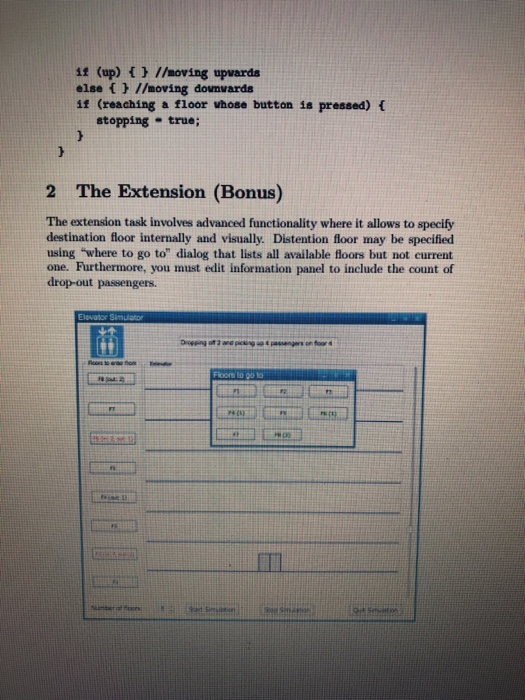
The extension task involves advanced functionality where it allows to specify destination floor internally and visually. Distention floor may be specified using where to go to dialog that lists all available floors but not current one. Furthermore, you must edit information panel to include the count of drop-out passengers.
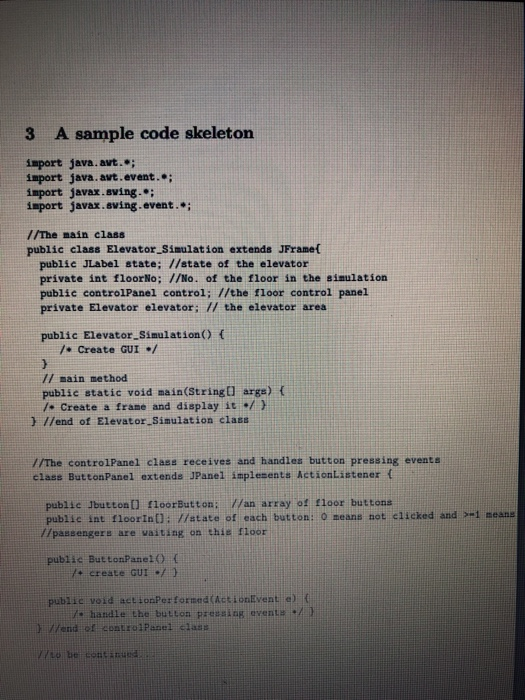
3 A sample code skeleton
import java.awt.*;
import java.awt.event.*;
import javax.swing.*;
import javax.swing.event.*;
//The main class
public class Elevator_Simulation extends JFrame{
public JLabel state; //state of the elevator
private int floorNo; //No. of the floor in the simulation
public controlPanel control; //the floor control panel
private Elevator elevator; // the elevator area
public Elevator_Simulation() {
/* Create GUI */
}
// main method
public static void main(String[] args) {
/* Create a frame and display it */ }
} //end of Elevator_Simulation class
//The controlPanel class receives and handles button pressing events
class ButtonPanel extends JPanel implements ActionListener {
public Jbutton[] floorButton; //an array of floor buttons
public int floorIn[]; //state of each button: 0 means not clicked and >=1 means
//passengers are waiting on this floor
public ButtonPanel() {
/* create GUI */ }
public void actionPerformed(ActionEvent e) {
/* handle the button pressing events */ }
} //end of controlPanel class
//to be continued...
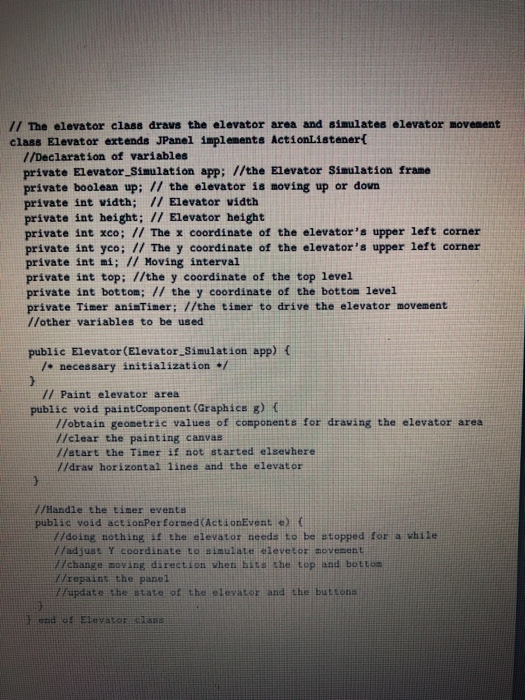
// The elevator class draws the elevator area and simulates elevator movement
class Elevator extends JPanel implements ActionListener{
//Declaration of variables
private Elevator_Simulation app; //the Elevator Simulation frame
private boolean up; // the elevator is moving up or down
private int width; // Elevator width
private int height; // Elevator height
private int xco; // The x coordinate of the elevators upper left corner
private int yco; // The y coordinate of the elevators upper left corner
private int mi; // Moving interval
private int top; //the y coordinate of the top level
private int bottom; // the y coordinate of the bottom level
private Timer animTimer; //the timer to drive the elevator movement
//other variables to be used
public Elevator(Elevator_Simulation app) {
/* necessary initialization */
}
// Paint elevator area
public void paintComponent(Graphics g) {
//obtain geometric values of components for drawing the elevator area
//clear the painting canvas
//start the Timer if not started elsewhere
//draw horizontal lines and the elevator
}
//Handle the timer events
public void actionPerformed(ActionEvent e) {
//doing nothing if the elevator needs to be stopped for a while
//adjust Y coordinate to simulate elevetor movement
//change moving direction when hits the top and bottom
//repaint the panel
//update the state of the elevator and the buttons
}
} end of Elevator class
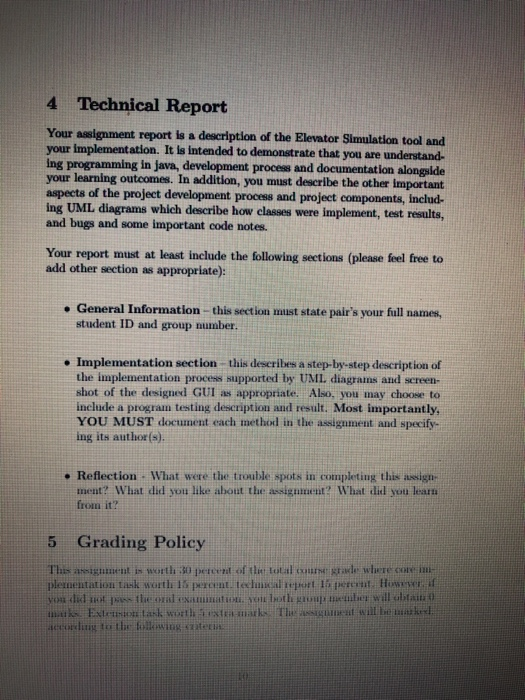
4 Technical Report
Your assignment report is a description of the Elevator Simulation tool and your implementation. It is intended to demonstrate that you are understand- ing programming in java, development process and documentation alongside your learning outcomes. In addition, you must describe the other important aspects of the project development process and project components, includ- ing UML diagrams which describe how classes were implement, test results, and bugs and some important code notes.
Your report must at least include the following sections (please feel free to add other section as appropriate):
5
General Information this section must state pairs your full names, student ID and group number.
Implementation section this describes a step-by-step description of the implementation process supported by UML diagrams and screen- shot of the designed GUI as appropriate. Also, you may choose to include a program testing description and result. Most importantly, YOU MUST document each method in the assignment and specify- ing its author(s).
Reflection - What were the trouble spots in completing this assign- ment? What did you like about the assignment? What did you learn from it?
Grading Policy
This assignment is worth 30 percent of the total course grade where core im- plementation task worth 15 percent, technical report 15 percent. However, if you did not pass the oral examination, you both group member will obtain 0 marks. Extension task worth 5 extra marks. The assignment will be marked, according to the following criteria:
the correctness of implementation. report contents.
coding style
Pairing
You are allowed to pair up for this assignment. You can do the oral exami- nation together. Each group only need to submit one assignment implemen- tation. Both will receive the same marks for this assignment if you both pass the oral examination, otherwise you obtain 0 mark!

Advanced Programming Assignment Warning! Adhere to the Code of Academic Integrity. You may discuss background issues and general strategies with others and seek help from course instructor, but the implementations that you submit must be your own. You are not allowed to work out the detailed coding and solutions with others, copy code from published/Internet sources or let others to do coding for you. If you feel that you cannot complete the assignment on you own, seek help from the course instructor. 1 Elevator Simulation In this assignment, you are asked to implement Elevator Simulation tool. The implemented simulator must take into the account multiple elevator characteristics including designing GUI, controlling elevator movement and elevator doors motions alongside simulating time taken to pick up and drop- off passengers and so on. 1.1 GUI Design 1.2 Control Panel . What to do when a button is pressed? - Indicate (both internally and visually) the button is in a clicked state Indicate (both internally and visually the number of times the button has been pressed Code Erample class control Panel extends JPanel implements ActionListener { public Jbutton floorButton public int[] floor in; public control Panel() ...//create Gui) public void actionPerformed (ActionEvent e) //handle button pressing events and of control Panel Class 1.3 Elevator A panel to draw the elevator area, including the horizontal lines be tween floors and the elevator itself One possible design of the elevator is a rectangle with a vertical line striking through from the middle. You are encouraged to come up with other designs. Keep in mind that in extension, you need to simulate the door opening and closing The elevator moves along the mid-line of the elevator area and between the bottom and top floors 1.4 Paint the elevator area Paint Component(Graphics g) Obtain the prometne values of companies, height of the button anch o gen Clear the wing the Dri e ntal li Draw the elevator the time width red lidt und Hint: DO NOT se absolute coordinates to draw It cannot be TIL 1.5 Elevator moving is controlled by a Timer The javax.swing. Timer class is a source component that automatically fires ActionEvents at a predefined rate. Creates a Timer with a specified delay in milliseconds and an Actionl.istener. Add an Action.istener to the timer. javax.swing. l'imer +Timer(delay: int, listener: ActionListener) +addActionListener(listener ActionListener): void +start(): void +stop(): void *setDelay(delay: inl); void restart(): void Starts this timer. Stops this timer Sets a new delay value for this timer. Restart the timer with the set delay. Hint: The Timer class can be used to control animations. For ex- ample, you can use it to display a moving message. Code Erample public class AnimationDemo extends JFrame { public AnimationDemo() { 1/ Create a MovingMessagePanel for displaying a moving message Moving MessagePanel p = new Moving MessagePanel Caessage moving); getContentPane().add(p): // Create a Liser for the listener p Timer timer - new Timer(100. P): timer.start(): public static void main(String[] args) { AnimationDemo frane - new AnimationDeno: class Moving MensagePanel extend Panel plements ActionListener private String message - Welcome Java private int xcoordanate private int y dinale 20 to be tatud public MovingMessagePanel (String message) { this message - message; 7. Handle ActionEvent/ public void actionPerformed (ActionEvent e) { repaint(); /** Paint message / public void paintComponent (Graphics g) { super.paintComponent(); if (xCoordinate > getWidth()) xCoordinate - -100; Coordinate +- 2; 8.drawstring(message, Coordinate, yCoordinate): 1.6 Elevator moving is controlled by a Timer action Performed(ActionEvent) Adjust the Y coordinate of the elevator decrease if the elevator Is moving up and increase if the elevator i mowing down Change the moving direction when the elevator reaches the top or bottom Stop mowing the elevator for a while that elevator rendes a float to pick up passengers, the stopping time in proportional to the ani f passenges update the states the elevator mwing up/down or picking up how many put it whildi Lipate the inition state le mie parents are stilling waiting il if . t ili milt-il Rp the 1.7 Tips and Tricks Interface, Interface, Interfacel You will lose style points of you simply copy the given interface example Obtaining geometric values of components must be inside PaintCom- ponent(Gaphies g) method If the elevator does not exactly stop on a floor (Le., precisely placed on the floor horizontal line) by increasing or decreasing Y coordinate, force it if the gap is within a threshold - Not a good idea to set the moving interval to be 1 pixel only (Although it does avoid this problem) because the elevator will move very slowly and you would expect problems adjusting its speed in Extension Use the floorin array in control Panel to check whether a button has been pressed and if yes how many times when the elevator is passing 1.8 Stop the elevator for 2 seconds To make the elevator stop for a while, there are several ways, e.g., stopping the timer. A simple way is to do nothing for a few rounds in action Performed (ActionEvent e) when the Timer fires events. For example, if the Timer delay is 100 ms and action Performed executes nothing for 20 times, the elevator will stop for 100x20 = 2 seconds. Code Erample 7/Handle the timer events public void actionPerformed (ActionEvent e) { if (stopping) if (looping -- 20){ stopping-false looping - 0; return; // to be continued. 11 (up) { } //moving upwards else { } //moving downwards if (reaching a floor whose button is pressed) { stopping - true; 2 The Extension (Bonus) The extension task involves advanced functionality where it allows to specify destination floor internally and visually. Distention floor may be specified using where to go to" dialog that lists all available floors but not current one. Furthermore, you must edit information panel to include the count of drop-out passengers. Elevator Simulator Die wing e n for 3 A sample code skeleton import java. avt.; import java.awt.event.; import javax.swing.; import javax.swing.event.; 1/The main class public class Elevator_Simulation extends JFrame{ public JLabel state; //state of the elevator private int floor No; //No. of the floor in the simulation public controlpanel control; //the floor control panel private Elevator elevator; // the elevator area public Elevator Simulation() { Create GUI / // main method public static void main(String[] args) { 7. Create a frame and display it ./) } //end of Elevator Simulation class //The controlPanel class receives and handles button pressing events class Button Panel extends JPanel implesents ActionListener { public Jbutton) floorButton; //an array of floor buttons public int floor in /state of each button! O means not clicked and 7/passengers are waiting on this floor I means public ButtonPanel() y create GUI / 1 public void actionPerformed ActionEvento - handle the button pressing events end of control Panel class V/ to be contanud 77 The elevator class draws the elevator area and simulates olevator movement class Elevator extends JPanel implements ActionListener 1/Declaration of variables private Elevator Simulation app: //the Elevator Simulation frame private boolean up; // the elevator is moving up or down private int vidth; // Elevator width private int height; // Elevator height private int xco; // The x coordinate of the elevator's upper left corner private int yco; // The y coordinate of the elevator's upper left corner private int mi; // Moving interval private int top: //the y coordinate of the top level private int bottom; // the y coordinate of the bottom level private Timer aninTimer; //the timer to drive the elevator movement 1/other variables to be used public Elevator (Elevator_Simulation app) necessary initialization // Paint elevator area public void paint Component (Graphics g) { 77obtain geometric values of components for drawing the elevator area //clear the painting canvas 1/start the Timer if not started elsewhere //draw horizontal lines and the elevator //Handle the timer events public void actionPerformed (ActionEvent e) { V/doing nothing if the elevator needs to be stopped for a while /adjust Y Coordinate to simulate elevetor movement H/change moving direction when hits the top and bottom repaint the panel Hupdate the state of the elevator and the buttons end of Elevator 4 Technical Report Your assignment report is a description of the Elevator Simulation tool and your implementation. It is intended to demonstrate that you are understand- ing programming in java, development process and documentation alongside your learning outcomes. In addition, you must describe the other important aspects of the project development process and project components, includ- ing UML diagrams which describe how classes were implement, test results, and bugs and some important code notes. Your report must at least include the following sections (please feel free to add other section as appropriate): General Information - this section must state pair's your full names, student ID and group number. Implementation section this describes a step-by-step description of the implementation process supported by UML diagrams and screen- shot of the designed GUI appropriate. Also, you may choose to include a program testing description and result. Most importantly, YOU MUST document each method in the assignment and specify ing its author(s). Reflection - What were the trouble spots in completing this sign ment? What did you like about the assignment? What did you learn from it? 5 Grading Policy This timent in worth 30 percent of the tota l e where care plementation task worth 15 percent. tech cakteport 15 percent. However you did the oral amat both on e will ablat mul Extension tank worth teamark The m ent will be asked 4c titiluig t the titlewing siteti the correctness of implementation. report contents. coding style Pairing You are allowed to pair up for this assignment. You can do the oral exam, mation together. Each group only need to submit one assiemment implemen tation. Both will receive the same marks for this assignment if you both pass the on exammation, otherwis you obtain 0 mark! Advanced Programming Assignment Warning! Adhere to the Code of Academic Integrity. You may discuss background issues and general strategies with others and seek help from course instructor, but the implementations that you submit must be your own. You are not allowed to work out the detailed coding and solutions with others, copy code from published/Internet sources or let others to do coding for you. If you feel that you cannot complete the assignment on you own, seek help from the course instructor. 1 Elevator Simulation In this assignment, you are asked to implement Elevator Simulation tool. The implemented simulator must take into the account multiple elevator characteristics including designing GUI, controlling elevator movement and elevator doors motions alongside simulating time taken to pick up and drop- off passengers and so on. 1.1 GUI Design 1.2 Control Panel . What to do when a button is pressed? - Indicate (both internally and visually) the button is in a clicked state Indicate (both internally and visually the number of times the button has been pressed Code Erample class control Panel extends JPanel implements ActionListener { public Jbutton floorButton public int[] floor in; public control Panel() ...//create Gui) public void actionPerformed (ActionEvent e) //handle button pressing events and of control Panel Class 1.3 Elevator A panel to draw the elevator area, including the horizontal lines be tween floors and the elevator itself One possible design of the elevator is a rectangle with a vertical line striking through from the middle. You are encouraged to come up with other designs. Keep in mind that in extension, you need to simulate the door opening and closing The elevator moves along the mid-line of the elevator area and between the bottom and top floors 1.4 Paint the elevator area Paint Component(Graphics g) Obtain the prometne values of companies, height of the button anch o gen Clear the wing the Dri e ntal li Draw the elevator the time width red lidt und Hint: DO NOT se absolute coordinates to draw It cannot be TIL 1.5 Elevator moving is controlled by a Timer The javax.swing. Timer class is a source component that automatically fires ActionEvents at a predefined rate. Creates a Timer with a specified delay in milliseconds and an Actionl.istener. Add an Action.istener to the timer. javax.swing. l'imer +Timer(delay: int, listener: ActionListener) +addActionListener(listener ActionListener): void +start(): void +stop(): void *setDelay(delay: inl); void restart(): void Starts this timer. Stops this timer Sets a new delay value for this timer. Restart the timer with the set delay. Hint: The Timer class can be used to control animations. For ex- ample, you can use it to display a moving message. Code Erample public class AnimationDemo extends JFrame { public AnimationDemo() { 1/ Create a MovingMessagePanel for displaying a moving message Moving MessagePanel p
Step by Step Solution
There are 3 Steps involved in it

Get step-by-step solutions from verified subject matter experts
 Study Help