







Question: i help on numbers 5-9 Assignment 6 9 questions - Worth 50 points You must use the SOL files attached to the assignment to answer
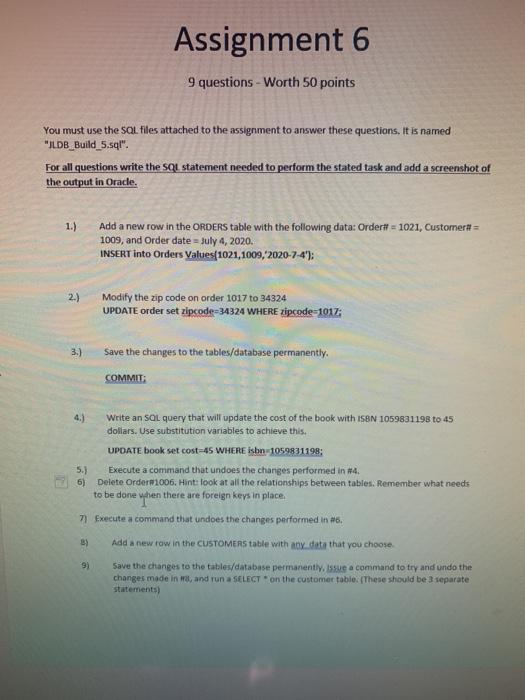
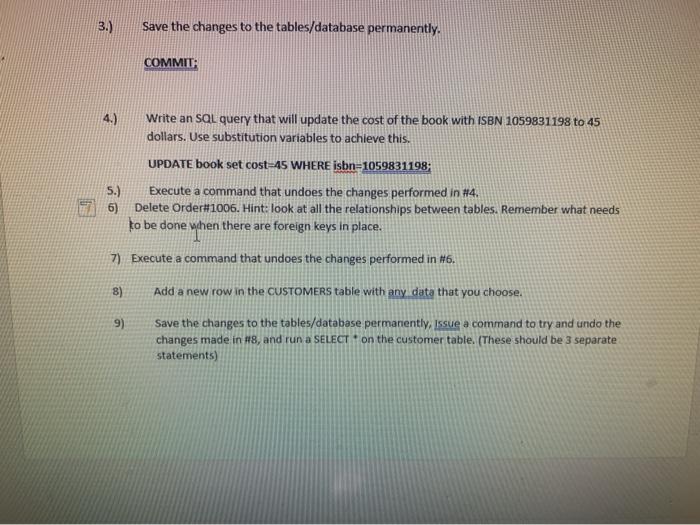
Assignment 6 9 questions - Worth 50 points You must use the SOL files attached to the assignment to answer these questions. It is named "ILDB_Build_5.sql". For all questions write the SQL statement needed to perform the stated task and add a screenshot of the output in Oracle. 1.) Add a new row in the ORDERS table with the following data: Order = 1021, Customera = 1009, and Order date = July 4, 2020. INSERT into Orders Values(1021, 1009, 2020-7-4"); 2.) Modify the zip code on order 1017 to 34324 UPDATE order set zipcode=34324 WHERE zipcode=1012: 3.) Save the changes to the tables/database permanently COMMIT: Write an SQL query that will update the cost of the book with I58N 1059831198 to 45 dollars. Use substitution variables to achieve this. UPDATE book set cost-45 WHERE isbn1059831198; 5.) Execute a command that undoes the changes performed in #4 6) Delete Order 1006. Hint: look at all the relationships between tables. Remember what needs to be done when there are foreign keys in place 7 Execute a command that undoes the changes performed in #6 B) Add a new row in the CUSTOMERS table with y date that you choose 9) Save the changes to the tables/database permanently, issue a command to try and undo the changes made in wa, and run a SELECT * on the customer table. These should be separate statements) 3.) Save the changes to the tables/database permanently. COMMIT: 4.) Write an SQL query that will update the cost of the book with ISBN 1059831198 to 45 dollars. Use substitution variables to achieve this. UPDATE book set cost-45 WHERE isbn=1059831198 5.) Execute a command that undoes the changes performed in #4 Delete Order#1006. Hint: look at all the relationships between tables. Remember what needs to be done when there are foreign keys in place. 7) Execute a command that undoes the changes performed in 86. 8) Add a new row in the CUSTOMERS table with any data that you choose. 9) Save the changes to the tables/database permanently, issue a command to try and undo the changes made in H8, and run a SELECT * on the customer table. (These should be 3 separate statements)
Step by Step Solution
There are 3 Steps involved in it

Get step-by-step solutions from verified subject matter experts
 Study Help