







Question: I m creating a helicopter game using SDL 2 and C + + language in Visual Studio 2 0 2 2 . The code created
Im creating a helicopter game using SDLand Clanguage in Visual Studio The code created does load the program but it closes immediately, I assume it's SDLQUIT. I want it to load with both images playerpng background.png but it doesn't do that. Most importantly, I need help in a sample code that moves the helicopter playerpng foward as the code runs, to get a better idea on how the program would displaywork Here is my code. maincpp
#include "GameLoop.h
GameLoop g;
int mainint argc, char argv
gInitialize;
while ggetGameState
gRender;
gUpdate;
gEvent; Call event handling function in each iteration
gClear;
return ;
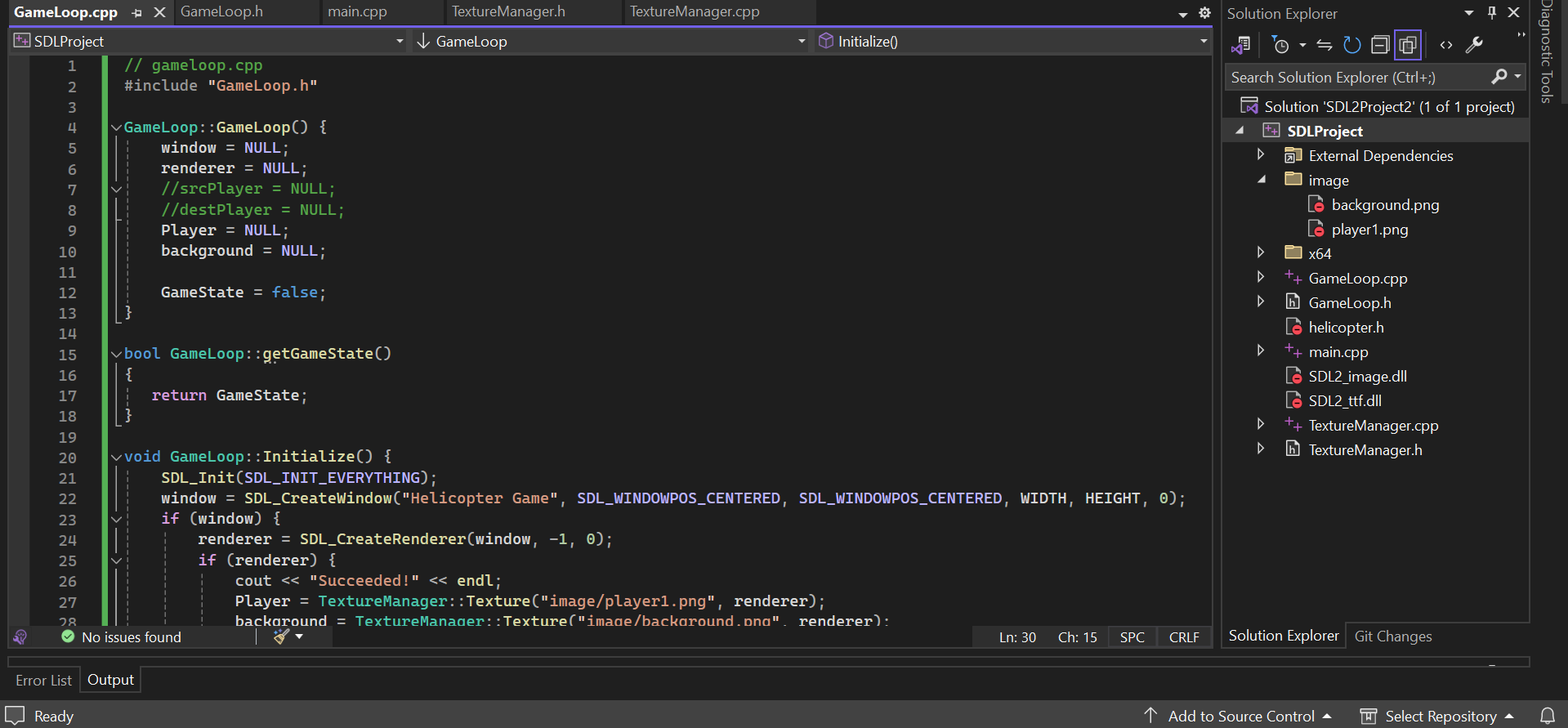
gameloop.cpp
#include "GameLoop.h
GameLoop::GameLoop
window NULL;
renderer NULL;
srcPlayer NULL;
destPlayer NULL;
Player NULL;
background NULL;
GameState false;
bool GameLoop::getGameState
return GameState;
void GameLoop::Initialize
SDLInitSDLINITEVERYTHING;
window SDLCreateWindowHelicopter Game", SDLWINDOWPOSCENTERED, SDLWINDOWPOSCENTERED, WIDTH, HEIGHT, ;
if window
renderer SDLCreateRendererwindow;
if renderer
cout "Succeeded!" endl;
Player TextureManager::Textureimageplayerpng renderer;
background TextureManager::Textureimagebackgroundpng renderer;
else
cout "Renderer not created!" endl;
else
cout "Window not created!" endl;
void GameLoop::Update
source dimension
srcPlayer.h ;
srcPlayer.w ;
srcPlayer.x srcPlayer.y ;
destination dimension
destPlayer.h ;
destPlayer.w ;
destPlayer.x destPlayer.y ;
Update helicopter position based on input events
For simplicity, let's assume the helicopter moves unit forward and downward in each frame
destPlayerx ; Move forward
destPlayery ; Move downward
Add event handling function to handle user input
void GameLoop::Event
SDLEvent event;
while SDLPollEvent&event
switch eventtype
case SDLQUIT:
GameState false;
break;
Add cases to handle other events, such as key presses or mouse movements
void GameLoop::Render
SDLRenderClearrenderer;
SDLRenderCopyrenderer background, NULL, NULL;
SDLRenderCopyrenderer Player, &srcPlayer, &destPlayer;
SDLRenderPresentrenderer;
void GameLoop::Clear
SDLDestroyRendererrenderer;
SDLDestroyWindowwindow;
GameLooph
#pragma once
#include
#include
#include
#include "TextureManager.h
using namespace std;
class GameLoop
private:
const int HEIGHT ;
const int WIDTH ;
bool GameState;
SDLWindow window;
SDLRenderer renderer;
SDLTexture Player;
SDLTexture background;
SDLRect srcPlayer destPlayer;
public:
GameLoop;
bool getGameState;
void Update;
void Initialize;
void Event;
void Render;
void Clear;
;
TextureManagescpp
#include "TextureManager.h
SDLTexture TextureManager::Textureconst char filelocation, SDLRenderer ren
SDLSurface surface;
surface IMGLoadfilelocation;
SDLTexture tex;
tex SDLCreateTextureFromSurfaceren surface;
return tex;
TextureManagerh
#pragma once
#include
#include
#include"GameLoop.h
class TextureManager
public:
static SDLTexture Textureconst char filelocation, SDLRenderer ren;
;
Step by Step Solution
There are 3 Steps involved in it
1 Expert Approved Answer
Step: 1 Unlock

Question Has Been Solved by an Expert!
Get step-by-step solutions from verified subject matter experts
Step: 2 Unlock
Step: 3 Unlock
 Study Help