







Question: lab operating system Assume that you work as a system admin in a big Tech company. Your main responsibility is to run different system measures
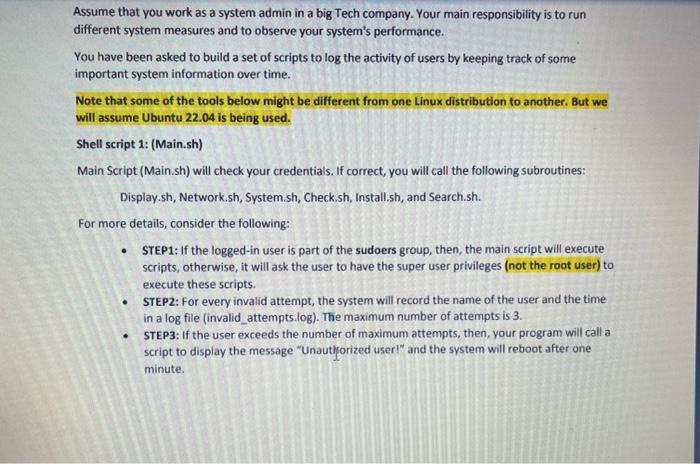
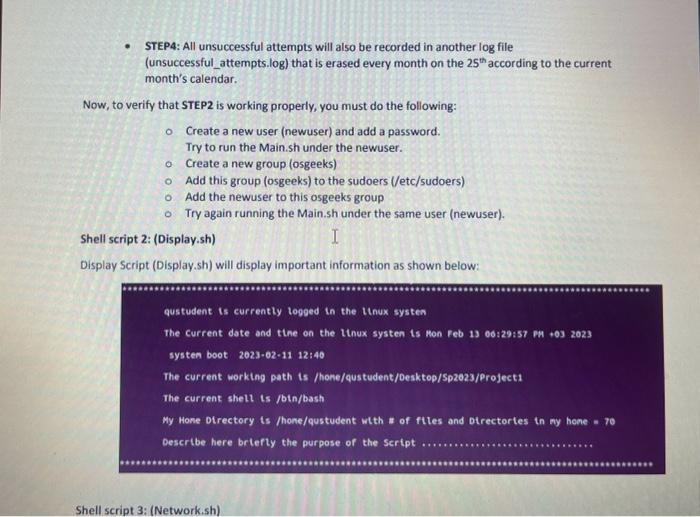
Assume that you work as a system admin in a big Tech company. Your main responsibility is to run different system measures and to observe your system's performance. You have been asked to build a set of scripts to log the activity of users by keeping track of some important system information over time. Note that some of the tools below might be different from one Linux distribution to another, But we will assume Ubuntu 22.04 is being used. Shell script 1: (Main.sh) Main Script (Main.sh) will check your credentials. If correct, you will call the following subroutines: Display.sh, Network.sh, System.sh, Check.sh, Install.sh, and Search.sh. For more details, consider the following: - STEP1: If the logged-in user is part of the sudoers group, then, the main script will execute scripts, otherwise, it will ask the user to have the super user privileges (not the root user) to execute these scripts. - STEP2: For every invalid attempt, the system will record the name of the user and the time in a log file (invalid_attempts.log). The maximum number of attempts is 3. - STEP3: If the user exceeds the number of maximum attempts, then, your program will call a script to display the message "Unauthorized user1" and the system will reboot after one minute. - STEP4: All unsuccessful attempts will also be recorded in another log file (unsuccessful_attempts.log) that is erased every month on the 25th according to the current month's calendar. Now, to verify that STEP2 is working properly, you must do the following: - Create a new user (newuser) and add a password. Try to run the Main.sh under the newuser. - Create a new group (osgeeks) Add this group (osgeeks) to the sudoers (/etc/sudoers) Add the newuser to this osgeeks group Try again running the Main.sh under the same user (newuser). Shell script 2: (Display.sh) Display Script (Display.sh) will display important information as shown below: qustudent is currently togged in the thnux systen The current date and the on the Itnux systen is mon Feb 13 00:29:57 P9 +03 2023 systen boot 2023-62-11 12:40 The current worktng path is /hone/qustudent/Desktop/Sp2023/project1 The current shell is /bth/bash My Hone otrectory ts /hone/qustudent wth " of ftles and Dtrectortes in my home =70 Describe here brtefty the purpose of the sertpt Shell script 3: (Network.sh)
Step by Step Solution
There are 3 Steps involved in it

Get step-by-step solutions from verified subject matter experts
 Study Help