







Question: Now, make sure that the charts are enabled. Also make sure the Write Policy option Write-Back is selected. Select the correct cache parameters and fill
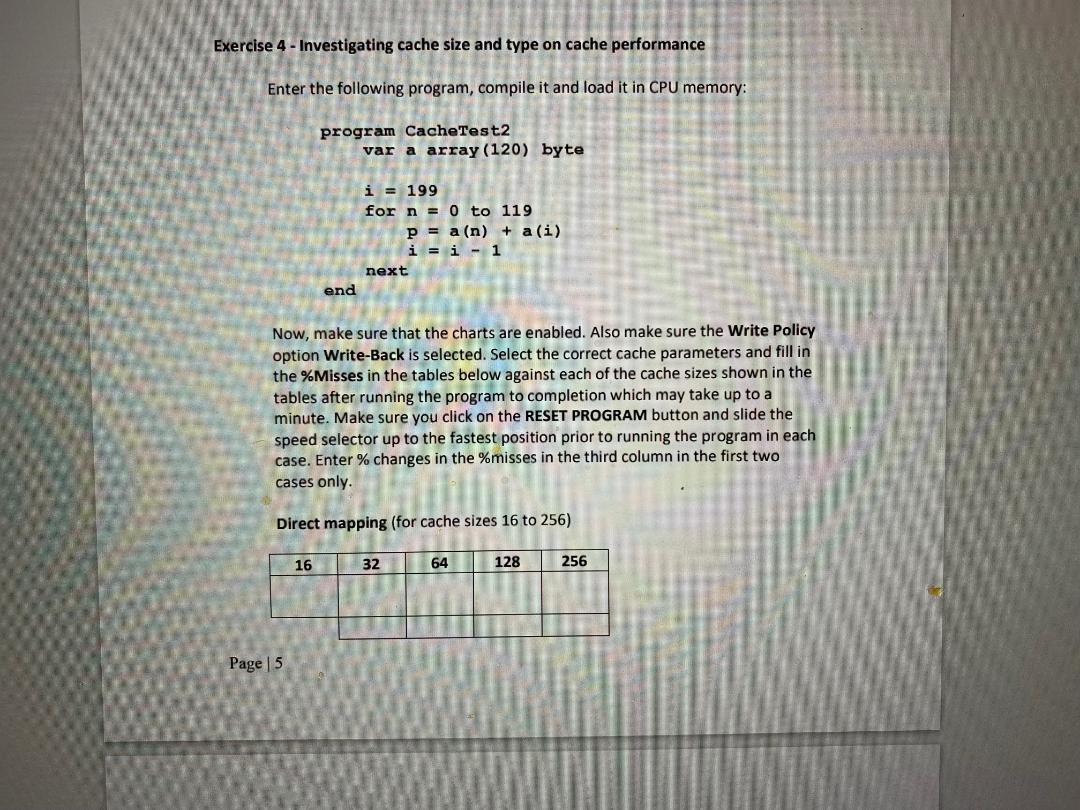
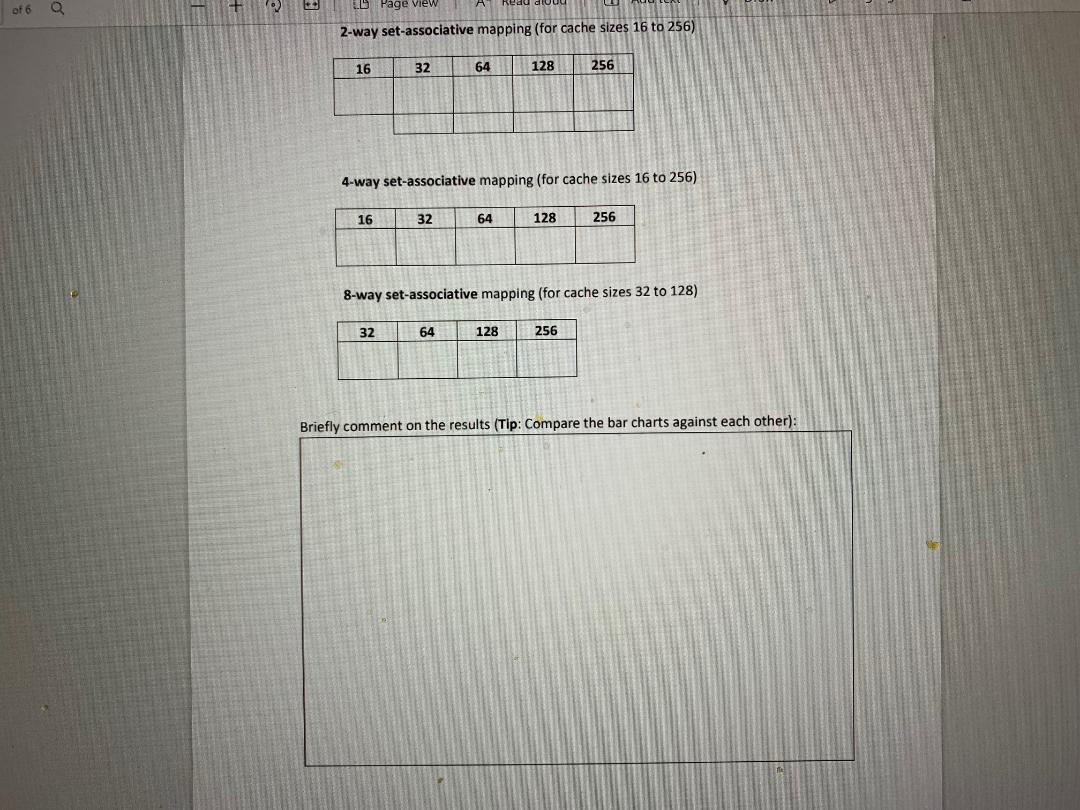
Now, make sure that the charts are enabled. Also make sure the Write Policy option Write-Back is selected. Select the correct cache parameters and fill in the \%Misses in the tables below against each of the cache sizes shown in the tables after running the program to completion which may take up to a minute. Make sure you click on the RESET PROGRAM button and slide the speed selector up to the fastest position prior to running the program in each case. Enter \% changes in the \%misses in the third column in the first two cases only. Direct mapping (for cache sizes 16 to 256 ) 2-way set-associative mapping (for cache sizes 16 to 256) 4-way set-associative mapping (for cache sizes 16 to 256) 8-way set-associative mapping (for cache sizes 32 to 128) Briefly comment on the results (Tip: Compare the bar charts against each other): Now, make sure that the charts are enabled. Also make sure the Write Policy option Write-Back is selected. Select the correct cache parameters and fill in the \%Misses in the tables below against each of the cache sizes shown in the tables after running the program to completion which may take up to a minute. Make sure you click on the RESET PROGRAM button and slide the speed selector up to the fastest position prior to running the program in each case. Enter \% changes in the \%misses in the third column in the first two cases only. Direct mapping (for cache sizes 16 to 256 ) 2-way set-associative mapping (for cache sizes 16 to 256) 4-way set-associative mapping (for cache sizes 16 to 256) 8-way set-associative mapping (for cache sizes 32 to 128) Briefly comment on the results (Tip: Compare the bar charts against each other)
Step by Step Solution
There are 3 Steps involved in it

Get step-by-step solutions from verified subject matter experts
 Study Help