







Question: Part A num_data_points = 5 class_size = 100 def generate_random_percentage(): Generates a random percentage between 0 and 100. return random.random() *
Part A
num_data_points = 5
class_size = 100
def generate_random_percentage():
"""Generates a random percentage between 0 and 100."""
return random.random() * 100
percentage_of_programming_students = [generate_random_percentage() for _ in range(num_data_points)]
number_of_students_in_class = [int(class_size * percentage / 100) for percentage in percentage_of_programming_students]
plt.plot(percentage_of_programming_students, number_of_students_in_class, 'r.')
plt.title('% of Students in Programming')
plt.xlabel('Percent of Programming Students')
plt.ylabel('Number of Students in Class')
plt.grid()
plt.show()
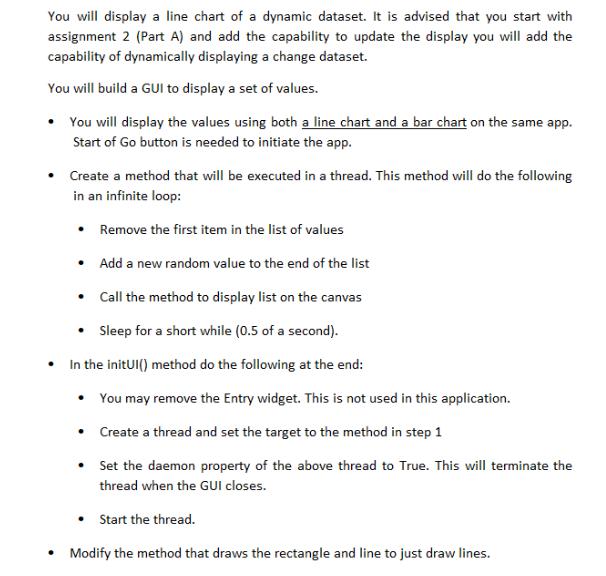
You will display a line chart of a dynamic dataset. It is advised that you start with assignment 2 (Part A) and add the capability to update the display you will add the capability of dynamically displaying a change dataset. You will build a GUI to display a set of values. You will display the values using both a line chart and a bar chart on the same app. Start of Go button is needed to initiate the app. Create a method that will be executed in a thread. This method will do the following in an infinite loop: Remove the first item in the list of values Add a new random value to the end of the list Call the method to display list on the canvas Sleep for a short while (0.5 of a second). In the initUI() method do the following at the end: You may remove the Entry widget. This is not used in this application. Create a thread and set the target to the method in step 1 Set the daemon property of the above thread to True. This will terminate the thread when the GUI closes. Start the thread. Modify the method that draws the rectangle and line to just draw lines.
Step by Step Solution
There are 3 Steps involved in it
Import the necessary libraries including Tkinter and random Create a GUI window with a Start button Define a function to generate random data points f... View full answer

Get step-by-step solutions from verified subject matter experts
 Study Help