







Question: 1. Implement the CheckingAccount.java based on the UML below. CheckingAccount is a subclass of BankAccount. A checking account has a transaction fee that is
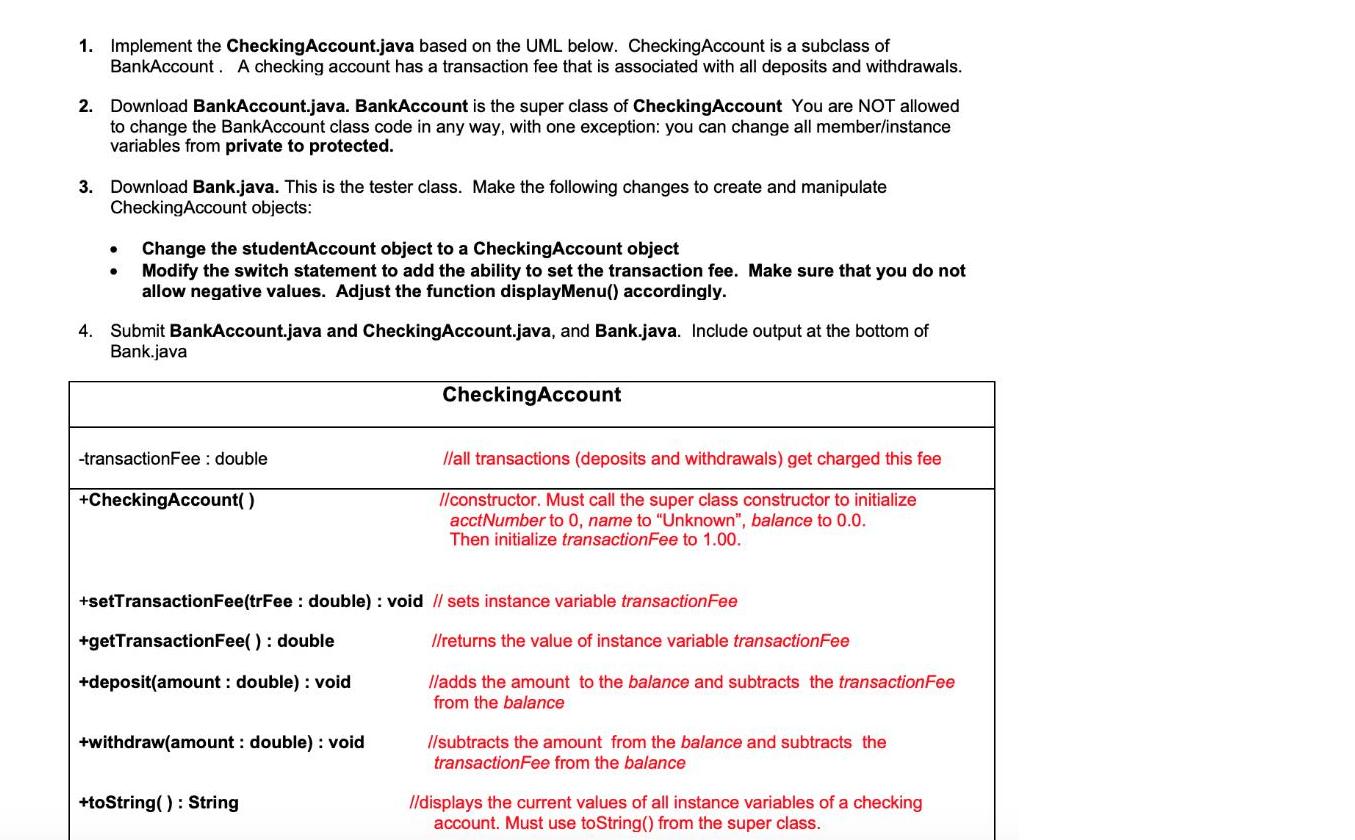
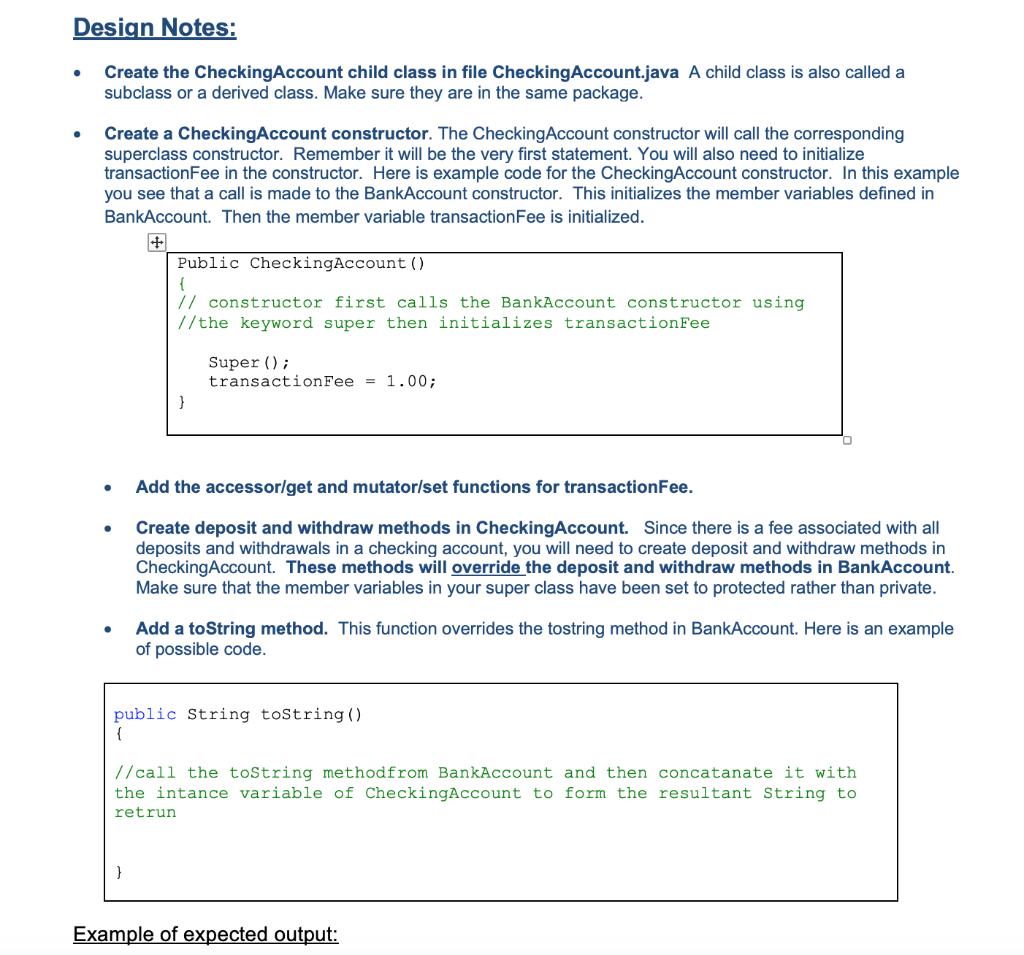
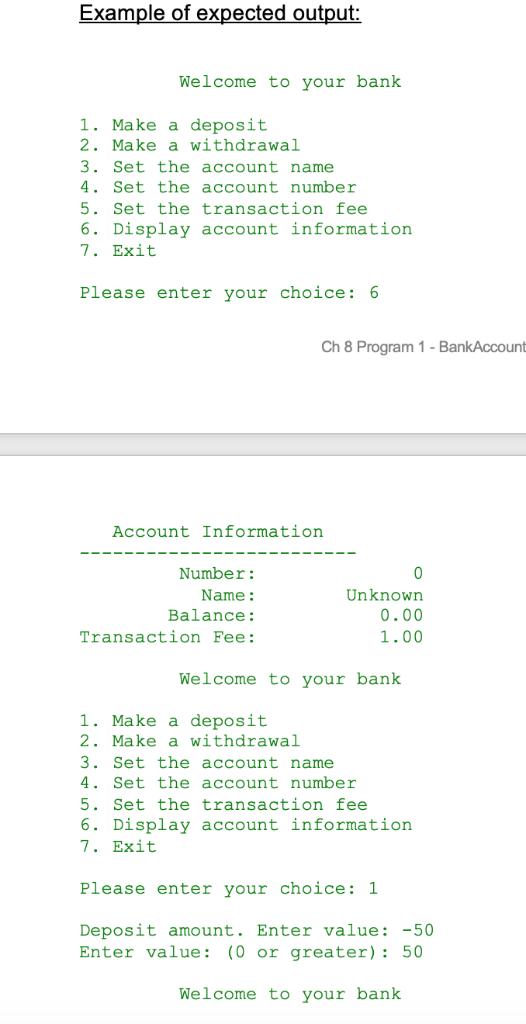
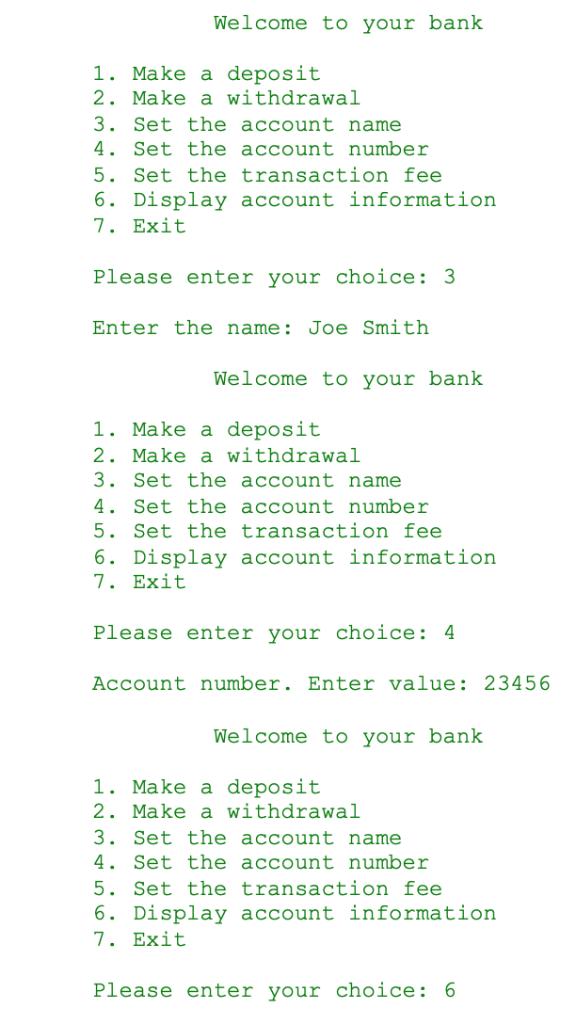
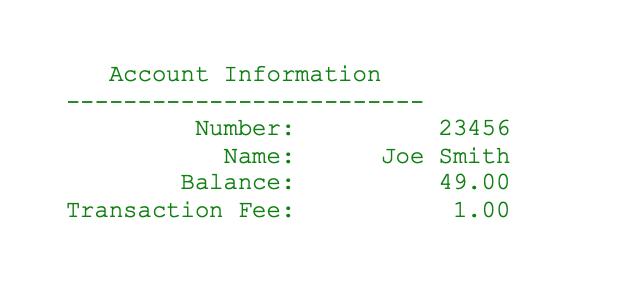
1. Implement the CheckingAccount.java based on the UML below. CheckingAccount is a subclass of BankAccount. A checking account has a transaction fee that is associated with all deposits and withdrawals. 2. Download BankAccount.java. BankAccount is the super class of CheckingAccount You are NOT allowed to change the BankAccount class code in any way, with one exception: you can change all member/instance variables from private to protected. 3. Download Bank.java. This is the tester class. Make the following changes to create and manipulate Checking Account objects: 4. Change the studentAccount object to a CheckingAccount object Modify the switch statement to add the ability to set the transaction fee. Make sure that you do not allow negative values. Adjust the function displayMenu() accordingly. Submit BankAccount.java and CheckingAccount.java, and Bank.java. Include output at the bottom of Bank.java -transaction Fee: double +CheckingAccount() +getTransactionFee(): double +deposit(amount : double): void +setTransaction Fee(trFee: double): void // sets instance variable transaction Fee +withdraw(amount : double): void CheckingAccount +toString(): String //all transactions (deposits and withdrawals) get charged this fee //constructor. Must call the super class constructor to initialize acctNumber to 0, name to Unknown , balance to 0.0. Then initialize transactionFee to 1.00. //returns the value of instance variable transactionFee lladds the amount to the balance and subtracts the transaction Fee from the balance //subtracts the amount from the balance and subtracts the transactionFee from the balance //displays the current values of all instance variables of a checking account. Must use toString() from the super class. Design Notes: Create the CheckingAccount child class in file CheckingAccount.java A child class is also called a subclass or a derived class. Make sure they are in the same package. Create a CheckingAccount constructor. The CheckingAccount constructor will call the corresponding superclass constructor. Remember it will be the very first statement. You will also need to initialize transactionFee in the constructor. Here is example code for the CheckingAccount constructor. In this example you see that a call is made to the BankAccount constructor. This initializes the member variables defined in BankAccount. Then the member variable transaction Fee is initialized. Public CheckingAccount () { // constructor first calls the BankAccount constructor using //the keyword super then initializes transaction Fee } } Super (); transaction Fee = 1.00; Add the accessor/get and mutator/set functions for transactionFee. Create deposit and withdraw methods in CheckingAccount. Since there is a fee associated with all deposits and withdrawals in a checking account, you will need to create deposit and withdraw methods in Checking Account. These methods will override the deposit and withdraw methods in BankAccount. Make sure that the member variables in your super class have been set to protected rather than private. Add a toString method. This function overrides the tostring method in BankAccount. Here is an example of possible code. public String toString() //call the toString method from BankAccount and then concatanate it with the intance variable of CheckingAccount to form the resultant String to retrun Example of expected output: Example of expected output: Welcome to your bank. 1. Make a deposit. 2. Make a withdrawal 3. Set the account name 4. Set the account number. 5. Set the transaction fee 6. Display account information 7. Exit Please enter your choice: 6 Account Information Number: Name: Balance: Transaction Fee: Ch 8 Program 1- BankAccount 1. Make a deposit. 2. Make a withdrawal Welcome to your bank Unknown 0.00 1.00 3. Set the account name 4. Set the account number 0 5. Set the transaction fee 6. Display account information 7. Exit Please enter your choice: 1 Deposit amount. Enter value: -50 Enter value: (0 or greater): 50 Welcome to your bank Welcome to your bank 1. Make a deposit 2. Make a withdrawal 3. Set the account name 4. Set the account number 5. Set the transaction fee 6. Display account information 7. Exit Please enter your choice: 3 Enter the name: Joe Smith Welcome to your bank 1. Make a deposit 2. Make a withdrawal 3. Set the account name 4. Set the account number. 5. Set the transaction fee 6. Display account information 7. Exit Please enter your choice: 4 Account number. Enter value: 23456 Welcome to your bank 1. Make a deposit 2. Make a withdrawal 3. Set the account name 4. Set the account number 5. Set the transaction fee 6. Display account information 7. Exit Please enter your choice: 6 Account Information Number: Name: Balance: Transaction Fee: 23456 Joe Smith 49.00 1.00
Step by Step Solution
3.49 Rating (156 Votes )
There are 3 Steps involved in it
To Run javac BankAccountjava javac CheckingAccountjava javac Bankjava java Bank Code BankAccountjava public class BankAccount protected int acctNum protected String name protected double balance Const... View full answer

Get step-by-step solutions from verified subject matter experts
 Study Help