







Question: R built-in functions. In R there is a built-in data frame named 'mtcars'. Use different R functions to explore data frame 'mtcars'. Note that because
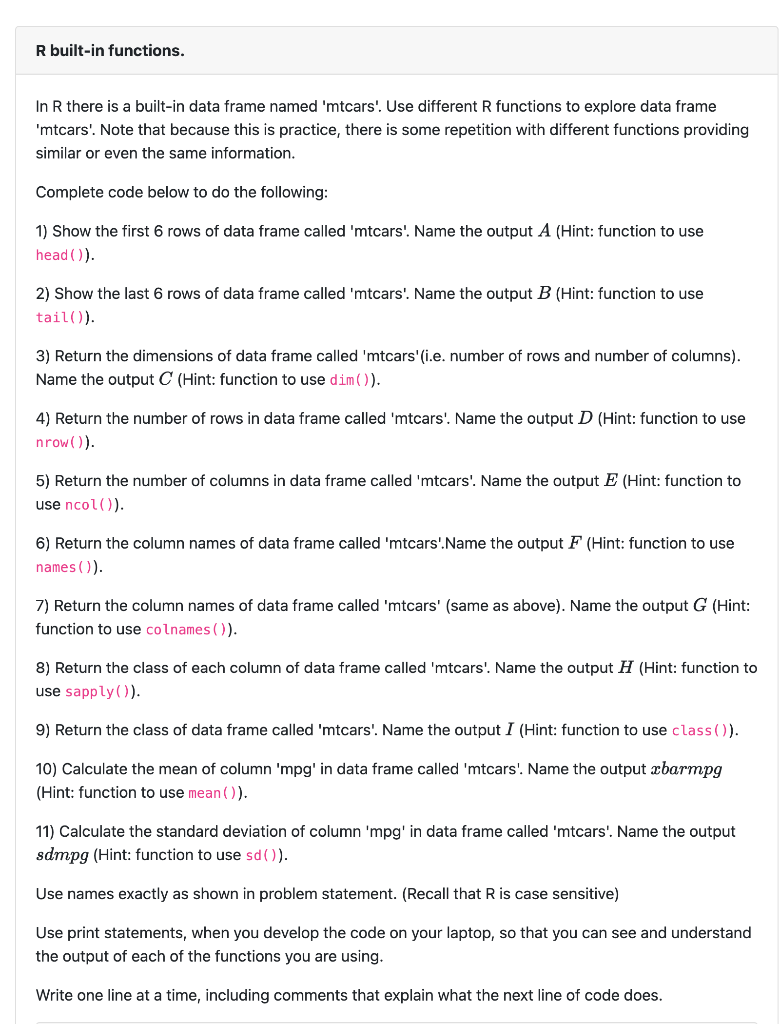
R built-in functions. In R there is a built-in data frame named 'mtcars'. Use different R functions to explore data frame 'mtcars'. Note that because this is practice, there is some repetition with different functions providing similar or even the same information. Complete code below to do the following: 1) Show the first 6 rows of data frame called 'mtcars'. Name the output A (Hint: function to use head( ()). 2) Show the last 6 rows of data frame called 'mtcars'. Name the output B (Hint: function to use tail()). 3) Return the dimensions of data frame called 'mtcars'(i.e. number of rows and number of columns). Name the output C (Hint: function to use dim()). 4) Return the number of rows in data frame called 'mtcars'. Name the output D (Hint: function to use nrow()). 5) Return the number of columns in data frame called 'mtcars'. Name the output E (Hint: function to use ncol()). 6) Return the column names of data frame called 'mtcars'.Name the output F (Hint: function to use names ()). 7) Return the column names of data frame called 'mtcars' (same as above). Name the output G (Hint: function to use colnames ()). 8) Return the class of each column of data frame called 'mtcars'. Name the output H (Hint: function to use sapply( ()). 9) Return the class of data frame called 'mtcars'. Name the output I (Hint: function to use class ()). 10) Calculate the mean of column 'mpg' in data frame called 'mtcars'. Name the output x barmpg (Hint: function to use mean ()). 11) Calculate the standard deviation of column ' mpg ' in data frame called 'mtcars'. Name the output sdmpg (Hint: function to use sd( ( )). Use names exactly as shown in problem statement. (Recall that R is case sensitive) Use print statements, when you develop the code on your laptop, so that you can see and understand the output of each of the functions you are using. Write one line at a time, including comments that explain what the next line of code does
Step by Step Solution
There are 3 Steps involved in it

Get step-by-step solutions from verified subject matter experts
 Study Help