







Question: USING C SHARP # - windows form application Create an app where the customer can order t-shirts. This order form: Allows the user to select
USING C SHARP # - windows form application
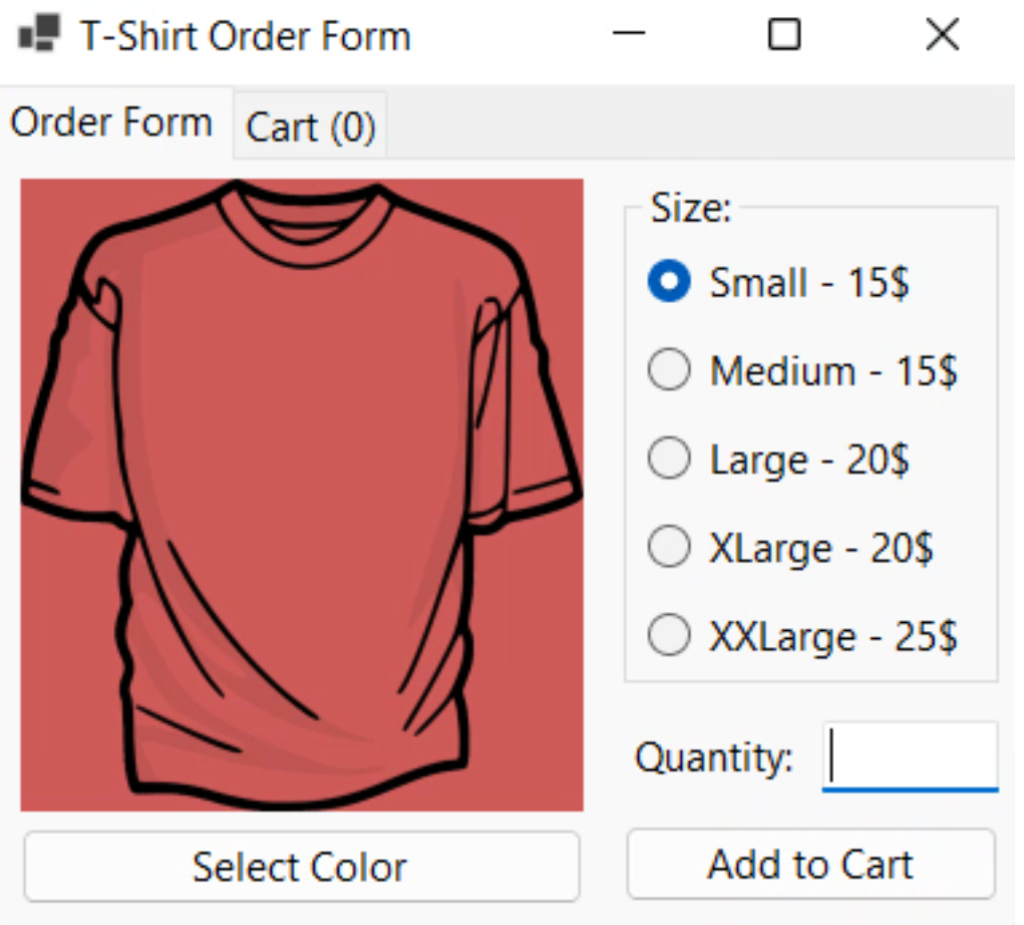
Create an app where the customer can order t-shirts. This order form: Allows the user to select a size from:
Small - 15$
Medium - 15$
Large - 20$
XLarge - 20$
XXLarge - 25$
Note: Make sure the customer can only select one size.
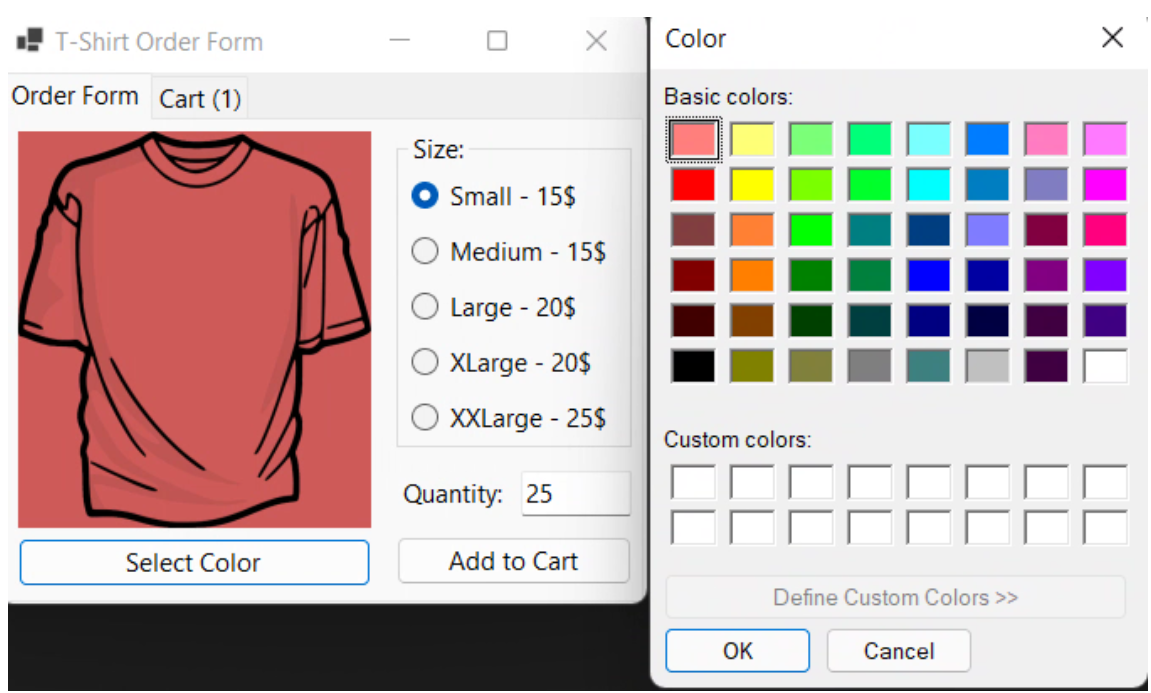
Allows the user to select a color for the t-shirt and displays a preview of the color behind a transparent background image. The color picker should not allow for a custom color to be created by the user.
Allows the user to enter a quantity of a certain color/size of the t-shirt.
This field is validated to be a positive integer.
There's no limit to the number of shirts they can buy.
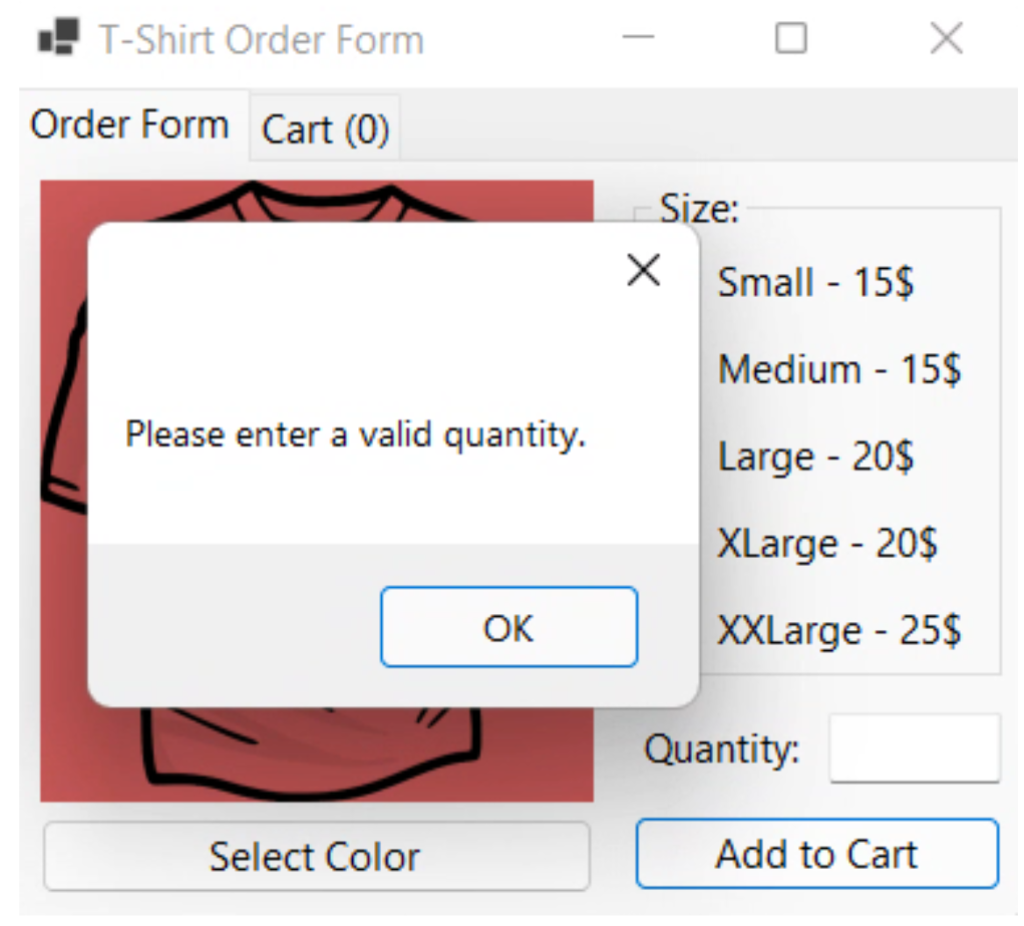
If the user enters a negative value or leaves this blank, they are alerted with a message and the quantity control gets Focus() so they can try to enter the value again, easily.
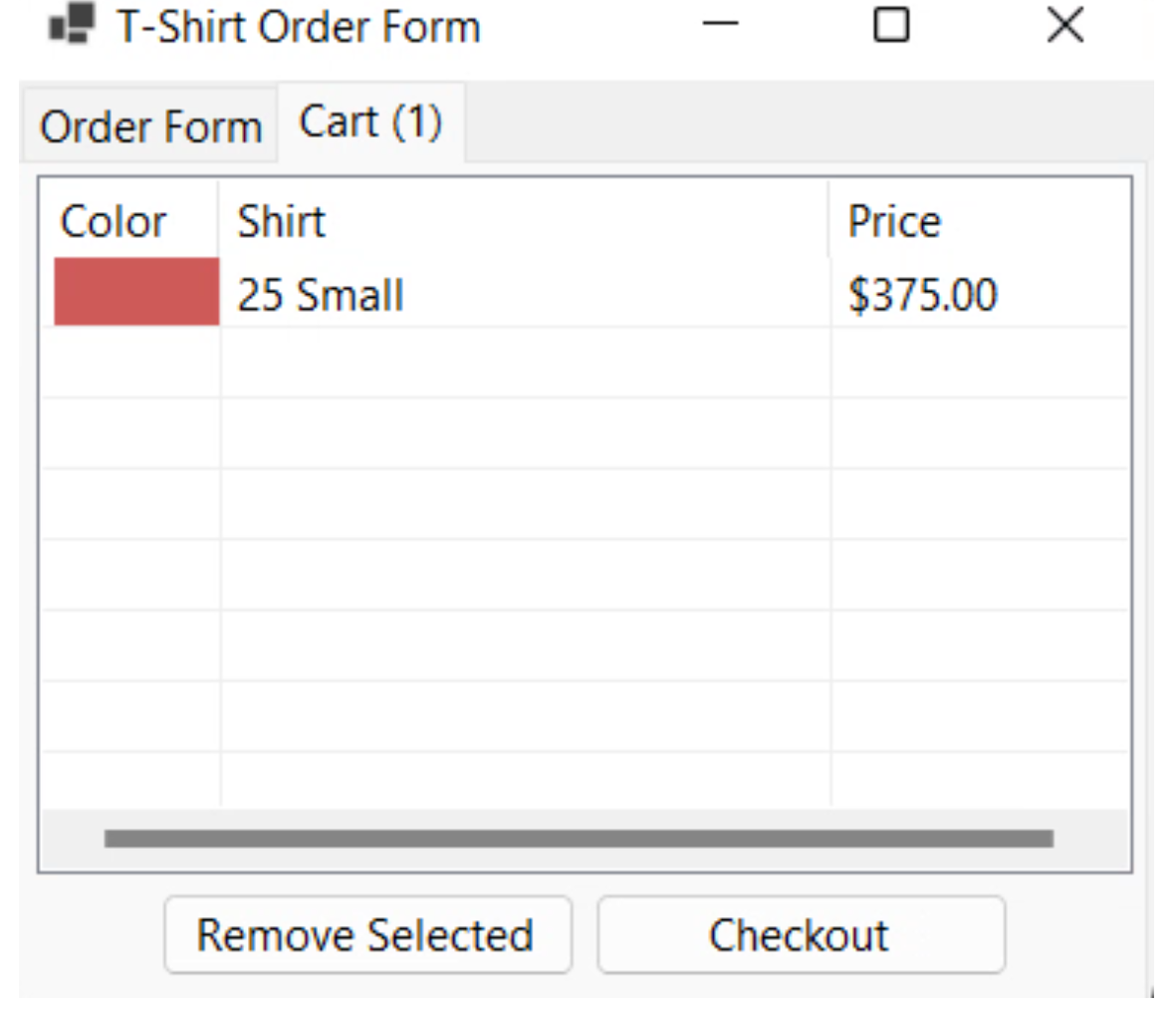
Adds the t-shirts the user selects into a 'cart', and allows the user to delete previous entries.
When the user selects 'Checkout':
A summary of their selected purchases is displayed and a breakdown of costs, as well as a total.
Add 6.5% sales tax to the grand total, and show the tax amount as well as the total before tax.
Please Help in C sharp # thank you. Examples are below:
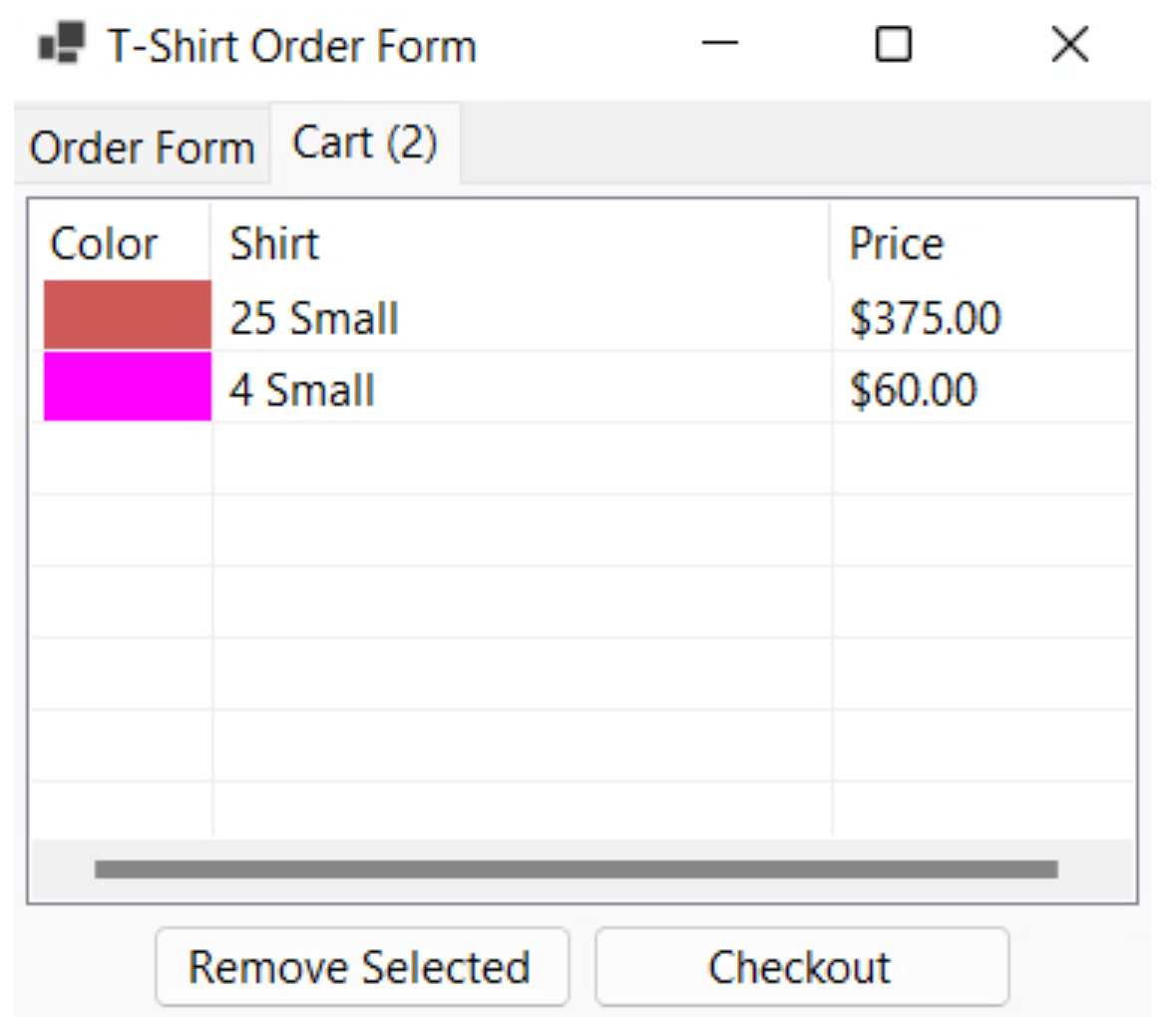
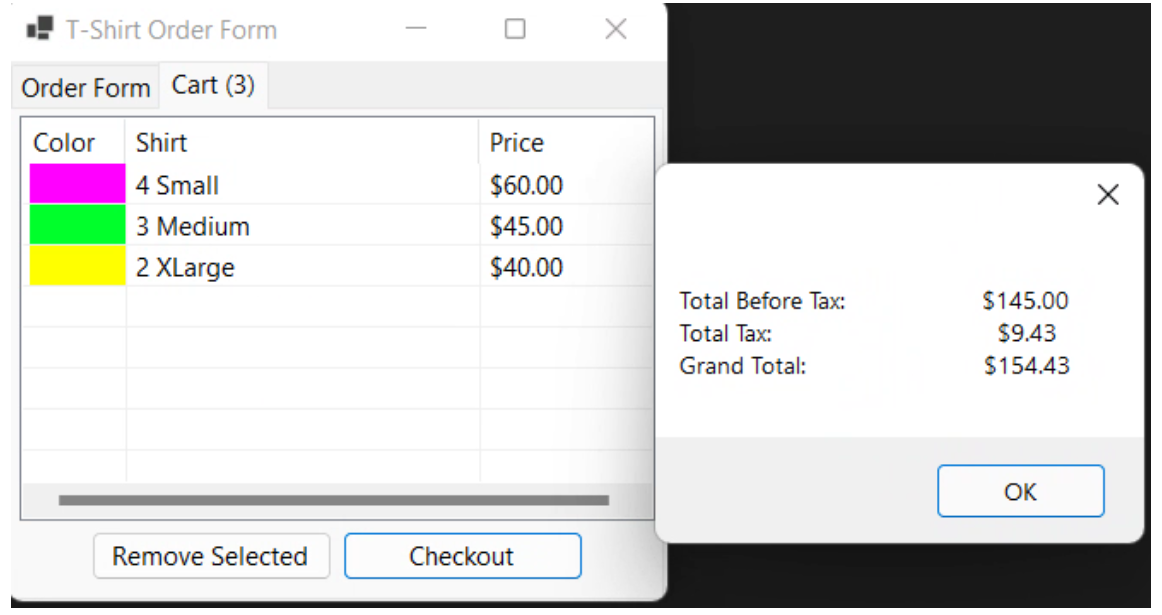
Size: Small - 15$ Medium - 15$ Large - 20$ XLarge - 20\$ XXLarge - 25$ Please enter a valid quantity. Order Form Cart (1) \begin{tabular}{|l|l|l|} \hline Color & Shirt & Price \\ & 25 Small & $375.00 \\ \hline & & \\ \hline & \\ \hline \end{tabular} Remove Selected Checkout T-Shirt Order Form Order Form Cart (2) \begin{tabular}{|l|l|l|} \hline Color & Shirt & Price \\ & 25 Small & $375.00 \\ \hline 4 Small & $60.00 \\ \hline & \\ \hline & \\ \hline \end{tabular} Remove Selected Checkout - T-Shirt Order Form Order Form Cart (3)
Step by Step Solution
There are 3 Steps involved in it

Get step-by-step solutions from verified subject matter experts
 Study Help