







Question: 1. Create a telephone calling Android application and simulate when calling the phone. An example of a display is as illustrated in the following
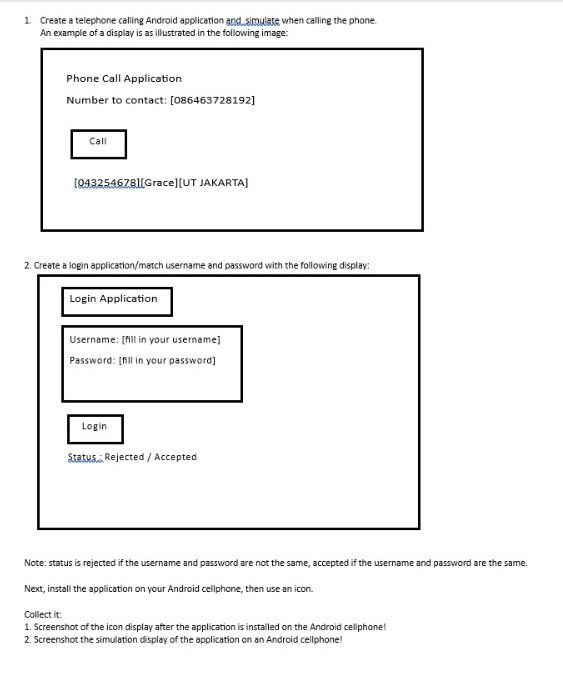
1. Create a telephone calling Android application and simulate when calling the phone. An example of a display is as illustrated in the following image: Phone Call Application Number to contact: [086463728192] Call [9432546781[Grace][UT JAKARTA] 2. Create a login application/match username and password with the following display: Login Application Username: [fill in your username] Password: [fill in your password] Login Status Rejected / Accepted Note: status is rejected if the username and password are not the same, accepted if the username and password are the same. Next, install the application on your Android cellphone, then use an icon. Collect it: 1. Screenshot of the icon display after the application is installed on the Android cellphone! 2. Screenshot the simulation display of the application on an Android cellphone!
Step by Step Solution
3.50 Rating (160 Votes )
There are 3 Steps involved in it
I can guide you through the process of creating simple Android applications for both the phone calling and login functionalities However note that I cant execute or install applications on your Androi... View full answer

Get step-by-step solutions from verified subject matter experts
 Study Help