







Question: 1) Horizontal Flipping Below example shows how to do horizontal flipping of an image. im imread('cameraman.tif'); data_augmentation is a function thats available to you
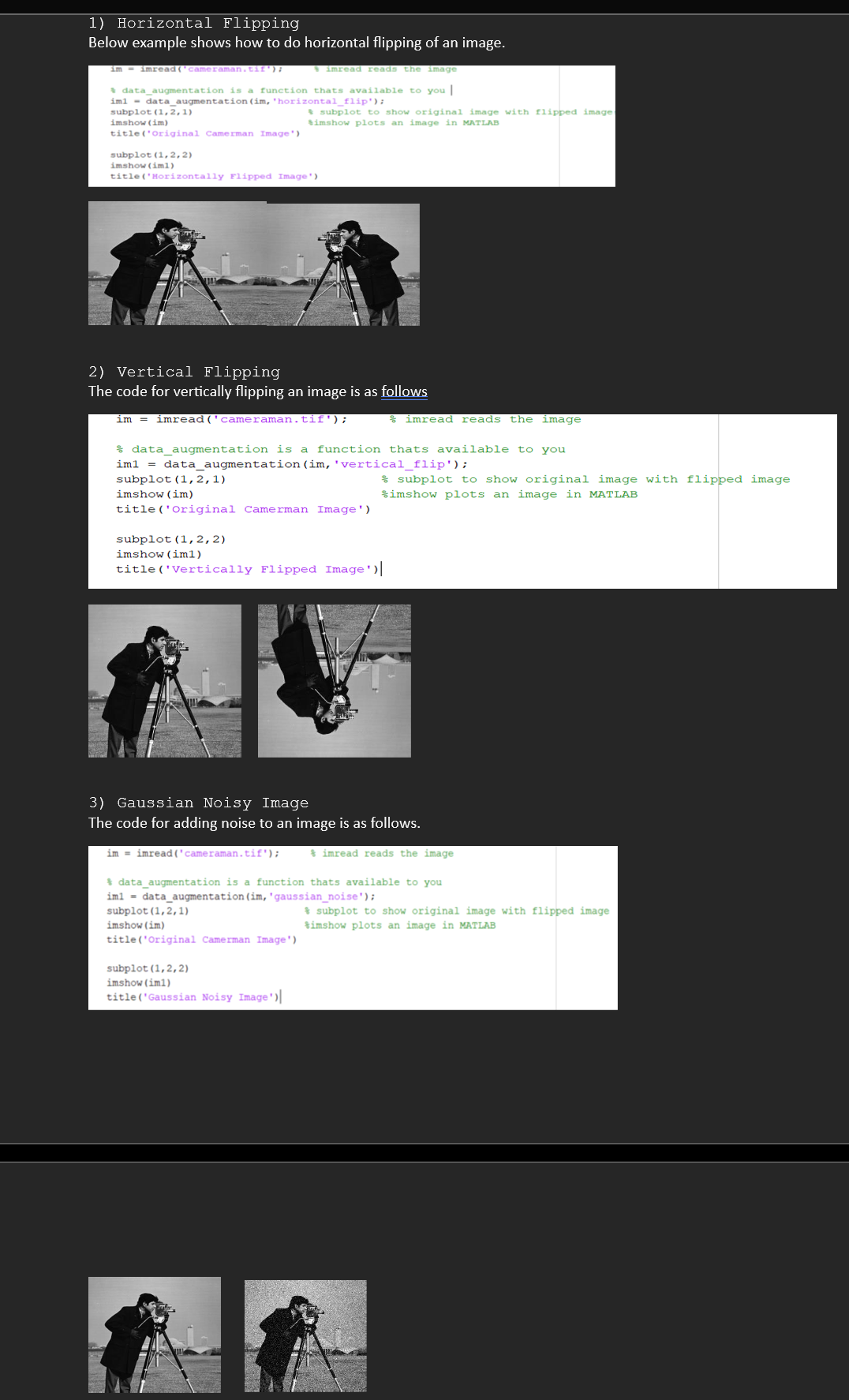
1) Horizontal Flipping Below example shows how to do horizontal flipping of an image. im imread('cameraman.tif'); data_augmentation is a function thats available to you | im1 = data_augmentation (im, 'horizontal_flip'); subplot (1,2,1) imshow (im) title('Original Camerman Image') subplot (1,2,2) imshow (iml) title('Horizontally Flipped Image') imread reads the image subplot to show original image with flipped image: Simshow plots an image in MATLAB 2) Vertical Flipping The code for vertically flipping an image is as follows im imread ('cameraman.tif'); data_augmentation is a function thats available to you im1 = data_augmentation (im, 'vertical_flip'); subplot (1, 2,1) imshow (im) title('Original Camerman Image') subplot (1,2,2) imshow (iml) title ('Vertically Flipped Image) im imread ('cameraman.tif'); imread reads the image subplot (1,2,2) imshow (im1) title('Gaussian Noisy Image') 3) Gaussian Noisy Image The code for adding noise to an image is as follows. imread reads the image subplot to show original image with flipped image imshow plots an image in MATLAB data_augmentation is a function thats available to you im1= data augmentation (im, 'gaussian_noise'); subplot (1,2,1) imshow (im) title('Original Camerman Image') subplot to show original image with flipped image imshow plots an image in MATLAB
Step by Step Solution
3.57 Rating (157 Votes )
There are 3 Steps involved in it
1 Horizontal Flipping import cv2 Read the image image cv2imreadcameramanjpg Flip the image hor... View full answer

Get step-by-step solutions from verified subject matter experts
 Study Help