







Question: a vast number of Java concepts: How to create GUIs using JavaFX/FXML How to create and manipulate Strings and characters How to save and read
a vast number of Java concepts: How to create GUIs using JavaFX/FXML How to create and manipulate Strings and characters How to save and read text-based files How to serialize/de-serialize Java objects to XML How to use generic collections like Lists, Queues, and Maps How to make use of functional programming through streams and lambda expressions How to use and analyze various search/sort algorithms How to create your own generic methods and classes How to create your own dynamic data structures The advantages/dangers of concurrency and how to write multithreaded programs How to access databases using JDBC This final lab will make use of a large number of those skills to support Sweets Incs latest plans. Sweets Inc has been very impressed with your work over the last few weeks, so they are leaving you in charge of the most important part of the company: employee morale. It turns out, Sweets Incs attempt at world domination was not very popular with the rank and file employees. They feel neglected and purposeless. The company recognizes that, so theyre putting you on the case. Sweets Inc wants to give their employees a fun diversion, so they want you to create a word-guessing game reminiscent of Hangman. In general, this game will be a JavaFX GUI that will allow users to guess letters in a mystery word, one letter at a time. If the user is able to guess every letter in the mystery word, they win. If the user runs out of guess attempts, they lose. The company is pretty sure the employees will love it. Mystery words will be selected randomly from a provided list of words (( Accessible Adjacent Yourself Definite Surrealist Rabies Lamination Vestry Simplify Patrol Cabmen Identify Deciding Bisque Fossilized Actual Thefts Salamander Compound Colonial Question Cadaverous Zygote Beyond Manure Oinked Almost Ordinances Blades Caviar Alpaca Chives Cuckoo Cattle Racetracks Enzyme Horror Woeful Remail Eighteen Plaque Likability Stroll Candor Addled Giantesses Remelt Rigorous Mountain Fewest Bartenders Doting Afraid Immorality Heifer Shared Knight Jasper Marriage Ecologists Cloves Thirteenth Exchange Decadently Watercolor Untruthful Penmanship Tomorrow Whaler Historical Calculated Insurances Cobweb Damage Bowfin Relevant Apprentice Standard Garage Unbearable Mythos Audience Graduate Slower Bracer Hospital Competence Bathroom Bilked Cohabitant Interest Dialog Ironsmiths Neglectful Volatile Disengaged Meditation Goblin Absolute Wildlife Extroverts Magistrate Tuners Gymnastics Reclassify Victor Abacus Ribber Fifths Choice Enervating Shoplifter Mobile Sample Practice Limits Yogurt Public Overview Positive )).
Upon loading, your program will load the list of words and divide it into three separate Lists based on word length: one List of six-letter words, one of eight-letter words, and one of ten-letter words. When the user first sees the GUI, the following GUI elements will be visible: A slider bar used to select the difficulty level A label indicating the slider bars current difficulty level (this label should dynamically update when the slider bar is moved) A button called Generate Game that will generate a game at the given level of difficulty A button called Load which will allow the user to load a previously saved game There are three difficulty levels: easy, medium, and hard. Each level determines the word length and number of guesses provided for the user: Easy: 10 letter word, 10 guess attempts Medium: 8 letter word, 7 guess attempts Hard: 6 letter word, 4 guess attempts When the user is satisfied with their chosen difficulty, they will click a button called Generate Game. This button will trigger the GUI to enable the game elements. The game elements include the following: A label showing the status of the mystery word. At start, each letter should be represented by an _ A label indicating the number of guesses remaining A label indicating the letters already guessed A text field to allow the user to input a new letter guess A button called Guess that triggers the processing of a new guess A button called Give Up that reveals the answer to the user and allows the user to generate a new game A button called Save that allows the user to save their current game Labels to make the different fields easily understandable In addition, the GUI will disable: The difficulty slider bar The Generate Game button The user will be able to input letter guesses into the text field. Their guess will not be processed until the user clicks the Guess button. When the user clicks the Guess button, the GUI will process the input in the text field. The GUI will gracefully inform the user of an incorrect input if the input guess is longer than one letter, shorter than one letter, or is the same as a letter guessed previously. If the guess is legitimate, the GUI will display the guessed letter in the label indicating the letters already guessed. The GUI will also determine if the guessed letter is in the mystery word. If it is, the GUI will fill in the guessed letter in the appropriate spots in the mystery word label. If the guessed letter is the final letter in the mystery word, the GUI will indicate that the user has won. If the guessed letter is not in mystery word, the GUI will decrement the number of guesses remaining. If the number of guesses remaining is zero, then the GUI will display the mystery word, indicate the user has host, disable the game elements, and allow the user to generate a new game with a different difficulty level. The Load and Save buttons should allow the user to load and save games. The company recommends you implement the game information as a class separate from the FXML Controller to allow for easy saving. The exact look and feel of the GUI is up to you. Sweets Inc. has learned to trust you. However, an intern has provided some screenshots of a possible design of the GUI
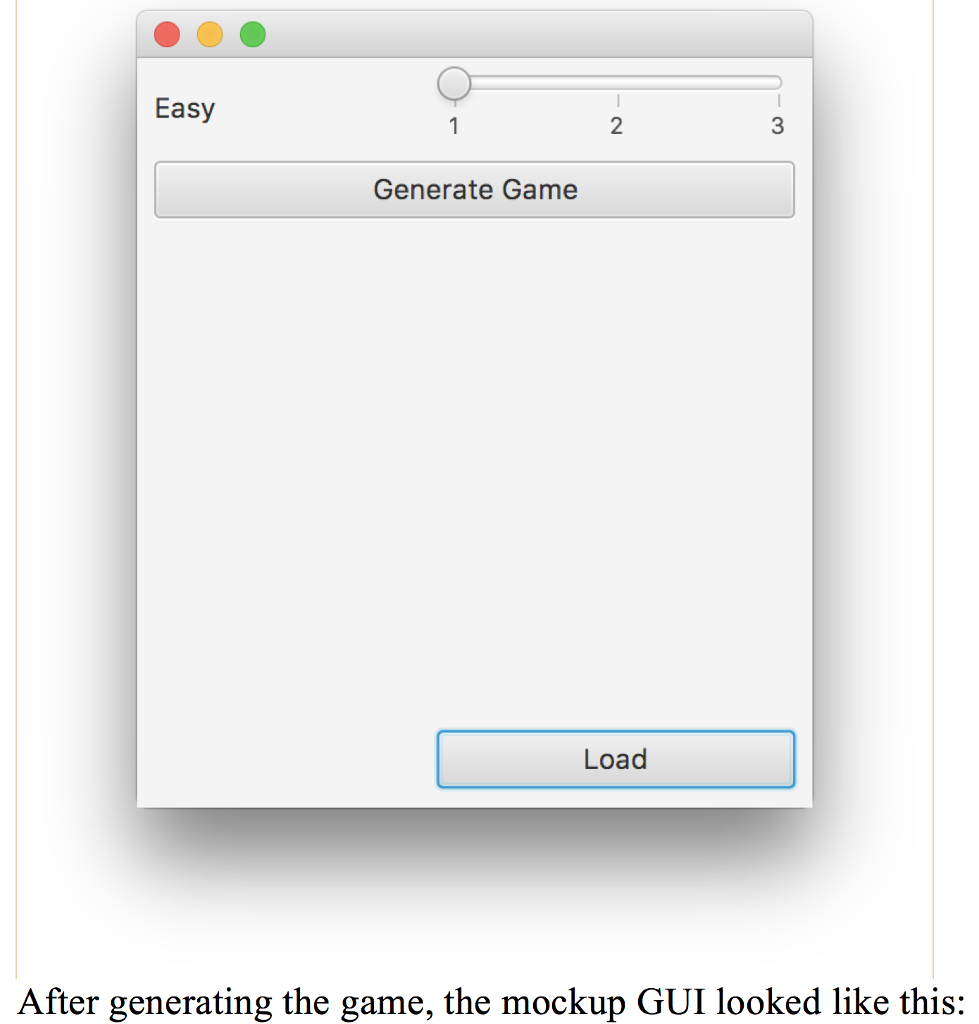
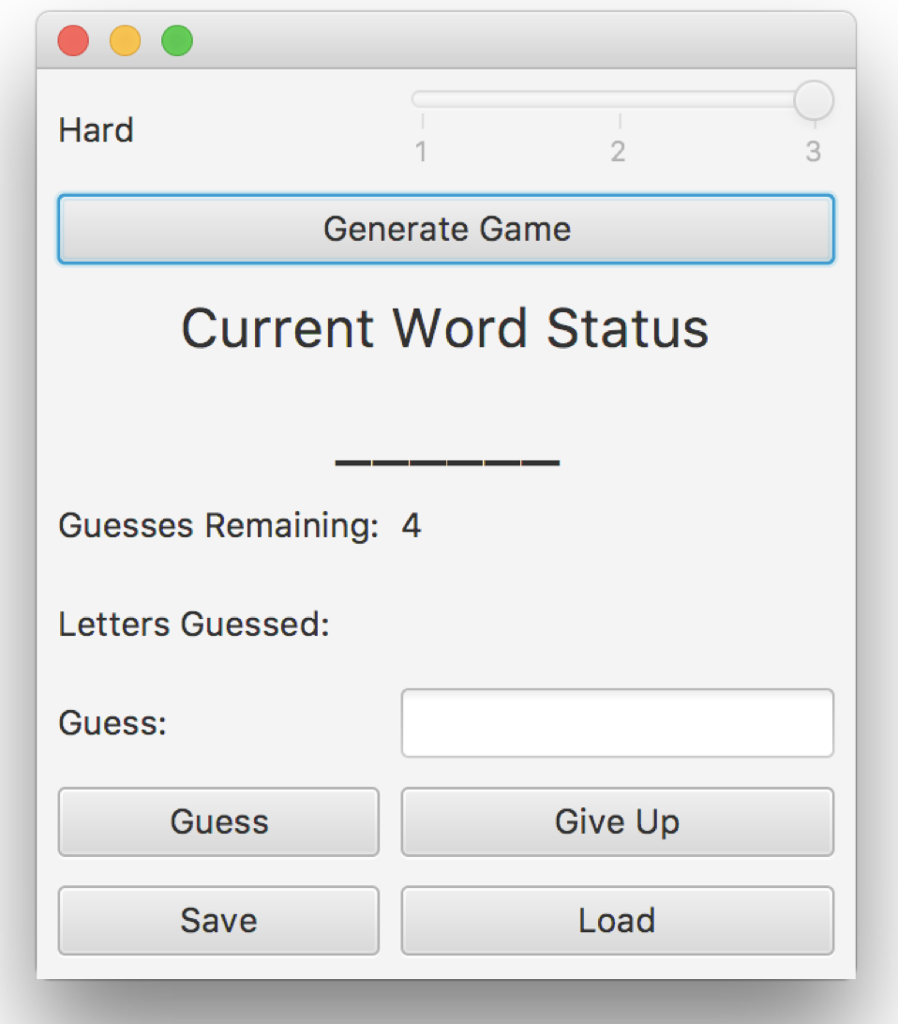
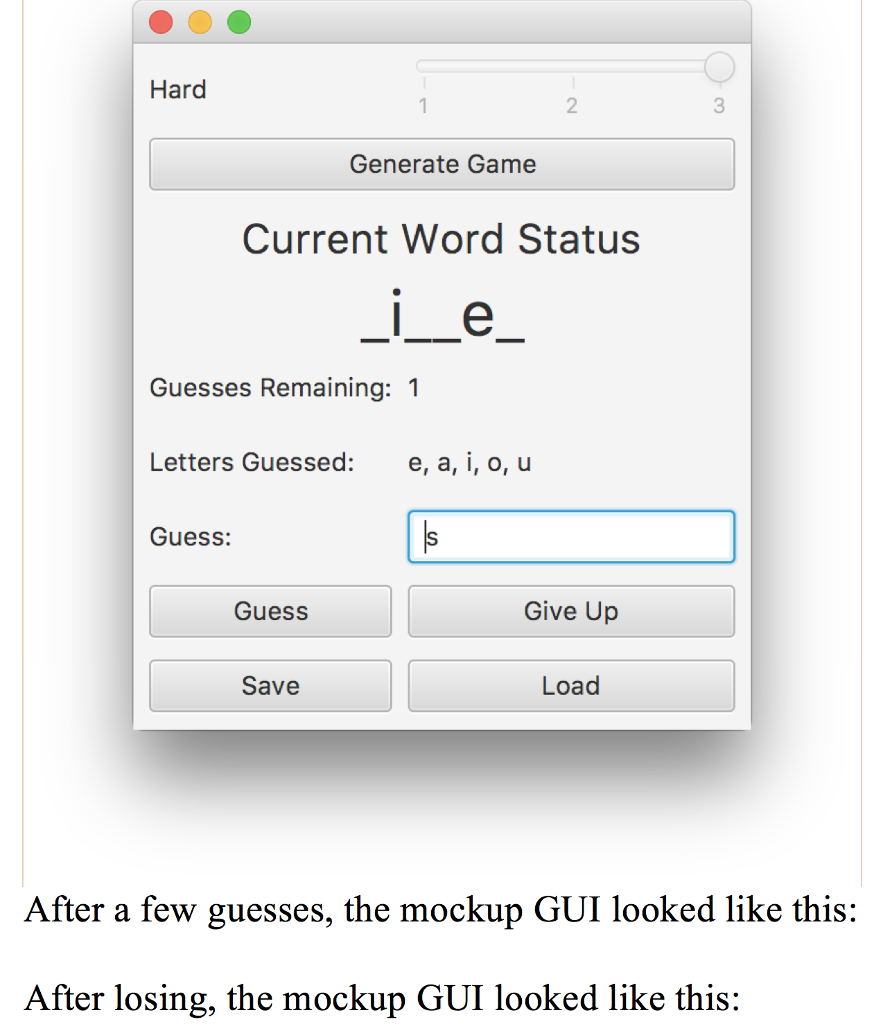
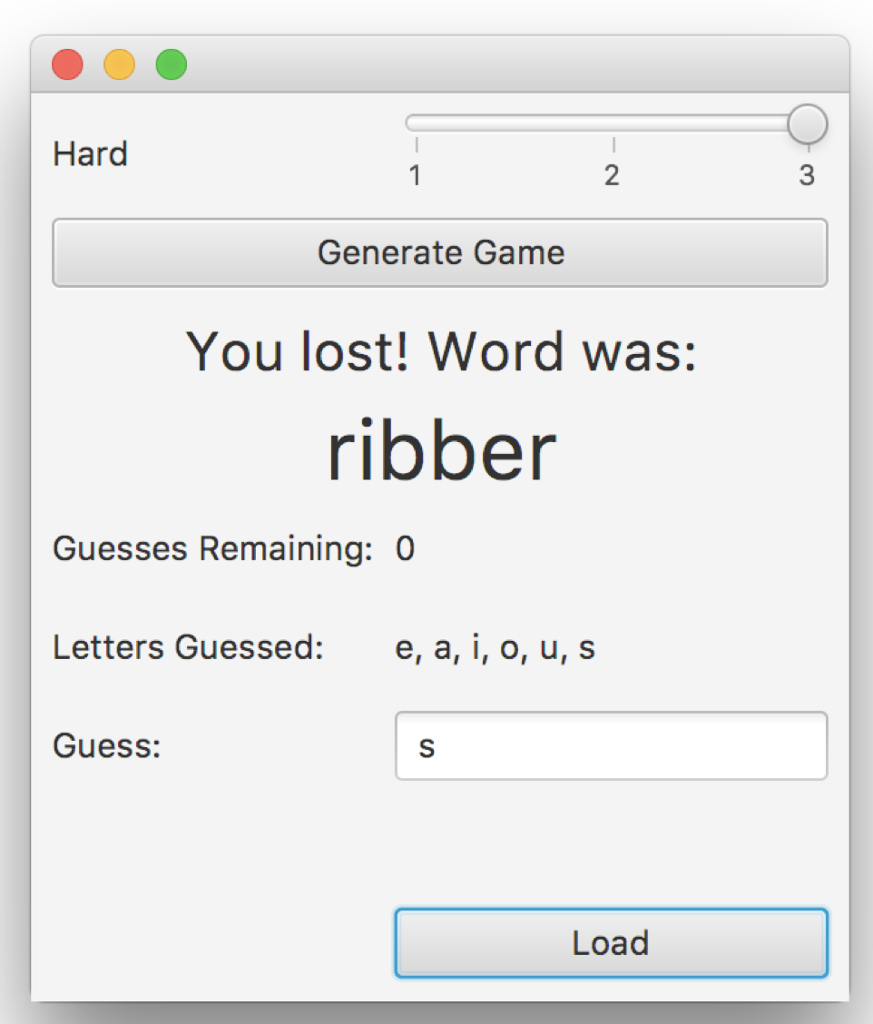
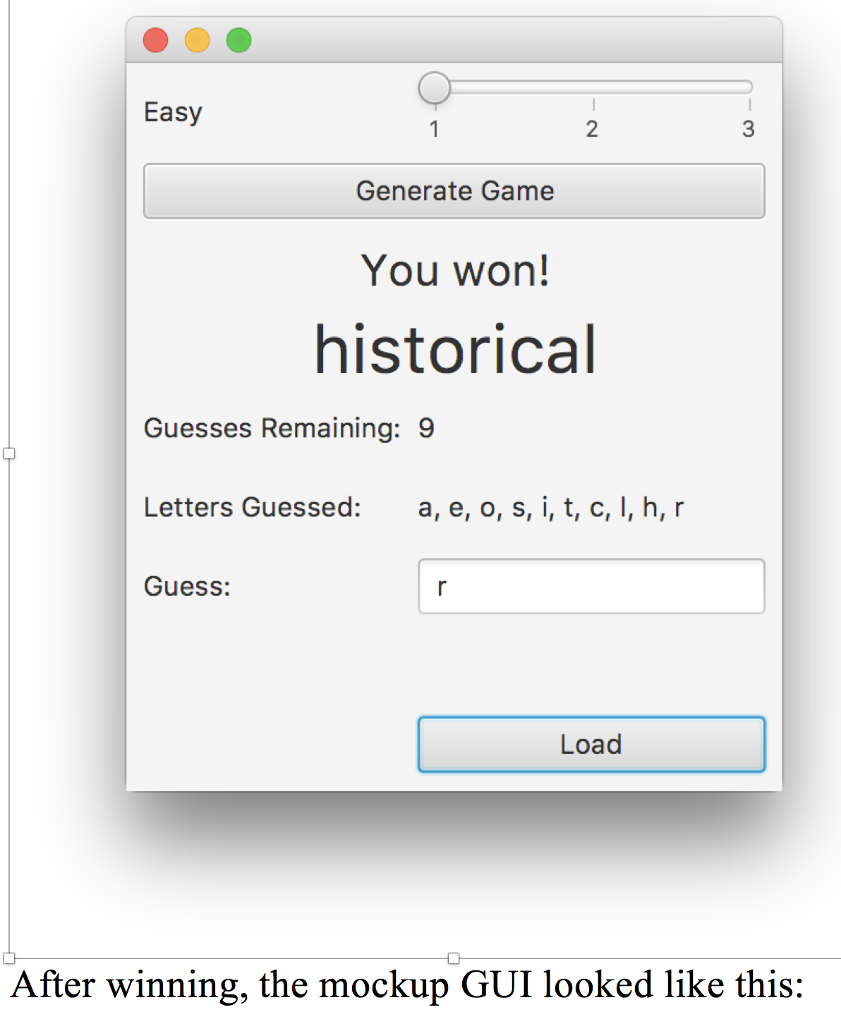
Easy Generate Game Load After generating the game, the mockup GUI looked like this: Easy Generate Game Load After generating the game, the mockup GUI looked like this
Step by Step Solution
There are 3 Steps involved in it

Get step-by-step solutions from verified subject matter experts
 Study Help