







Question: Create a web page that displays a combination lock with 40 tick marks and number labels for every fifth number 0, 5, 10, ..., 35.
Create a web page that displays a combination lock with 40 tick marks and number labels for every fifth number 0, 5, 10, ..., 35. Provide Nudge left and Nudge right buttons that cause the combination locks dial to turn one position left (counter-clockwise) or one position right (clockwise), respectively. For details, study the sample session.
As always, you are required to use named constants and helper functions when appropriate.
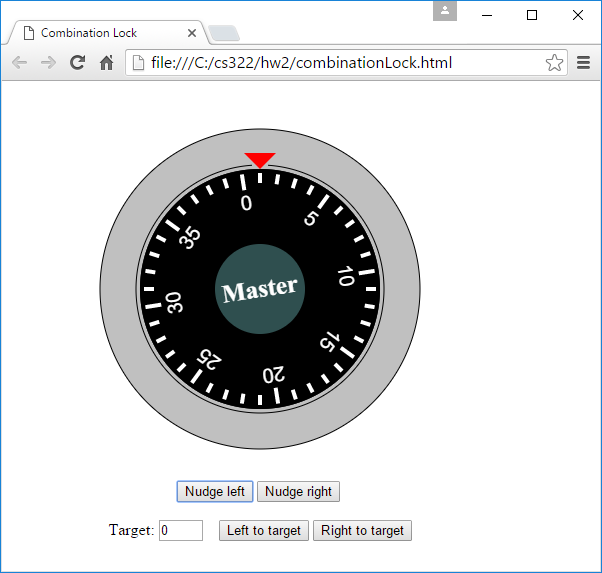
After clicking Nudge left once:
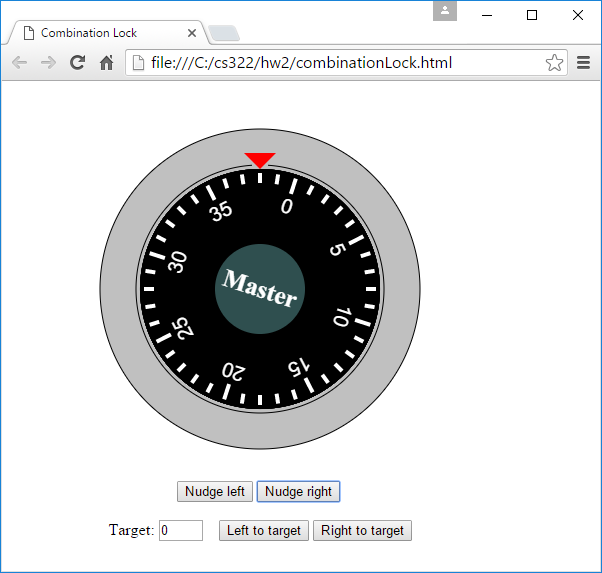
After clicking Nudge right 3 times:
EXTRA CREDIT:
Implement a target number box that allows the user to enter a number between 0 and 39. Implement two buttons that, when clicked, cause the dial to turn left or right to the user-entered target value. When the dial turns, the turning motion must be smooth; it must not jump more than one tick at a time. For the animation, youll need to use the setTimeout method. See our book or the Internet for setTimeout details.
Sample session:
After refreshing the web page, click Nudge right 10 times, so the 30 is at the top:
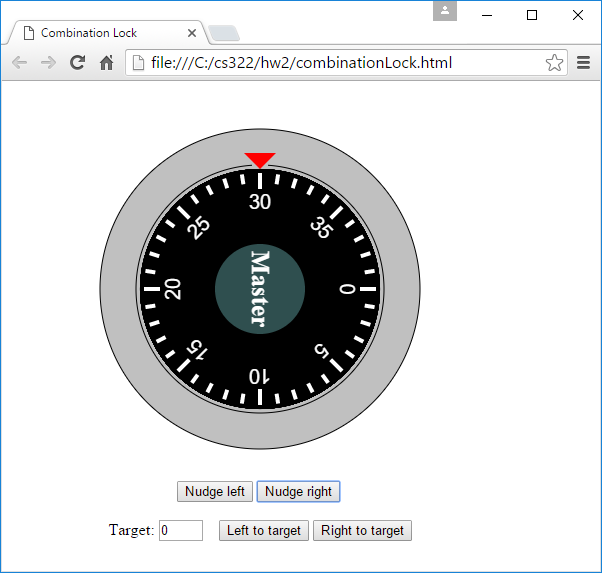
After entering 35 in the target box, and clicking Left to target, the dial turns 5 positions counter-clockwise:
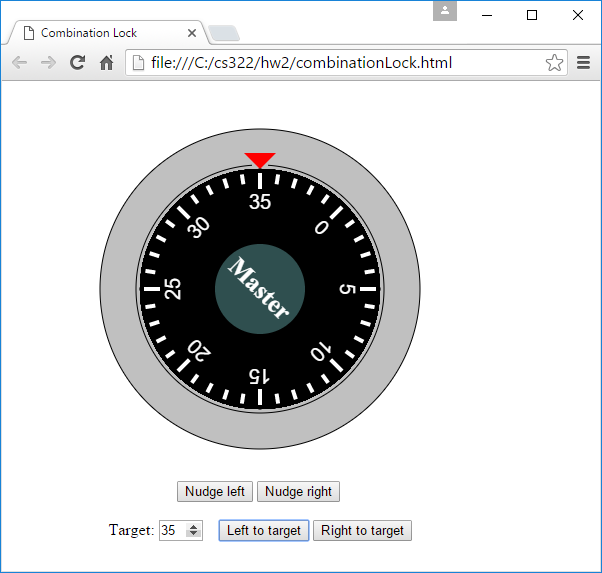
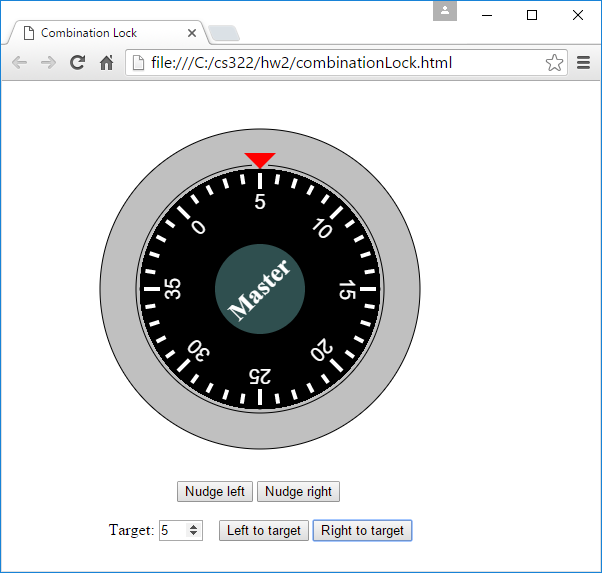
After entering 5 in the target box, and clicking Right to target, the dial turns 30 positions clockwise:
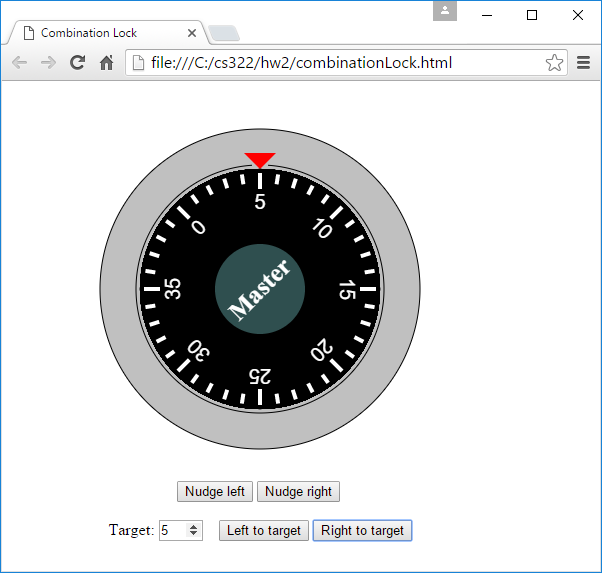
Combination Lock f D file:///C/cs322/hw2/combinationLock.html 5 SC Nudge left Nudge right Target: 5 Target: 5Left to target Left to target | | Right to target Right to target
Step by Step Solution
There are 3 Steps involved in it

Get step-by-step solutions from verified subject matter experts
 Study Help