







Question: fix this in java plz Explain JavaDoc in your own words Represent your comments with the help of JavaDoc . Produce Web pages from JavaDoc
 fix this in java plz
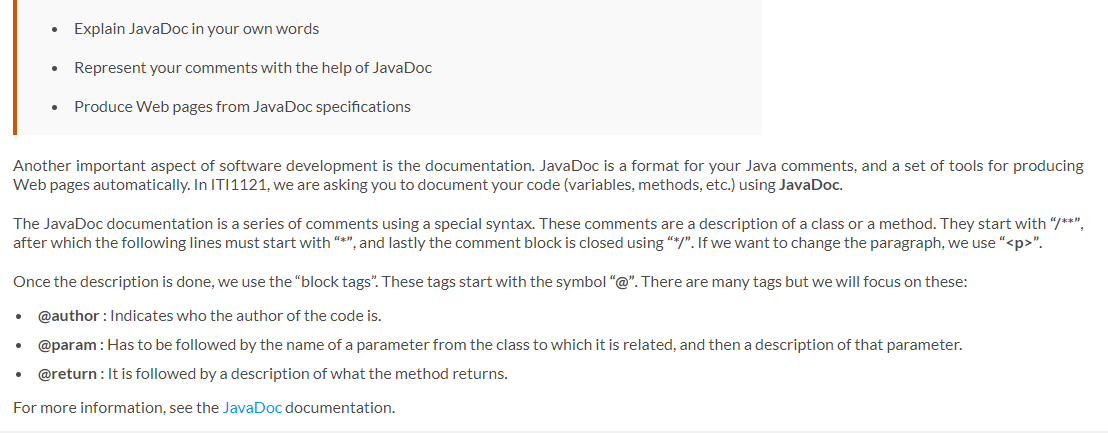
Explain JavaDoc in your own words Represent your comments with the help of JavaDoc . Produce Web pages from JavaDoc specifications Another important aspect of software development is the documentation. JavaDoc is a format for your Java comments, and a set of tools for producing Web pages automatically. In IT11121, we are asking you to document your code (variables, methods, etc.) using JavaDoc. The JavaDoc documentation is a series of comments using a special syntax. These comments are a description of a class or a method. They start with "/**", after which the following lines must start with "*", and lastly the comment block is closed using "*/". If we want to change the paragraph, we use "
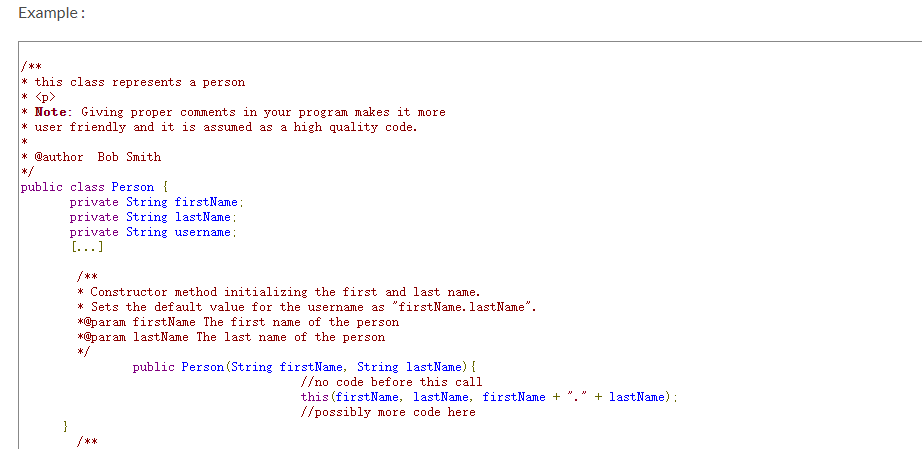
". Once the description is done, we use the "block tags. These tags start with the symbol"@". There are many tags but we will focus on these: @author : Indicates who the author of the code is. @param : Has to be followed by the name of a parameter from the class to which it is related, and then a description of that parameter. @return: It is followed by a description of what the method returns. For more information, see the JavaDoc documentation. Example: * this class represents a person *
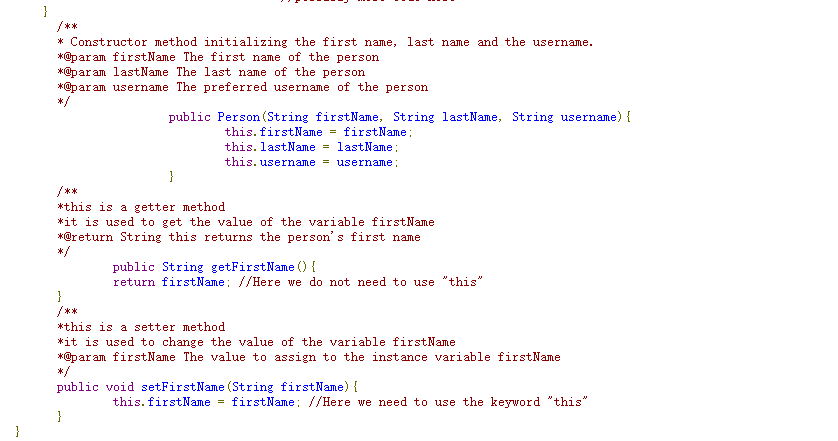
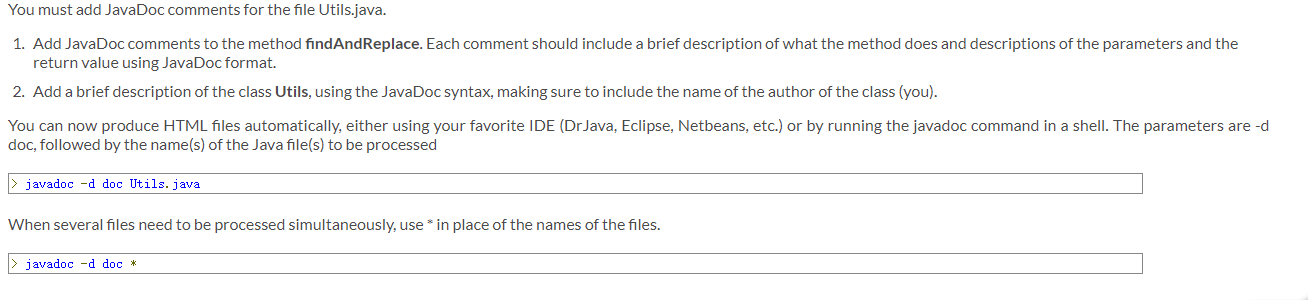
* Note: Giving proper comments in your program makes it more * user friendly and it is assumed as a high quality code. * * @author Bob Smith public class Person i private String firstName: private String lastName: private String username: [...] /** * Constructor method initializing the first and last name. * Sets the default value for the username as "firstName.lastName". *@param firstName The first name of the person *@param lastName The last name of the person */ public Person(String firstName, String lastName) { /o code before this call this (firstName, lastName, firstName + //possibly more code here + lastName): } ** * Constructor method initializing the first name, last name and the username. *@param firstName The first name of the person *@param lastName The last name of the person *@param username The preferred username of the person public Person (String firstName, String lastName, String username) { this. firstName = firstName: this. lastName = last Name: this. username = username: } /** *this is a getter method *it is used to get the value of the variable firstName *@return String this returns the person's first name public String getFirstName() { return firstName: //Here we do not need to use "this" } /** *this is a setter method *it is used to change the value of the variable firstName *@param firstName The value to assign to the instance variable firstName public void setFirstName (String firstName) { this. firstName = firstName: //Here we need to use the keyword "this" } } You must add JavaDoc comments for the file Utils.java. 1. Add JavaDoc comments to the method findAndReplace. Each comment should include a brief description of what the method does and descriptions of the parameters and the return value using JavaDoc format. 2. Add a brief description of the class Utils, using the JavaDoc syntax, making sure to include the name of the author of the class (you). You can now produce HTML files automatically, either using your favorite IDE (DrJava, Eclipse, Netbeans, etc.) or by running the javadoc command in a shell. The parameters are -d doc, followed by the name(s) of the Java file(s) to be processed > javadoc -d doc Utils.java When several files need to be processed simultaneously, use * in place of the names of the files. > javadoc -d doc * Explain JavaDoc in your own words Represent your comments with the help of JavaDoc . Produce Web pages from JavaDoc specifications Another important aspect of software development is the documentation. JavaDoc is a format for your Java comments, and a set of tools for producing Web pages automatically. In IT11121, we are asking you to document your code (variables, methods, etc.) using JavaDoc. The JavaDoc documentation is a series of comments using a special syntax. These comments are a description of a class or a method. They start with "/**", after which the following lines must start with "*", and lastly the comment block is closed using "*/". If we want to change the paragraph, we use "
". Once the description is done, we use the "block tags. These tags start with the symbol"@". There are many tags but we will focus on these: @author : Indicates who the author of the code is. @param : Has to be followed by the name of a parameter from the class to which it is related, and then a description of that parameter. @return: It is followed by a description of what the method returns. For more information, see the JavaDoc documentation. Example: * this class represents a person *
* Note: Giving proper comments in your program makes it more * user friendly and it is assumed as a high quality code. * * @author Bob Smith public class Person i private String firstName: private String lastName: private String username: [...] /** * Constructor method initializing the first and last name. * Sets the default value for the username as "firstName.lastName". *@param firstName The first name of the person *@param lastName The last name of the person */ public Person(String firstName, String lastName) { /o code before this call this (firstName, lastName, firstName + //possibly more code here + lastName): } ** * Constructor method initializing the first name, last name and the username. *@param firstName The first name of the person *@param lastName The last name of the person *@param username The preferred username of the person public Person (String firstName, String lastName, String username) { this. firstName = firstName: this. lastName = last Name: this. username = username: } /** *this is a getter method *it is used to get the value of the variable firstName *@return String this returns the person's first name public String getFirstName() { return firstName: //Here we do not need to use "this" } /** *this is a setter method *it is used to change the value of the variable firstName *@param firstName The value to assign to the instance variable firstName public void setFirstName (String firstName) { this. firstName = firstName: //Here we need to use the keyword "this" } } You must add JavaDoc comments for the file Utils.java. 1. Add JavaDoc comments to the method findAndReplace. Each comment should include a brief description of what the method does and descriptions of the parameters and the return value using JavaDoc format. 2. Add a brief description of the class Utils, using the JavaDoc syntax, making sure to include the name of the author of the class (you). You can now produce HTML files automatically, either using your favorite IDE (DrJava, Eclipse, Netbeans, etc.) or by running the javadoc command in a shell. The parameters are -d doc, followed by the name(s) of the Java file(s) to be processed > javadoc -d doc Utils.java When several files need to be processed simultaneously, use * in place of the names of the files. > javadoc -d doc *
Step by Step Solution
There are 3 Steps involved in it

Get step-by-step solutions from verified subject matter experts
 Study Help