







Question: Implement a class database_context_manager which acts as a context manager. When entering the database context, it should create a database connection by calling the
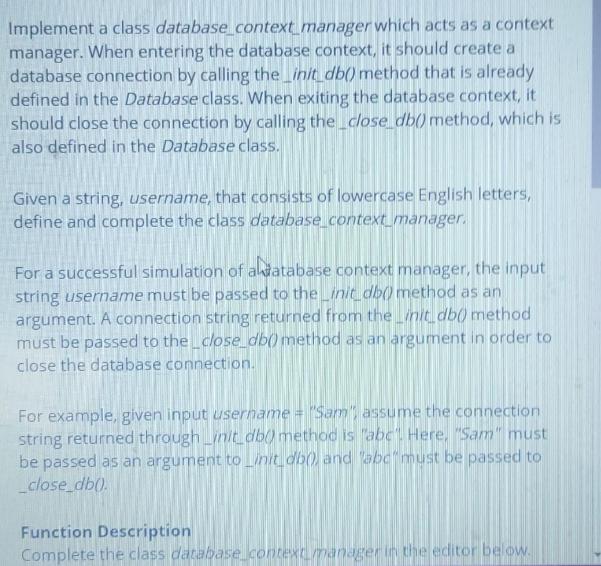


Implement a class database_context_manager which acts as a context manager. When entering the database context, it should create a database connection by calling the init_db() method that is already defined in the Database class. When exiting the database context, it should close the connection by calling the_close_db() method, which is also defined in the Database class. Given a string, username, that consists of lowercase English letters, define and complete the class database_context_manager. For a successful simulation of a database context manager, the input string username must be passed to the init_db() method as an argument. A connection string returned from the init_db( method must be passed to the _close_db() method as an argument in order to close the database connection. For example, given input username = "Sam", assume the connection string returned through_init_db() method is "abc". Here, "Sam" must be passed as an argument to _init_db() and abc" must be passed to _close_db(). Function Description Complete the class database_context_manager in the editor below. database_context_manager has the following parameter(s): string username: the string to pass to _init_db() Constraints 1 username/s S 105 username consists of lowercase English letters. Input Format For Custom Testing Sample Case 0 Sample Input For Custom Testing s Robin Sample Output Username matched, database connection initialized Database running... Connection string matched, database connection closed Explanation Given, username = "Robin", the steps processed are: * Implement the class database_context_manager. Call the _init_db() method with the correct parameter. Output received is "Username matched, database connection initialized". The output received is Database runnins. "to signal that the 4 Call the_close_db() method with the correct parameter. The output received is "Connection string matched, database connection closed". Sample Case 1 Sample Input For Custom Testing Sam Sample Output Username matched, database connection initialized Database running... Connection string matched, database connection closed Explanation Given, username= "Sam", the steps processed are: Implement the class database_context_manager. Call the _init_db() method with the correct parameter. Output received is "Username matched, database connection initialized". The output received is "Database running... "to signal that the database is currently in a running state. Call the_close_db() method with the correct parameter. The output received is "Connection string matched, database connection closed". 1 46 47 48 49 50 51 52 53 54 55 56 57 58 59 60
Step by Step Solution
There are 3 Steps involved in it
This question belongs to Computer science subject and specifically falls under the topic of Database ... View full answer

Get step-by-step solutions from verified subject matter experts
 Study Help