







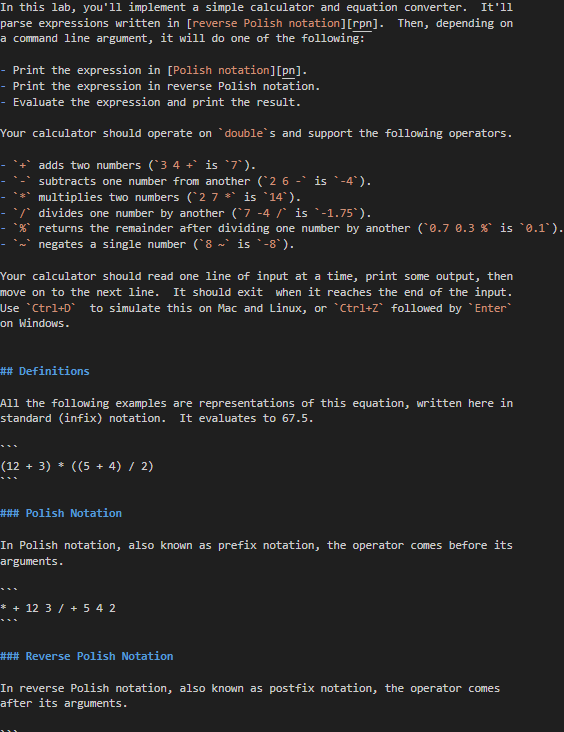
Question: In this lab, you'll implement a simple calculator and equation converter. It'll parse expressions written in [ reverse Polish notation ] [ rpn ] .
In this lab, you'll implement a simple calculator and equation converter. It'll
parse expressions written in reverse Polish notationrpn Then, depending on
a command line argument, it will do one of the following:
Print the expression in Polish notationpn
Print the expression in reverse Polish notation.
Evaluate the expression and print the result.
Your calculator should operate on 'double's and support the following operators.
adds two numbers is
subtracts one number from another is
multiplies two numbers is
divides one number by another is :
returns the remainder after dividing one number by another is
negates a single number is
Your calculator should read one line of input at a time, print some output, then
move on to the next line. It should exit when it reaches the end of the input.
Use CtrlD to simulate this on Mac and Linux, or Ctrl followed by "Enter'
on Windows.
Definitions
All the following examples are representations of this equation, written here in
standard infix notation. It evaluates to
Polish Notation
In Polish notation, also known as prefix notation, the operator comes before its
arguments.
In reverse Polish notation, also known as postfix notation, the operator comes
after its arguments.
Step by Step Solution
There are 3 Steps involved in it
1 Expert Approved Answer
Step: 1 Unlock

Question Has Been Solved by an Expert!
Get step-by-step solutions from verified subject matter experts
Step: 2 Unlock
Step: 3 Unlock
 Study Help