







Question: Packet Tracer Lab - DHCP Server & Relay Topology ITPC DHCP Server Laptop IT Department Switch IT Rauter Sales Router Sales Department Sales Swi
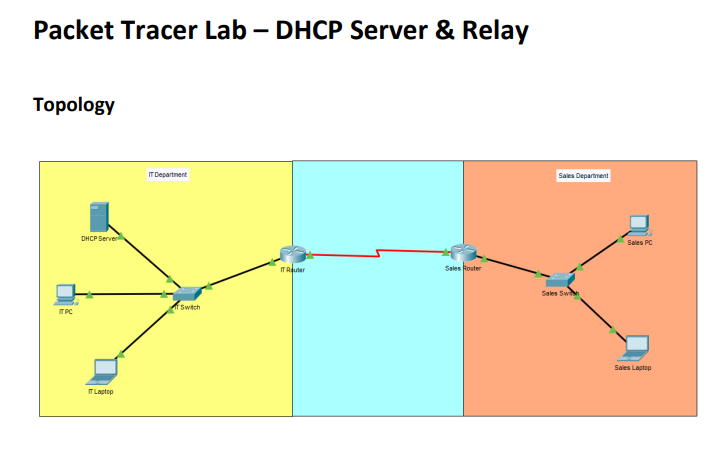
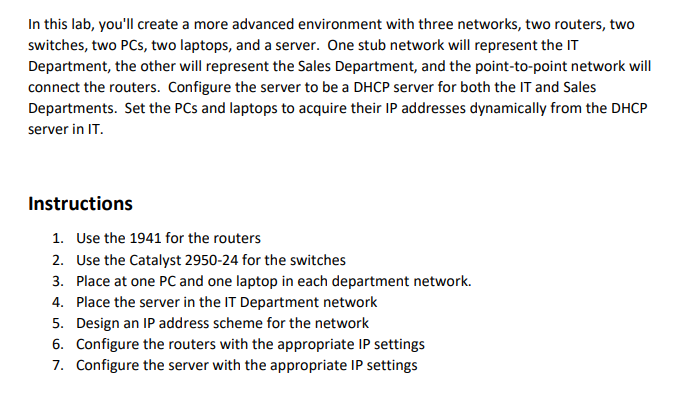
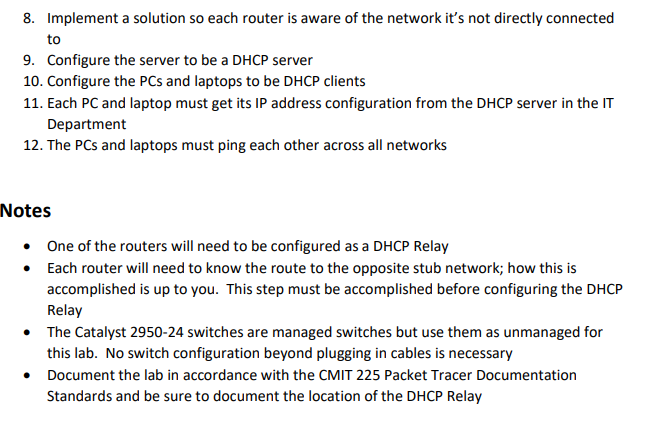
Packet Tracer Lab - DHCP Server & Relay Topology ITPC DHCP Server Laptop IT Department Switch IT Rauter Sales Router Sales Department Sales Swi Sales PC Sales Laptop In this lab, you'll create a more advanced environment with three networks, two routers, two switches, two PCs, two laptops, and a server. One stub network will represent the IT Department, the other will represent the Sales Department, and the point-to-point network will connect the routers. Configure the server to be a DHCP server for both the IT and Sales Departments. Set the PCs and laptops to acquire their IP addresses dynamically from the DHCP server in IT. Instructions 1. Use the 1941 for the routers 2. Use the Catalyst 2950-24 for the switches 3. Place at one PC and one laptop in each department network. 4. Place the server in the IT Department network 5. Design an IP address scheme for the network 6. Configure the routers with the appropriate IP settings 7. Configure the server with the appropriate IP settings 8. Implement a solution so each router is aware of the network it's not directly connected to 9. Configure the server to be a DHCP server 10. Configure the PCs and laptops to be DHCP clients 11. Each PC and laptop must get its IP address configuration from the DHCP server in the IT Department 12. The PCs and laptops must ping each other across all networks Notes One of the routers will need to be configured as a DHCP Relay Each router will need to know the route to the opposite stub network; how this is accomplished is up to you. This step must be accomplished before configuring the DHCP Relay The Catalyst 2950-24 switches are managed switches but use them as unmanaged for this lab. No switch configuration beyond plugging in cables is necessary Document the lab in accordance with the CMIT 225 Packet Tracer Documentation Standards and be sure to document the location of the DHCP Relay
Step by Step Solution
3.33 Rating (156 Votes )
There are 3 Steps involved in it
General Guidance The answer provided below has been developed in a clear step by step manner Step 1 ANSWER Construction of Network Topology Screenshot of Network Topology Explanation Requirement for c... View full answer

Get step-by-step solutions from verified subject matter experts
 Study Help