







Question: Project 1: Image Filtering Create a posterized effect of the image by reducing its total number of colors. To do this, you will restrict the
Project 1: Image Filtering
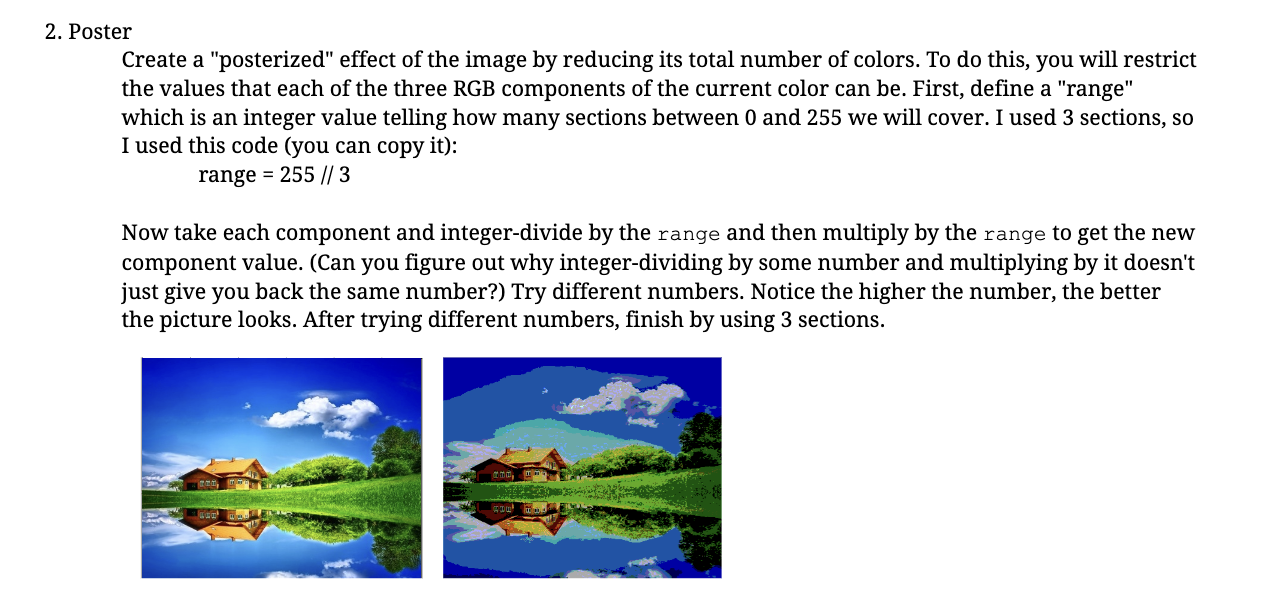
Create a "posterized" effect of the image by reducing its total number of colors. To do this, you will restrict the values that each of the three RGB components of the current color can be. First, define a "range" which is an integer value telling how many sections between 0 and 255 we will cover. I used 3 sections, so I used this code (you can copy it): range=255//3 Now take each component and integer-divide by the range and then multiply by the range to get the new component value. (Can you figure out why integer-dividing by some number and multiplying by it doesn't just give you back the same number?) Try different numbers. Notice the higher the number, the better the picture looks. After trying different numbers, finish by using 3 sections
Step by Step Solution
There are 3 Steps involved in it

Get step-by-step solutions from verified subject matter experts
 Study Help