







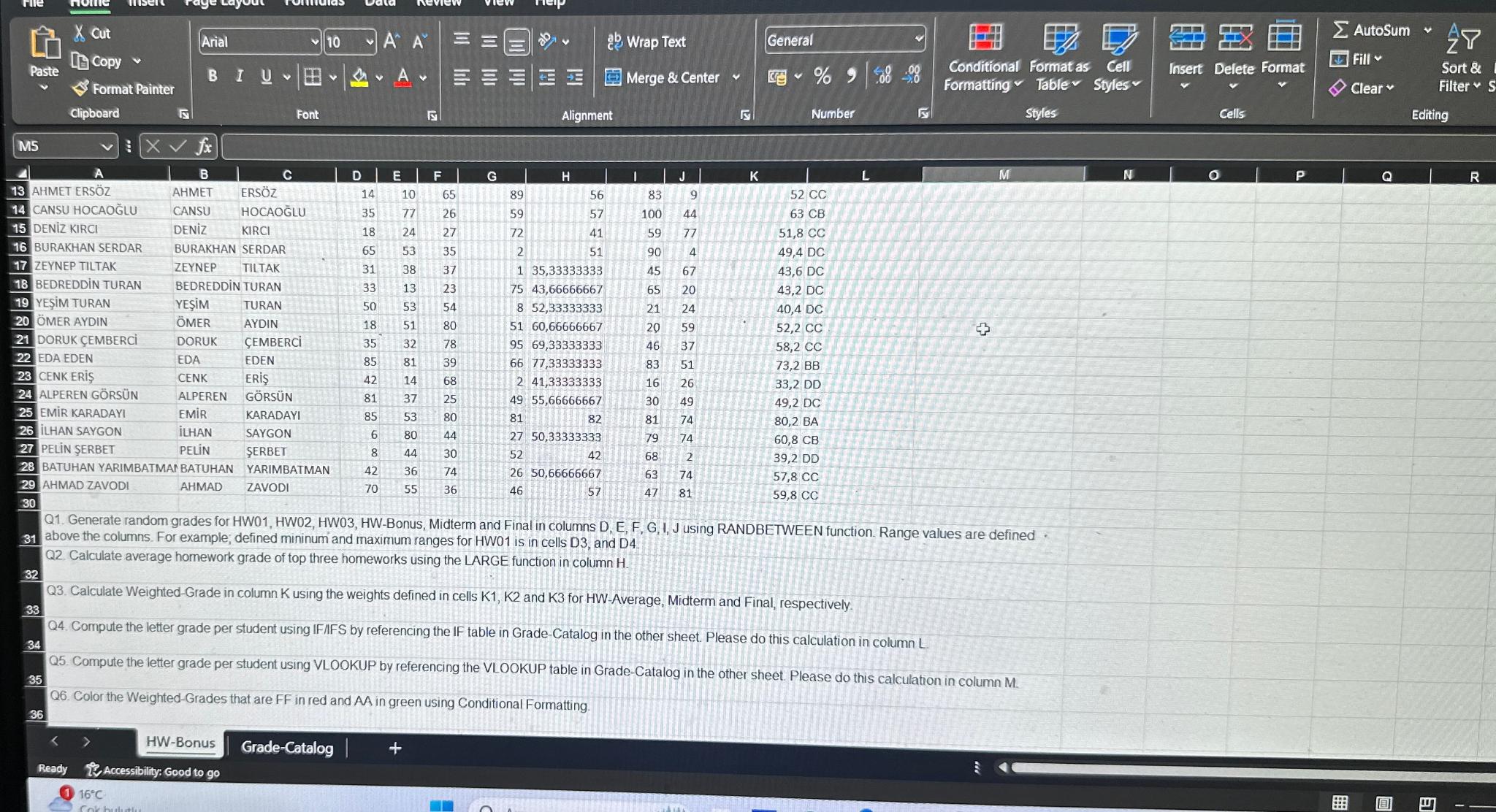
Question: Q 1 . Generate random grades for HW 0 1 , HW 0 2 , HW 0 3 , HW - Bonus, Midterm and Final
Q Generate random grades for HW HW HW HWBonus, Midterm and Final in columns D E F G I, J using RANDBETWEEN function. Range values are defined above the columns. For example; defined mininum and maximum ranges for HW is in cells D and D
Q Calculate average homework grade of top three homeworks using the LARGE function in column
Q Calculate WeightedGrade in column K using the weights defined in cells K K and K for HWAverage, Midterm and Final, respectively.
Q Compute the letter grade per student using IFIFS by referencing the IF table in GradeCatalog in the other sheet. Please do this calculation in column L
Q Compute the letter grade per student using VLOOKUP by referencing the VLOOKUP table in GradeCatalog in the other sheet. Please do this calculation in column M
Q Color the WeightedGrades that are FF in red and AA in green using Conditional Formatting.
HWBonus
GradeCatalog
Step by Step Solution
There are 3 Steps involved in it
1 Expert Approved Answer
Step: 1 Unlock

Question Has Been Solved by an Expert!
Get step-by-step solutions from verified subject matter experts
Step: 2 Unlock
Step: 3 Unlock
 Study Help