







Question: Read in numbers between 0-999 until the user enters-1. Print out the number in words along with the equivalent roman numeral. When -1 is
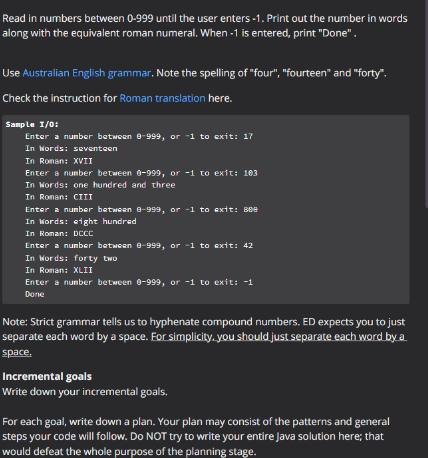
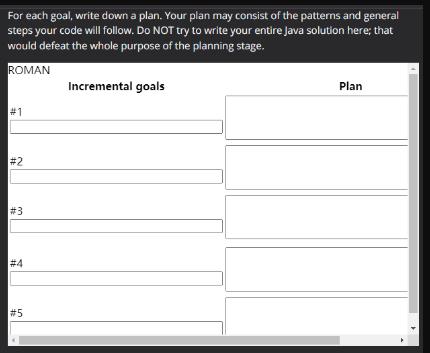
Read in numbers between 0-999 until the user enters-1. Print out the number in words along with the equivalent roman numeral. When -1 is entered, print "Done". Use Australian English grammar. Note the spelling of "four", "fourteen" and "forty". Check the instruction for Roman translation here. Sample 1/0: Enter a number between 8-999, or -1 to exit: 17 In Words: seventeen In Roman: XVII Enter a number between 0-999, or -1 to exit: 103 In Words: one hundred and three In Roman: CIII Enter a number between 8-999, or -1 to exit: 888 In Words: eight hundred In Roman: DCCC Enter a number between 8-999, or -1 to exit: 42 In Words: forty two In Roman: XLII Enter a number between 8-999, or -1 to exit: -1 Done Note: Strict grammar tells us to hyphenate compound numbers. ED expects you to just separate each word by a space. For simplicity, you should just separate each word by a space. Incremental goals Write down your incremental goals. For each goal, write down a plan. Your plan may consist of the patterns and general steps your code will follow. Do NOT try to write your entire Java solution here; that would defeat the whole purpose of the planning stage. For each goal, write down a plan. Your plan may consist of the patterns and general steps your code will follow. Do NOT try to write your entire Java solution here; that would defeat the whole purpose of the planning stage. ROMAN #1 #2 #3 # 4 #5 Incremental goals Plan
Step by Step Solution
3.32 Rating (152 Votes )
There are 3 Steps involved in it
Code Below is the code used to convert the number into words and Romans Function used to convert the number into equivalent words def inttowordsn Crea... View full answer

Get step-by-step solutions from verified subject matter experts
 Study Help