







Question: write out all the output . wtite out all the output CE recums you to your name wrectory , Remove the manpower Using pipes to
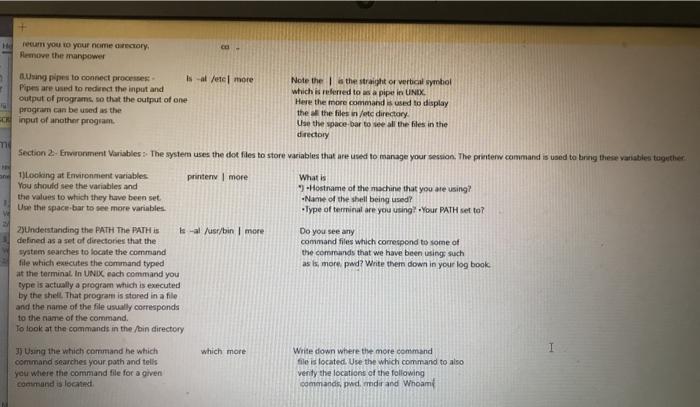
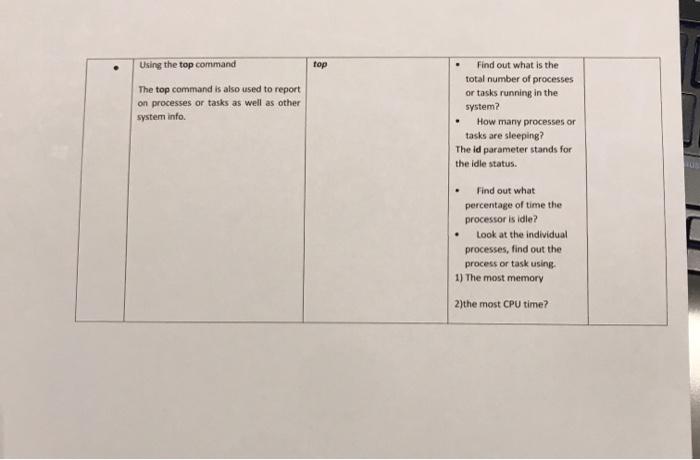
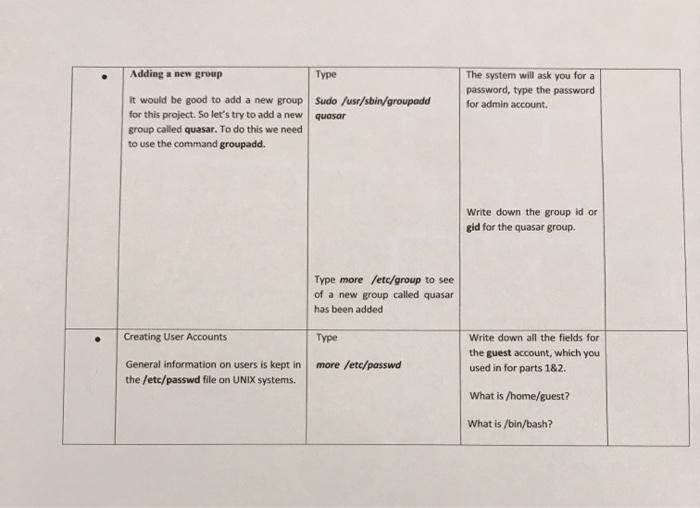
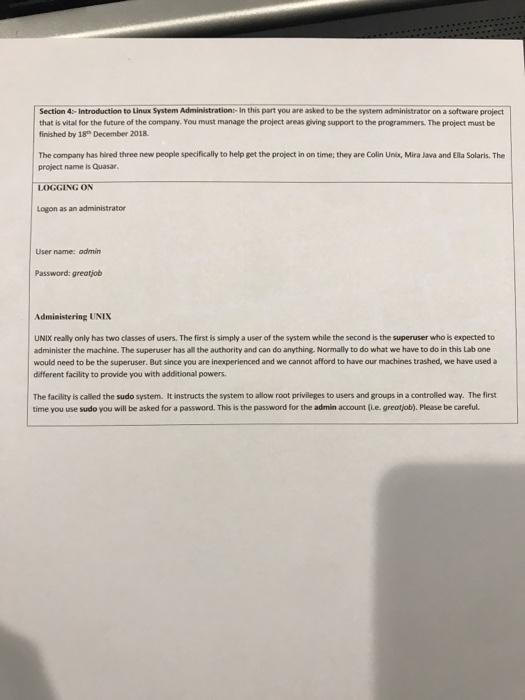
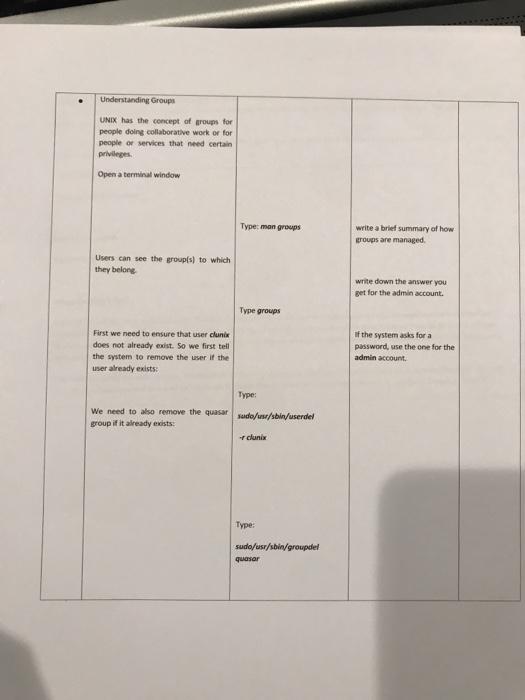
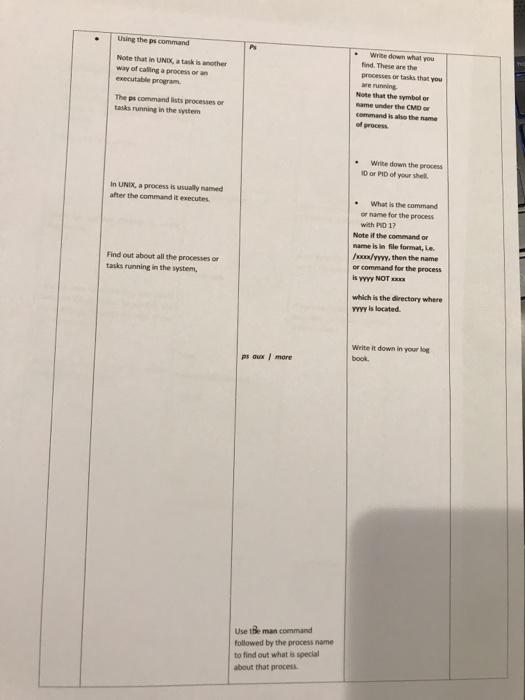

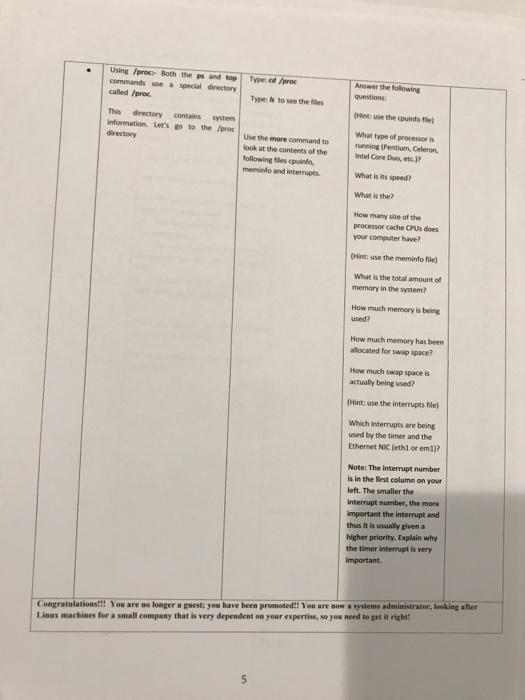
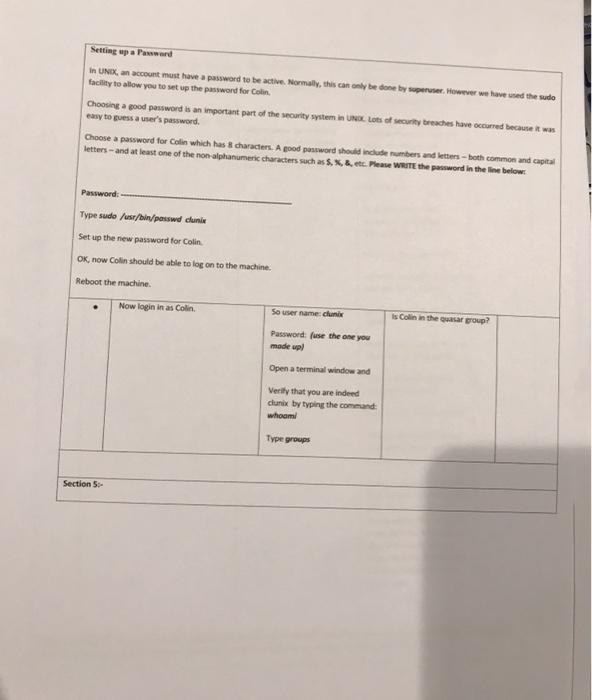
CE recums you to your name wrectory , Remove the manpower Using pipes to connect processes al lete more Note the the straight or vertical symbol Pipes are used to redirect the input and which is referred to as a pipe in UNIX. output of programs so that the output of one Here the more command is used to display program can be used as the the the files in /etc directory Einput of another program. Use the space bar to see all the files in the directory Section Environment Variables The system uses the dot files to store variables that are used to manage your session. The printerw command is used to bring these variables together 1Looking at Environment variables printer more What is You should see the variables and -Hostname of the machine that you are using? the values to which they have been set -Name of the shell being used Use the space bar to see more variables Type of terminal are you using Your PATH set to? Do you see any command files which correspond to some of the commands that we have been using such as is more pad? Write them down in your log book 2)Understanding the PATH The PATH is is -al /usr/bin more defined as a set of directories that the system searches to locate the command file which executes the command typed at the terminal. In UNIX each command you type is actually a program which is executed by the shell. That program is stored in a file and the name of the file corresponds to the name of the command. To look at the commands in the /bin directory I which more 3) Using the which command he which command searches your path and tells you where the command file for a given command is located Write down where the more command file is located. Use the which command to also verify the locations of the following commands pd dir and Whoam Using the top command top The top command is also used to report on processes or tasks as well as other system info . Find out what is the total number of processes or tasks running in the system How many processes or tasks are sleeping? The id parameter stands for the idle status Find out what percentage of time the processor is idle? Look at the individual processes, find out the process or task using 1) The most memory 2)the most CPU time? Adding a new group Type it would be good to add a new group sudo /usr/sbin/groupadd for this project. So let's try to add a new quasar group called quasar. To do this we need to use the command groupadd. The system will ask you for a password, type the password for admin account Write down the group id or gid for the quasar group. Type more /etc/group to see of a new group called quasar has been added Creating User Accounts Type General information on users is kept in the /etc/passwd file on UNIX systems. more /etc/passwd Write down all the fields for the guest account, which you used in for parts 1&2. What is /home/guest? What is /bin/bash? Section 4- Introduction to Linux System Administration. In this part you are asked to be the system administrator on a software project that is vital for the future of the company. You must manage the project areas giving support to the programmers. The project must be finished by 18 December 2018 The company has hired three new people specifically to help pet the project in on time they are Colin Uno, Mira Java and Ela Solaris. The project name is Quasar. LOGGING ON Logon as an administrator Username: admin Password: greotjob Administering UNIX UNIX really only has two classes of users. The first is simply a user of the system while the second is the superuser who is expected to administer the machine. The superuser has all the authority and can do anything. Normally to do what we have to do in this Lab one would need to be the superuser. But since you are inexperienced and we cannot afford to have our machines trashed, we have used a different facility to provide you with additional powers The facility is called the sudo system. It instructs the system to allow root privileges to users and groups in a controlled way. The first time you use sudo you will be asked for a password. This is the password for the admin account le greotjob). Please be careful Understanding Groups UNIX has the concept of groups for people doing collaborative work or for people or services that need certain privileges Open a na terminal window Type: mon groups write a brief summary of how groups are managed Users can see the group's) to which they belong write down the answer you get for the admin account. Type groups First we need to ensure that user clunk does not already exist. So we first tell the system to remove the user if the user already exists: of the system asks for a password, use the one for the admin account. Type: We need to also remove the quasar group if it already exists: sudo/usr/sbin/userdel - cluni Type: sudo/usr/sbin/groupdel quasar Using the command P Note that in UNIX, a task is the way of calling a processor executable program The ps command lists processes tas running in the system Write down what you find. These are the processes or tasks that you we running Note that the whole same under the CMD command is also the name Wite down the process 10 or PID of your shell In UNIX, a process is usually named after the commandit executes Find out about all the processes or tasks running in the system, What is the command of name for the process with PD 12 Note if the commando name is in file format, Le //ww, then the name or command for the process is YYYY NOTE which is the directory where YYYY is located Write it down in your lo ps ou more book Use Be man command followed by the process name to find out what is special about that proces Creating UNIX, include has amewery powerful commands for acus dig done in the command we There are many times you have be careful with how that created ar do ser account for inn . We need to select as me og let's call him chini We need to make that he the quasar group We need to tell the system that account should expire when the project ends We want to use in to the bash shell as his default shell Select the options that can the requirements 21 and 4 So let us create the user account for Colin Uni Type mon userade Again, if you are and to password, type the password for the admis account Type sude/r/userode 2018-12-18 - + /bin/bash dunia 9 Using /proc Both the sand top commands we special directory called proc Type de Answer the following questions: Type to see the This directory contest information it's to the proc directory Use the more commando look at the contents of the following les point, memind interrupts inse the pilote What type of processo running Pentium.Celeron, Intel Core Duo, etc.? What is its speed What is the How many of the processor cache CPUs does your computer have? Hint: use the meminfo file What is the total amount of memory in the system? How much memory is being used? How much memory has been located for swap space? How much swap space is actually being used? Hint: use the interrupts file) Which interrupts are being used by the time and th Ethernet NIC (ethi or emi)? Note: The interrupt number is in the first column on your left. The smaller the interrupt number, the more Important the interrupt and thus it is usually given a higher priority. Explain why the timer interrupt is very Important Congratulationall! You are no longer a guest you have been promoted! You are now stem administrator, booking after Linus machines for a small company that is very dependent on your expertise, so you need to get it right! 5 Setting up a Paward In UNIX, an account must have a password to be active. Normally, this can only be done by superuser. However we have used the sudo facility to allow you to set up the password for Colin Choosing a good password is an important part of the security system in UNBK Lots of security breaches have occurred because it was easy to guess a user's password. Choose a password for Colin which has characters. A good password should include umbers and eers - both common and capital letters - and at least one of the non alphanumeric characters such as St. Pese WRITE the password in the line below: Password: Type sudo /usr/bin/passwd dune Set up the new password for Colin OK, now Colin should be able to log on to the machine. Reboot the machine Now login in as Colin is Colin in the guar group? So username: clan Password fuse the one you made up Opena: a terminal window and Verify that you are indeed clunix by typing the command: whoami Type groups Section 5
Step by Step Solution
There are 3 Steps involved in it

Get step-by-step solutions from verified subject matter experts
 Study Help