







Question: 4. Use a SAS data step, and the Libref name from #3. to read in the dataset cars.sas7bdat from your SASDATA folder creat a
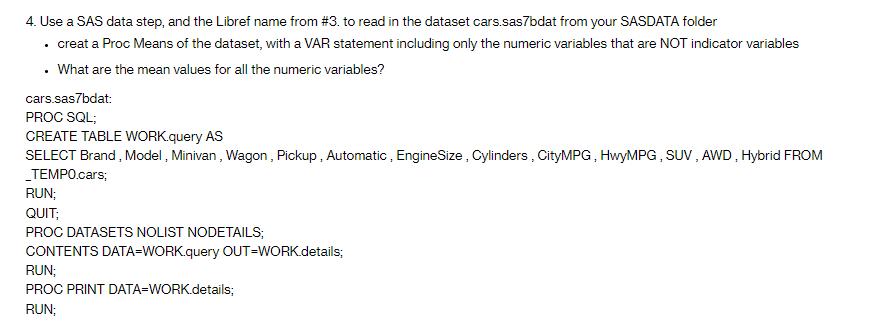
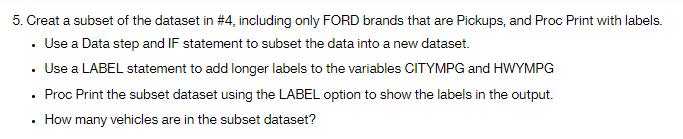
4. Use a SAS data step, and the Libref name from #3. to read in the dataset cars.sas7bdat from your SASDATA folder creat a Proc Means of the dataset, with a VAR statement including only the numeric variables that are NOT indicator variables . What are the mean values for all the numeric variables? . cars.sas7bdat: PROC SQL; CREATE TABLE WORK.query AS SELECT Brand, Model, Minivan, Wagon, Pickup, Automatic, EngineSize, Cylinders, CityMPG, HwyMPG, SUV, AWD, Hybrid FROM _TEMPO.cars; RUN; QUIT; PROC DATASETS NOLIST NODETAILS; CONTENTS DATA=WORK.query OUT=WORK.details; RUN; PROC PRINT DATA=WORK.details; RUN; 5. Creat a subset of the dataset in #4, including only FORD brands that are Pickups, and Proc Print with labels. . Use a Data step and IF statement to subset the data into a new dataset. Use a LABEL statement to add longer labels to the variables CITYMPG and HWYMPG . Proc Print the subset dataset using the LABEL option to show the labels in the output. How many vehicles are in the subset dataset? .
Step by Step Solution
There are 3 Steps involved in it
Task 4 Reading and Summarizing Data sas Step 1 Read the cars dataset from your SASDATA folder LIBNAM... View full answer

Get step-by-step solutions from verified subject matter experts
 Study Help