







Question: Kindly see task (first attachment) for requirement. Question on Matlab Task Your task is to train the Perceptron using supplied breast cancer data that is
Kindly see task (first attachment) for requirement. Question on Matlab
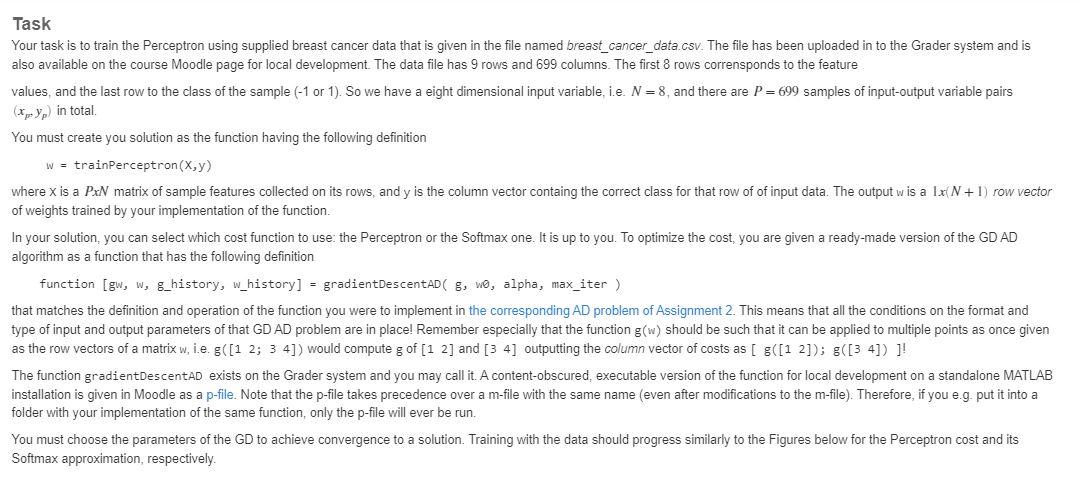
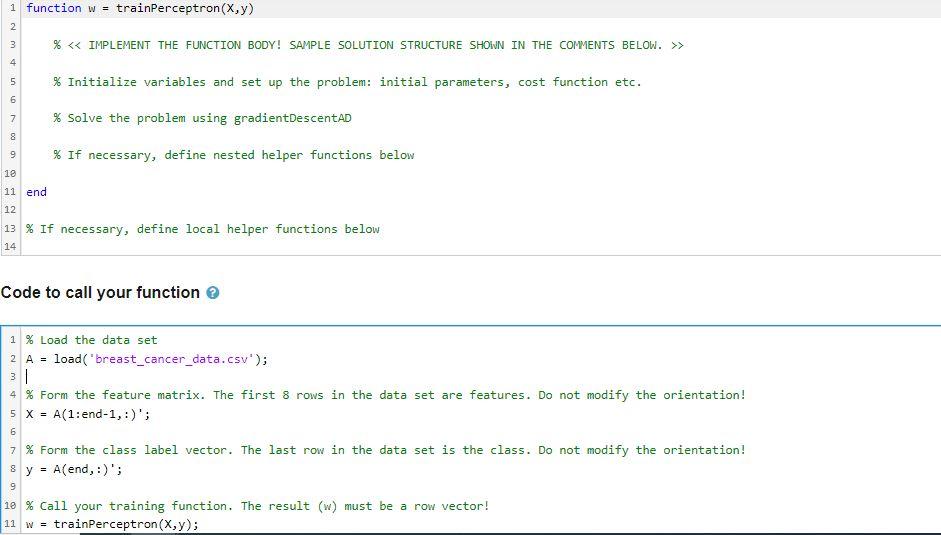
Task Your task is to train the Perceptron using supplied breast cancer data that is given in the file named breast_cancer_data.csv. The file has been uploaded in to the Grader system and is also available on the course Moodle page for local development. The data file has 9 rows and 699 columns. The first 8 rows corrensponds to the feature values, and the last row to the class of the sample (-1 or 1 ). So we have a eight dimensional input variable, i.e. N=8, and there are P=699 samples of input-output variable pairs (xp,yp) in total. You must create you solution as the function having the following definition w=trainPerceptron(x,y) where x is a PxNN matrix of sample features collected on its rows, and y is the column vector containg the correct class for that row of of input data. The output w is a 1x(N+1) row vector of weights trained by your implementation of the function. In your solution, you can select which cost function to use: the Perceptron or the Softmax one. It is up to you. To optimize the cost, you are given a ready-made version of the GD AD algorithm as a function that has the following definition function [gw, W, g_history, whistory] =gradientDescent AD(g,w, alpha, max_iter ) that matches the definition and operation of the function you were to implement in the corresponding AD problem of Assignment 2 . This means that all the conditions on the format and type of input and output parameters of that GD AD problem are in place! Remember especially that the function g(w) should be such that it can be applied to multiple points as once given as the row vectors of a matrix w, i.e. g([12;34]) would compute g of [12] and [34] outputting the column vector of costs as [ g([12]);g([34])] ! The function gradientDescentAD exists on the Grader system and you may call it. A content-obscured, executable version of the function for local development on a standalone MATLAB installation is given in Moodle as a p-file. Note that the p-file takes precedence over a m-file with the same name (even after modifications to the m-file). Therefore, if you e.g. put it into a folder with your implementation of the same function, only the p-file will ever be run. You must choose the parameters of the GD to achieve convergence to a solution. Training with the data should progress similarly to the Figures below for the Perceptron cost and its Softmax approximation, respectively. \begin{tabular}{r|r} 1 & function w = trainPerceptron(X, y) \\ 3 & \% \&> \\ 4 & \\ 5 & \% Initialize variables and set up the problem: initial parameters, cost function etc. \\ 6 & \\ 7 & % Solve the problem using gradientDescentAD \\ 8 & \\ 9 & \% If necessary, define nested helper functions below \\ 10 & \\ 11 & end \\ 12 & \\ 13 & % If necessary, define local helper functions below \\ 14 & \end{tabular} Code to call your function
Step by Step Solution
There are 3 Steps involved in it

Get step-by-step solutions from verified subject matter experts
 Study Help