







Question: PLEASE ANSWER TO ALL MY QUESTIONS. Assignment Overall: Review and report on the accessibility conformance of several pages of a website 1. Select a non-profit
PLEASE ANSWER TO ALL MY QUESTIONS. 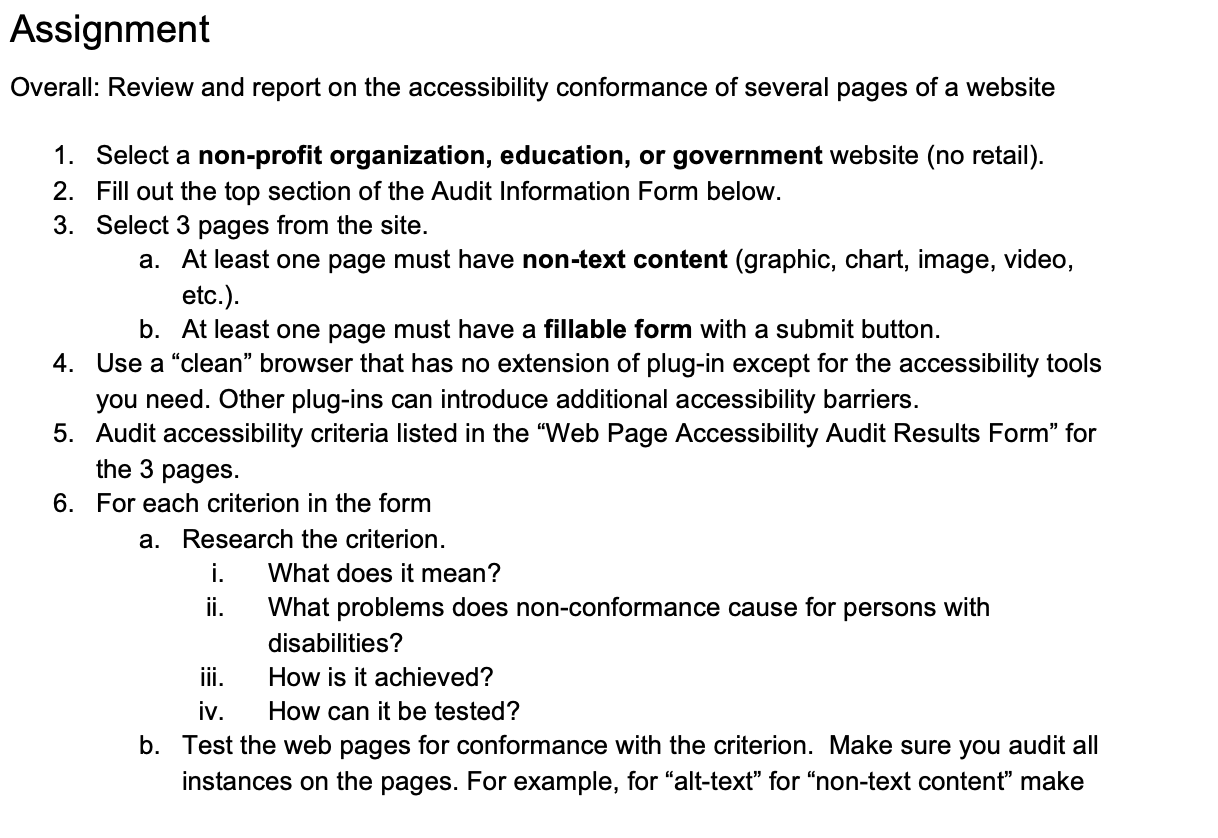
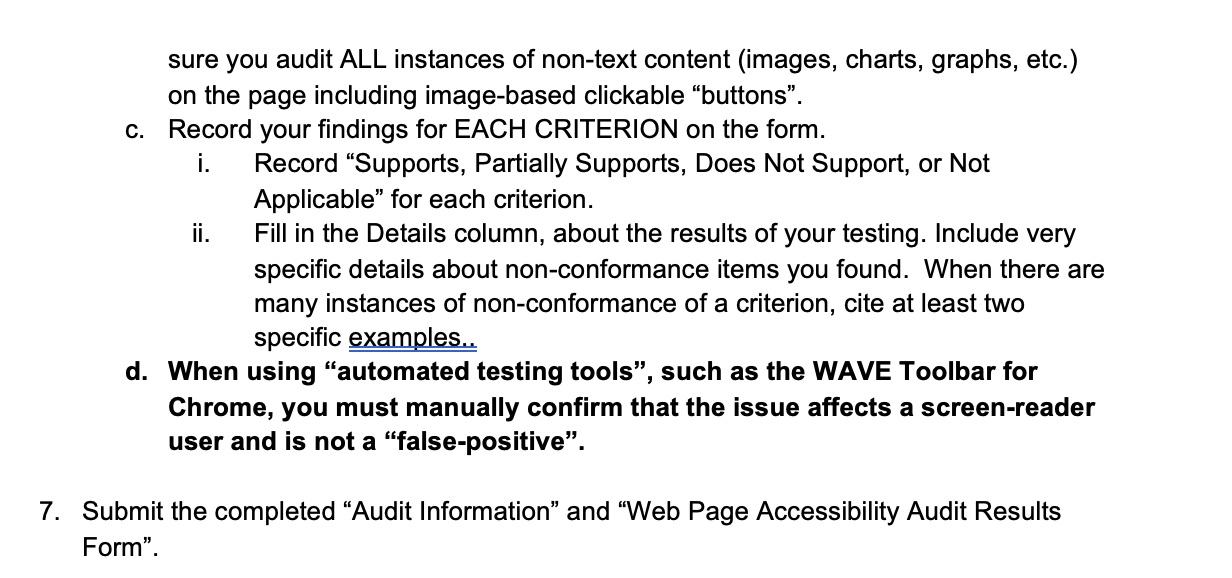
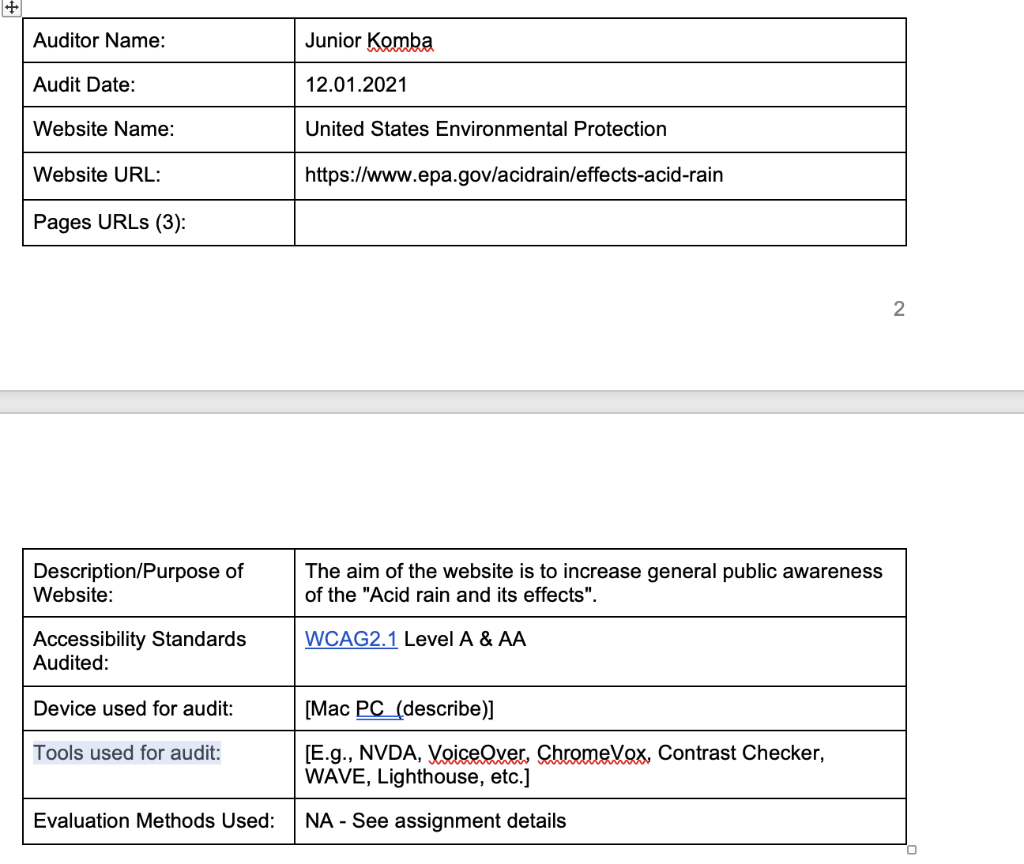
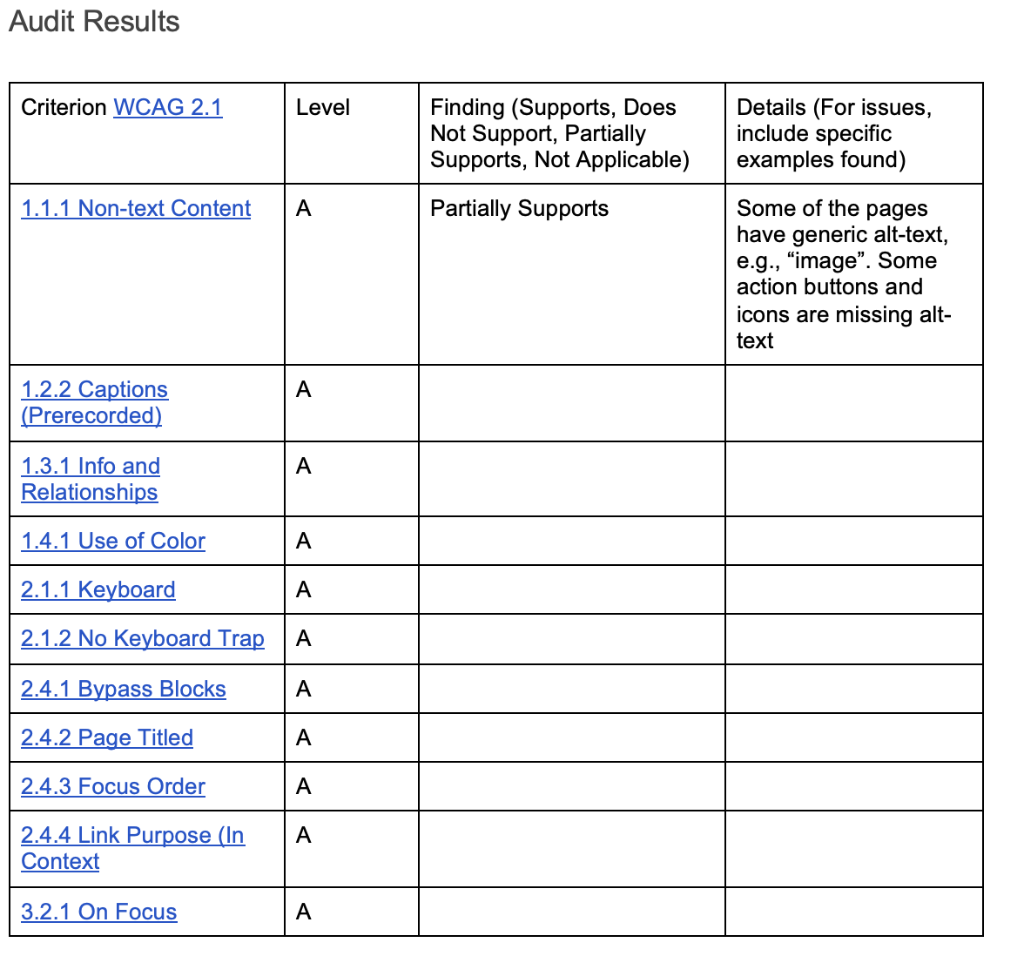
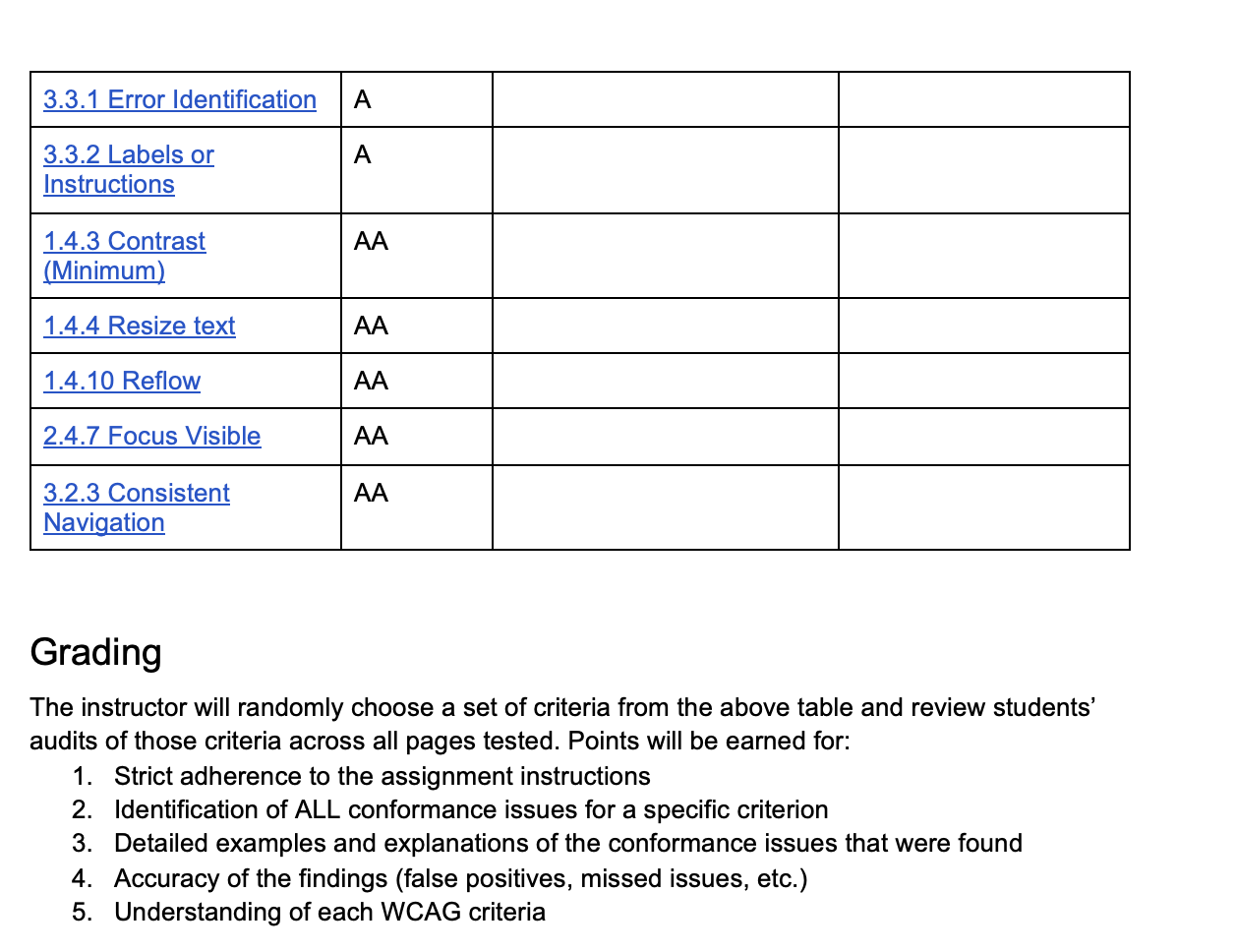
Assignment Overall: Review and report on the accessibility conformance of several pages of a website 1. Select a non-profit organization, education, or government website (no retail). 2. Fill out the top section of the Audit Information Form below. 3. Select 3 pages from the site. a. At least one page must have non-text content (graphic, chart, image, video, etc.). b. At least one page must have a fillable form with a submit button. 4. Use a clean browser that has no extension of plug-in except for the accessibility tools you need. Other plug-ins can introduce additional accessibility barriers. 5. Audit accessibility criteria listed in the "Web Page Accessibility Audit Results Form" for the 3 pages. 6. For each criterion in the form a. Research the criterion. i. What does it mean? ii. What problems does non-conformance cause for persons with disabilities? How is it achieved? iv. How can it be tested? b. Test the web pages for conformance with the criterion. Make sure you audit all instances on the pages. For example, for "alt-text" for "non-text content" make jii. Audit Results Criterion WCAG 2.1 Level Finding (Supports, Does Not Support, Partially Supports, Not Applicable) Details (For issues, include specific examples found) 1.1.1 Non-text Content A Partially Supports Some of the pages have generic alt text, e.g., "image". Some action buttons and icons are missing alt- text A 1.2.2 Captions (Prerecorded) A 1.3.1 Info and Relationships 1.4.1 Use of Color A 2.1.1 Keyboard A 2.1.2 No Keyboard Trap A 2.4.1 Bypass Blocks . 2.4.2 Page Titled A 2.4.3 Focus Order A A 2.4.4 Link Purpose (In Context 3.2.1 On Focus . 3.3.1 Error Identification A A 3.3.2 Labels or Instructions 1.4.3 Contrast (Minimum) 1.4.4 Resize text 1.4.10 Reflow 2.4.7 Focus Visible AA AA 3.2.3 Consistent Navigation Grading The instructor will randomly choose a set of criteria from the above table and review students' audits of those criteria across all pages tested. Points will be earned for: 1. Strict adherence to the assignment instructions 2. Identification of ALL conformance issues for a specific criterion 3. Detailed examples and explanations of the conformance issues that were found 4. Accuracy of the findings (false positives, missed issues, etc.) 5. Understanding of each WCAG criteria Assignment Overall: Review and report on the accessibility conformance of several pages of a website 1. Select a non-profit organization, education, or government website (no retail). 2. Fill out the top section of the Audit Information Form below. 3. Select 3 pages from the site. a. At least one page must have non-text content (graphic, chart, image, video, etc.). b. At least one page must have a fillable form with a submit button. 4. Use a clean browser that has no extension of plug-in except for the accessibility tools you need. Other plug-ins can introduce additional accessibility barriers. 5. Audit accessibility criteria listed in the "Web Page Accessibility Audit Results Form" for the 3 pages. 6. For each criterion in the form a. Research the criterion. i. What does it mean? ii. What problems does non-conformance cause for persons with disabilities? How is it achieved? iv. How can it be tested? b. Test the web pages for conformance with the criterion. Make sure you audit all instances on the pages. For example, for "alt-text" for "non-text content" make jii. Audit Results Criterion WCAG 2.1 Level Finding (Supports, Does Not Support, Partially Supports, Not Applicable) Details (For issues, include specific examples found) 1.1.1 Non-text Content A Partially Supports Some of the pages have generic alt text, e.g., "image". Some action buttons and icons are missing alt- text A 1.2.2 Captions (Prerecorded) A 1.3.1 Info and Relationships 1.4.1 Use of Color A 2.1.1 Keyboard A 2.1.2 No Keyboard Trap A 2.4.1 Bypass Blocks . 2.4.2 Page Titled A 2.4.3 Focus Order A A 2.4.4 Link Purpose (In Context 3.2.1 On Focus . 3.3.1 Error Identification A A 3.3.2 Labels or Instructions 1.4.3 Contrast (Minimum) 1.4.4 Resize text 1.4.10 Reflow 2.4.7 Focus Visible AA AA 3.2.3 Consistent Navigation Grading The instructor will randomly choose a set of criteria from the above table and review students' audits of those criteria across all pages tested. Points will be earned for: 1. Strict adherence to the assignment instructions 2. Identification of ALL conformance issues for a specific criterion 3. Detailed examples and explanations of the conformance issues that were found 4. Accuracy of the findings (false positives, missed issues, etc.) 5. Understanding of each WCAG criteria
Step by Step Solution
There are 3 Steps involved in it

Get step-by-step solutions from verified subject matter experts
 Study Help