







Question: These are the questions. Please add comments so i understand. 1. Write a program that draws a rectangle on a GUI, and provide four colored
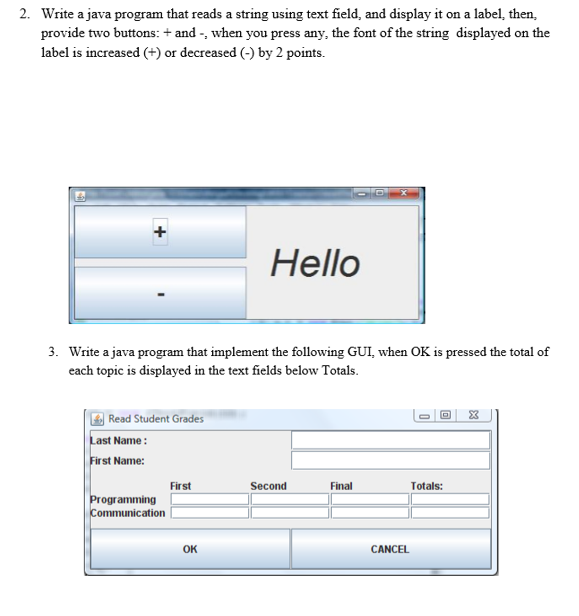
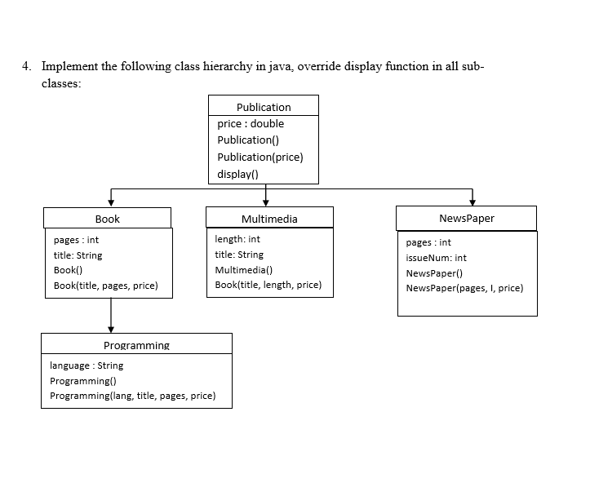
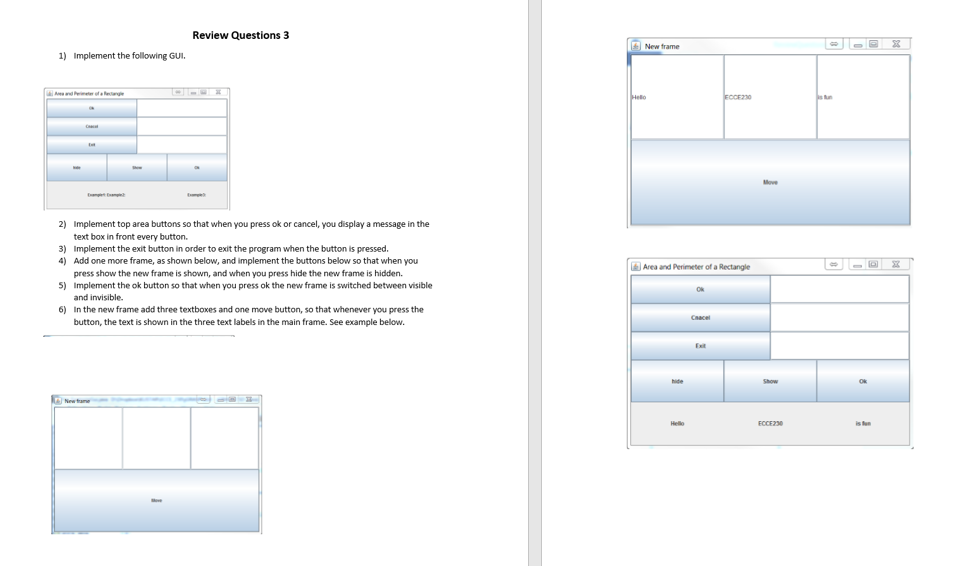
These are the questions. Please add comments so i understand.
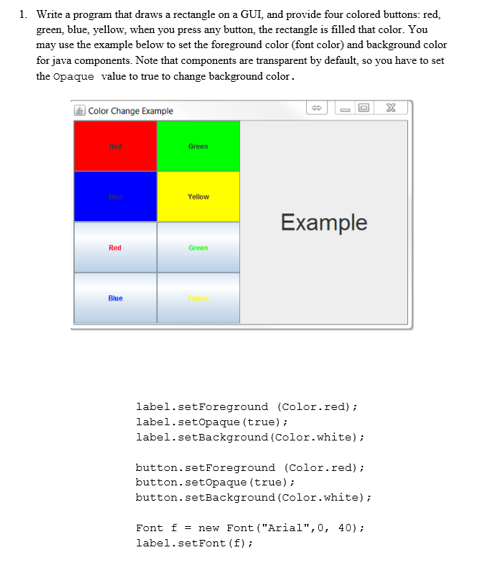
1. Write a program that draws a rectangle on a GUI, and provide four colored buttons: red, green, blue, yellow, when you press any button, the rectangle is filled that color. You may use the example below to set the foreground color (font color) and background color for java components. Note that components are transparent by default, so you have to set the Opaque value to true to change background color. Color Change Example Hed Green Example Red Green ellow label.setForeground (Color.red) label.setopaque (true) label.setBackground (Color.white) button.setForeground (Color.red) button.setopaque (true) button.setBackground (Color.white) Font f = new Font ("Arial", 0, 40); label.setFont (E) 1. Write a program that draws a rectangle on a GUI, and provide four colored buttons: red, green, blue, yellow, when you press any button, the rectangle is filled that color. You may use the example below to set the foreground color (font color) and background color for java components. Note that components are transparent by default, so you have to set the Opaque value to true to change background color. Color Change Example Hed Green Example Red Green ellow label.setForeground (Color.red) label.setopaque (true) label.setBackground (Color.white) button.setForeground (Color.red) button.setopaque (true) button.setBackground (Color.white) Font f = new Font ("Arial", 0, 40); label.setFont (E)
Step by Step Solution
There are 3 Steps involved in it

Get step-by-step solutions from verified subject matter experts
 Study Help