







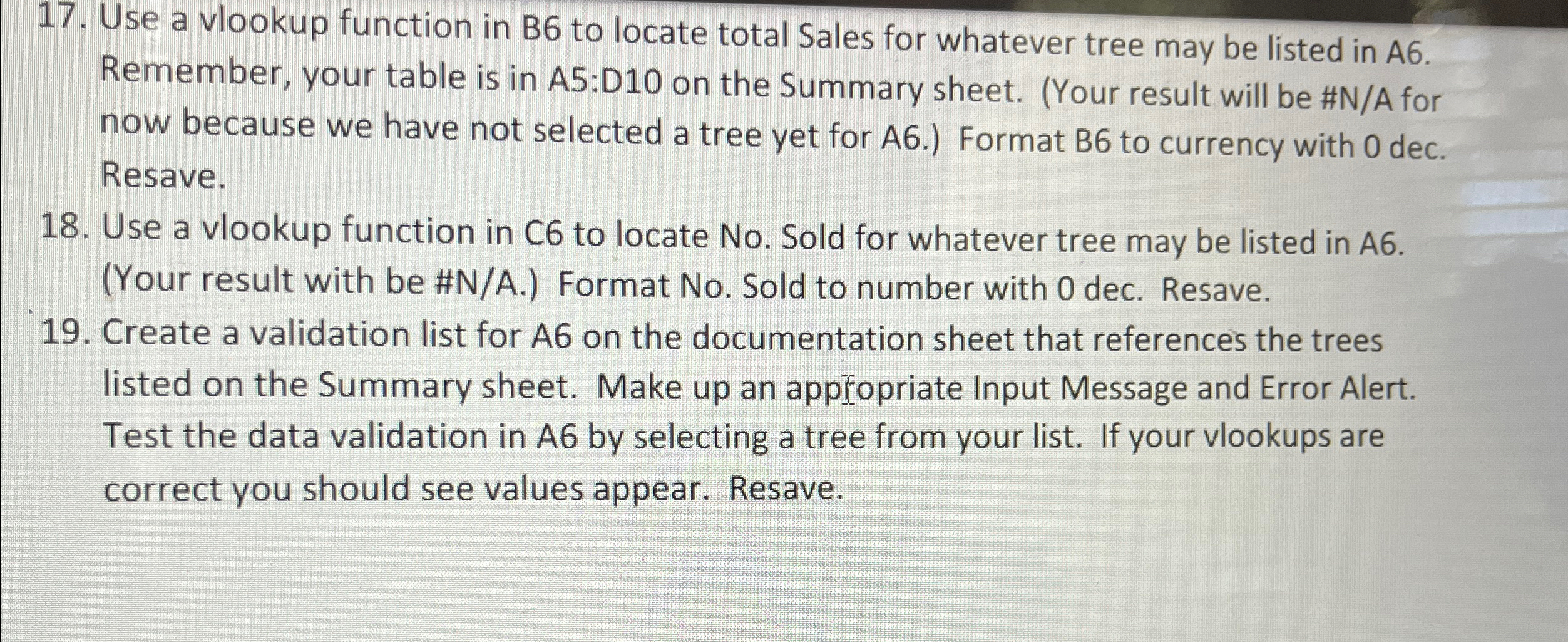
Question: Use a vlookup function in B 6 to locate total Sales for whatever tree may be listed in A 6 . Remember, your table is
Use a vlookup function in B to locate total Sales for whatever tree may be listed in A Remember, your table is in A:D on the Summary sheet. Your result will be #NA for now because we have not selected a tree yet for A Format B to currency with dec. Resave.
Use a vlookup function in C to locate No Sold for whatever tree may be listed in AYour result with be #NA Format No Sold to number with dec. Resave.
Create a validation list for on the documentation sheet that references the trees listed on the Summary sheet. Make up an appfopriate Input Message and Error Alert. Test the data validation in A by selecting a tree from your list. If your vlookups are correct you should see values appear. Resave.
Step by Step Solution
There are 3 Steps involved in it
1 Expert Approved Answer
Step: 1 Unlock

Question Has Been Solved by an Expert!
Get step-by-step solutions from verified subject matter experts
Step: 2 Unlock
Step: 3 Unlock
 Study Help