







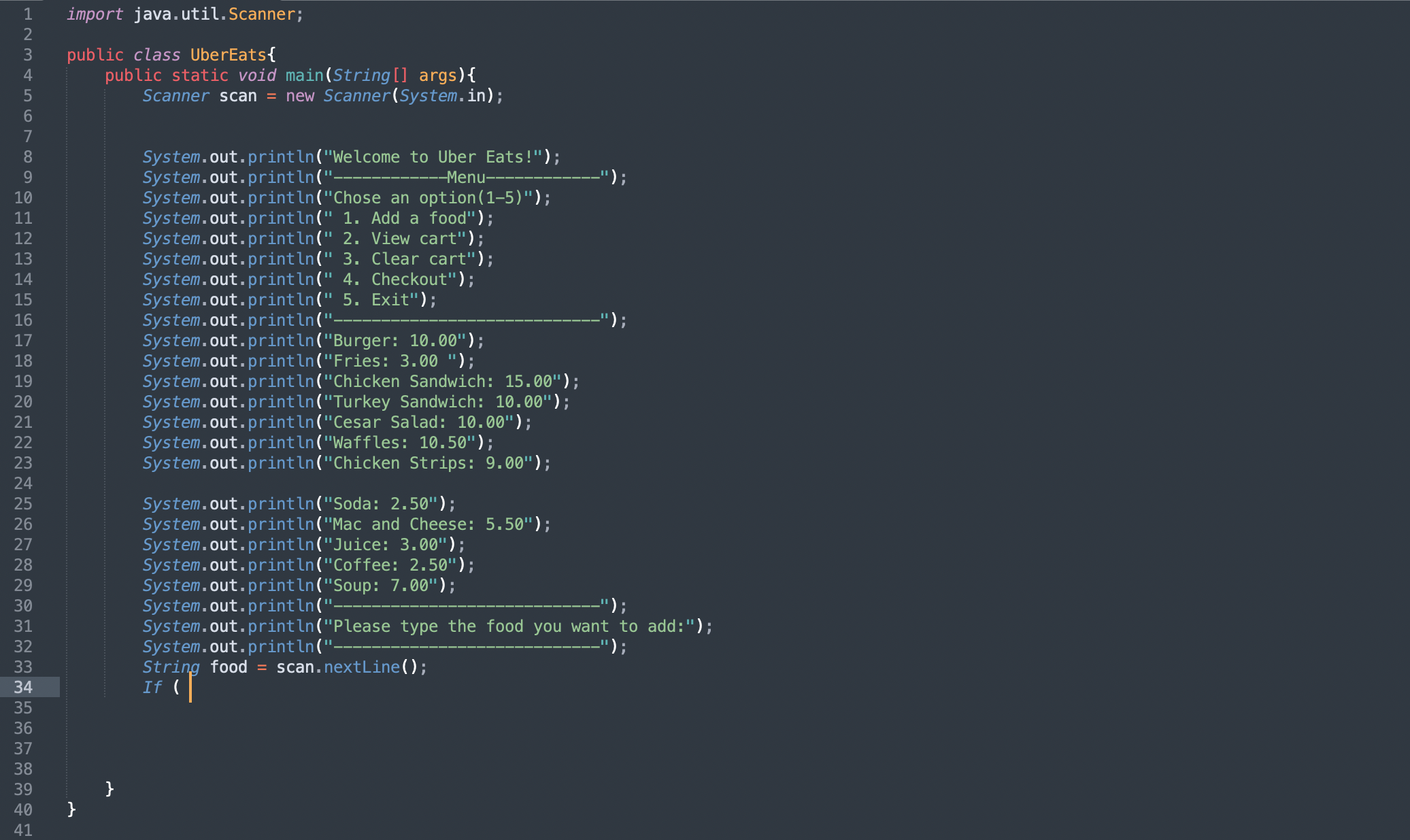
Question: What loop can I use and how can the customer select the food they want along with the quantity and display a subtotal of what
What loop can I use and how can the customer select the food they want along with the quantity and display a subtotal of what they have in their cart and also allow them to see the menu again?
import java.util.Scanner;
public class UberEats
public static void mainString args
Scanner scan new Scanner
System.in;
System.out.printlnWelcome to Uber Eats!";
System, out print ln;
System.out.print Chose an option;
System.out.println Add a food";
System.out.println View cart";
System, out.println Clear cart";
System.out, print ln Checkout";
System, out.println Exit";
System, out print ln
System. out.printlnBurger: ;
;
System.out.printlnFries: ;
System.out.printhChicken Sandwich: ;
System.out.printlnTurkey Sandwich: ;
System.out.printlnCesar Salad: ;
System, out, printlnWaffles: ;
System.out.printlnChicken Strips: ;
System, out.print lnSoda: ;
System.out.printlnMac and Cheese: ;
System.out.printhnJuice: ;
System.out.printlnCoffee: ;
System.out. printlnSoup: ;
System.out.printlnPlease type the food you want to add:";
System, out print ;
String food scan.nextLine;
If
Step by Step Solution
There are 3 Steps involved in it
1 Expert Approved Answer
Step: 1 Unlock

To implement the program allowing customers to select food specify quantity and display a subtotal youll need to use a loop for repeated interaction and a data structure to store the cart contents Her... View full answer
Question Has Been Solved by an Expert!
Get step-by-step solutions from verified subject matter experts
Step: 2 Unlock
Step: 3 Unlock
 Study Help