







Question: You did below project and prepered and ppt for it. Your task was to prpare the following project. The final step was to prepare a
You did below project and prepered and ppt for it. Your task was to prpare the following project. The final step was to prepare a presentation summarizing your individual steps. Now tell me what you did step by step. Below you have a ppt presentation and describe step by step what you did:
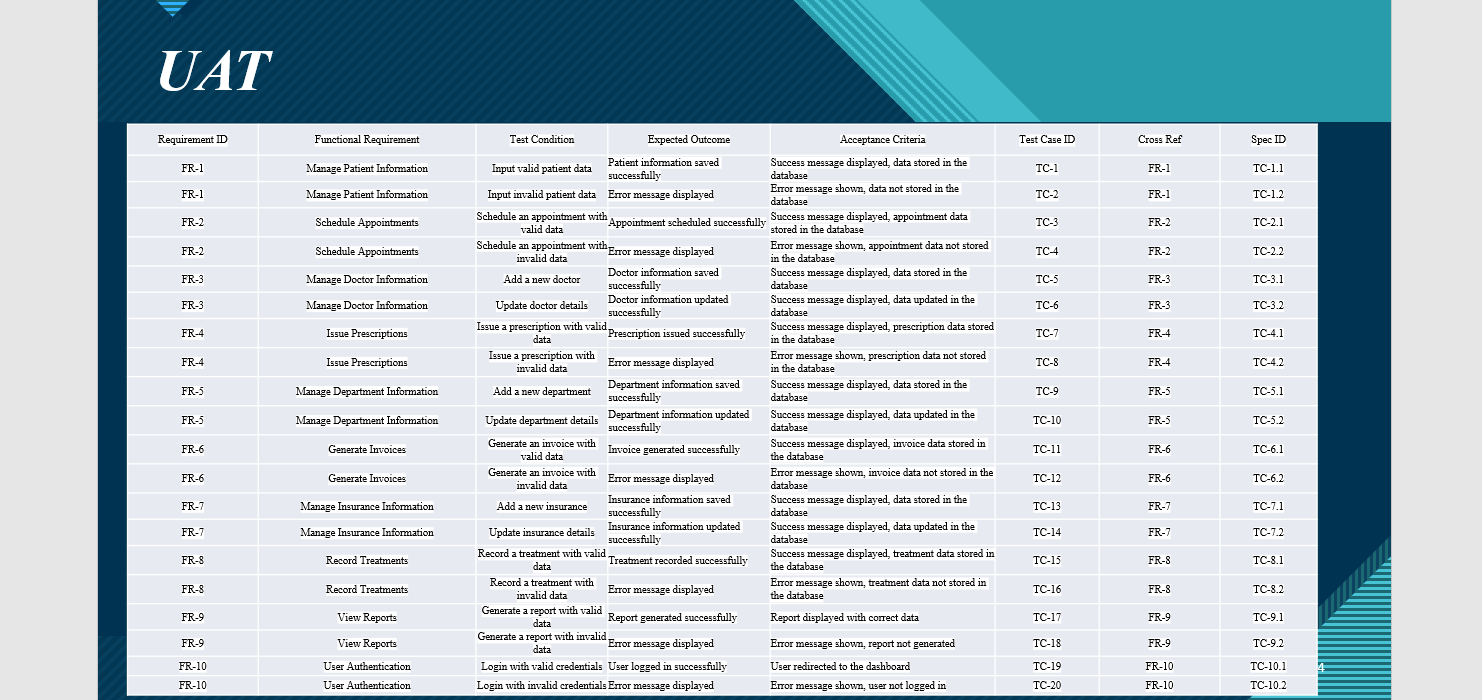
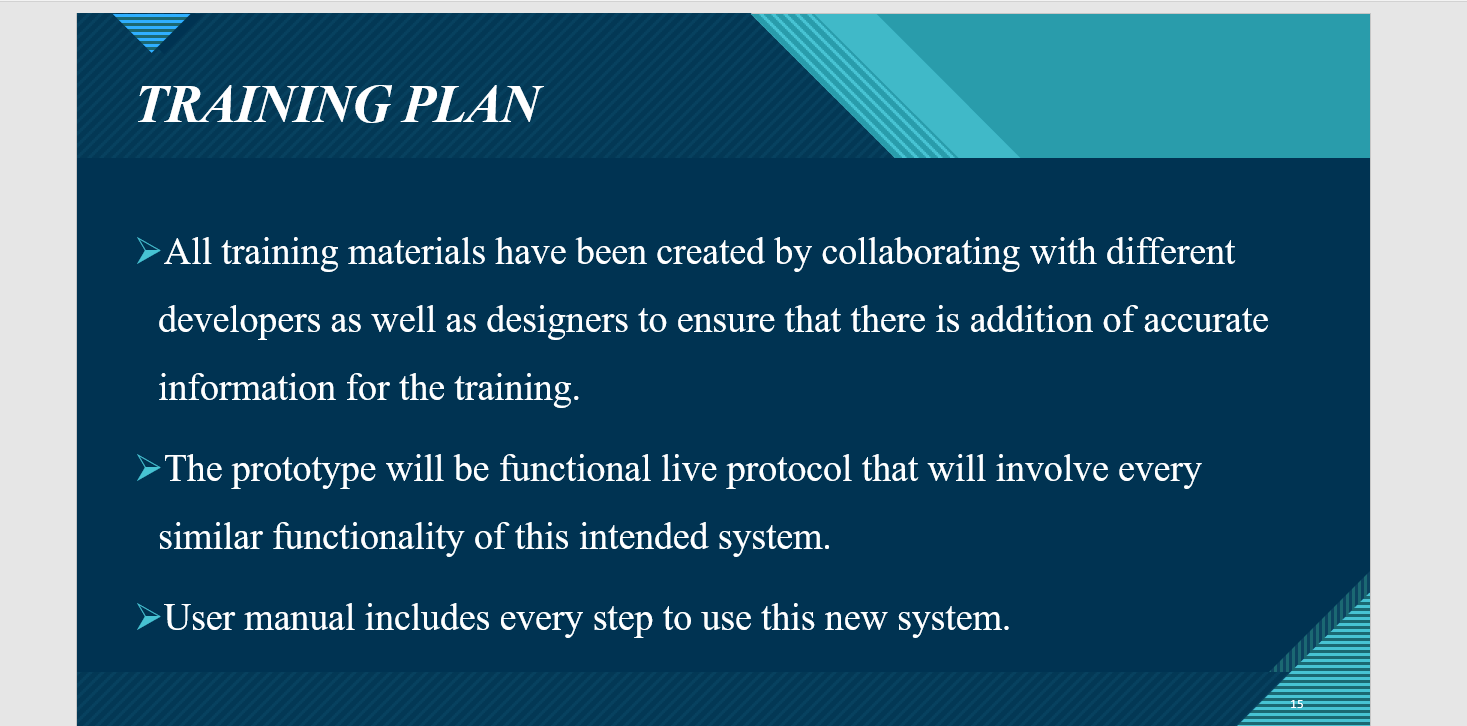
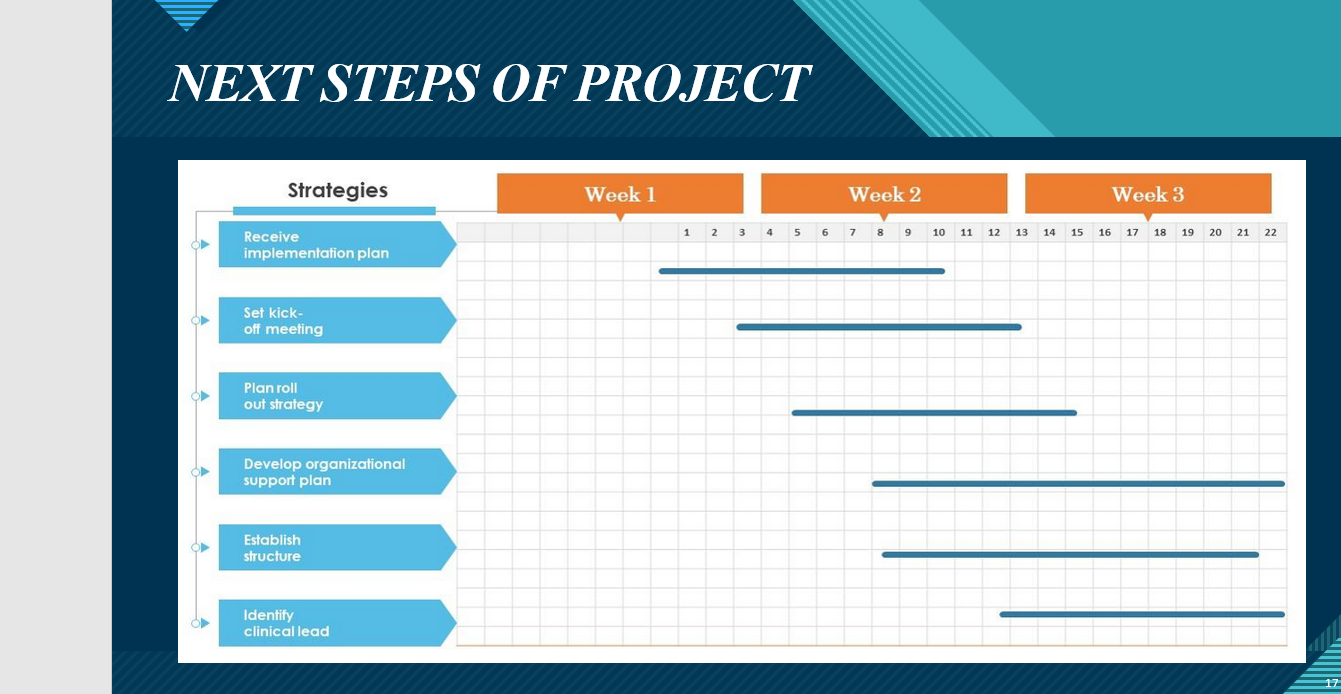
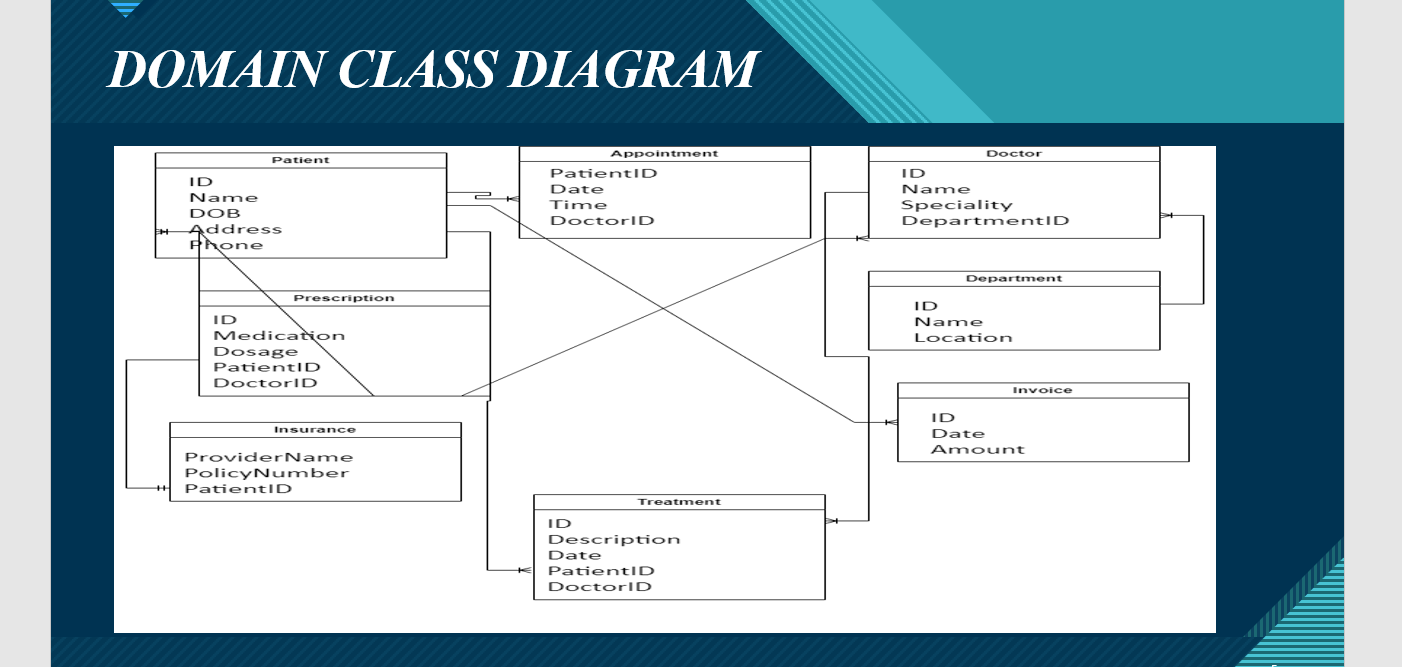
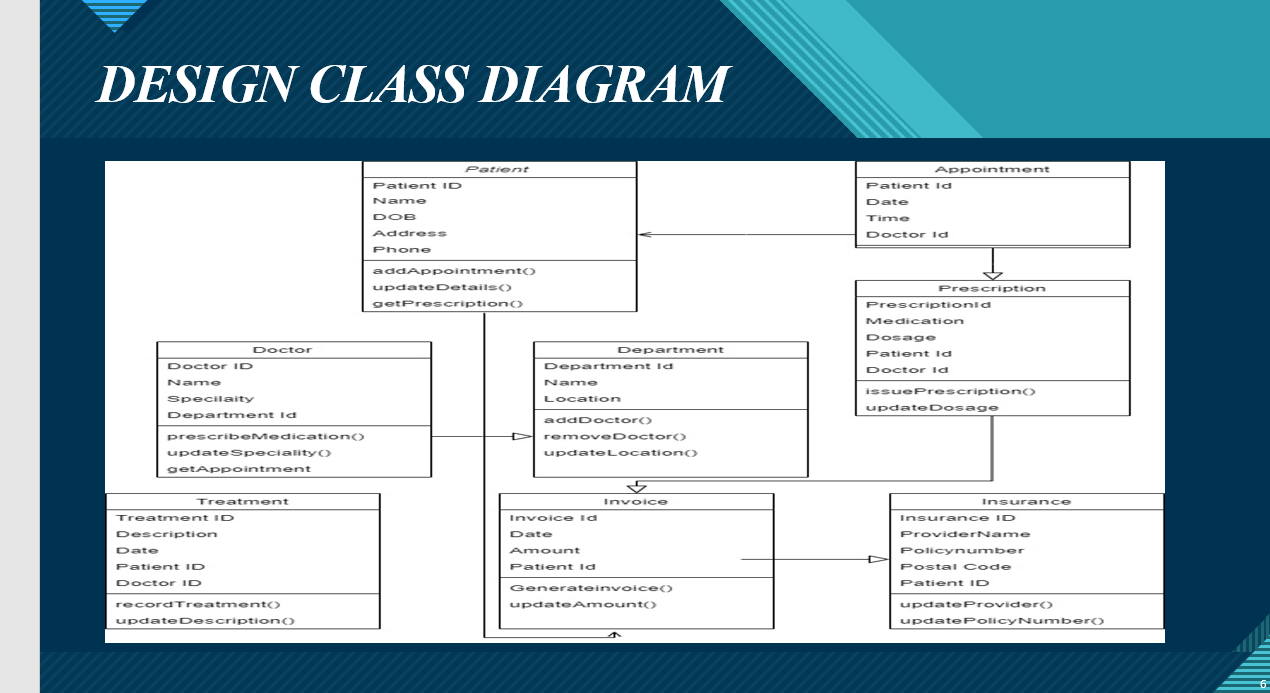
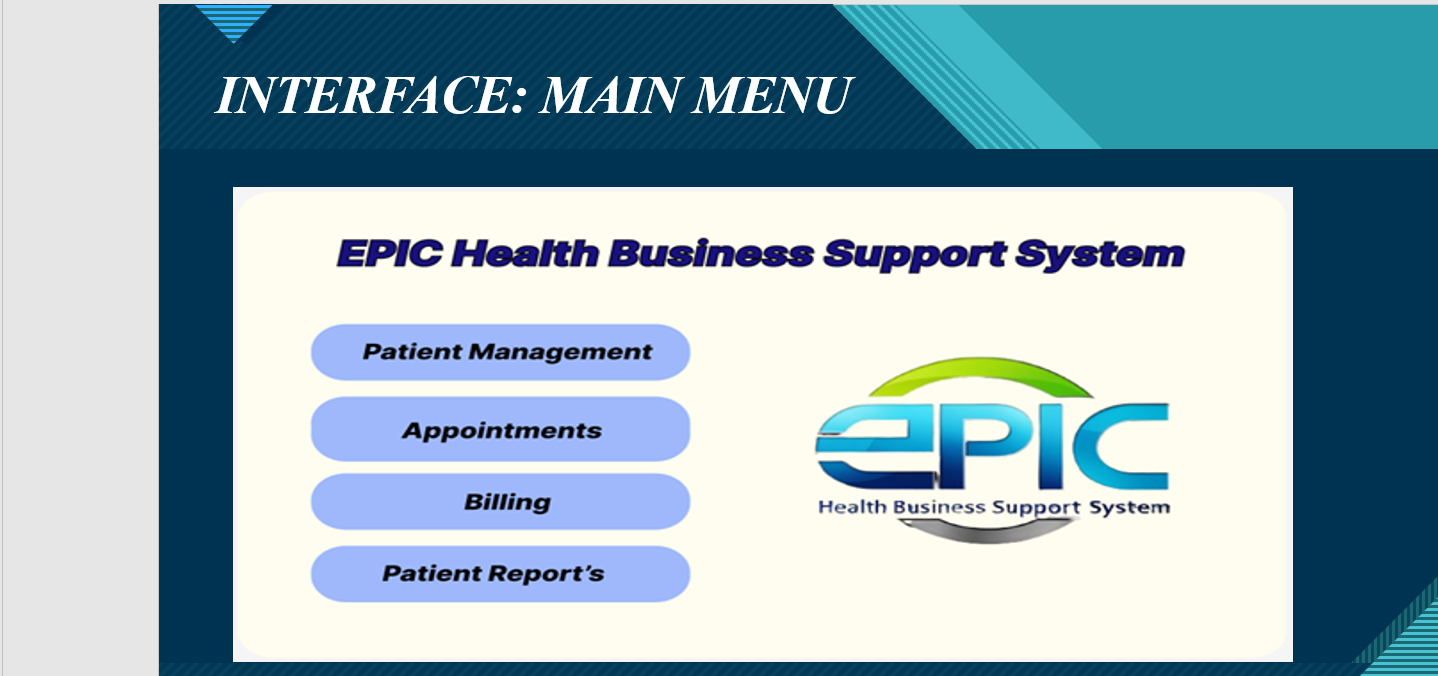
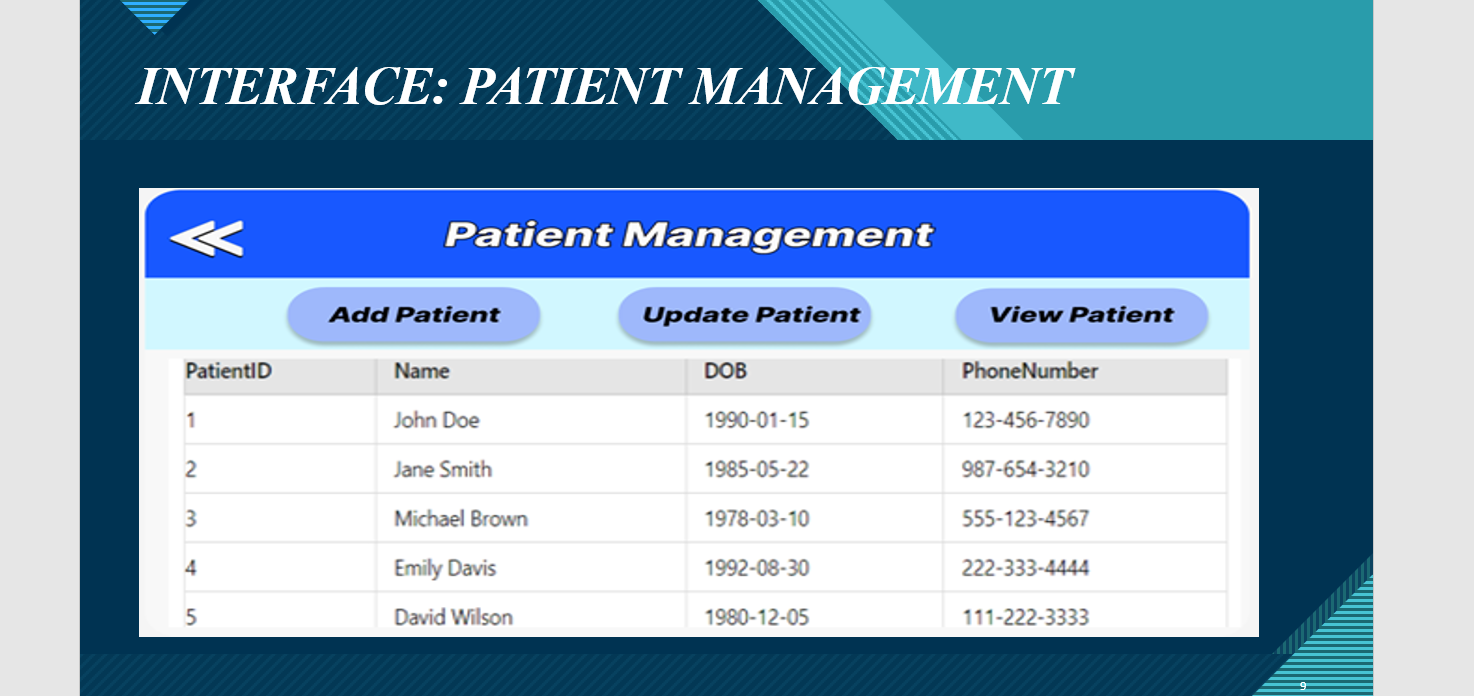
EPIC Health Project 2 Timeline During the second half of the semester, you will work on project 2 deliverables. Project 2 deliverables cover system design, quality assurance and deployment. You will not develop a system nor write any program code. See the table below for a summary of deliverables, chapter alignments, and due date. Project Deliverable Book Reference Due By 11:30 pm Project 2 Deliverables: E-R & Class Modeling ---------------------------> Normalized Tables ------------------------------> Design Forms, Reports, & User Interface --> User Acceptance Test Plan --------------------> Training Plan --------------------------------------> ch 4, ch 12 and ch 13 ch 9 ch 8 ch 14 ch 14 Work on project deliverables during weeks 5-8 Project 2 Final Presentation & Video Sat, August 3 COLLEGE OF DUPAGE CIS 2770 - PROJECT 2 Summer 2024 Page 2 of 6 COD M.M. Rakestraw E-R and Class Diagram Models Read the information below, then complete the designated tasks. Refer to chapters 4, 12 and 13 in your textbook for background information. EPIC Health You are hard at work to build a prototype to demo to the EPIC Health executives. To get started, you need to design the DBMS that will support the Business Support System. You begin this task by reviewing the graphical models that you prepared in Project 1. Tasks: 1. Identify 6-8 entities and provide a list in a two-column table to include the entity name in one column and a brief definition for it in the second column. 2. Crete an initial ERD for the new Business Support System that contains the eight entities. See figure 4-10 as an example. 3. Draw the relationships between entity types needed by the system. Give a meaningful name to each relationship. Specify cardinalities for each relationship. 4. Using the ERD, create a domain model class diagram. See figure 4-14 as an example. 5. Expand the domain model class diagram to a design class diagram. See figures 13-4 and 13-10 as examples. Write your answers to the above questions in a Word document. Copy/paste your diagrams for #3, #4, and #5 into the same Word document. Save the file under your initials and P2-Design Models. Example: MR-P2-DesignModels. Normalized Tables You are getting ready to build an actual database and populate it with sample data. This will make the prototype far more meaningful. You know you have a few more steps ahead of you. You have identified the remaining tasks. Refer to chapter 9 in your textbook for background information. Tasks: COLLEGE OF DUPAGE CIS 2770 - PROJECT 2 Summer 2024 Page 3 of 6 COD M.M. Rakestraw 1. Transform the E-R diagram created previously to a set of normalized tables/relations. 2. For each table/relation identify attributes (data elements). 3. Designate primary key for each table. 4. Identify foreign keys. 5. Use the format shown in figure 9-12 to list the tables, attributes, and the keys. Create a table with two columns with the headings Table and Attributes. Table name should be in column 1, and all attributes in column 2. Primary key must be bolded, and foreign keys italicized as shown in figure 9-12. Write your answers to the above in a Word document. Save the file under your initials and P2-Normalized Table. Example: MR-P2-NormalizedTable. User Interface Design Your prototype is close to complete. You know you can't demo the prototype for the Business Support System until the last few tasks are complete. You are all psyched up to finish it. Using the previous deliverables, you sit down to begin designing the user interface of the EPIC Health's Business Support System. In addition you will create input and output screens. Tasks: 1. Using the guidelines and suggestions in chapter 8, design a user interface to the Business Support System. Include the main menu screen and 2 additional screens of your choice. Include an image of your choice. See figures 8-17, 8-20, and 8-25 in your book as examples. 2. Design an input form that will be used to capture data for one of the tables described in your normalized tables deliverable. Include control buttons to navigate, add, update. See figures 8-17 and 8-20 for an example. 3. Design a report to display data from two or more tables. See figures 8-27, 8-28, 8-29, 8-30, and 8-31 for examples of reports. Reports are an important part of the user interface. 4. Design a multi-table form showing data from a parent table and multiple records from a child table (a one-to-many relationship.) See figure 8-20 for an example. COLLEGE OF DUPAGE CIS 2770 - PROJECT 2 Summer 2024 Page 4 of 6 COD M.M. Rakestraw Copy/paste your screen and report designs for #1, #2, #3 and #4 into a Word document. Save the file under your initials and P2-User Interface. Example: MR-P2-UserInterface. User Acceptance Test Plan EPIC Health asked you to create a preliminary user acceptance plan for a new Business Support System. Go back to the user stories you created in Project 1. Treat them as functional requirements. You have not created a Systems Requirements (SRS) Document for this project yet, but you have the required content in project 1 in the form of fully developed use cases and user stories. Refer to your homework assignment for topic 8 to refresh your memory. Refer to chapter 14 in your book, and/or outside research to support your answers. Tasks: 1. Review the user stories, fully developed use case, and use case diagram you created for Project 1. 2. Assign a requirement IDumber to each use case. You should have at least 10 use cases. Reference the SRS document from your topic 8 homework assignment for ideas of how to number your requirements. Use figure 14-8 as your guide. 3. Create a UAT as follows: a. For each Functional Requirement, identify all test conditions. b. Cross reference column should contain the functional requirement # assigned in #2. c. Each functional requirement should have a minimum of 2 test cases - in total you will have 20 or more test cases. d. Each test case should have a unique spec ID (you assign this number - you can make it up) and be cross-referenced to the functional requirement number from #2. e. Each test condition must have all expected outcomes listed. Test condition is where you design and create test data to ensure that the functional requirement is tested (or triggered in the code) and works as expected. f. Each test condition must have expected outcomes (what should happen) explained and acceptance criteria (ensuring that expected outcomes are correct, ensuring data is stored in the database tables correctly, or data is retrieved from the database and displayed correctly on the screen/report) defined. g. Columns F, G, I and J should be left blank because they will be completed by the person who is actually going to execute the test plan or test the system. You should create them, but not fill them out. COLLEGE OF DUPAGE CIS 2770 - PROJECT 2 Summer 2024 Page 5 of 6 COD M.M. Rakestraw h. The scope of your work is to create a UAT plan (columns A, B, C, D, E, and H), but not to use it to test the system. That task will be assigned to someone else. In a plan, you will design the test conditions (test data may be needed here), expected outcomes (what should happen), and acceptance criteria (what should the tester see that indicates the system is working as expected based on your test data). The testers will run your test cases/scenarios at a later time (after this class is over) to test the system and record the results. 4. Create your UAT in EXCEL. Make sure it is formatted properly and easy to navigate. Use figure 14-8 as your template. Remember that you need a minimum of 2 test cases/scenarios for each functional requirement. Do not create any test cases for the non-functional requirements. Those are tested by others in the IT department. UAT is limited to functional requirements. Write your answers to the above questions in an Excel spreadsheet. Save the file under your initial and P2-UAT. Example: MR-P2-UAT. Training Plan The last piece of your project includes a solid strategy for training users. You know from experience with past projects that just because a system is built well and functions as expected, it does not guarantee successful adoption. Users drive success by either adopting the system and using it or working around it and rejecting it. You also understand that good training plans are key in securing user buy-in. To help ensure that EPIC Health leadership and users adopt your proposed system, you will create a written proposal for training. Use chapter 14 in your book and outside research to help you with this task. 1. Review the user interface screens and reports you created previously. 2. Review the System Vision document and user stories, use cases, and diagrams from Project 1. 3. Create a one-page training strategy/plan that addresses how you will: a. train users before the system goes live b. continue to support users after implementation c. develop help documentation and job aids 4. Your write-up should be about 1 page (3-5 paragraphs (250-400 words)). Use Word to create your training plan writeup. Write your answers to the above questions in a Word document. Save the file under your initials and P2-Training Plan. Example: MR-P2-TrainingPlan. COLLEGE OF DUPAGE CIS 2770 - PROJECT 2 Summer 2024 Page 6 of 6 COD M.M. Rakestraw Project 2 Presentation - Final Deliverables EPIC Health executives have requested a presentation of work performed during the Design and Implementation phase in a PowerPoint presentation. They expect the presentation to address the items listed below. Here is what you need to do: Prepare a PowerPoint presentation of around 15-20 slides. Next, record yourself delivering the presentation (screenshare the slides) in a video. The presentation must include the following information: 1. A re-introduction of you; include your name, a photo (or an avatar.) 2. Background of the project and summary of work completed in P1 (one slide). 3. ERD and domain class diagram. 4. Design class diagram. 5. Normalized tables. 6. User Interface screens and menu. 7. User Reports. 8. UAT 9. Training plan development strategy - use bullet points on slides to capture key points (do not paste the entire document!) 10. Description of the next steps of the project. (Example: timeline to build out full scale system, assemble a programming team, and purchasing required hardware, and beginning development.)
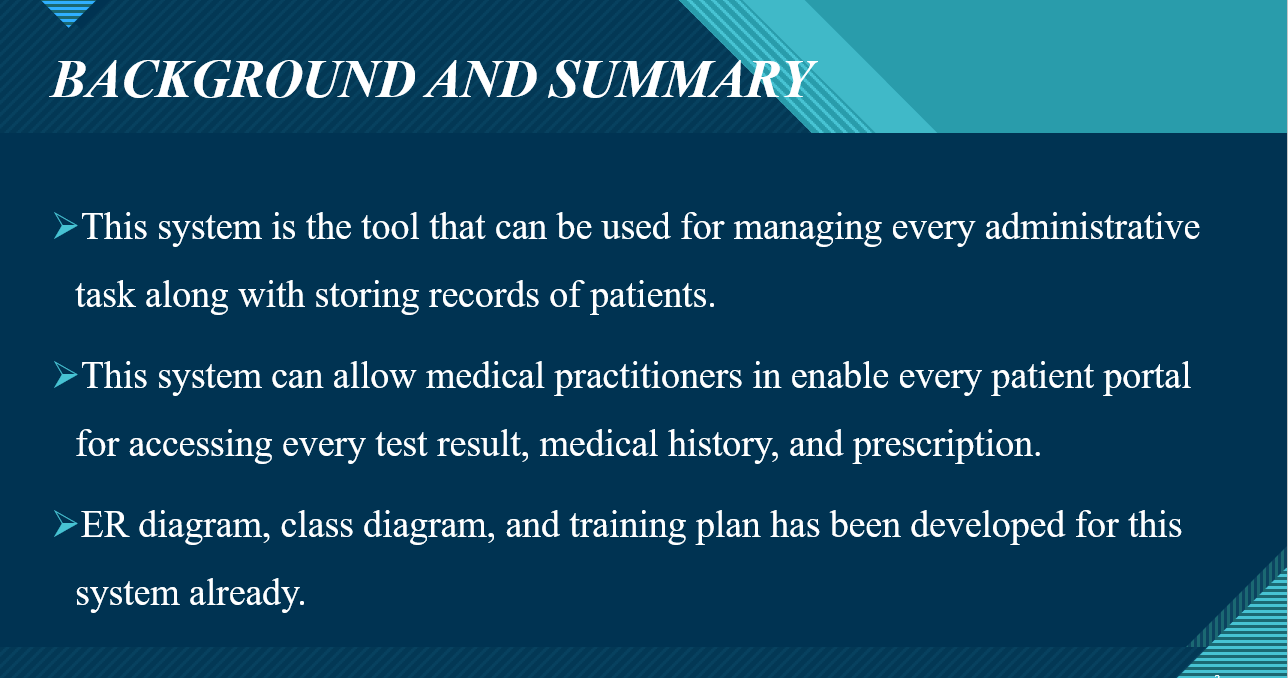
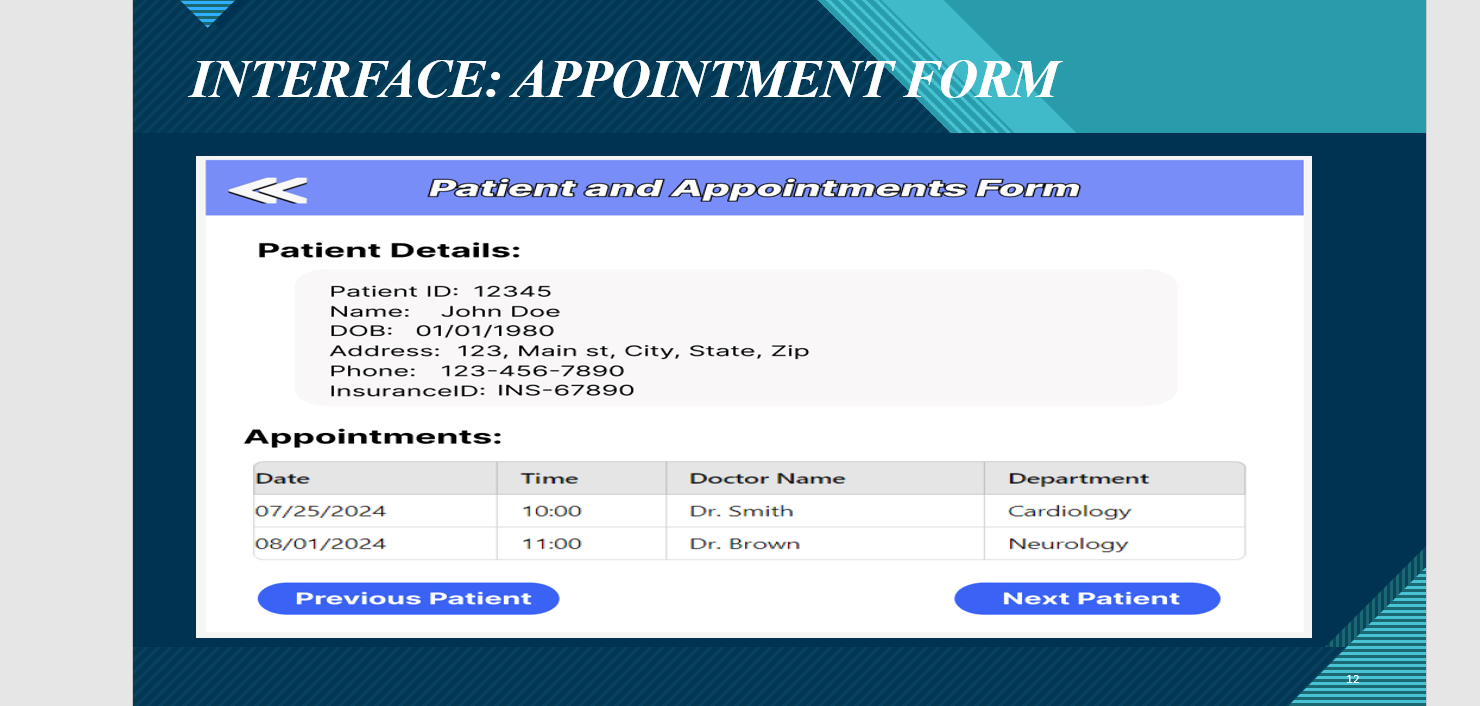
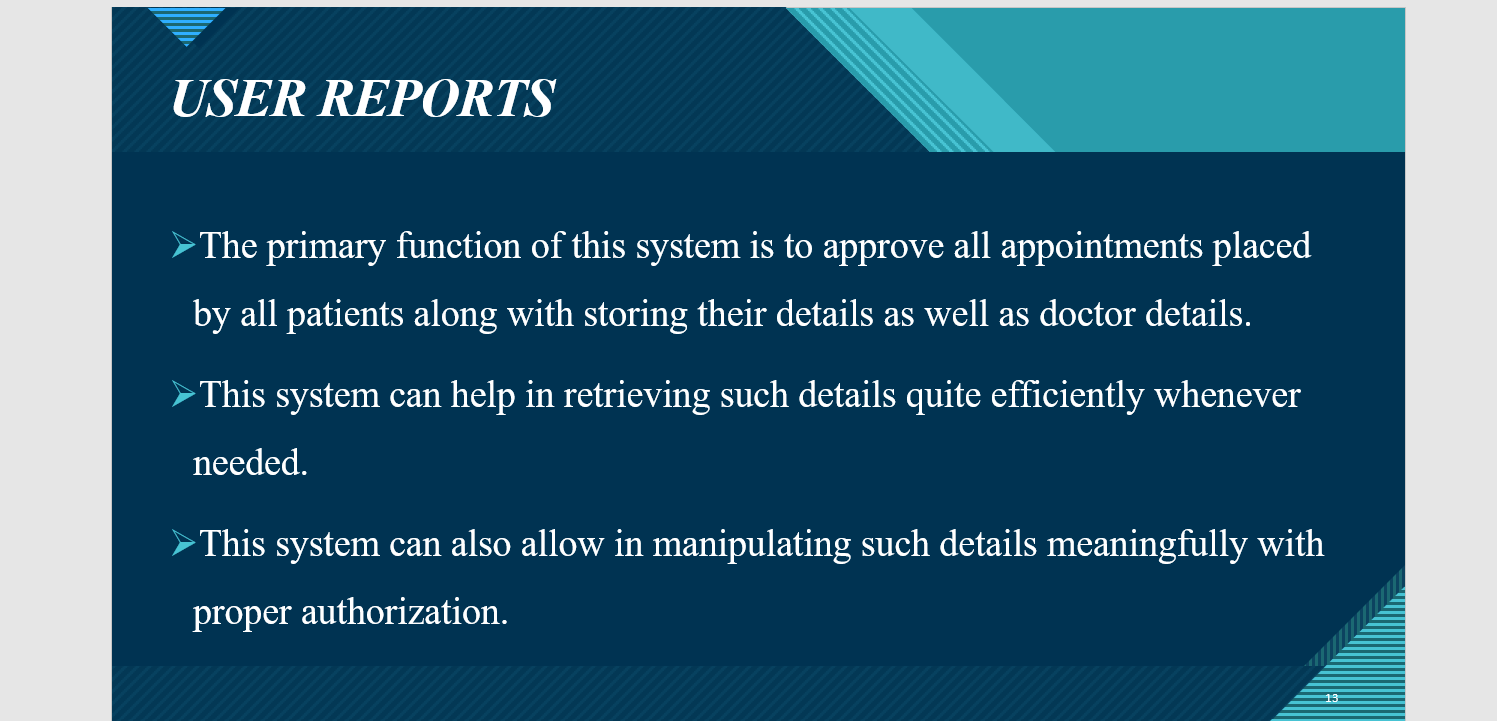
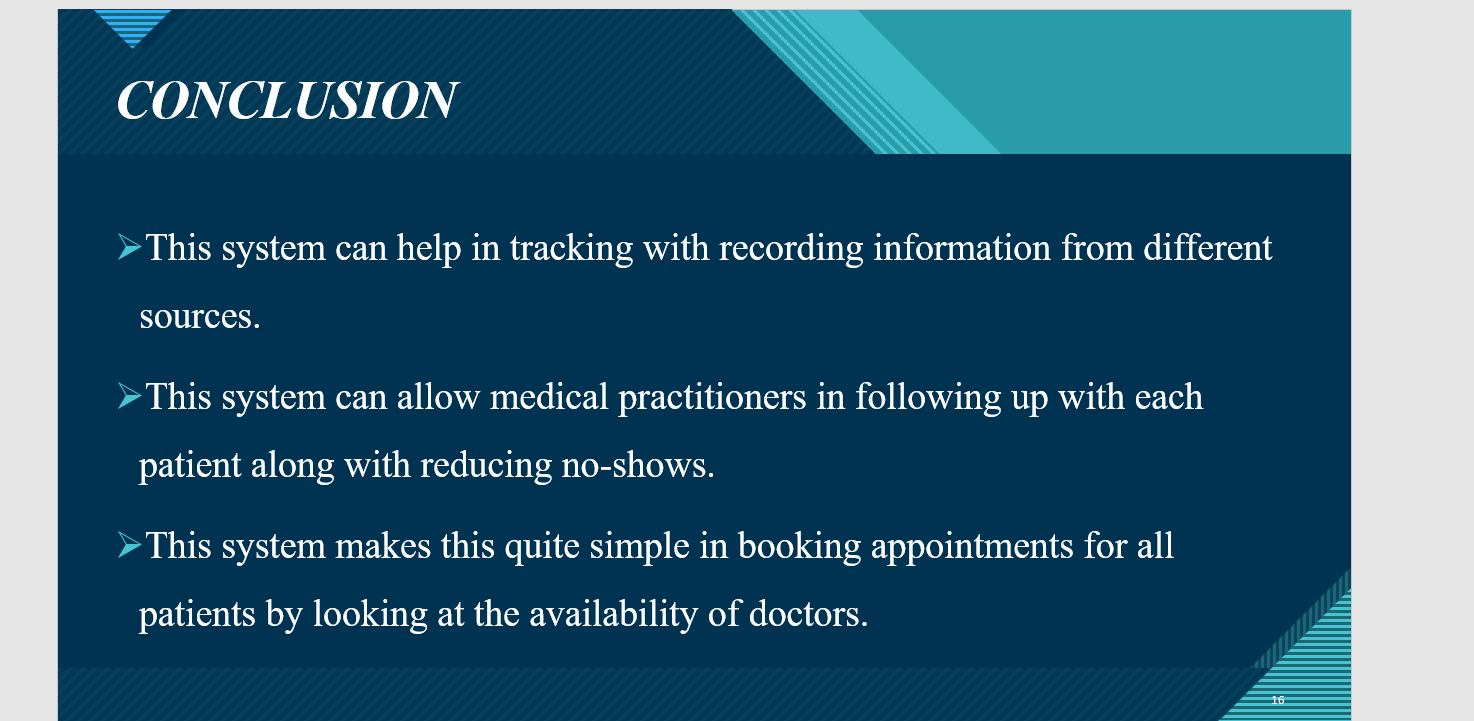
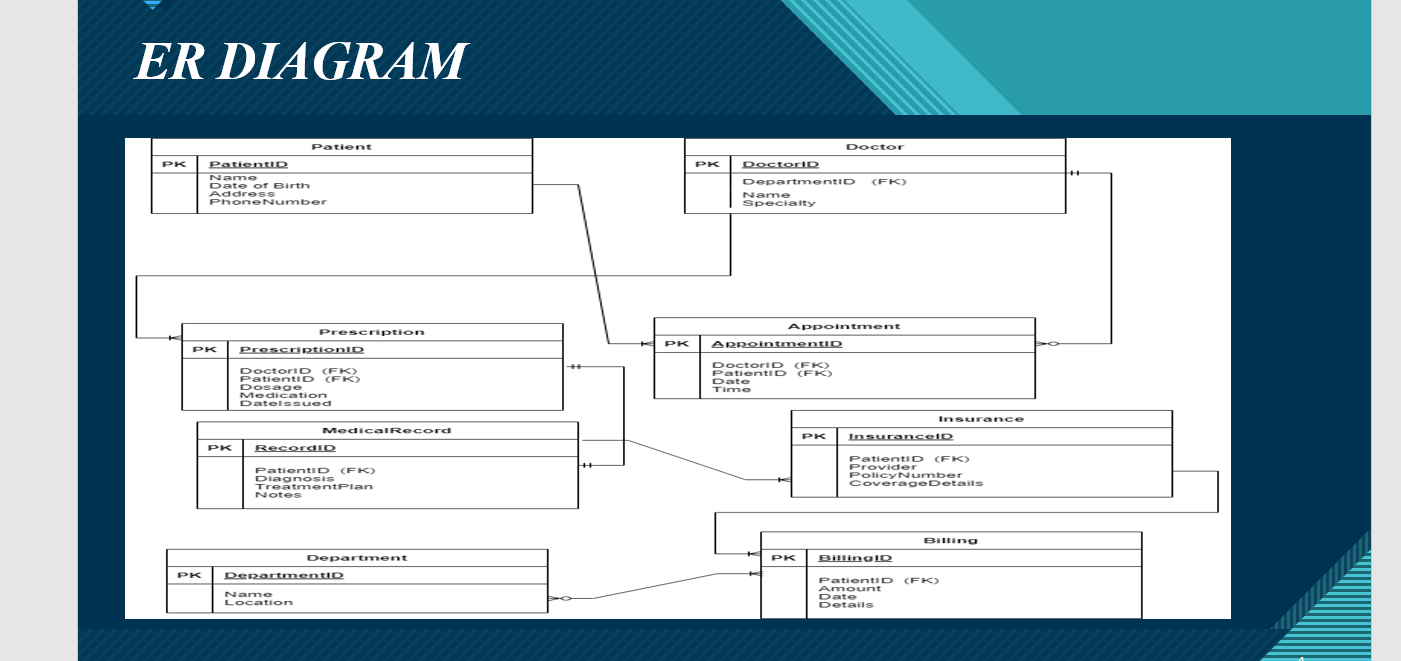
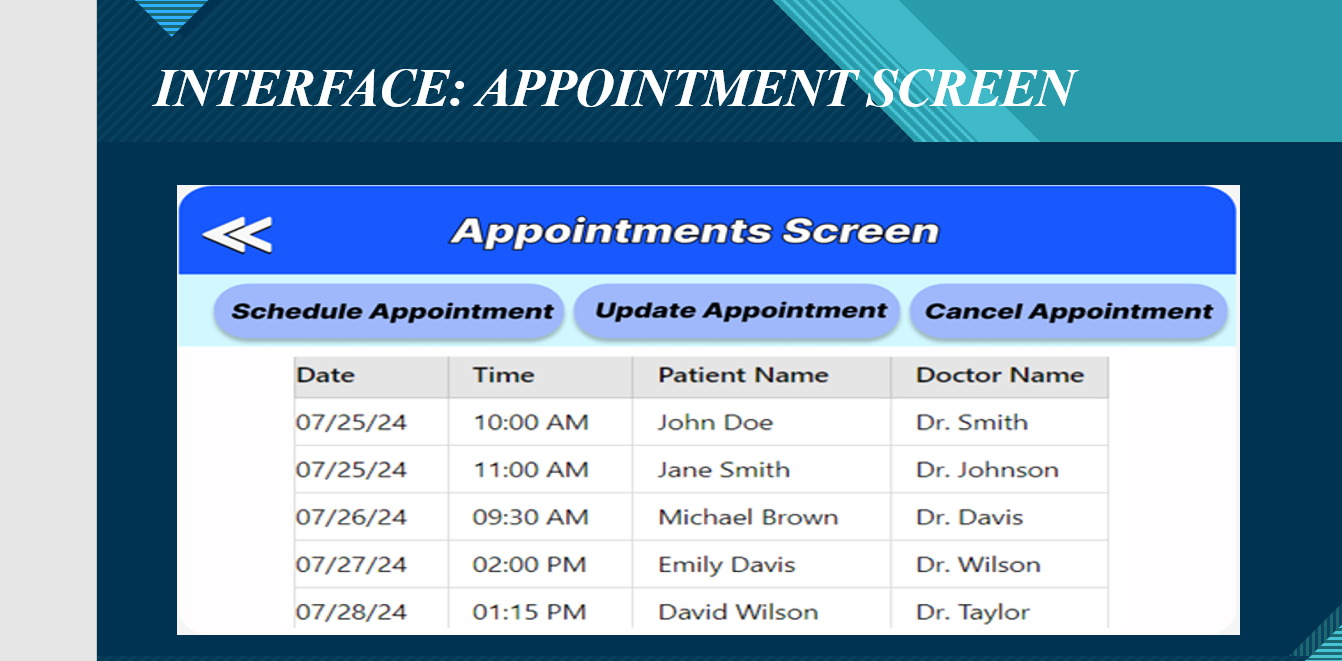
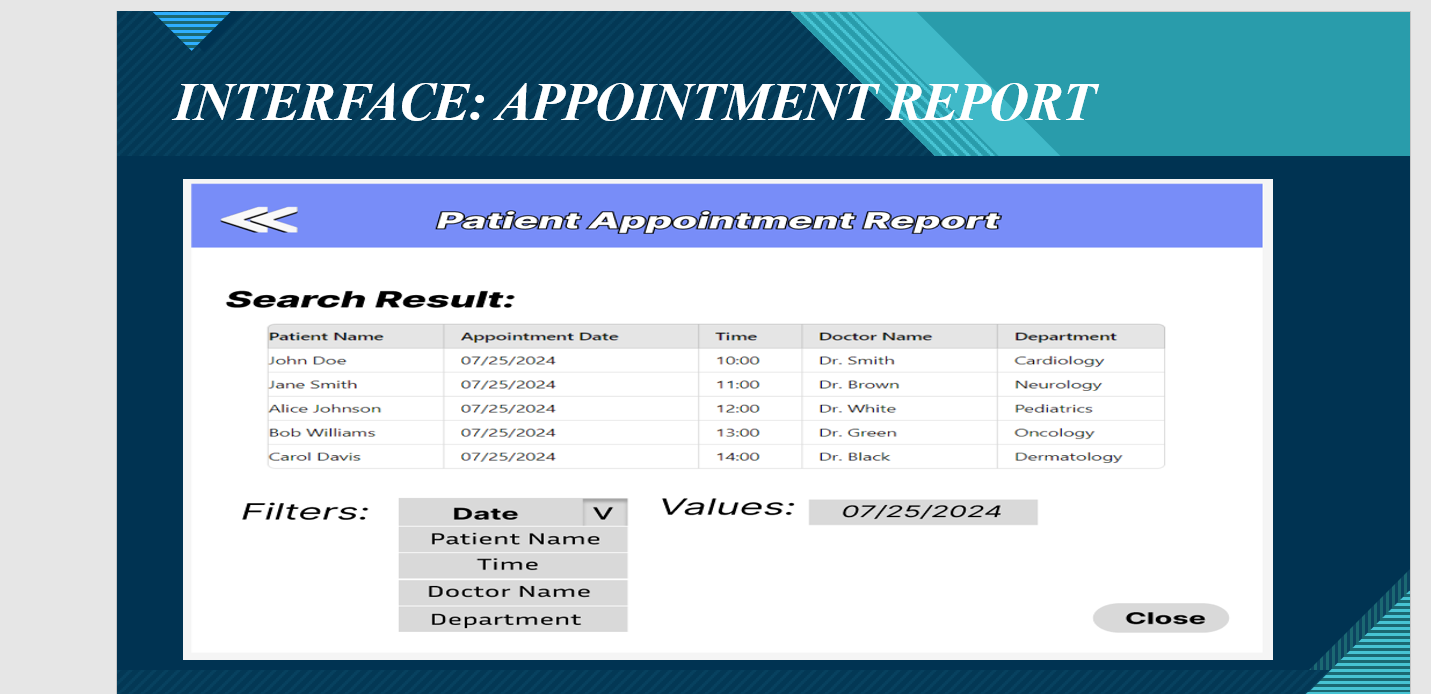
BACKGROUND AND SUMM. This system is the tool that can be used for managing every administrative task along with storing records of patients. This system can allow medical practitioners in enable every patient portal for accessing every test result, medical history, and prescription. ER diagram, class diagram, and training plan has been developed for this system already. INTERFACE: APPOINTMENT FORM
Step by Step Solution
There are 3 Steps involved in it

Get step-by-step solutions from verified subject matter experts
 Study Help